Kinder Morgan, Inc. · NYSE:KMI
Kinder Morgan — Investor Presentation (May 2024)
42 slides from Kinder Morgan's investor presentation, May 16, 2024
Slide 1: TGP Customer Advisory Board Meeting
TGP Customer Advisory Board Meeting May 16, 2024
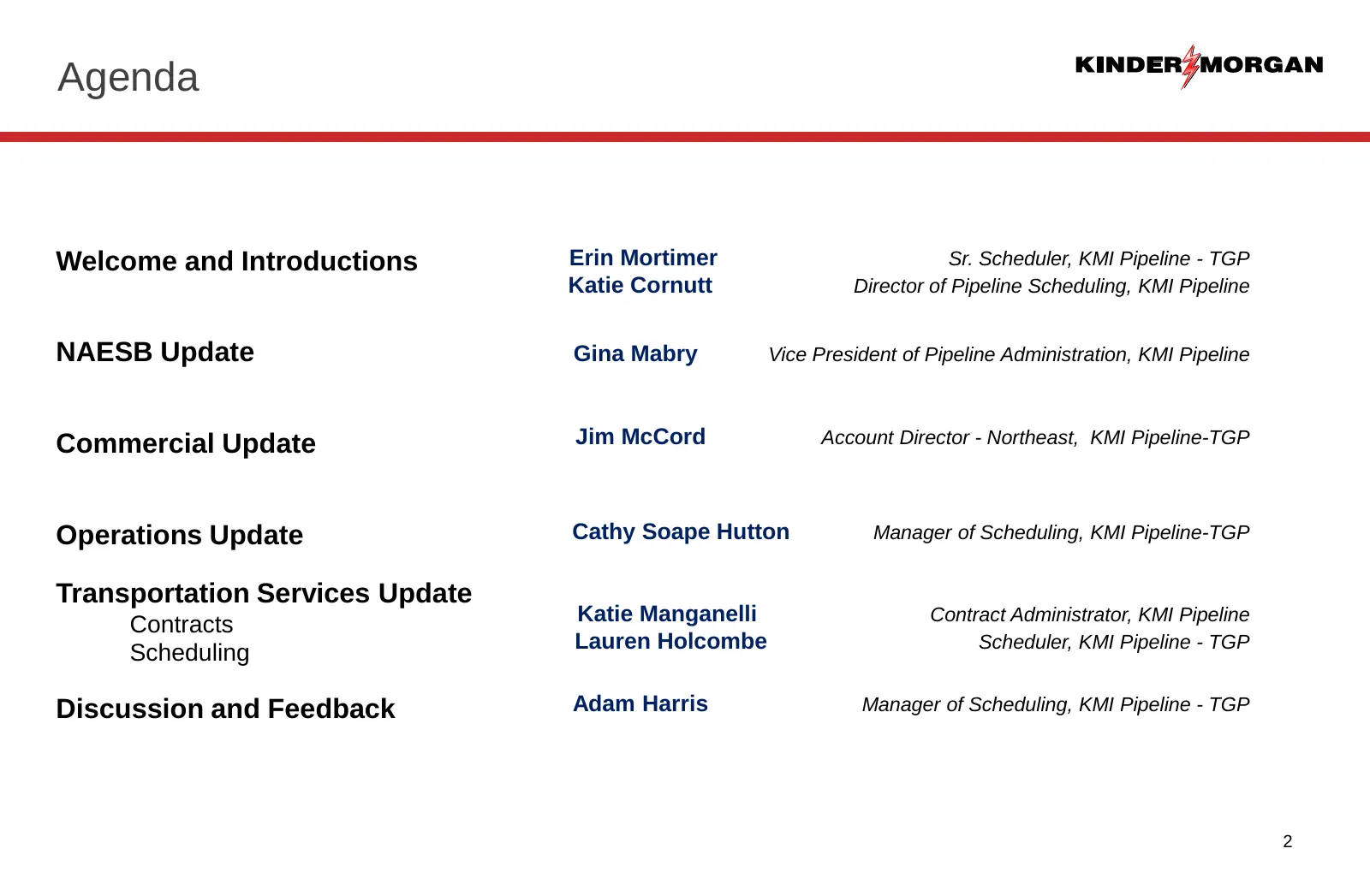
Slide 2: Agenda
Agenda Welcome and Introductions Erin Mortimer Sr. Scheduler, KMI Pipeline - TGP Katie Cornutt Director of Pipeline Scheduling, KMI Pipeline NAESB Update Gina Mabry Vice President of Pipeline Administration, KMI Pipeline Commercial Update Jim McCord Account Director - Northeast, KMI Pipeline-TGP Ope
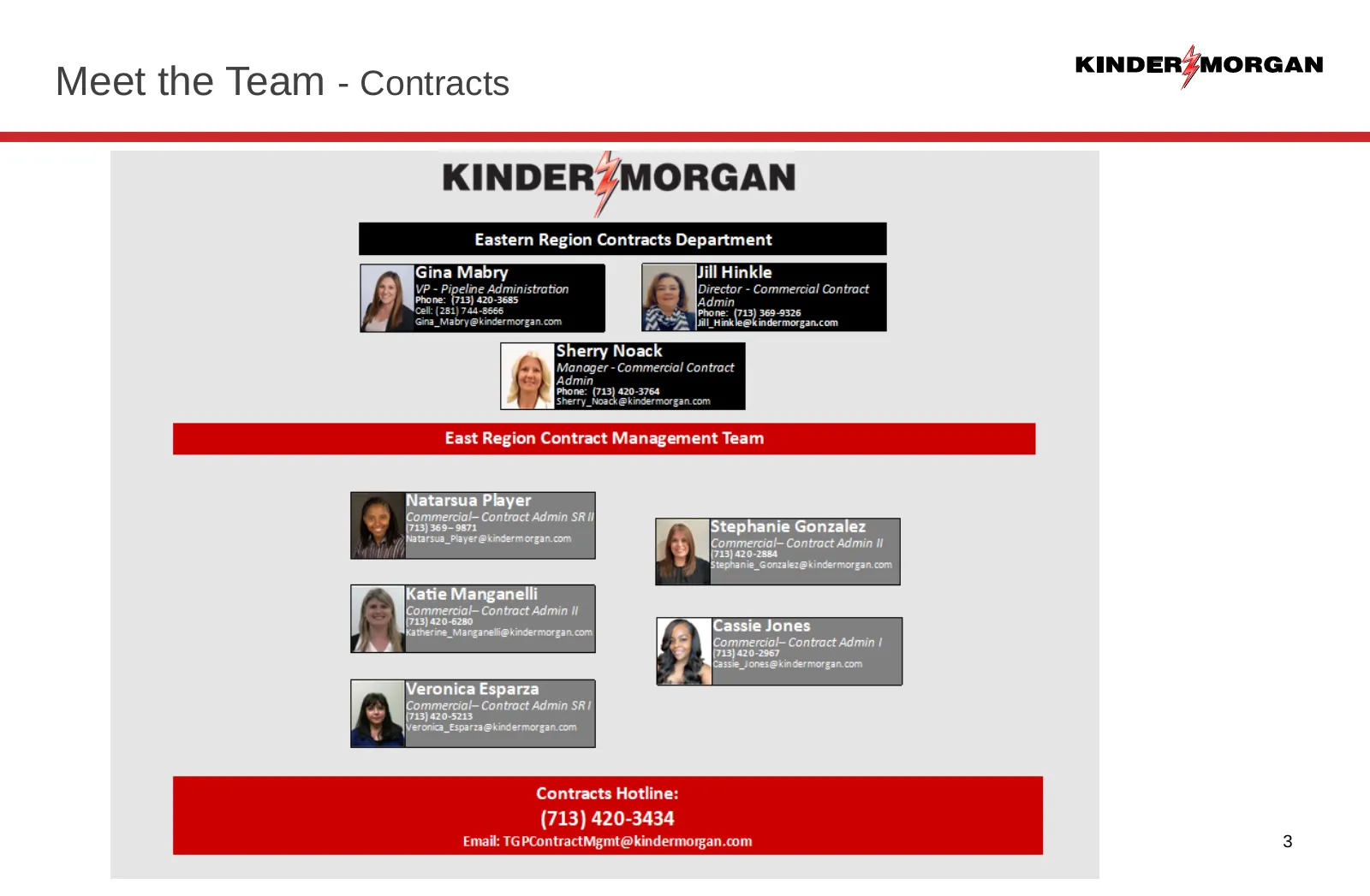
Slide 3: Meet the Team - Contracts
Meet the Team - Contracts KINDER/MORGAN Gina Mabry Sherry Noack Natarsua Player Ci - Contract Admin SR fas) 3es—se72 nae Samin = Stephanie Gonzalez Natarsua_Player @kindermorgan.com <, Wi commercial Contract Admin i! > Qpris)az0-280 =“ [email protected] Katie Manganelli Commercial
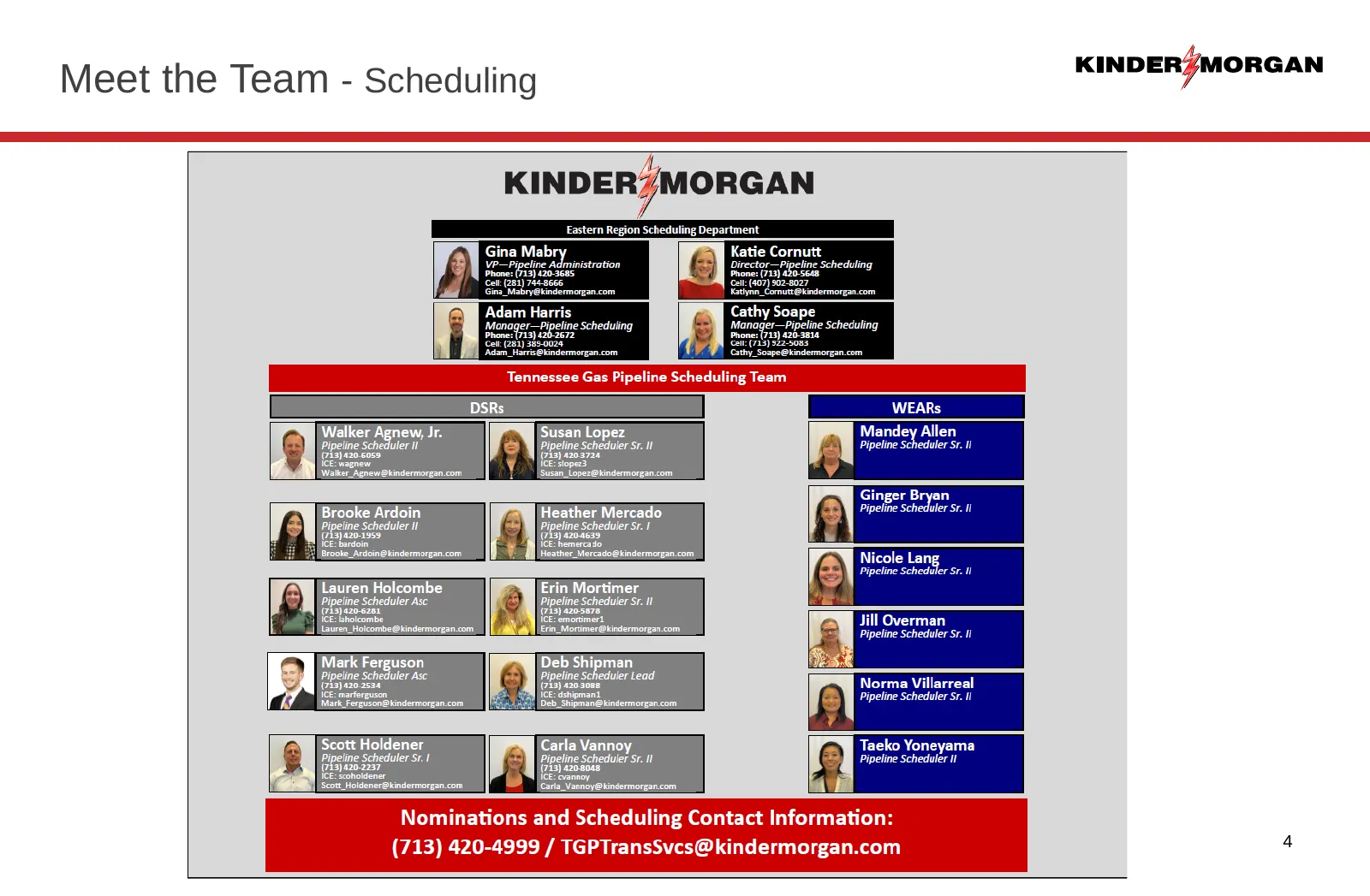
Slide 4: Meet the Team - Scheduling
Meet the Team - Scheduling KINDER/ MORGAN KINDER“MORGAN Eastern Region Scheduling Department Gina Mabry vP—Pipeline Administration Katie Cornutt Director—Pipeline Scheduling Phone: (713) 460-5608 ) 802-8027 Katiynn_Cormutt @kindermorgan.com (713), Walker Agnew, Jr. Pipeline Scheduler Pipeline Schedu
Slide 5: NAESB Update
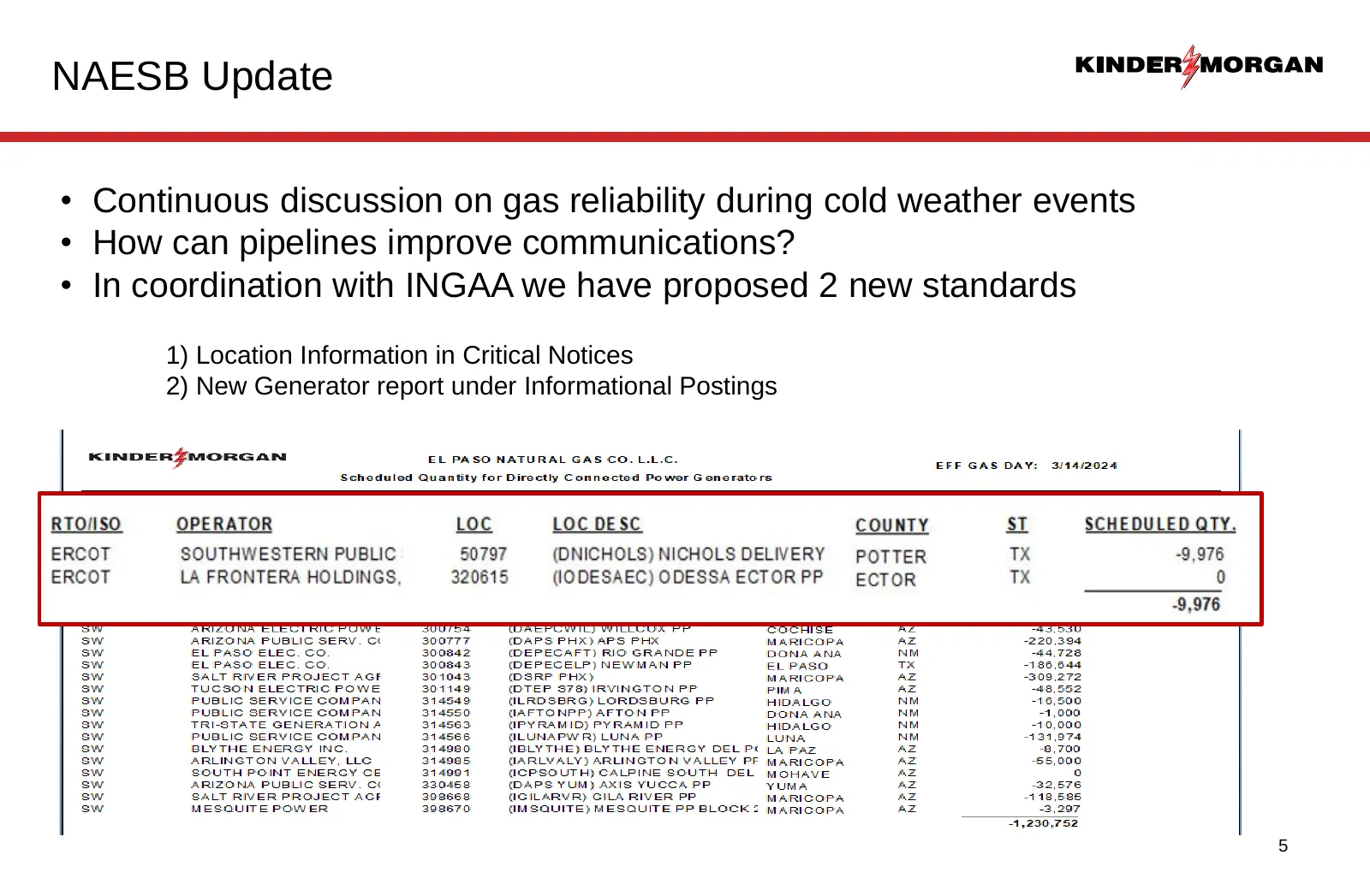
NAESB Update • Continuous discussion on gas reliability during cold weather events • How can pipelines improve communications? • In coordination with INGAA we have proposed 2 new standards 1) Location Information in Critical Notices 2) New Generator report under Informational Postings 5
Slide 6: NAESB Update - NAESB 4.0
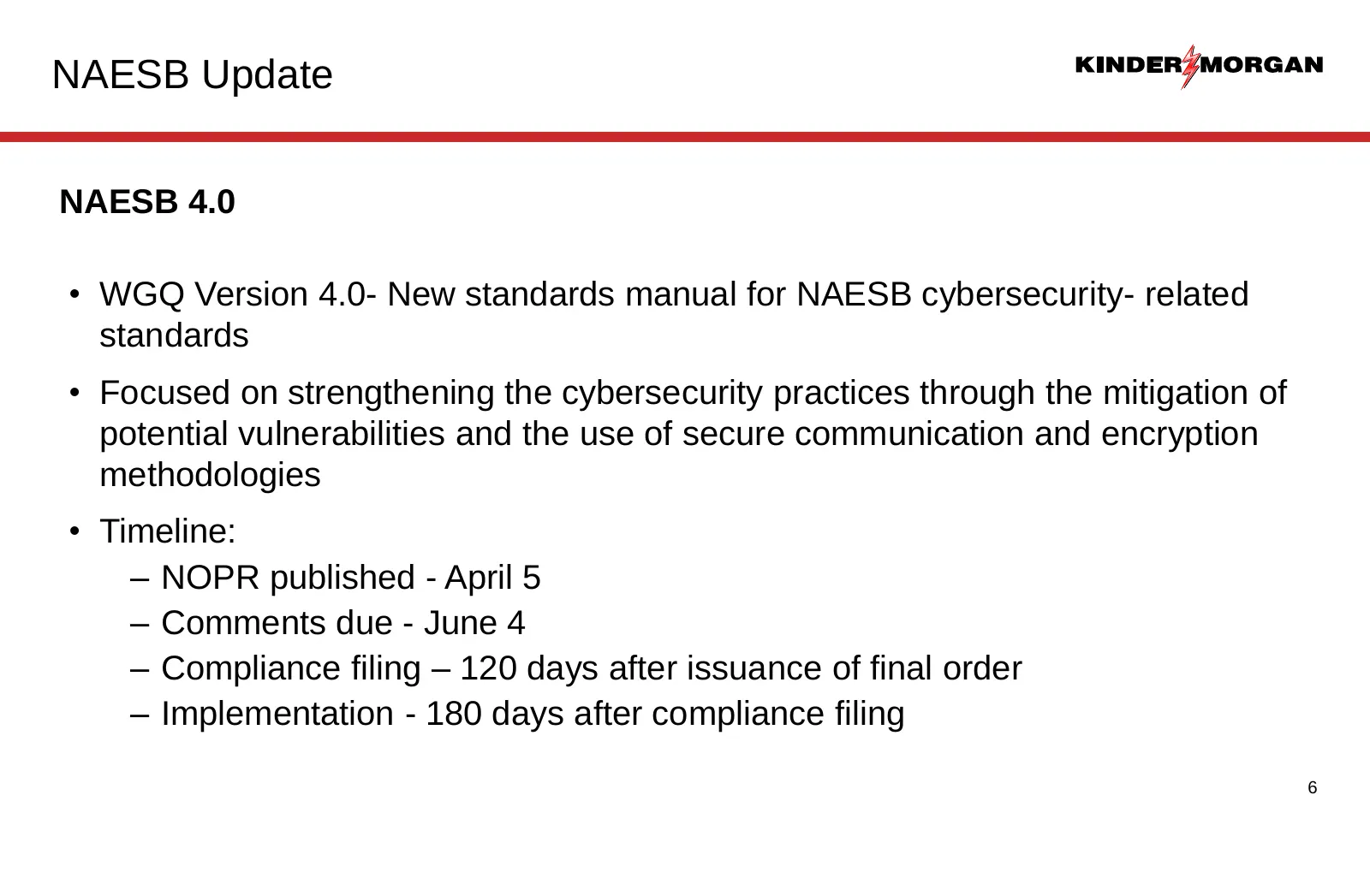
NAESB Update NAESB 4.0 • WGQ Version 4.0- New standards manual for NAESB cybersecurity- related standards • Focused on strengthening the cybersecurity practices through the mitigation of potential vulnerabilities and the use of secure communication and encryption methodologies • Timeline: – NOPR pub
Slide 7: Commercial Update – TGP Overview
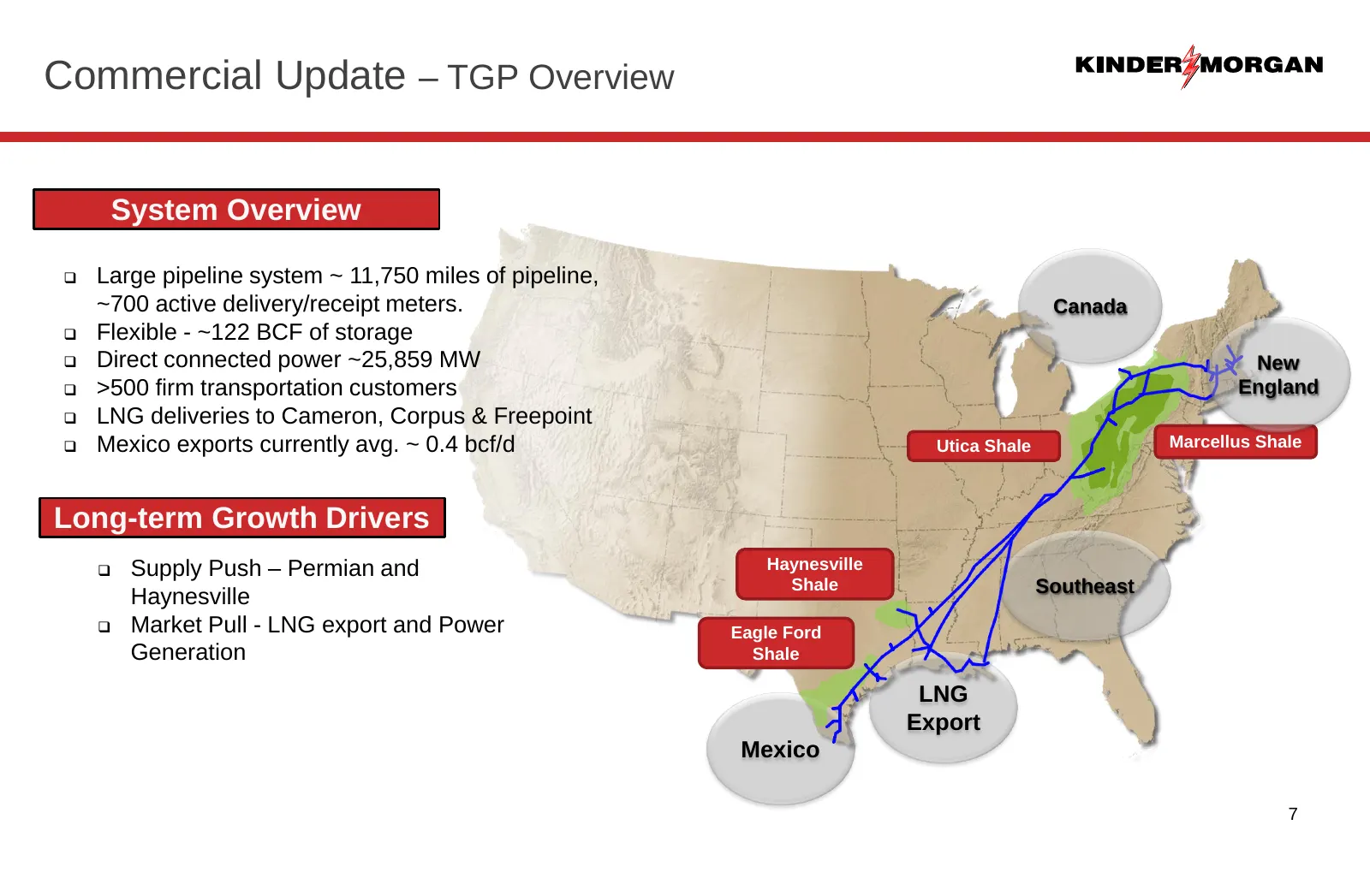
Commercial Update – TGP Overview System Overview Large pipeline system ~ 11,750 miles of pipeline, ~700 active delivery/receipt meters. Canada Flexible - ~122 BCF of storage Direct connected power ~25,859 MW New >500 firm transportation customers England LNG deliveries to Cameron, Corpus &
Slide 8: Commercial Update - Market Opportunities
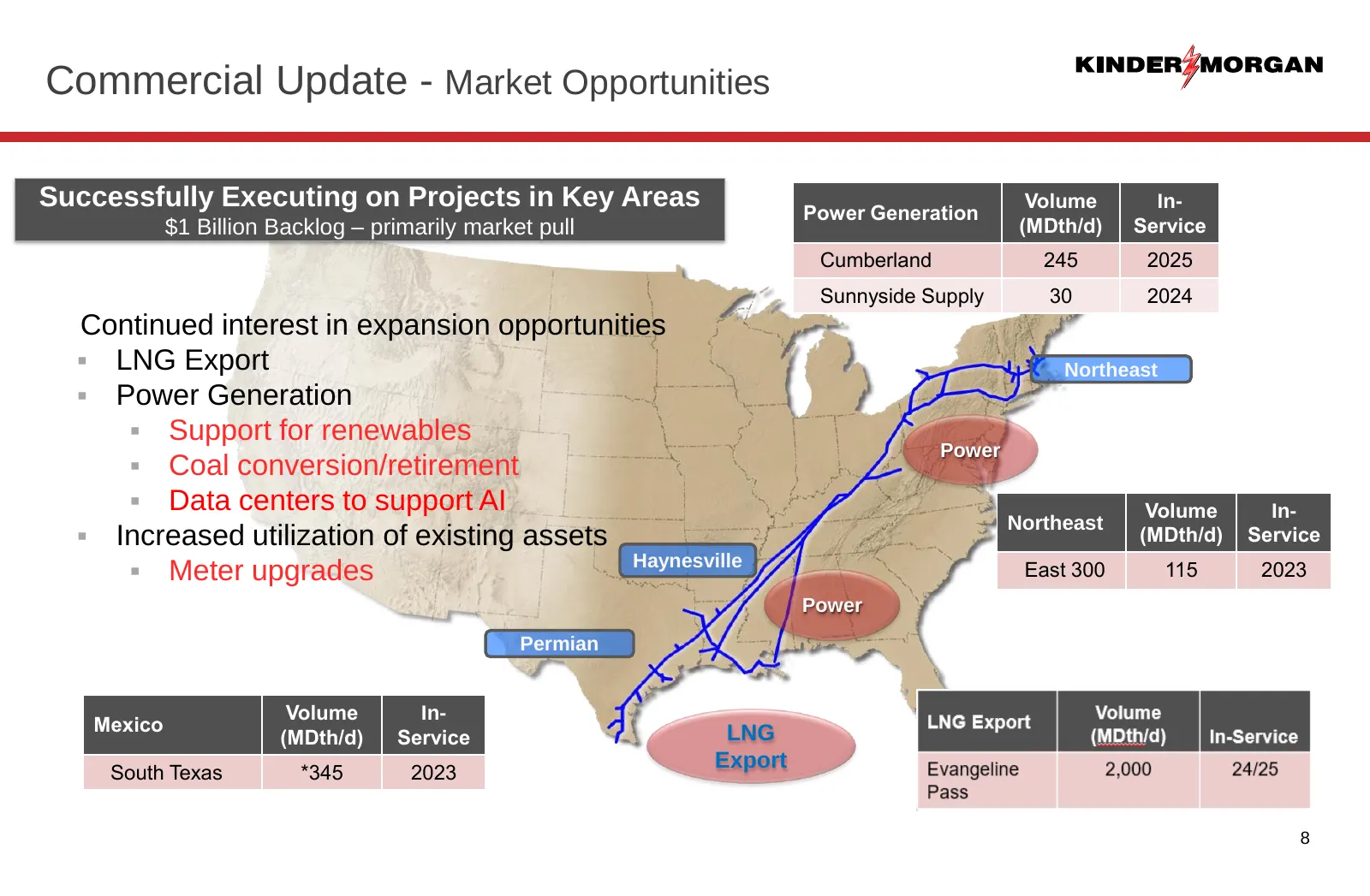
Commercial Update - Market Opportunities Successfully Executing on Projects in Key Areas Power Generation Volume In- $1 Billion Backlog – primarily market pull (MDth/d) Service Cumberland 245 2025 Sunnyside Supply 30 2024 Continued interest in expansion opportunities LNG Export Northeast
Slide 9: Commercial Update - Asset Optimization Coverage
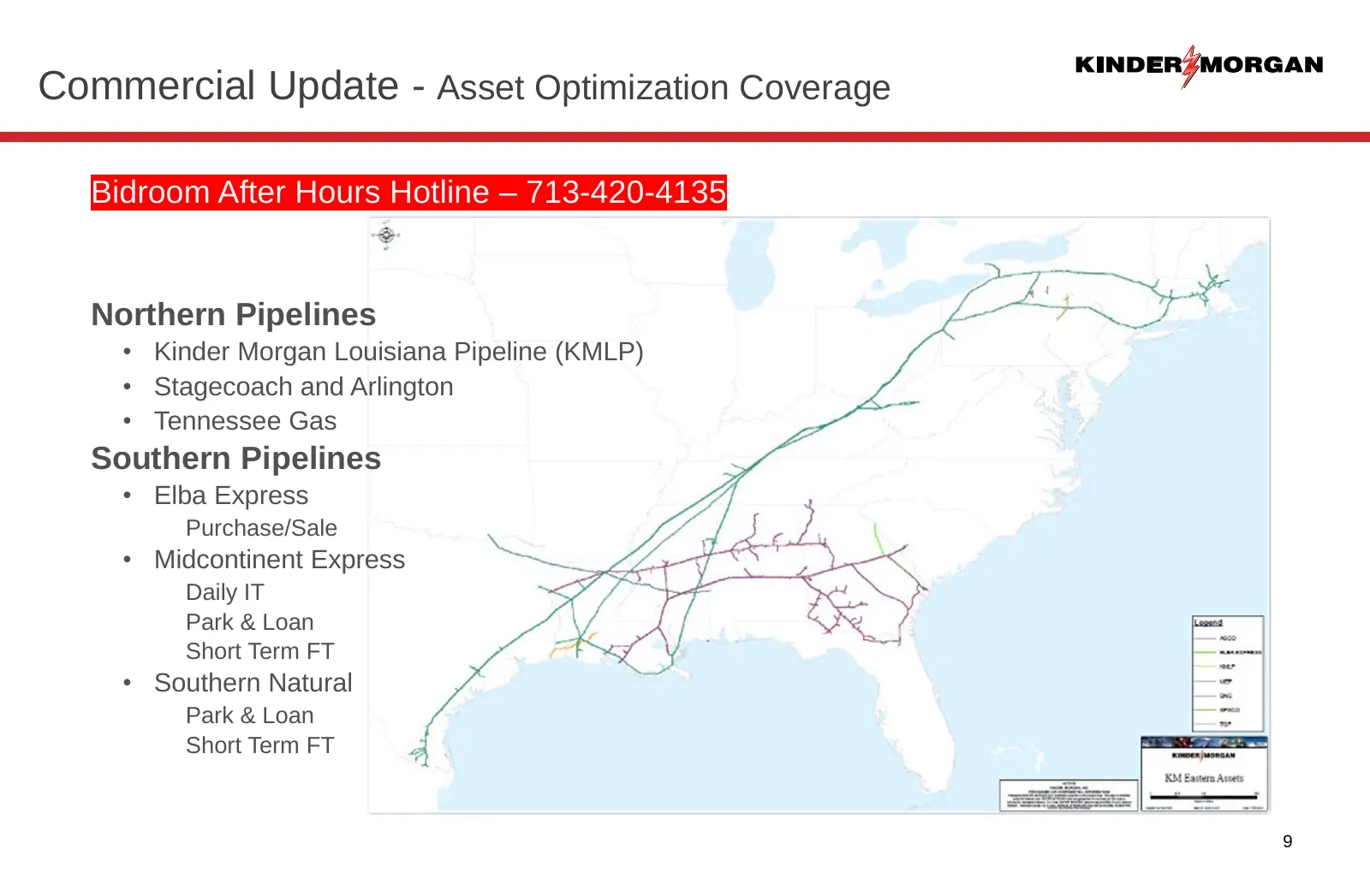
Commercial Update - Asset Optimization Coverage Bidroom After Hours Hotline – 713-420-4135 Northern Pipelines • Kinder Morgan Louisiana Pipeline (KMLP) • Stagecoach and Arlington • Tennessee Gas Southern Pipelines • Elba Express Purchase/Sale • Midcontinent Express Daily IT Park & Loan Short Term FT
Slide 10: Commercial Update – Contacts
Commercial Update – Contacts Marketing and Asset Optimization Ernesto Ochoa, Chief Commercial Officer (713) 420-1734 [email protected] Mark Wilson, Director - Commercial (713) 420-7205 [email protected] Asset Optimization (For information regarding PAL, IT, Short Term FT-A) C
Slide 11: Operations Update - Overview
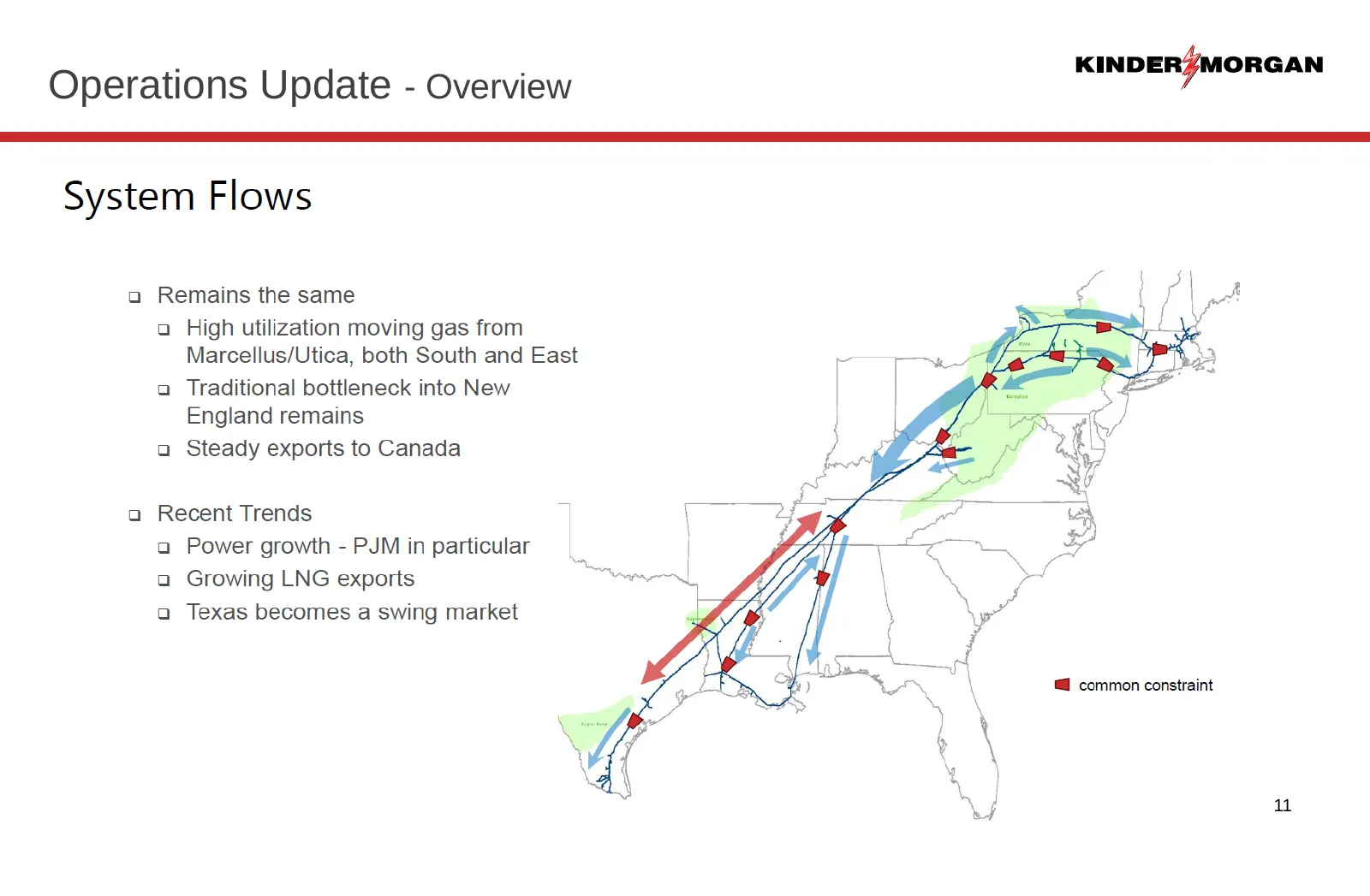
Operations Update - Overview 11
Slide 12: Operations Update – Winter 2023-2024
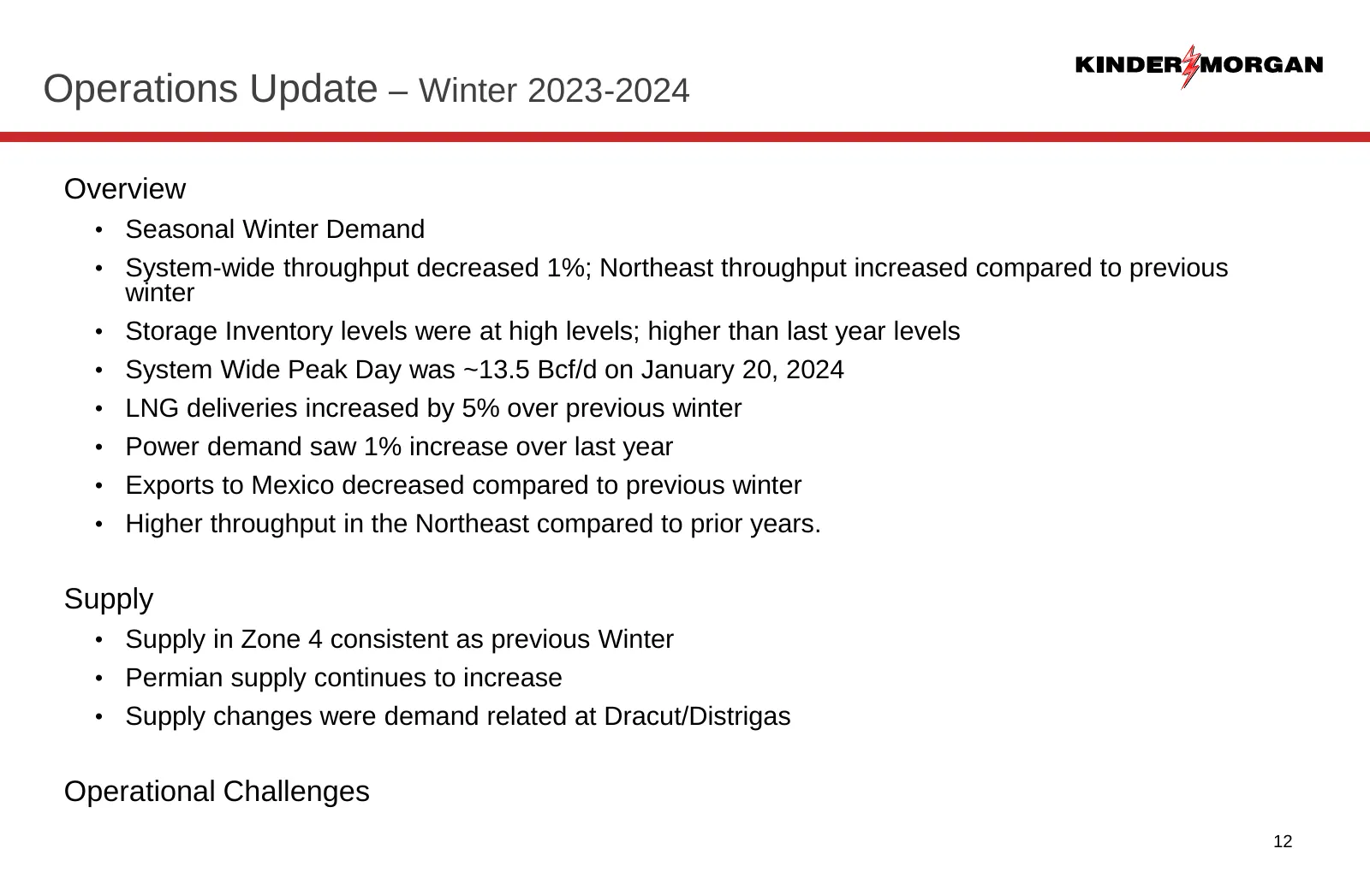
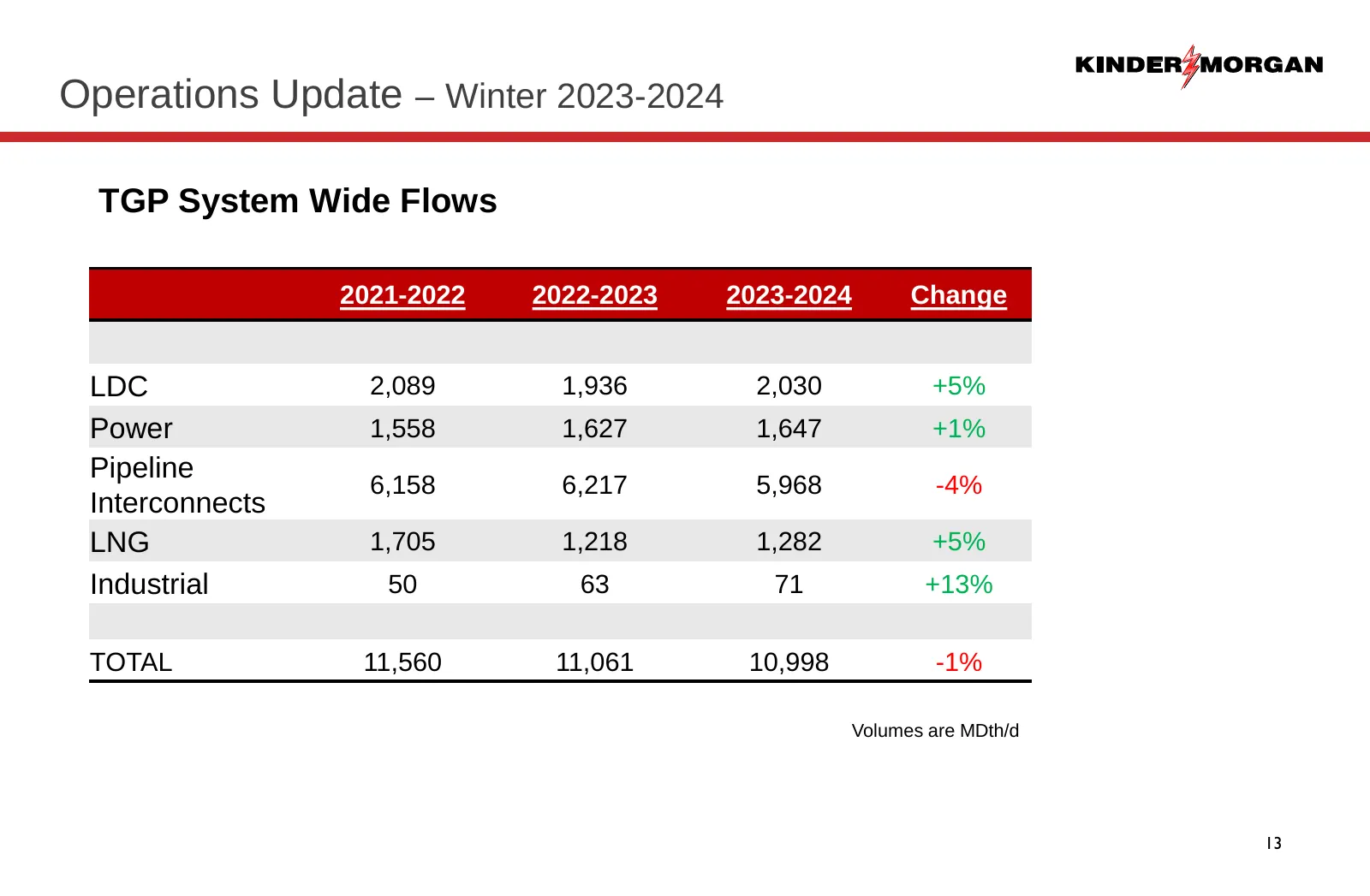
Operations Update – Winter 2023-2024 Overview • Seasonal Winter Demand • System-wide throughput decreased 1%; Northeast throughput increased compared to previous winter • Storage Inventory levels were at high levels; higher than last year levels • System Wide Peak Day was ~13.5 Bcf/d on January 20,
Slide 13: Operations Update – Winter 2023-2024
Operations Update – Winter 2023-2024 TGP System Wide Flows 2021-2022 2022-2023 2023-2024 Change LDC 2,089 1,936 2,030 +5% Power 1,558 1,627 1,647 +1% Pipeline 6,158 6,217 5,968 -4% Interconnects LNG 1,705 1,218 1,282 +5% Industrial 50 63 71 +13% TOTAL 11,560 11,061 10,998 -1% Volumes are MDth/d 13
Slide 14: Operations Update – Winter 2023-2024
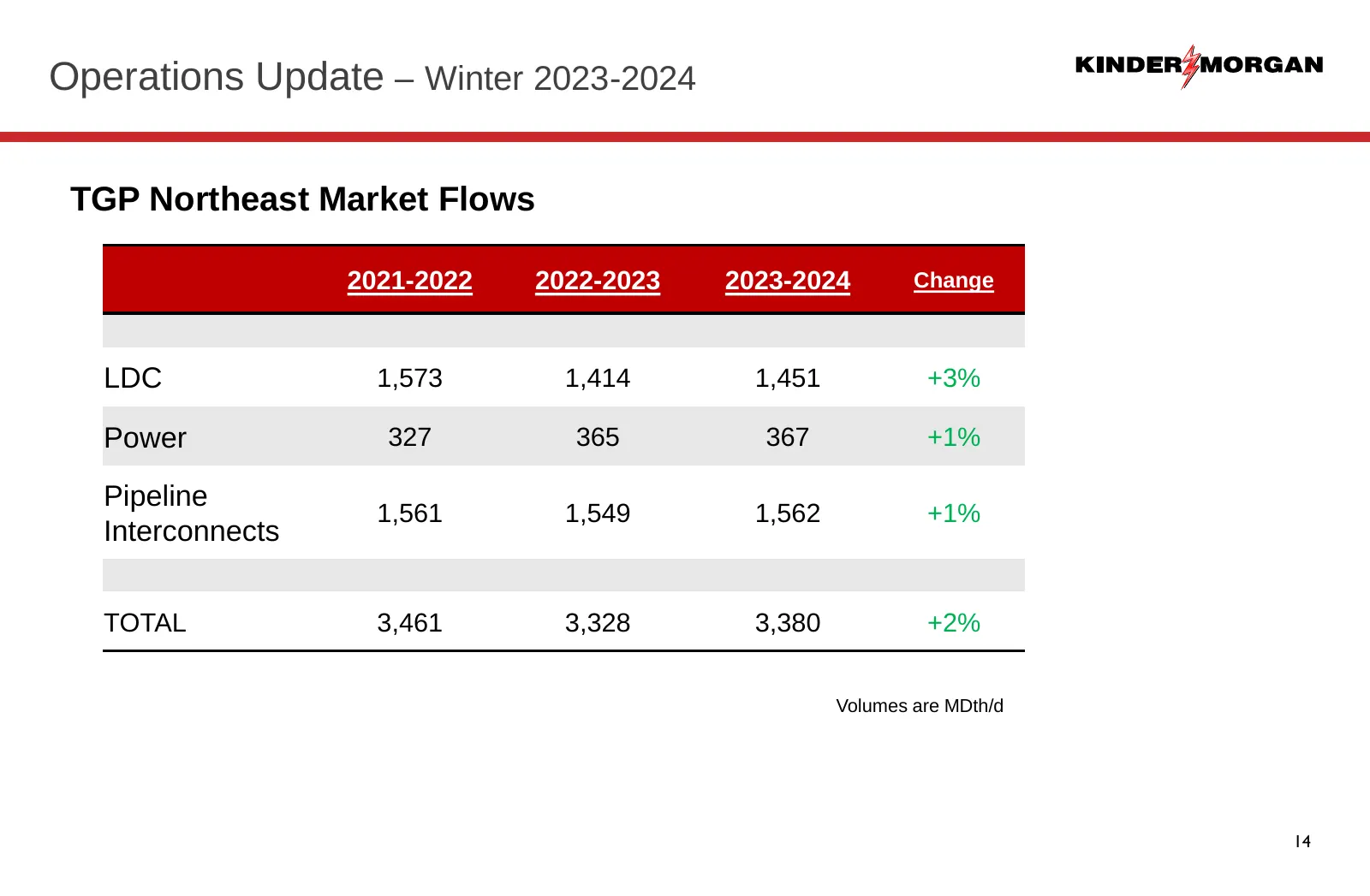
Operations Update – Winter 2023-2024 TGP Northeast Market Flows 2021-2022 2022-2023 2023-2024 Change LDC 1,573 1,414 1,451 +3% Power 327 365 367 +1% Pipeline 1,561 1,549 1,562 +1% Interconnects TOTAL 3,461 3,328 3,380 +2% Volumes are MDth/d 14
Slide 15: Operations Update – Summer Restrictions
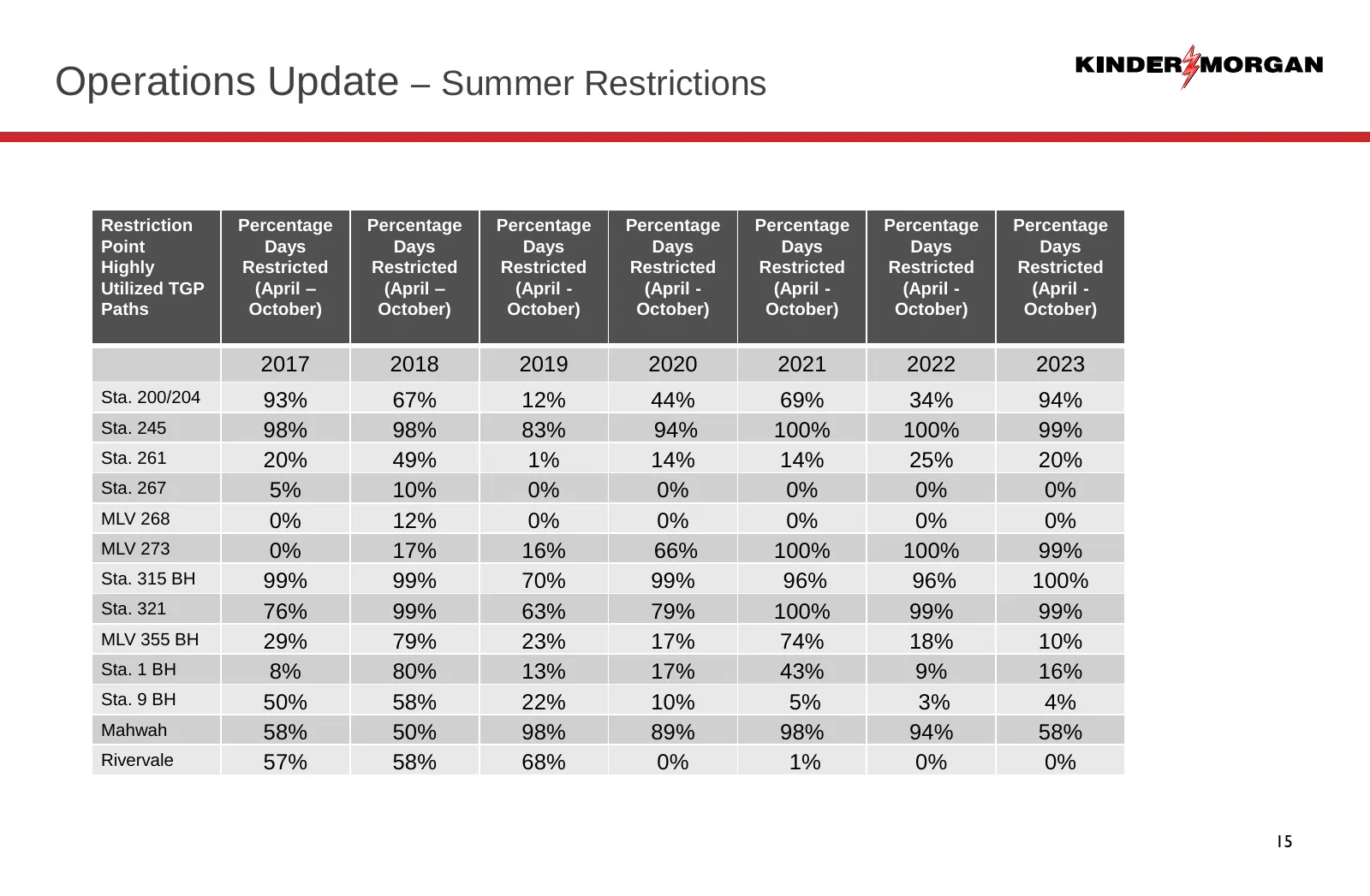
Operations Update – Summer Restrictions Restriction Percentage Percentage Percentage Percentage Percentage Percentage Percentage Point Days Days Days Days Days Days Days Highly Restricted Restricted Restricted Restricted Restricted Restricted Restricted Utilized TGP (April – (April – (April - (April
Slide 16: Operations Update – Timely Cycle Trends
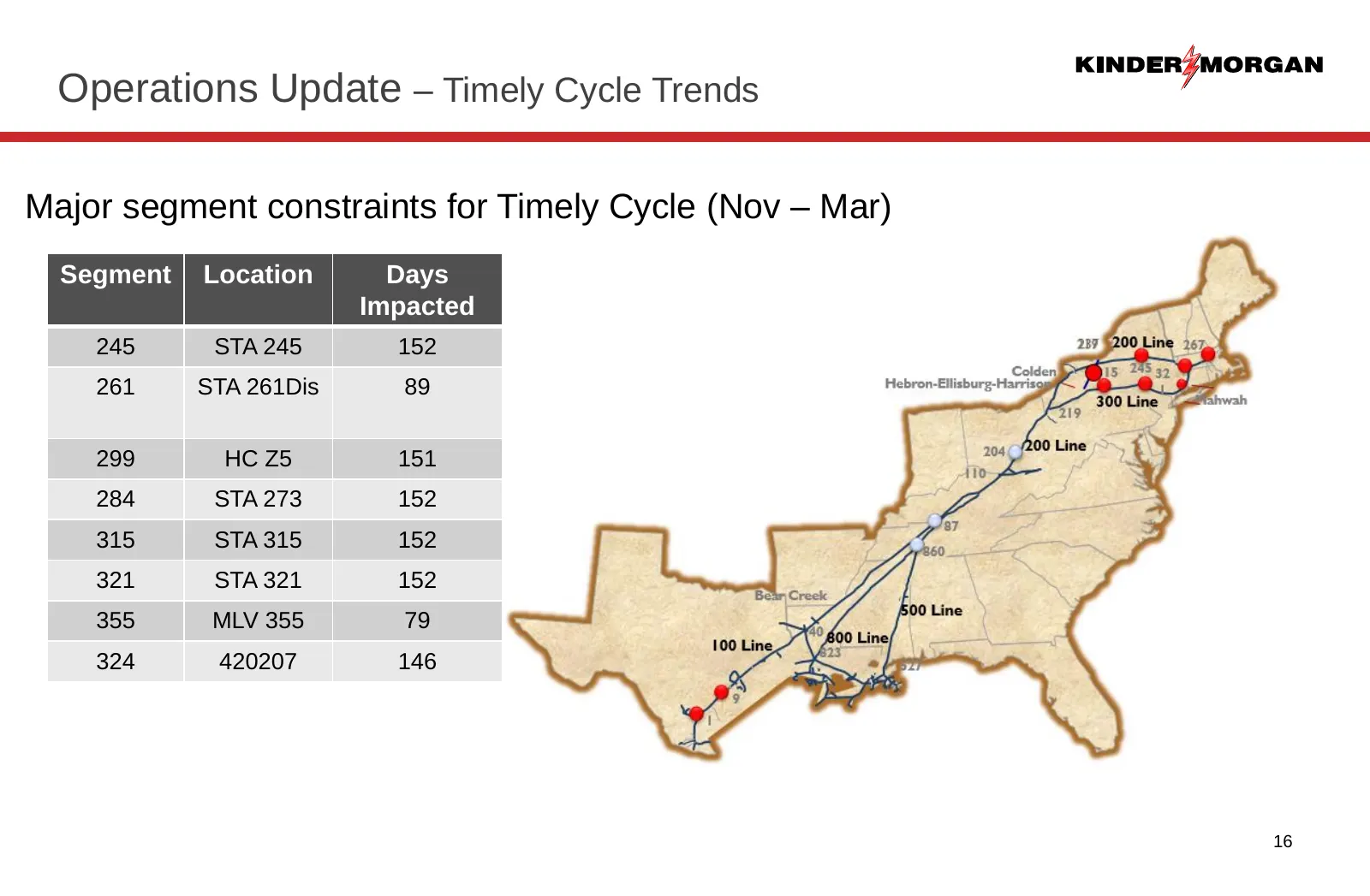
Operations Update – Timely Cycle Trends Major segment constraints for Timely Cycle (Nov – Mar) Segment Location Days Impacted 245 STA 245 152 261 STA 261Dis 89 299 HC Z5 151 284 STA 273 152 315 STA 315 152 321 STA 321 152 355 MLV 355 79 324 420207 146 16
Slide 17: Operations Update – Winter Restrictions
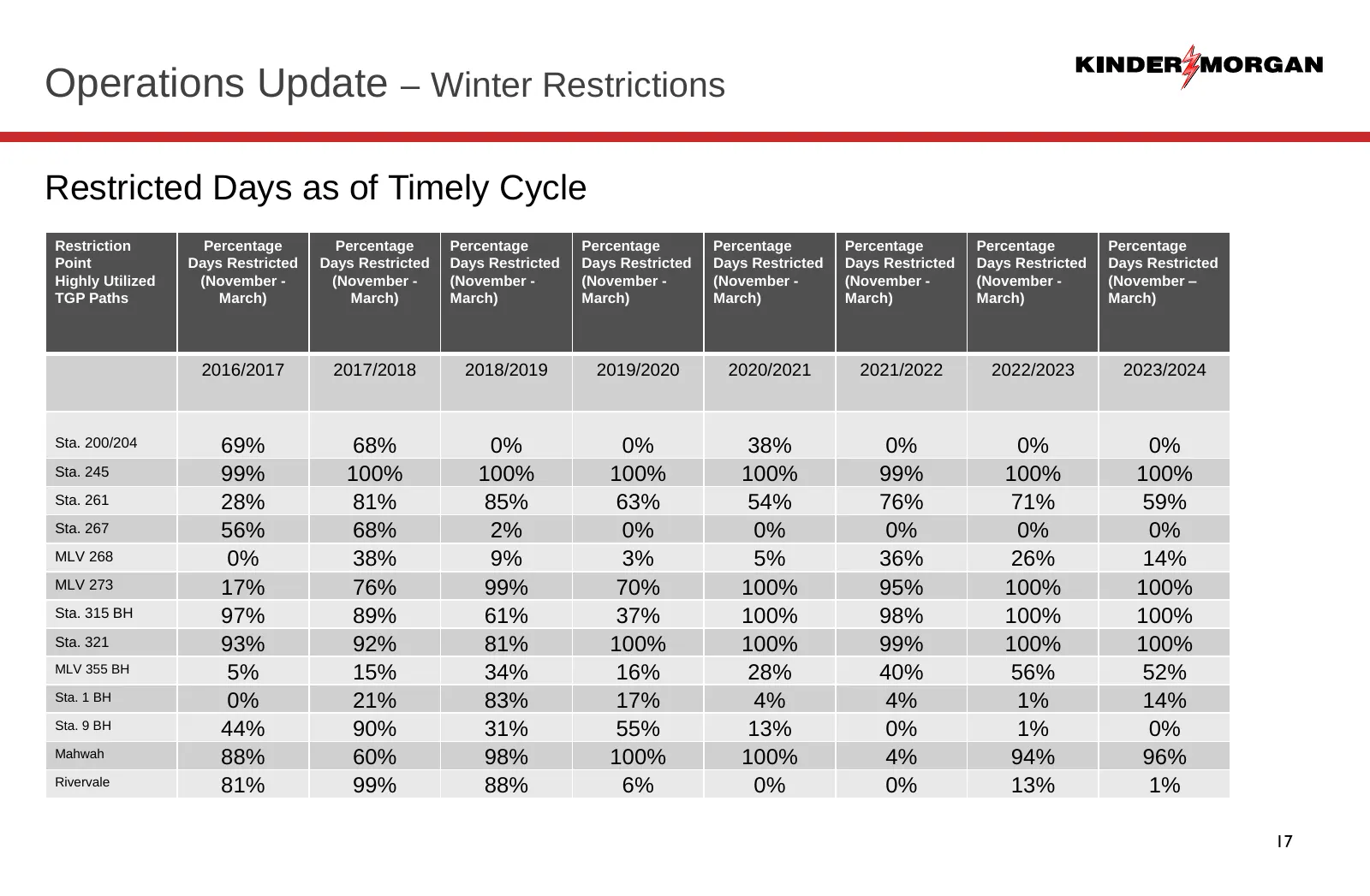
Operations Update – Winter Restrictions Restricted Days as of Timely Cycle Restriction Percentage Percentage Percentage Percentage Percentage Percentage Percentage Percentage Point Days Restricted Days Restricted Days Restricted Days Restricted Days Restricted Days Restricted Days Restricted Days Re
Slide 18: Operations Update – Winter OFOs
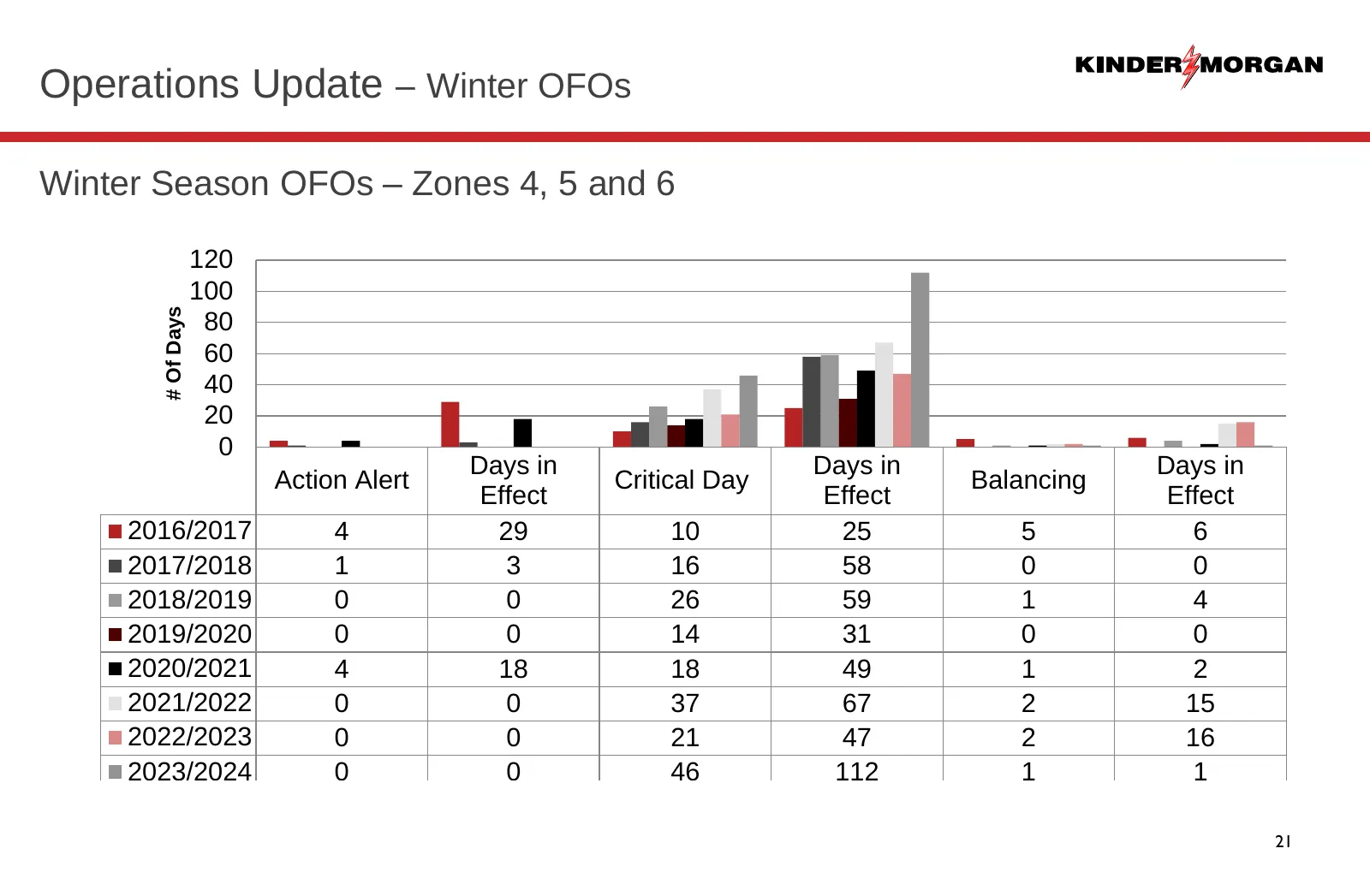
Operations Update – Winter OFOs Winter Season OFOs – Zones 4, 5 and 6 120 100 # Of Days 80 60 40 20 0 Days in Days in Days in Action Alert Critical Day Balancing Effect Effect Effect 2016/2017 4 29 10 25 5 6 2017/2018 1 3 16 58 0 0 2018/2019 0 0 26 59 1 4 2019/2020 0 0 14 31 0 0 2020/2021 4 18 18 49
Slide 19: Operations Update – TGP Maintenance
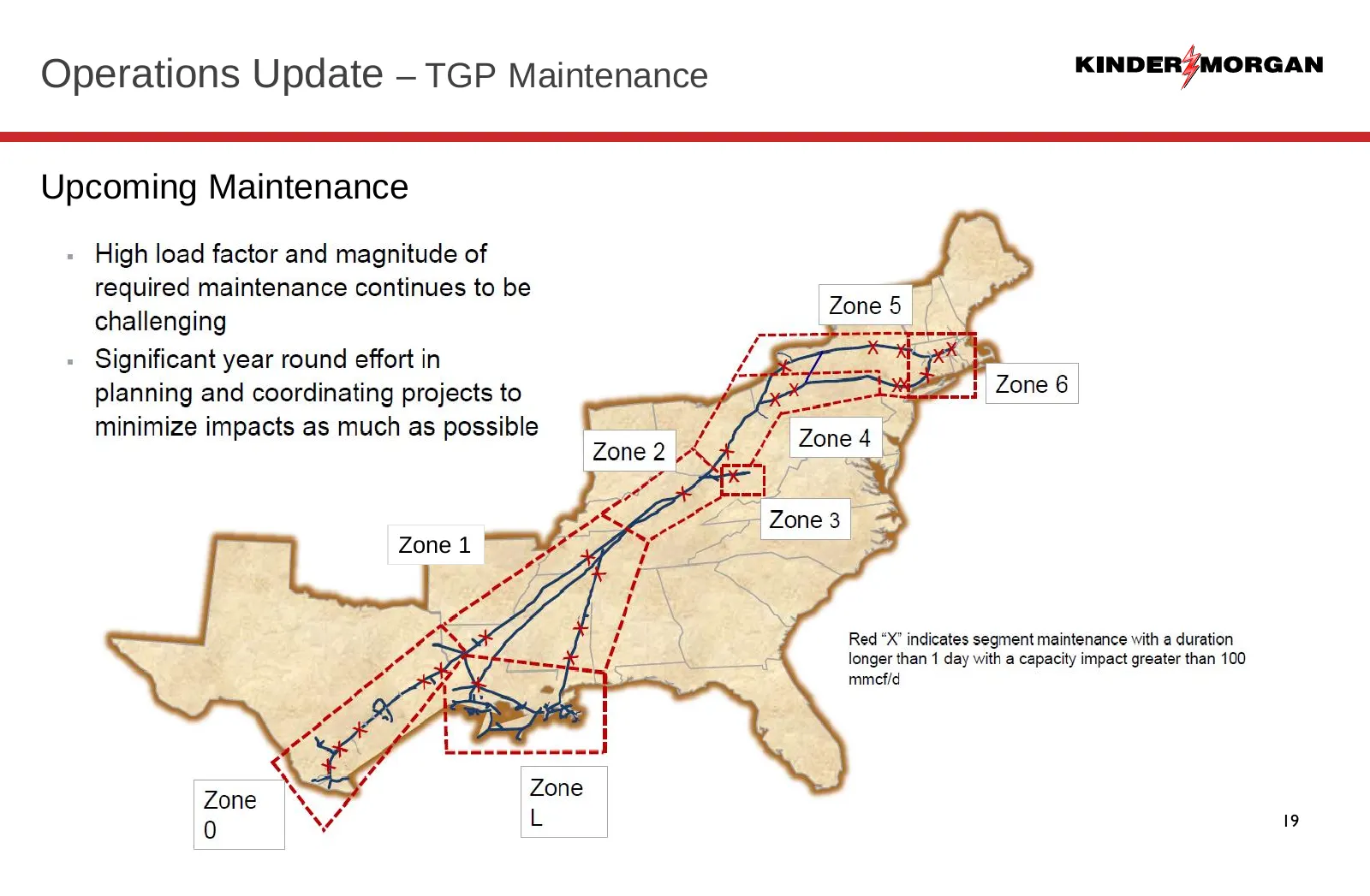
Operations Update – TGP Maintenance Upcoming Maintenance Zone 1 19
Slide 20: Operations Update – Expectations
Operations Update – Expectations Operational Expectations heading into Summer • Continued high utilization system wide • LNG demand is high utilization with no seasonality – increasing load factor in southern segments • Storage injections at high levels heading into summer • Scheduling maintenance a
Slide 21: Transportation Services Update - Contracts
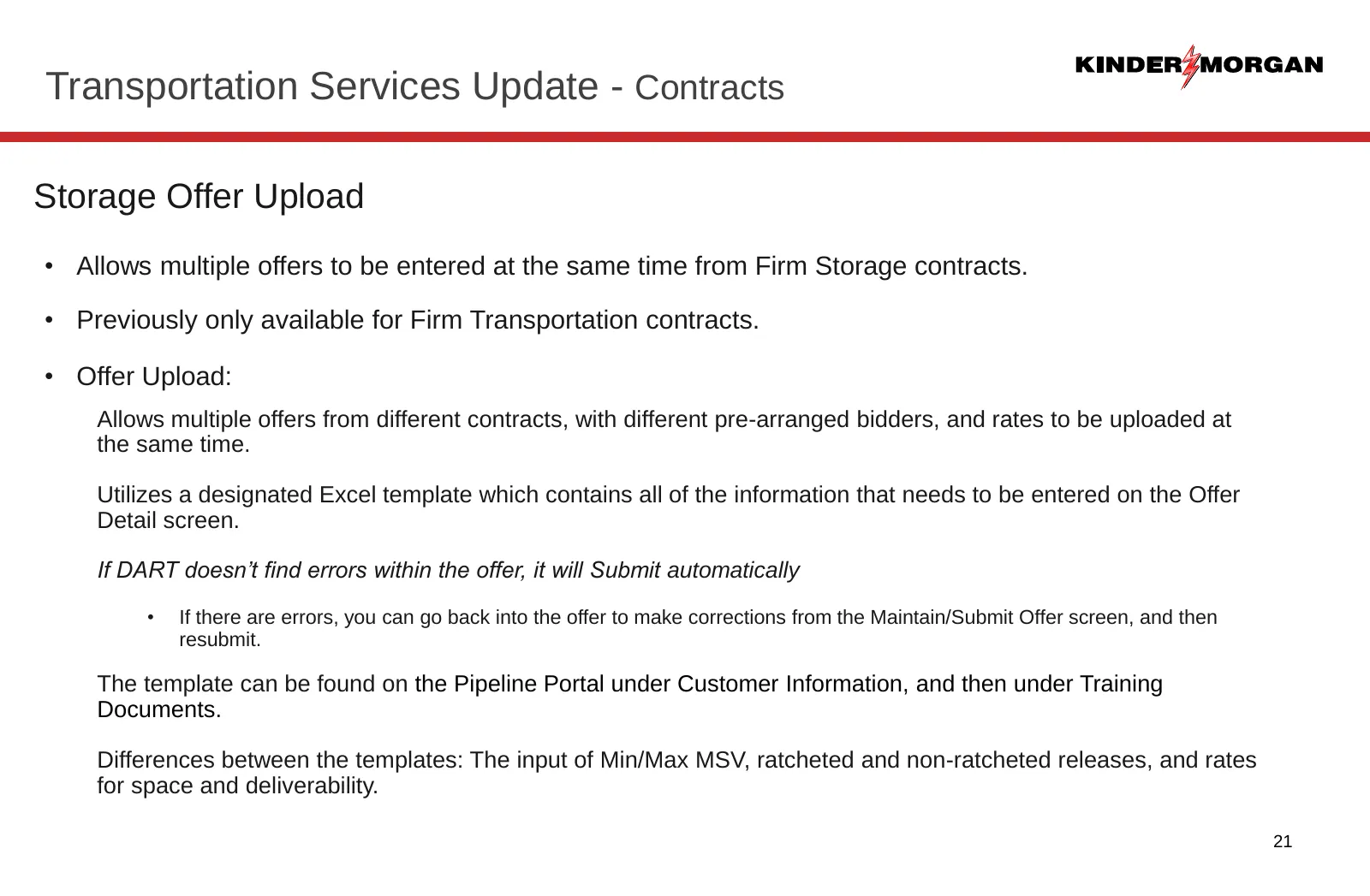
Transportation Services Update - Contracts Storage Offer Upload • Allows multiple offers to be entered at the same time from Firm Storage contracts. • Previously only available for Firm Transportation contracts. • Offer Upload: Allows multiple offers from different contracts, with different pre-arra
Slide 22: Transportation Services Update – Discount Violator
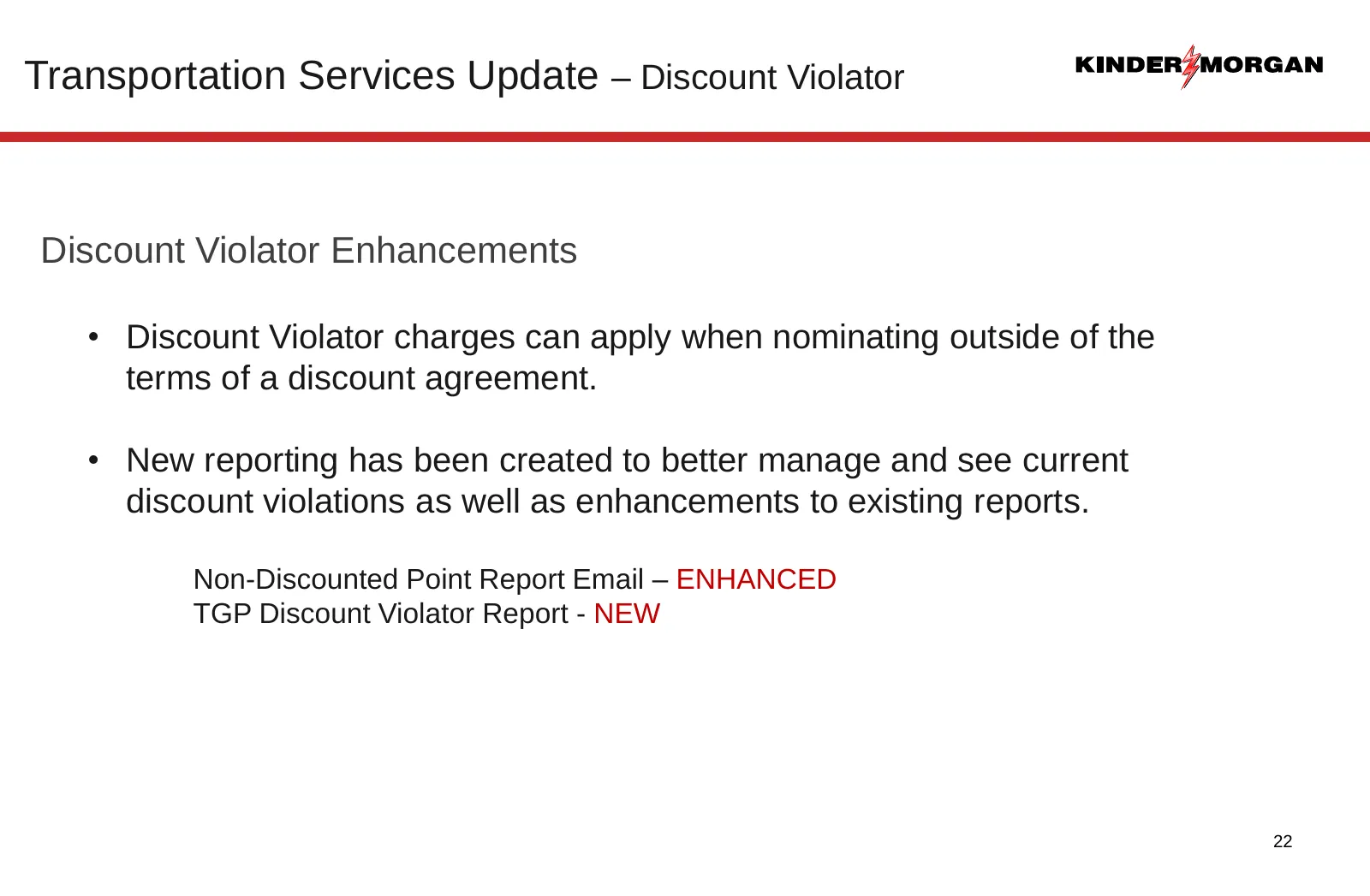
Transportation Services Update – Discount Violator Discount Violator Enhancements • Discount Violator charges can apply when nominating outside of the terms of a discount agreement. • New reporting has been created to better manage and see current discount violations as well as enhancements to exist
Slide 23: Discount Violator – Non-Discounted Point Report Email
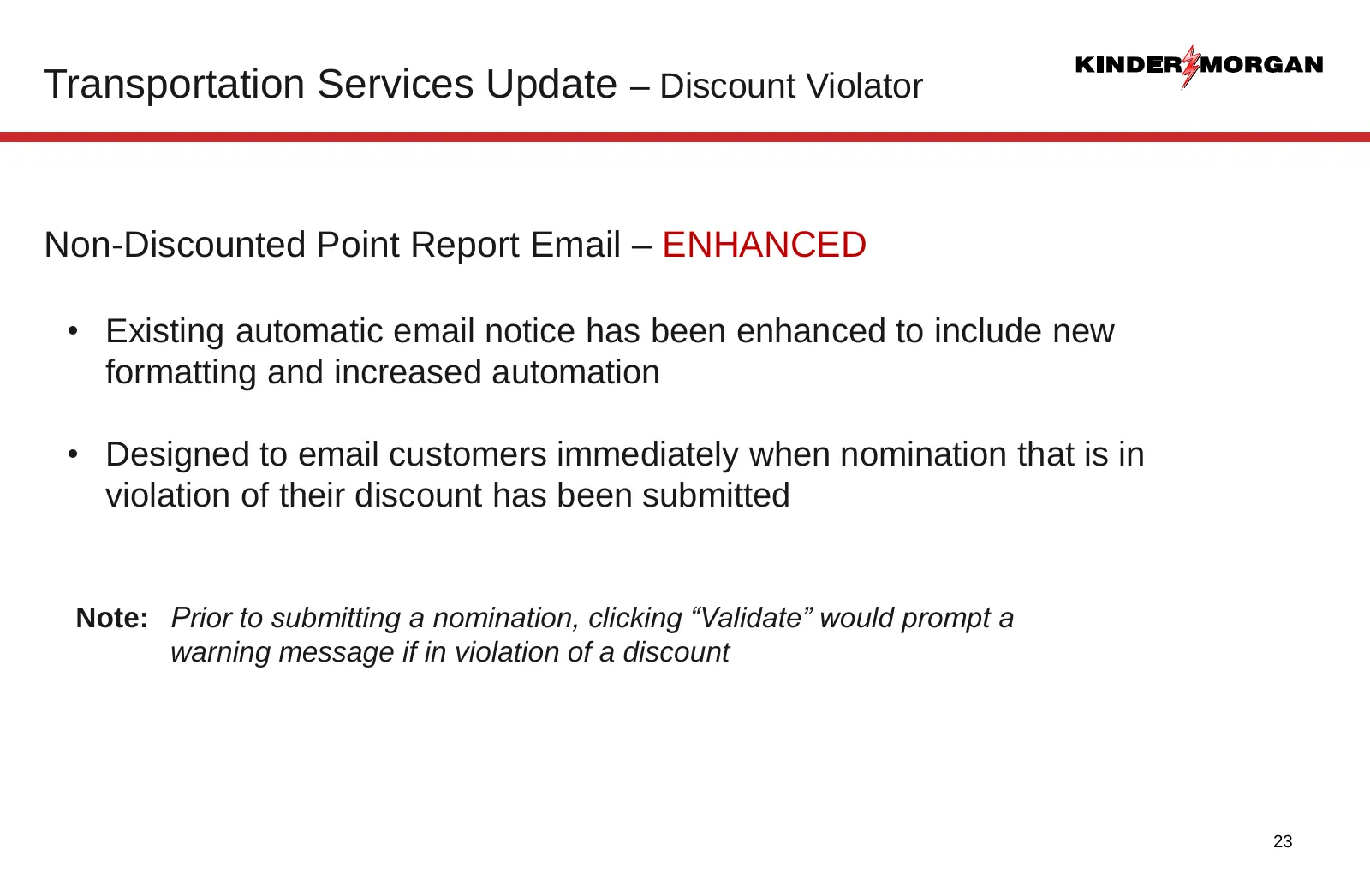
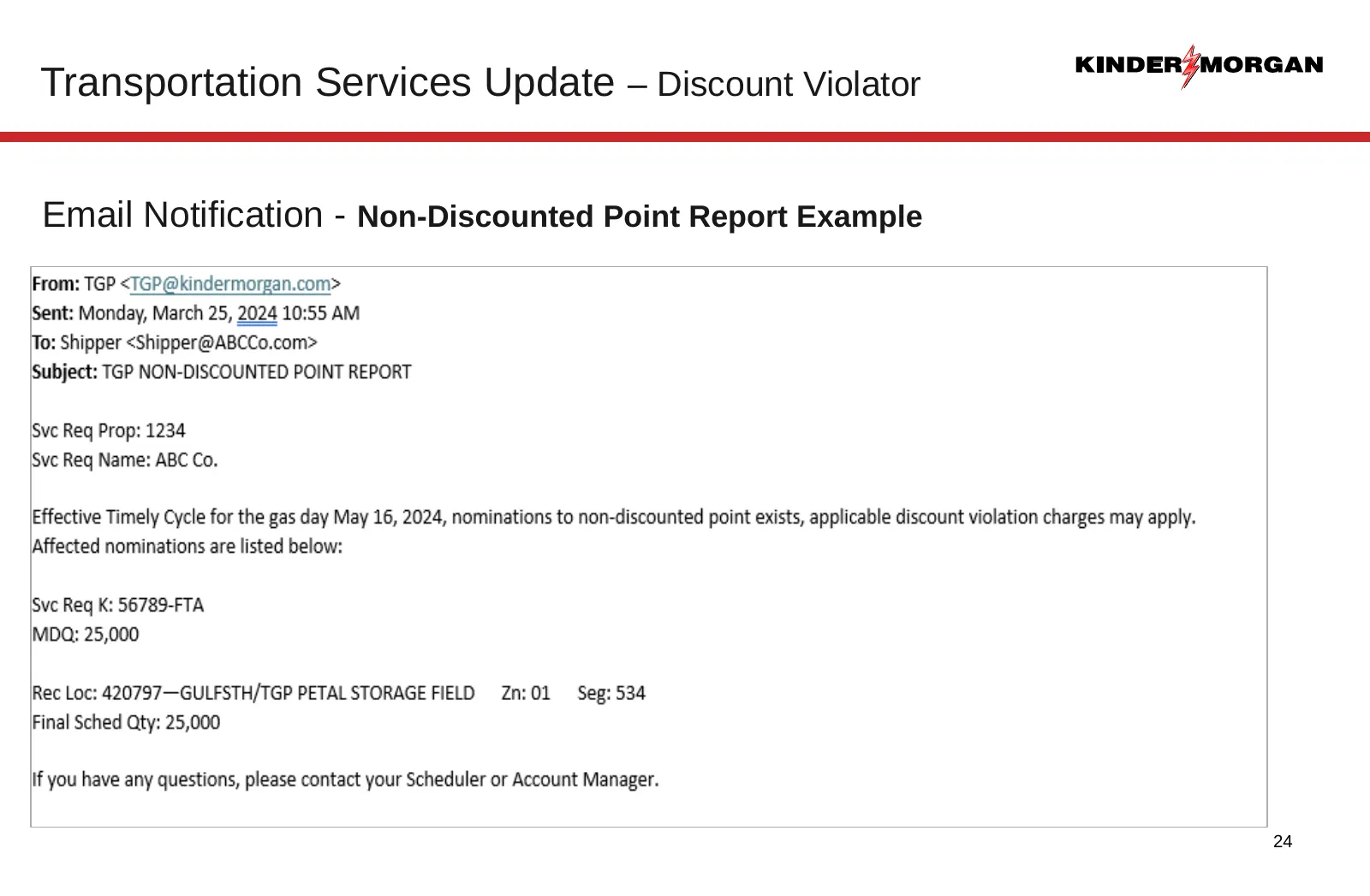
Transportation Services Update – Discount Violator Non-Discounted Point Report Email – ENHANCED • Existing automatic email notice has been enhanced to include new formatting and increased automation • Designed to email customers immediately when nomination that is in violation of their discount has
Slide 24: Discount Violator – Email Notification Example
Transportation Services Update – Discount Violator Email Notification - Non-Discounted Point Report Example 24
Slide 25: Discount Violator – Email Setup
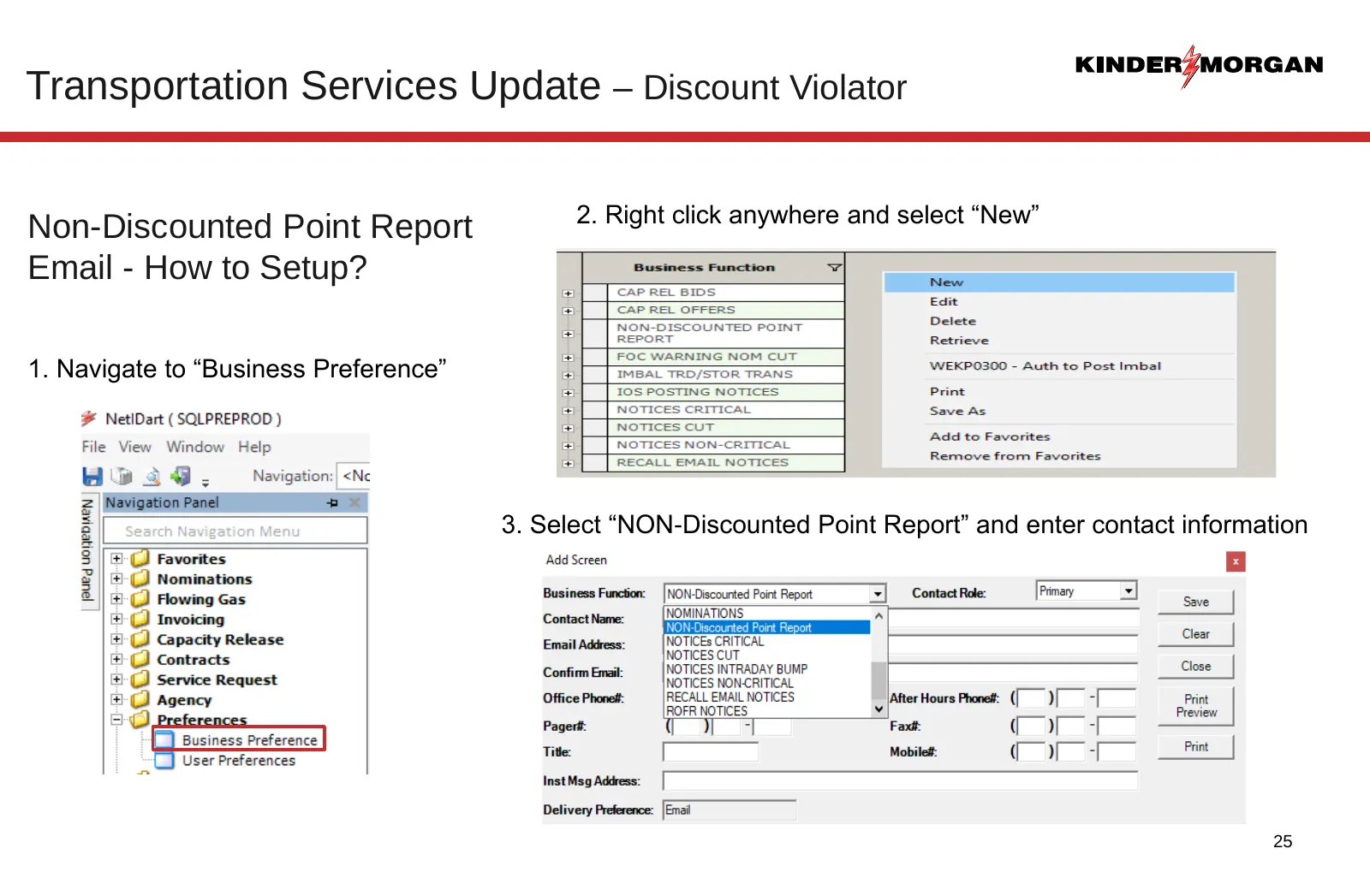
Transportation Services Update – Discount Violator 2. Right click anywhere and select “New” Non-Discounted Point Report Email - How to Setup? 1. Navigate to “Business Preference” 3. Select “NON-Discounted Point Report” and enter contact information 25
Slide 26: TGP Discount Violator Report - NEW
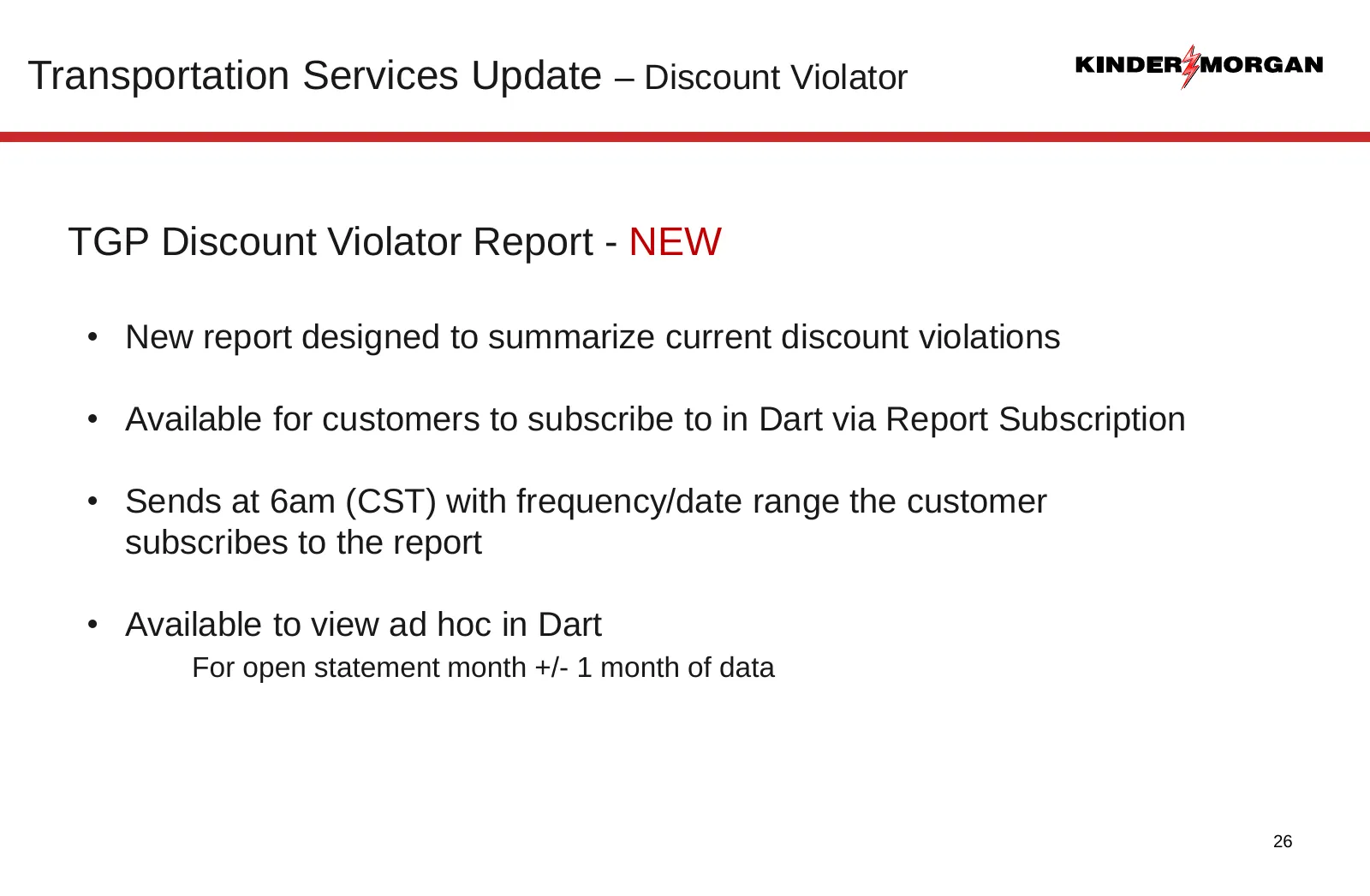
Transportation Services Update – Discount Violator TGP Discount Violator Report - NEW • New report designed to summarize current discount violations • Available for customers to subscribe to in Dart via Report Subscription • Sends at 6am (CST) with frequency/date range the customer subscribes to the
Slide 27: TGP Discount Violator Report - NEW
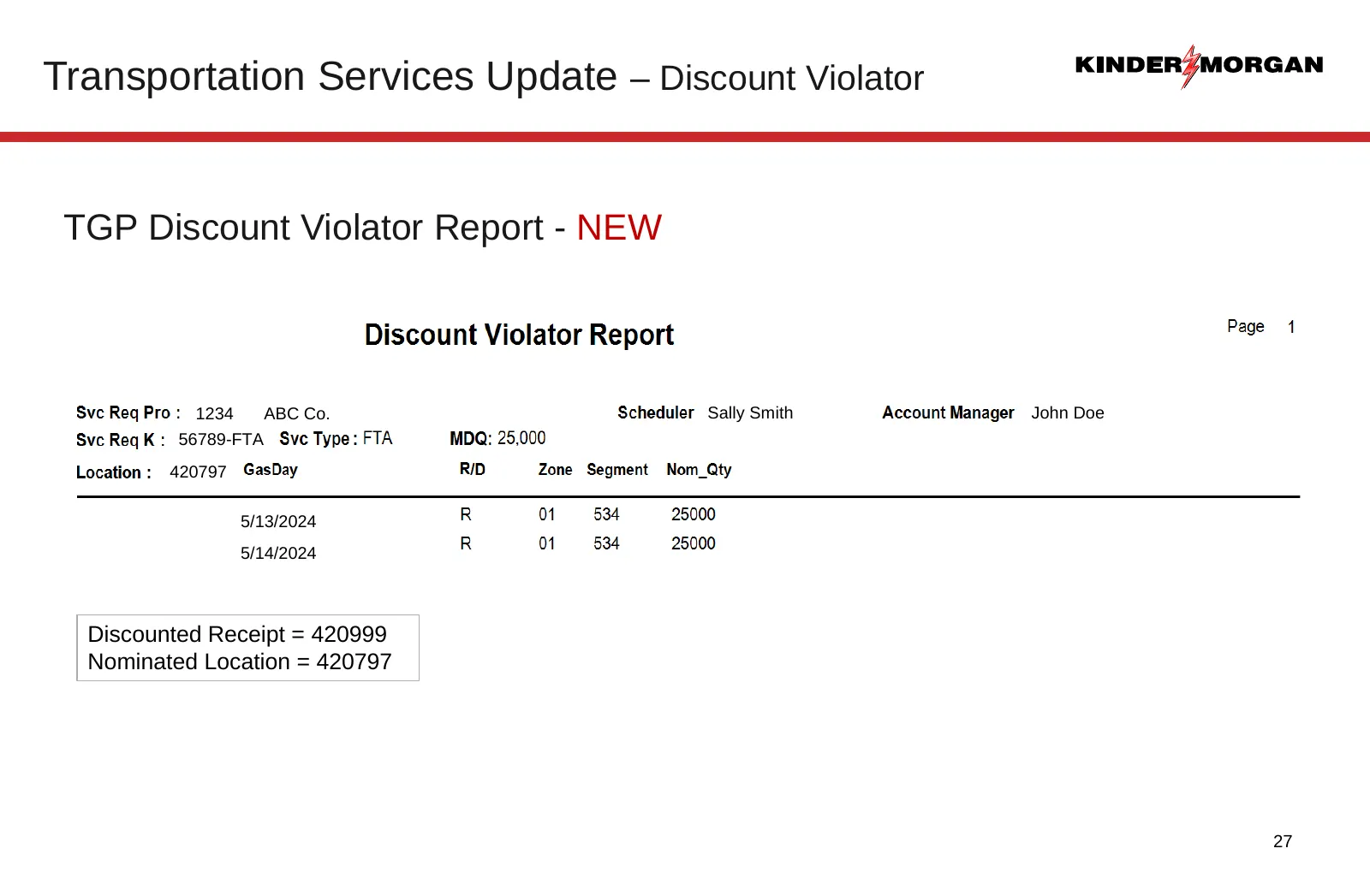
Transportation Services Update – Discount Violator TGP Discount Violator Report - NEW 1234 ABC Co. Sally Smith John Doe 56789-FTA 420797 5/13/2024 5/14/2024 Discounted Receipt = 420999 Nominated Location = 420797 27
Slide 28: Discount Violator Report - How to Subscribe
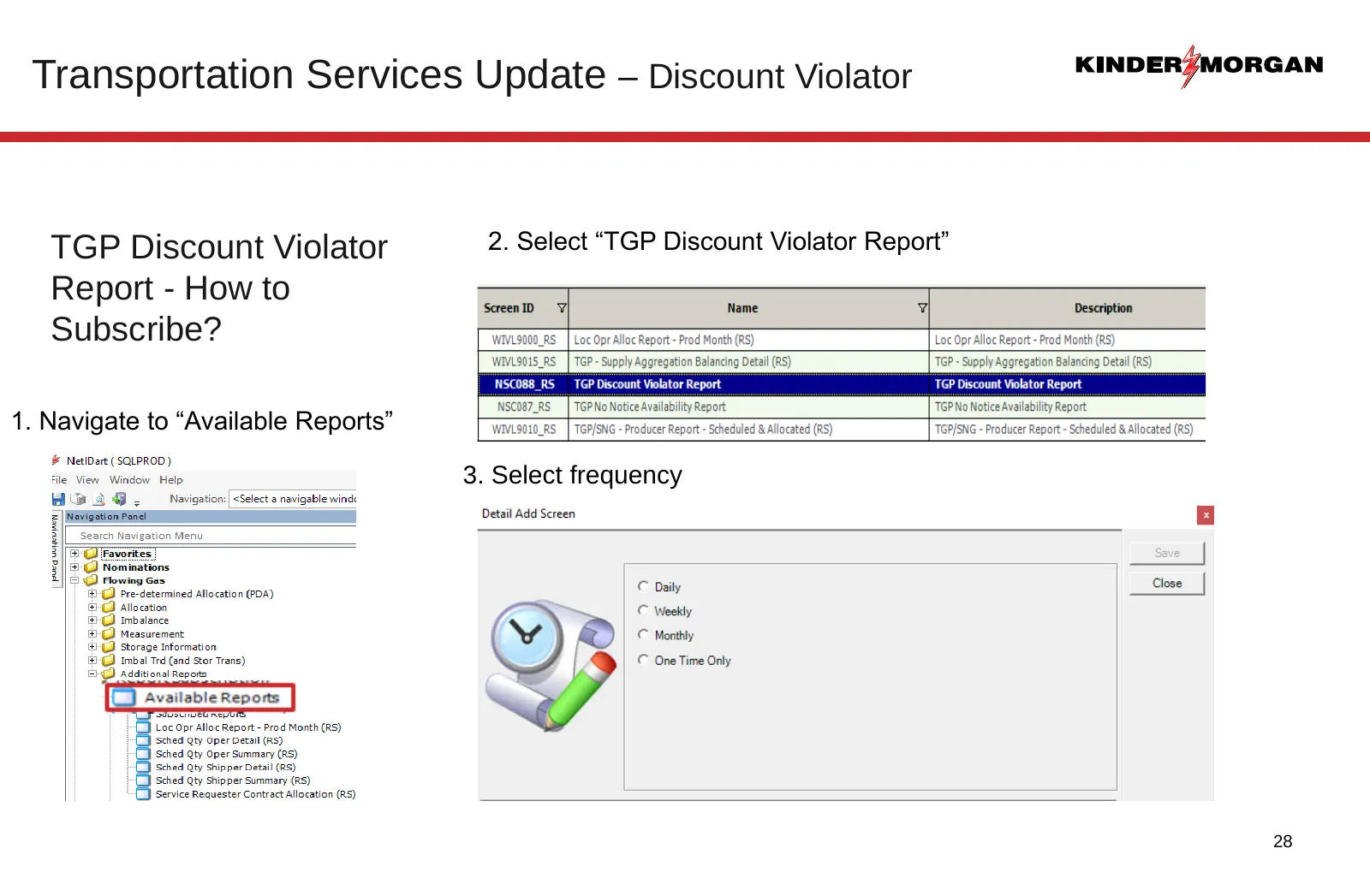
Transportation Services Update – Discount Violator TGP Discount Violator 2. Select “TGP Discount Violator Report” Report - How to Subscribe? 1. Navigate to “Available Reports” 3. Select frequency 28
Slide 29: Discount Violator Report - How to Run Ad Hoc
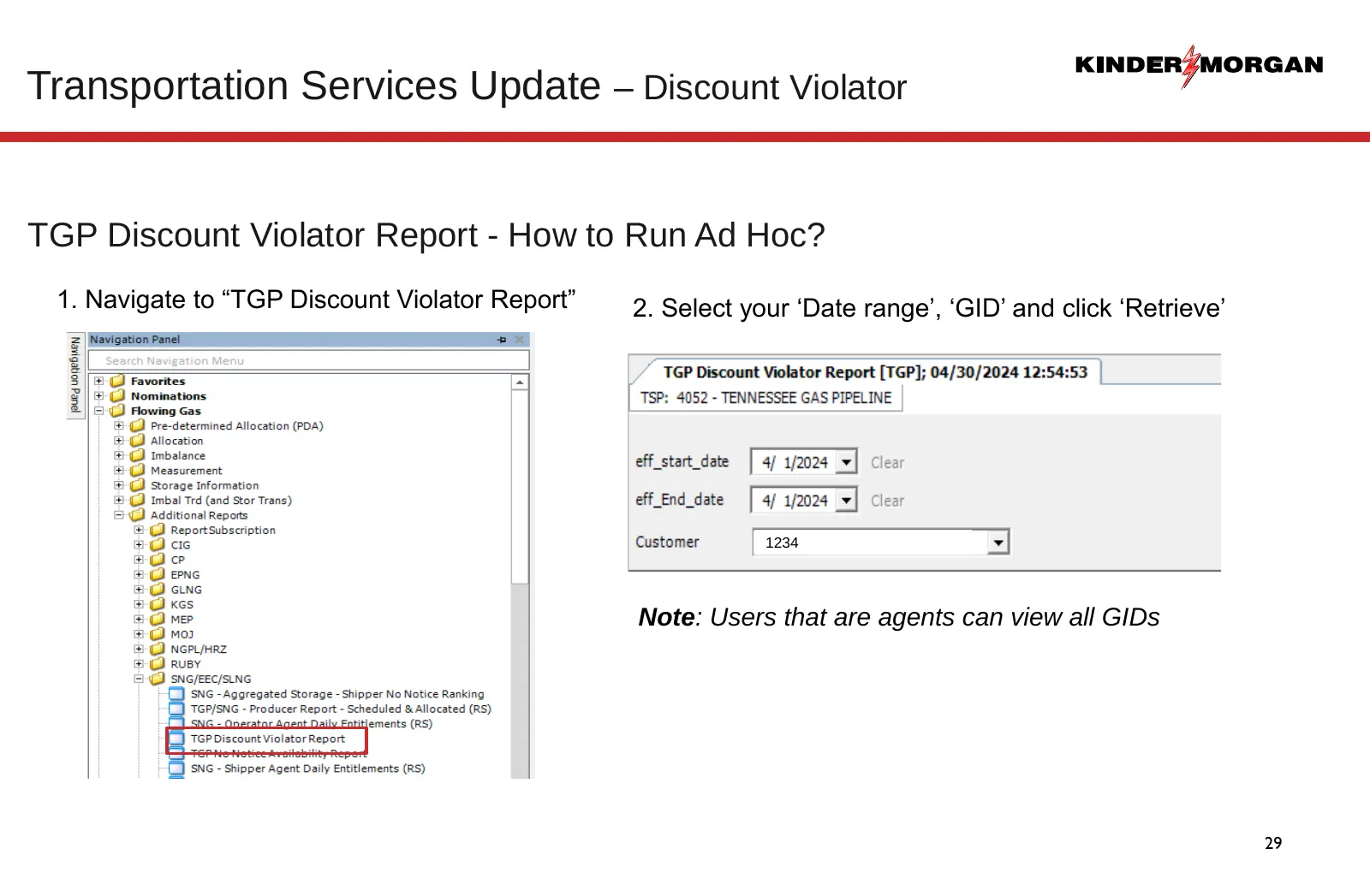
Transportation Services Update – Discount Violator TGP Discount Violator Report - How to Run Ad Hoc? 1. Navigate to “TGP Discount Violator Report” 2. Select your ‘Date range’, ‘GID’ and click ‘Retrieve’ 1234 Note: Users that are agents can view all GIDs 29
Slide 30: Discount Violator Report and Email Summary
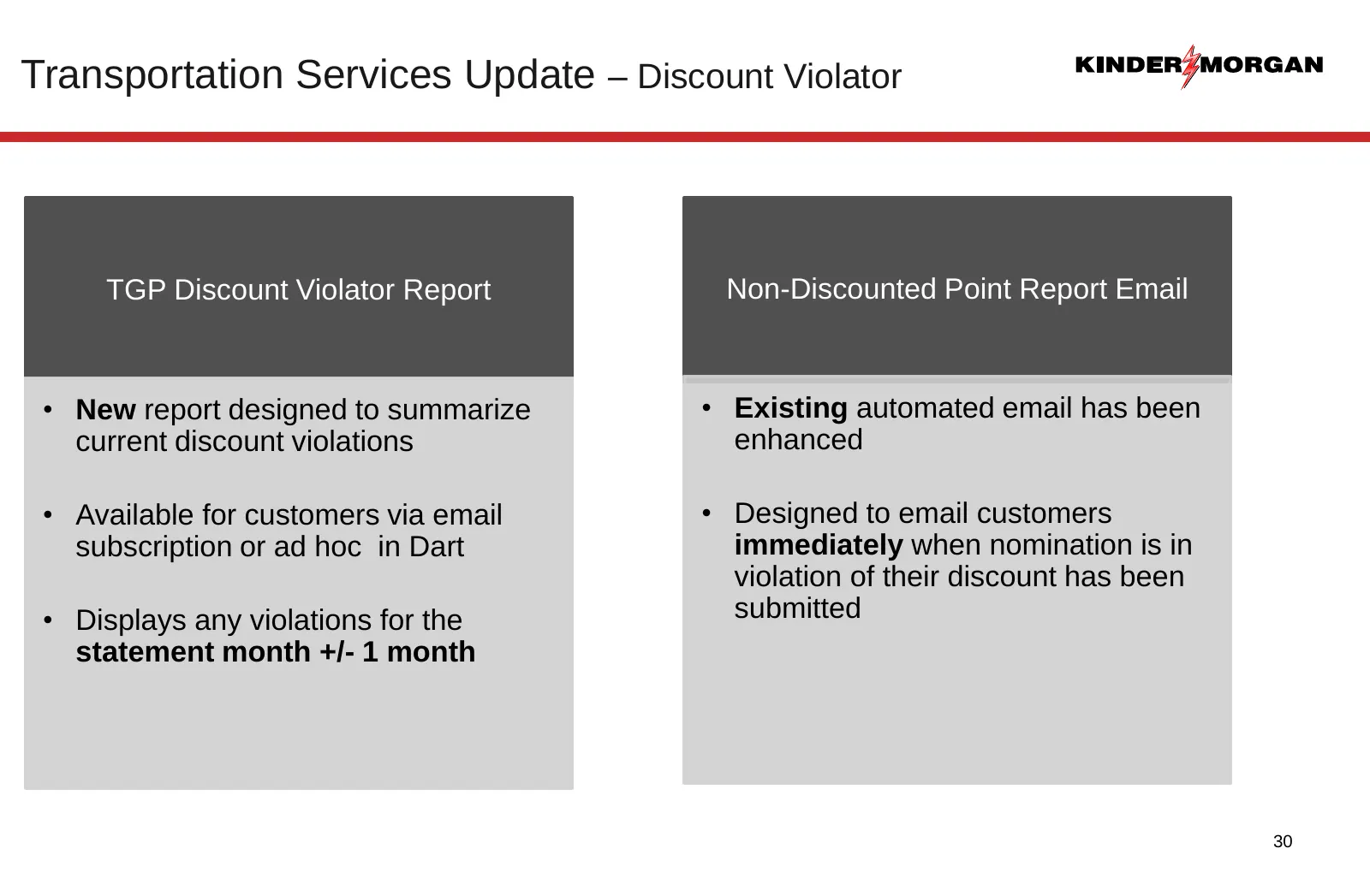
Transportation Services Update – Discount Violator TGP Discount Violator Report Non-Discounted Point Report Email • New report designed to summarize • Existing automated email has been current discount violations enhanced • Available for customers via email • Designed to email customers subscription
Slide 31: DART – Tips and Tricks
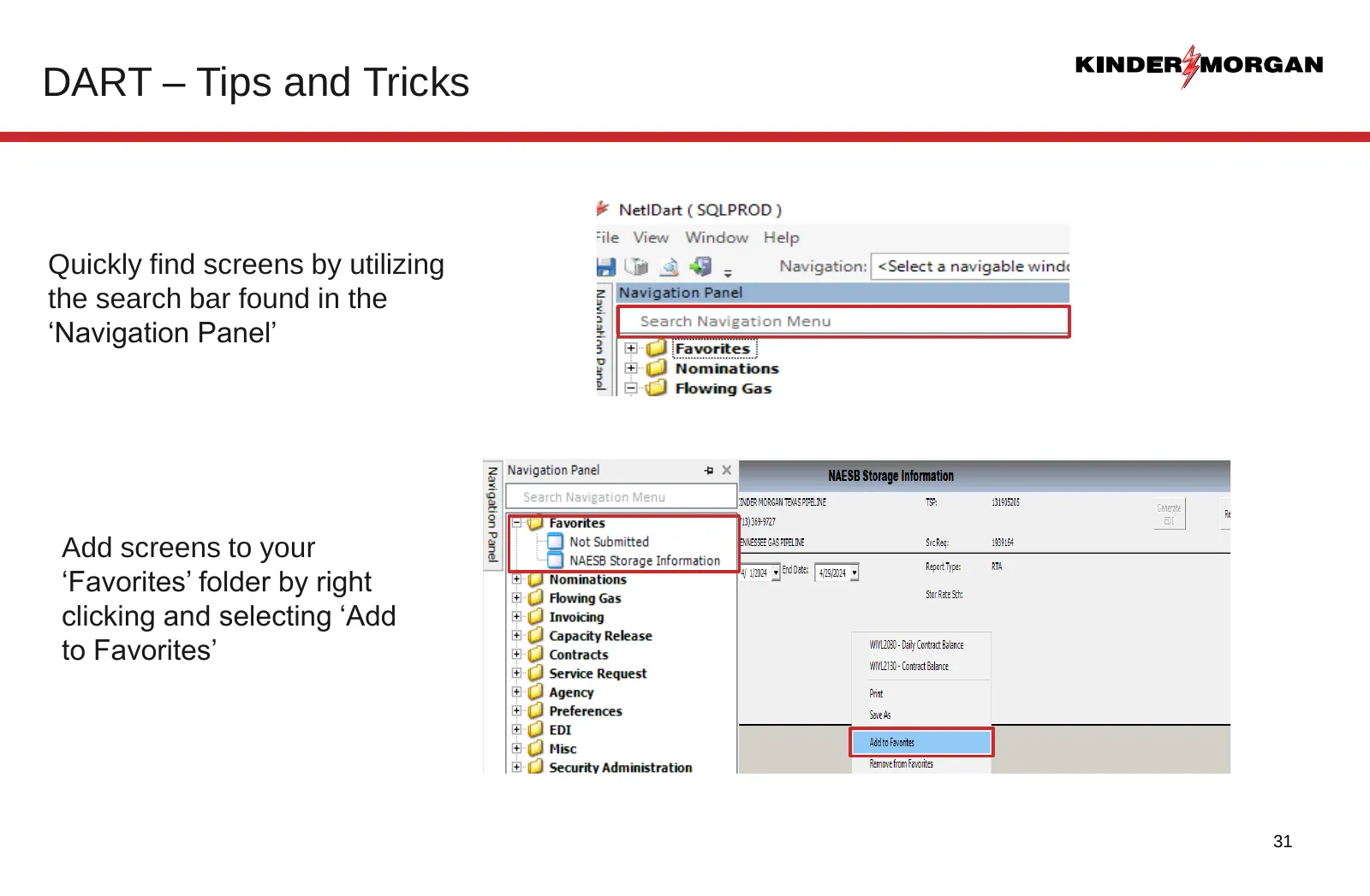
DART – Tips and Tricks Quickly find screens by utilizing the search bar found in the ‘Navigation Panel’ Add screens to your ‘Favorites’ folder by right clicking and selecting ‘Add to Favorites’ 31
Slide 32: DART – Tips and Tricks
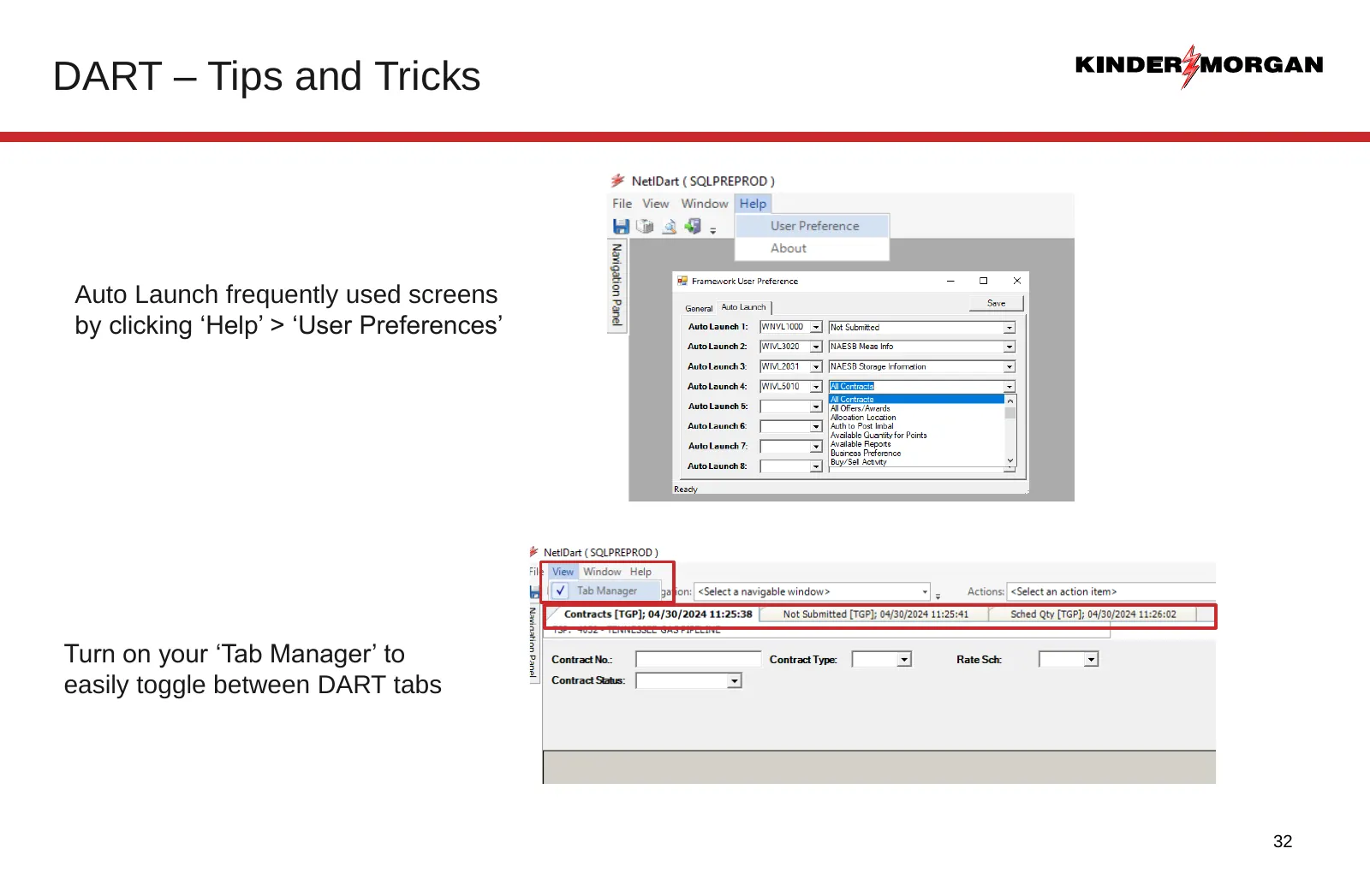
DART – Tips and Tricks Auto Launch frequently used screens by clicking ‘Help’ > ‘User Preferences’ Turn on your ‘Tab Manager’ to easily toggle between DART tabs 32
Slide 33: DART – TGP Graphical Pipe
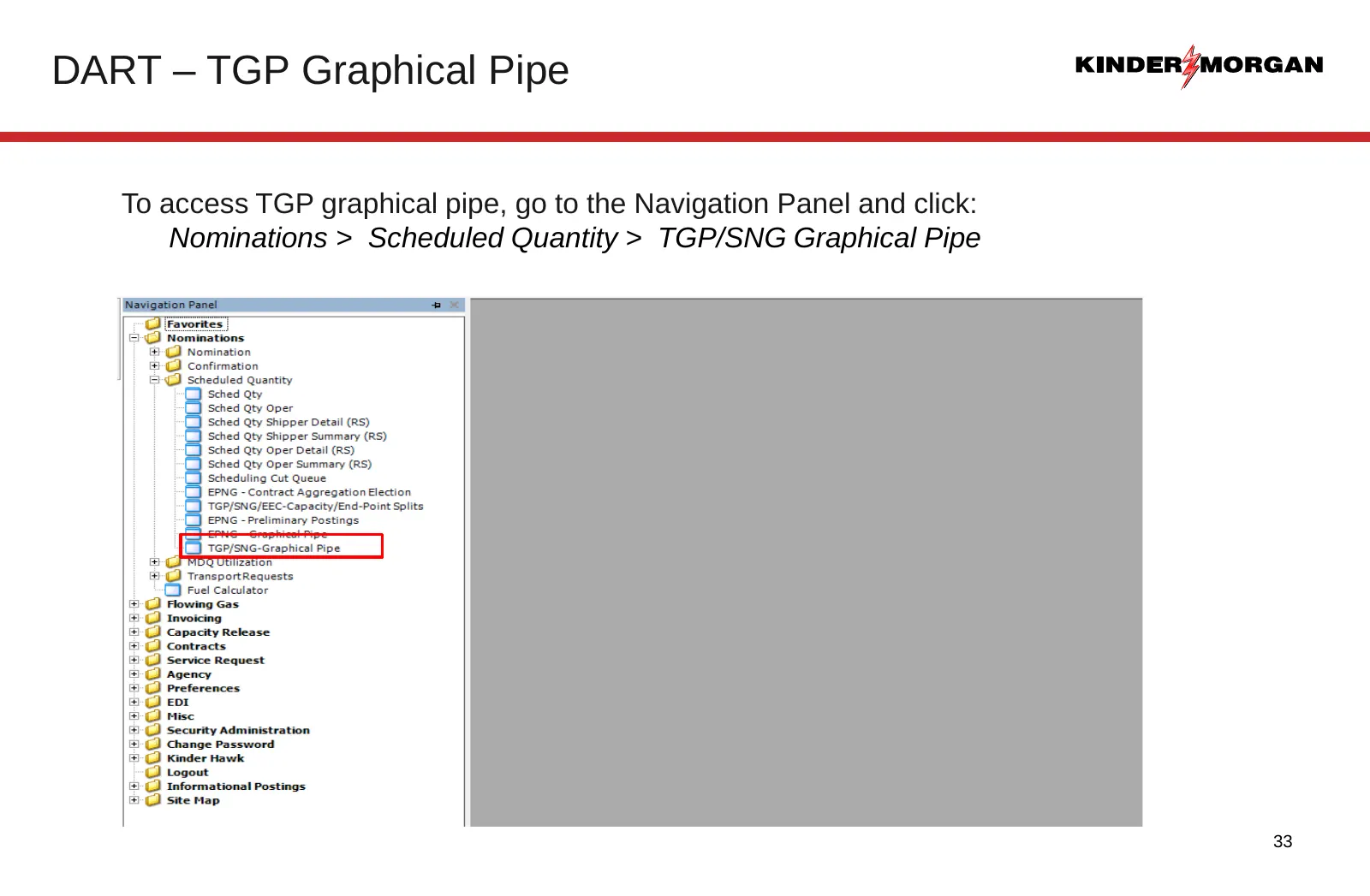
DART – TGP Graphical Pipe To access TGP graphical pipe, go to the Navigation Panel and click: Nominations > Scheduled Quantity > TGP/SNG Graphical Pipe 33
Slide 34: DART – TGP Graphical Pipe
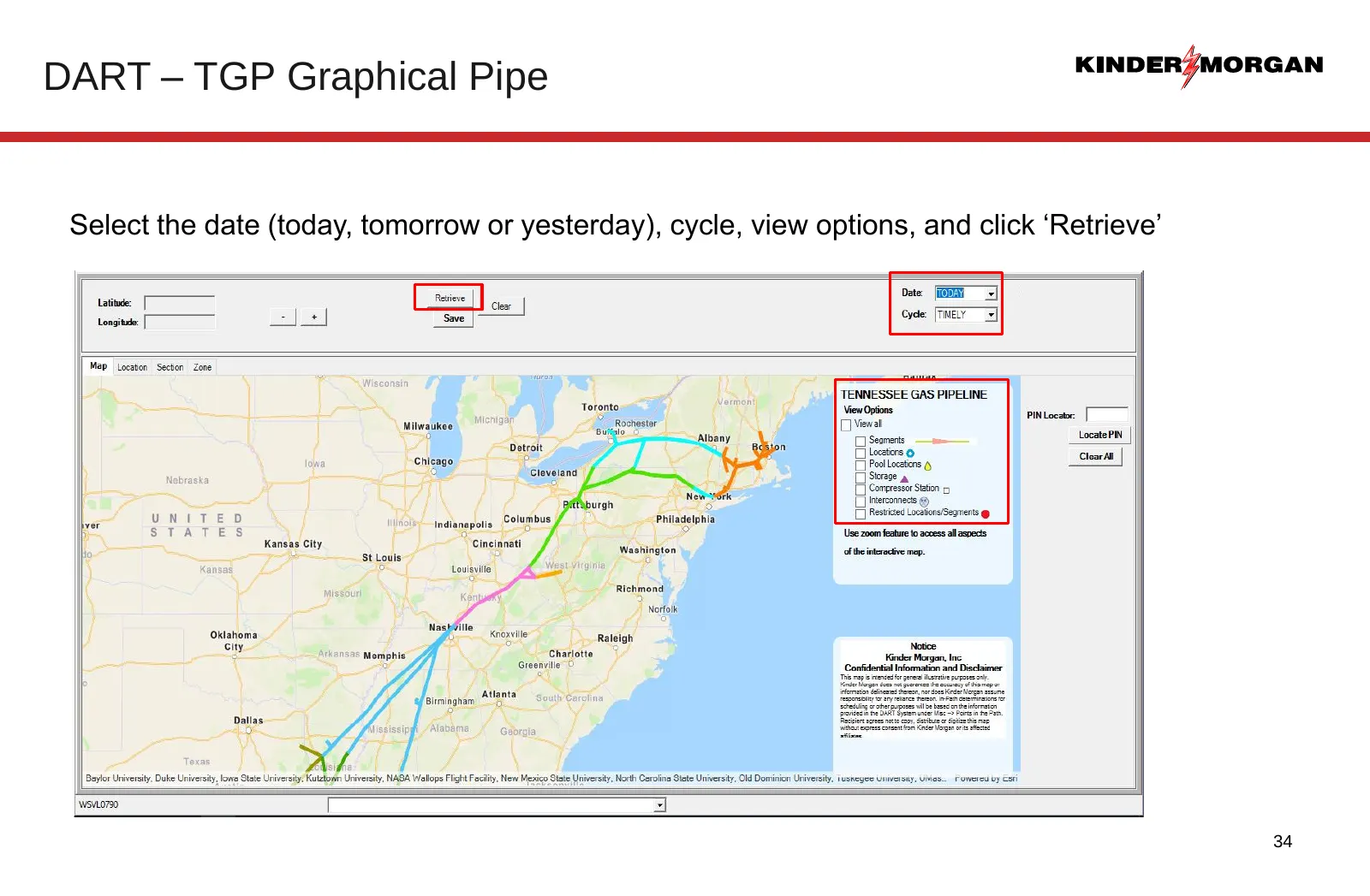
DART – TGP Graphical Pipe Select the date (today, tomorrow or yesterday), cycle, view options, and click ‘Retrieve’ 34
Slide 35: DART – TGP Graphical Pipe
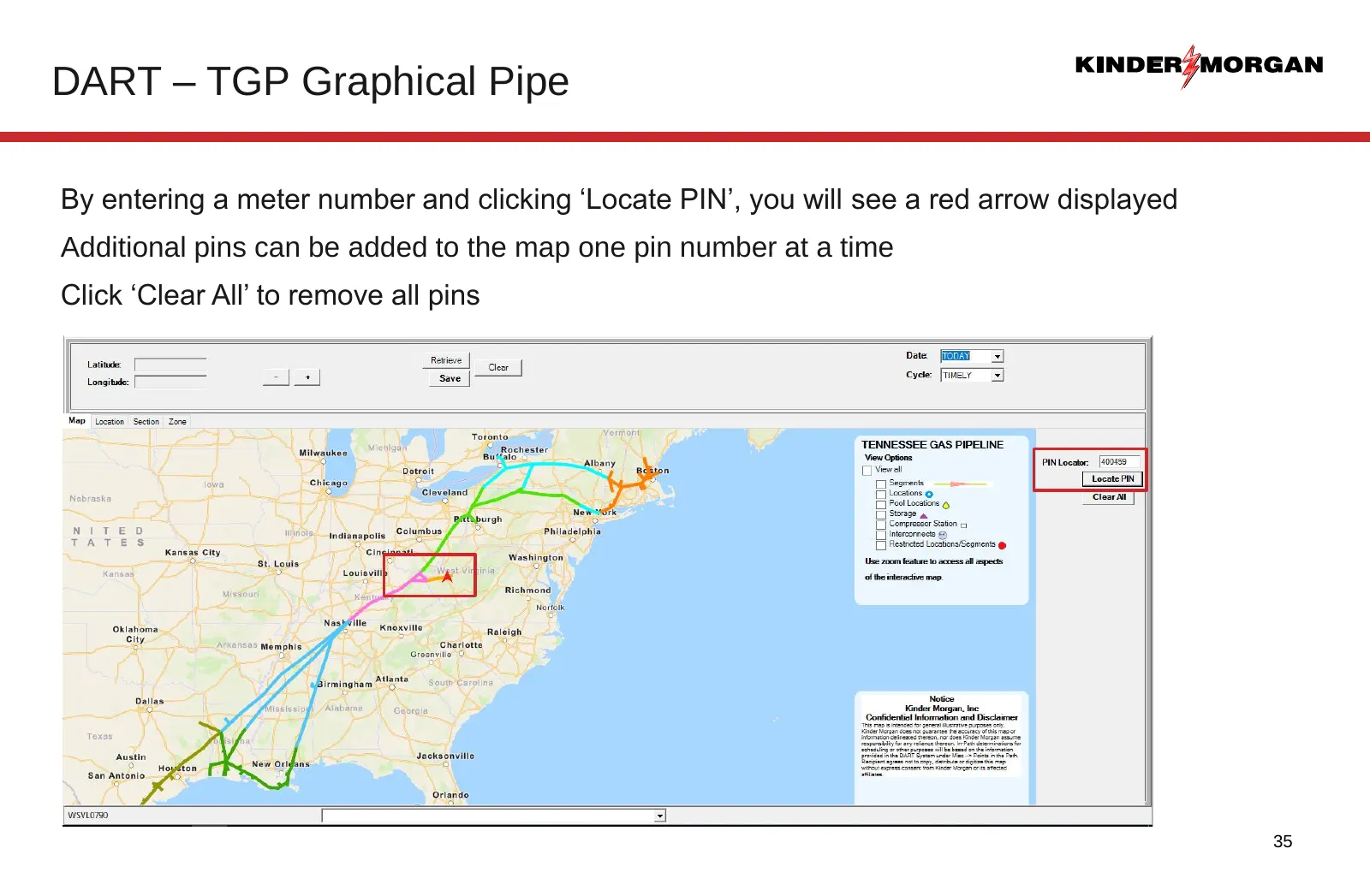
DART – TGP Graphical Pipe By entering a meter number and clicking ‘Locate PIN’, you will see a red arrow displayed Additional pins can be added to the map one pin number at a time Click ‘Clear All’ to remove all pins 35
Slide 36: DART – TGP Graphical Pipe
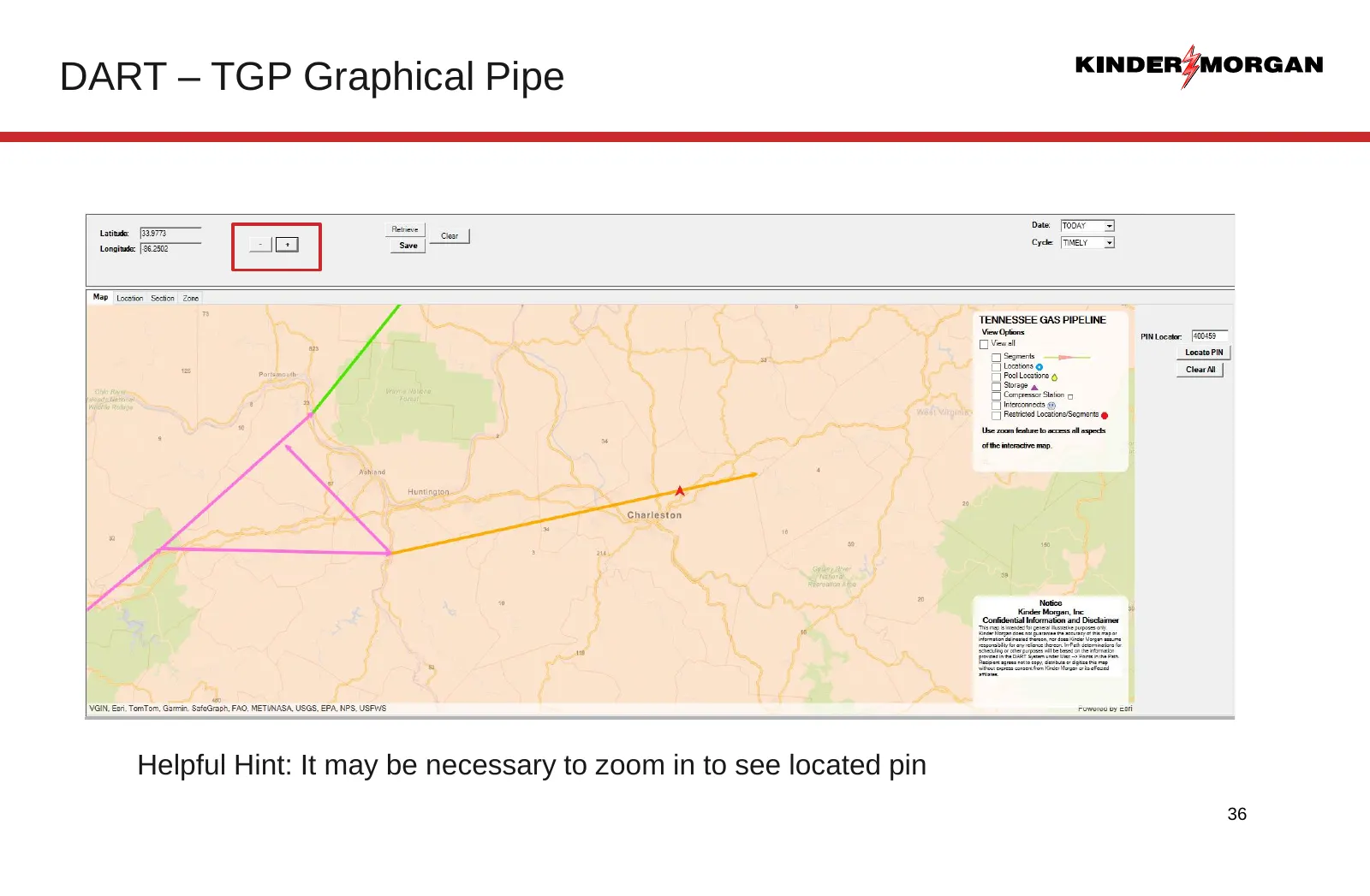
DART – TGP Graphical Pipe Helpful Hint: It may be necessary to zoom in to see located pin 36
Slide 37: DART – TGP Graphical Pipe
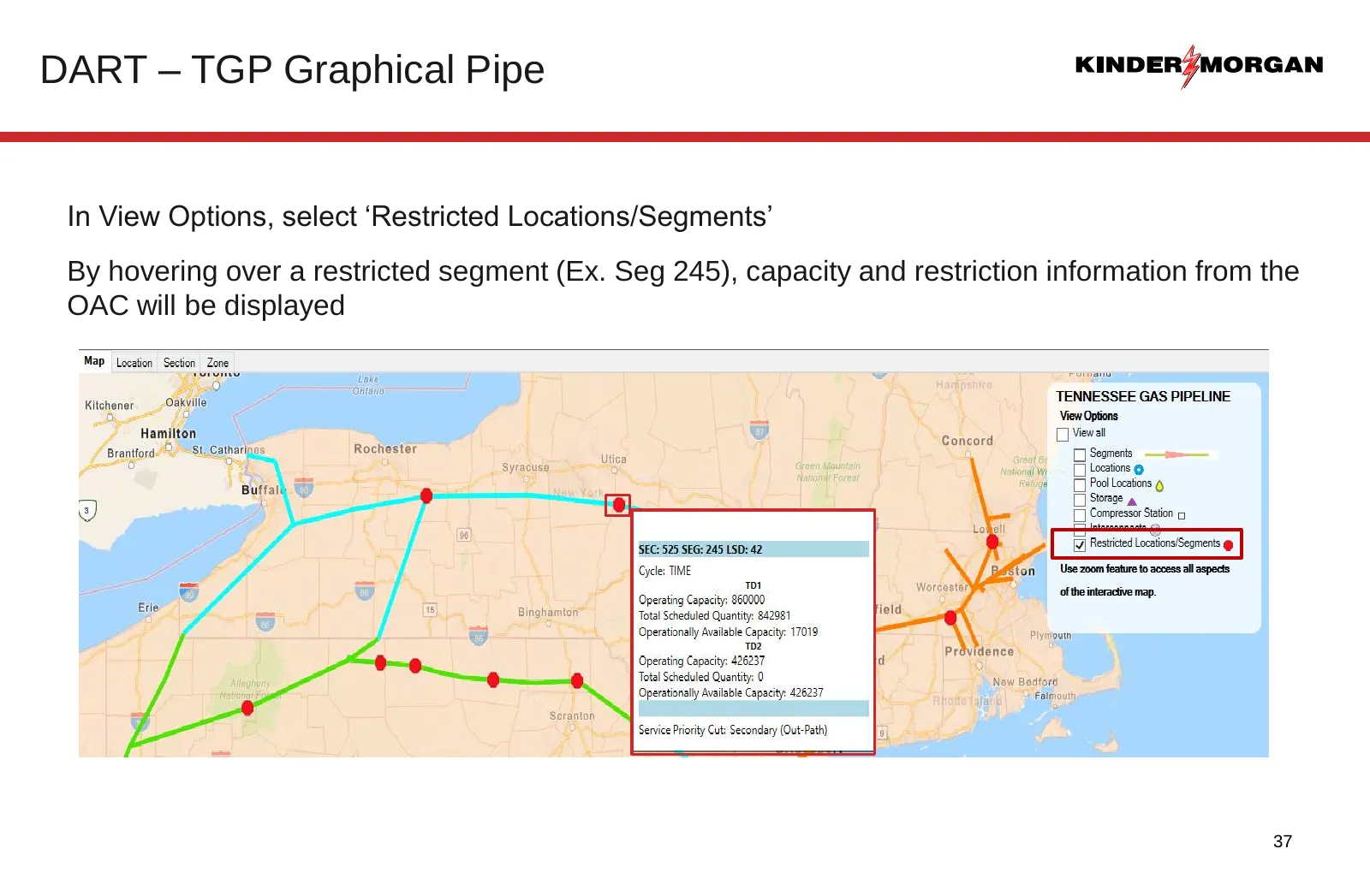
DART – TGP Graphical Pipe In View Options, select ‘Restricted Locations/Segments’ By hovering over a restricted segment (Ex. Seg 245), capacity and restriction information from the OAC will be displayed 37
Slide 38: DART – Using Graphical Pipe as a pathing strategy
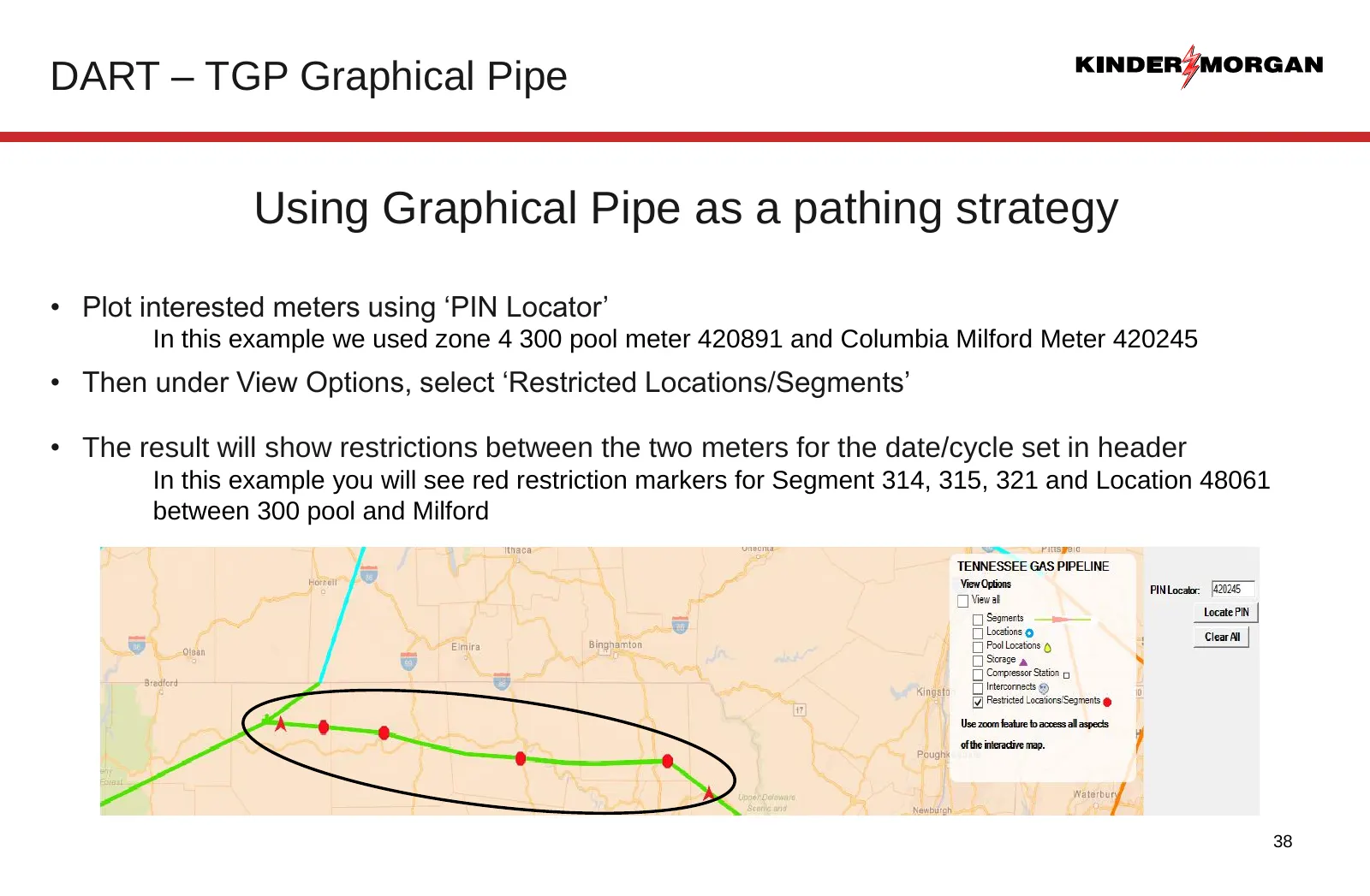
DART – TGP Graphical Pipe Using Graphical Pipe as a pathing strategy • Plot interested meters using ‘PIN Locator’ In this example we used zone 4 300 pool meter 420891 and Columbia Milford Meter 420245 • Then under View Options, select ‘Restricted Locations/Segments’ • The result will show restrictio
Slide 39: DART – Graphical Pipe as a visual tool
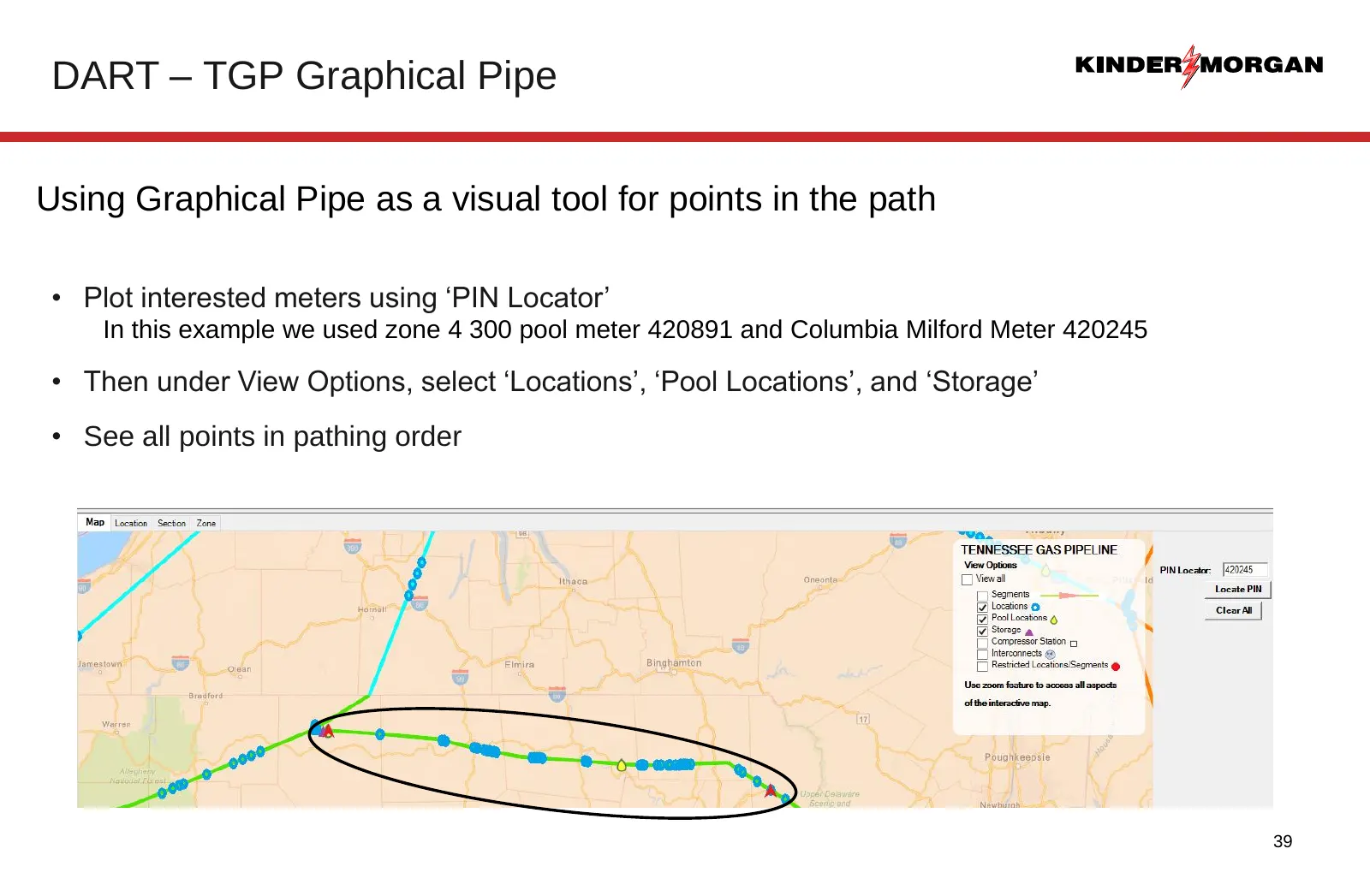
DART – TGP Graphical Pipe Using Graphical Pipe as a visual tool for points in the path • Plot interested meters using ‘PIN Locator’ In this example we used zone 4 300 pool meter 420891 and Columbia Milford Meter 420245 • Then under View Options, select ‘Locations’, ‘Pool Locations’, and ‘Storage’ •
Slide 40: • With ‘Locations’ option selected and zoom in feature, all meters on the •
• With ‘Locations’ option selected and zoom in feature, all meters on the pipeline are visible and in pathing order • Hover tool allows pop up box with important information including capacities for restrictions, segments, and meters, to be viewed easily • Plotting meters and choosing restriction lo
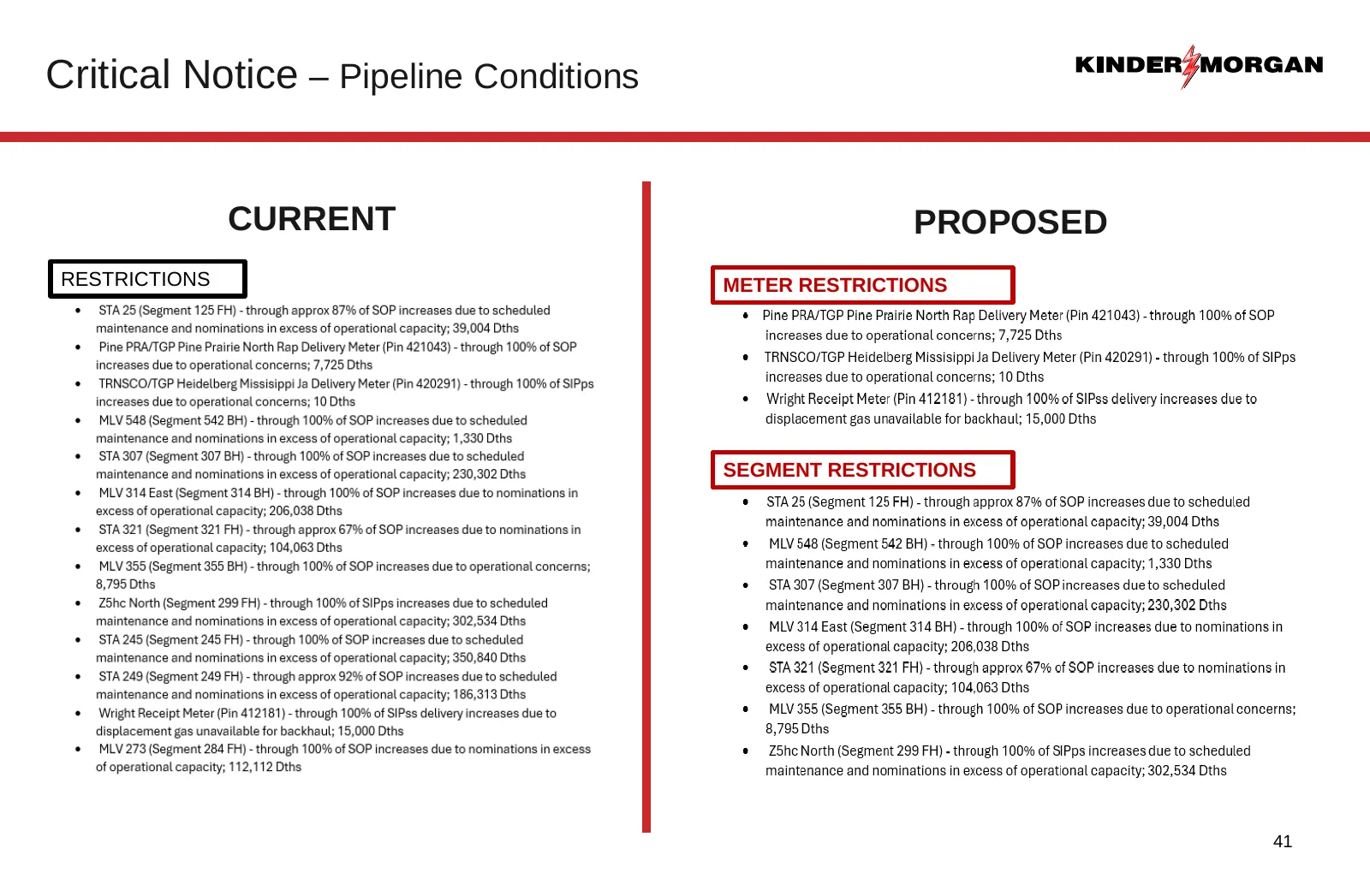
Slide 41: Critical Notice – Pipeline Conditions
Critical Notice – Pipeline Conditions CURRENT PROPOSED RESTRICTIONS METER RESTRICTIONS SEGMENT RESTRICTIONS 41
Slide 42: Q&A
KINDER/MORGAN Q&A
Source: Internet Archive copy of pipeline2.kindermorgan.com
More decks from Kinder Morgan, Inc.
 Q4 2025 Earnings Presentation38 slides · Jan 21, 2026
 Investor Presentation (January 2026)64 slides · January 2026
 Investor Presentation (December 2025)24 slides · Dec 3, 2025
 Q3 2025 Earnings Presentation36 slides · Oct 6, 2025
 Corporate Update (September 2025)22 slides · Sep 17, 2025
 Q2 2025 Earnings Presentation36 slides · Jul 16, 2025