Dlala Brokerage and Investment Holding Company · QSE:DBIS
Dlala Brokerage and Investment — Investor Presentation (February 2006)
27 slides from Dlala Brokerage and Investment's investor presentation, February 2006

Slide 1: Internet Trading
Internet Trading ا ااول 1
Slide 2: Agenda
Agenda • Introduction • Benefits of Internet Trading • Site Registration • Site Features • Site Walk-through • Live Demo • Q&A 2

Slide 3: Introduction
Introduction DLALA BROKERAGE
Slide 4: Benefits of Internet Trading
Benefits of Internet Trading • 24 Hour access from anywhere in the world • Fast execution of transactions • Real time trading • No physical queues • No parking problems • Privacy and comfort of your own home 4

Slide 5: Benefits to the Business
Benefits to the Business • Increasing trading volumes • Attracting international investors to invest in Doha Securities Market • A step to Globalization • Development of local economy 5
Slide 6: Site Registration
Site Registration New Investors: • Open an account in DSM and obtain NIN number • Open an account with Dlala and request internet trading service. • Dlala will provide you with username and password. • Start Trading. Existing Investors: If you did not request Internet Trading service in the account
Slide 7: Site Features
Site Features By using Dlala Brokerage Site, you can perform the following features: 1. View Market Watch Screen 2. View Market Summary data, such as Gainers, Losers, Trading Volume, Index, Market Information, Company Information, and Market Volume by Sector 3. Place Buy and Sell Orders in the Marke

Slide 8: Site Walk-through
DLALA BROKERAGE Site Walk-through
Slide 9: Dlala Holding Website
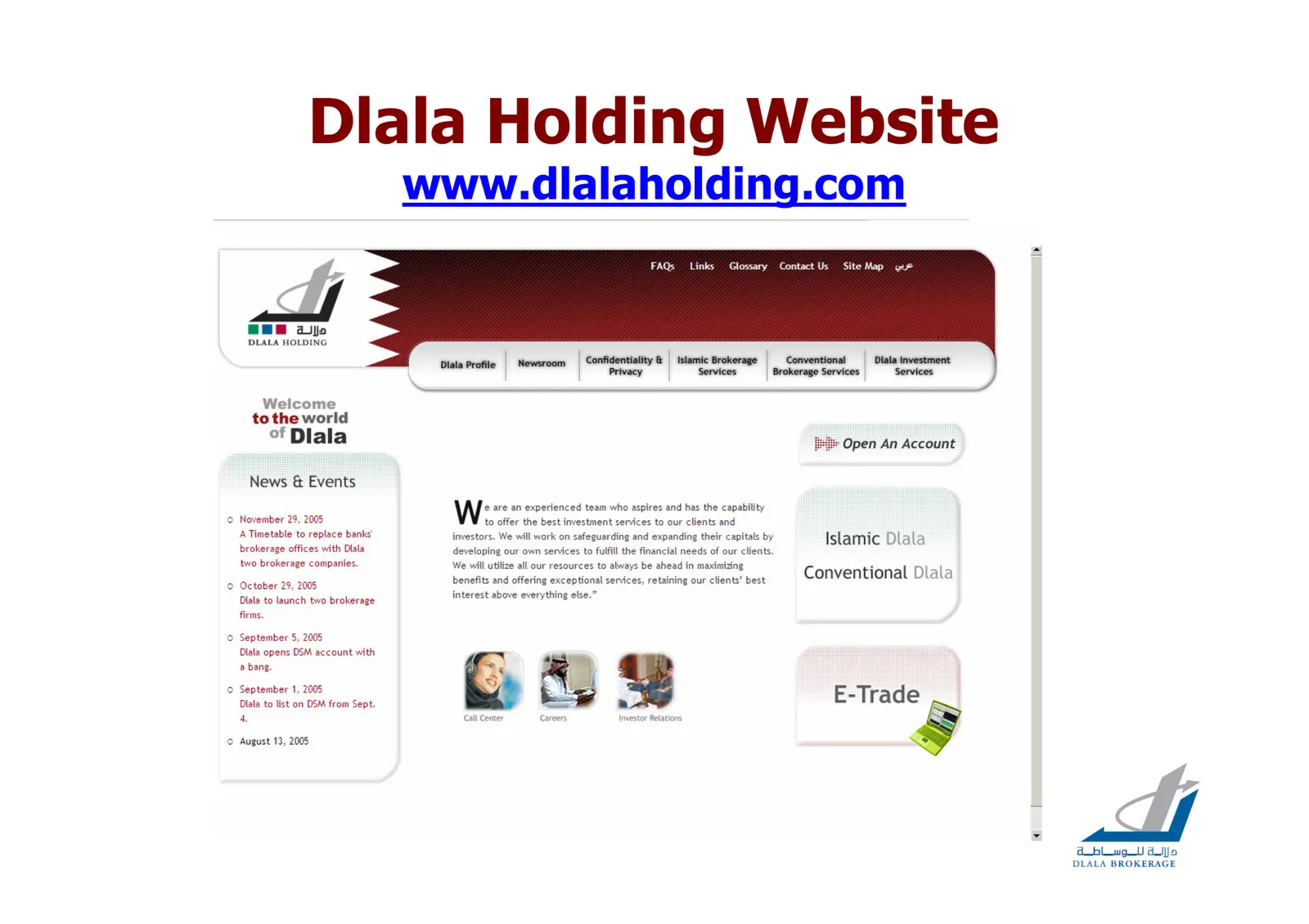
Dlala Holding Website www.dlalaholding.com 9
Slide 10: Login Page
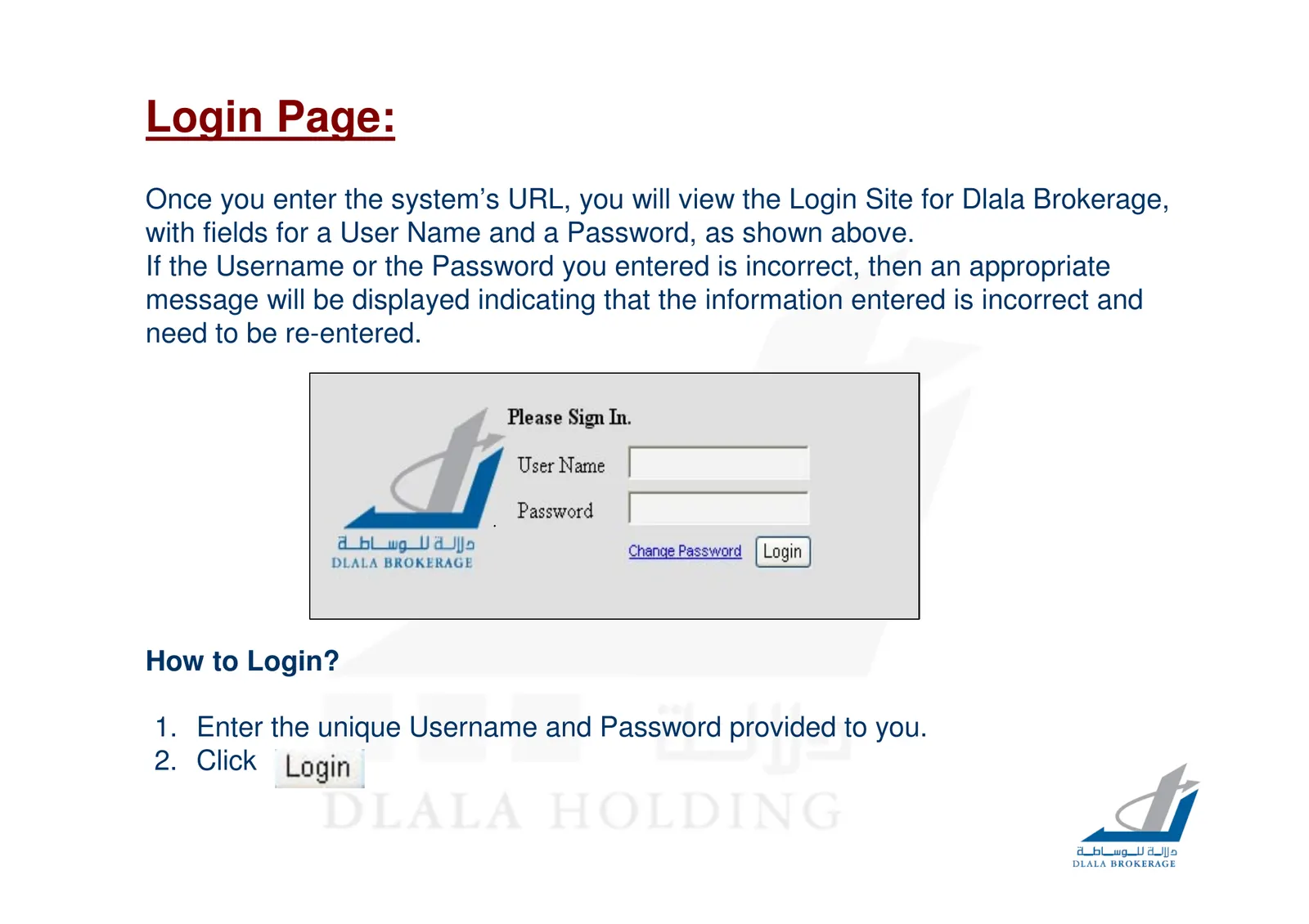
Login Page: Once you enter the system’s URL, you will view the Login Site for Dlala Brokerage, with fields for a User Name and a Password, as shown above. If the Username or the Password you entered is incorrect, then an appropriate message will be displayed indicating that the information entered i
Slide 11: How to Change your Password
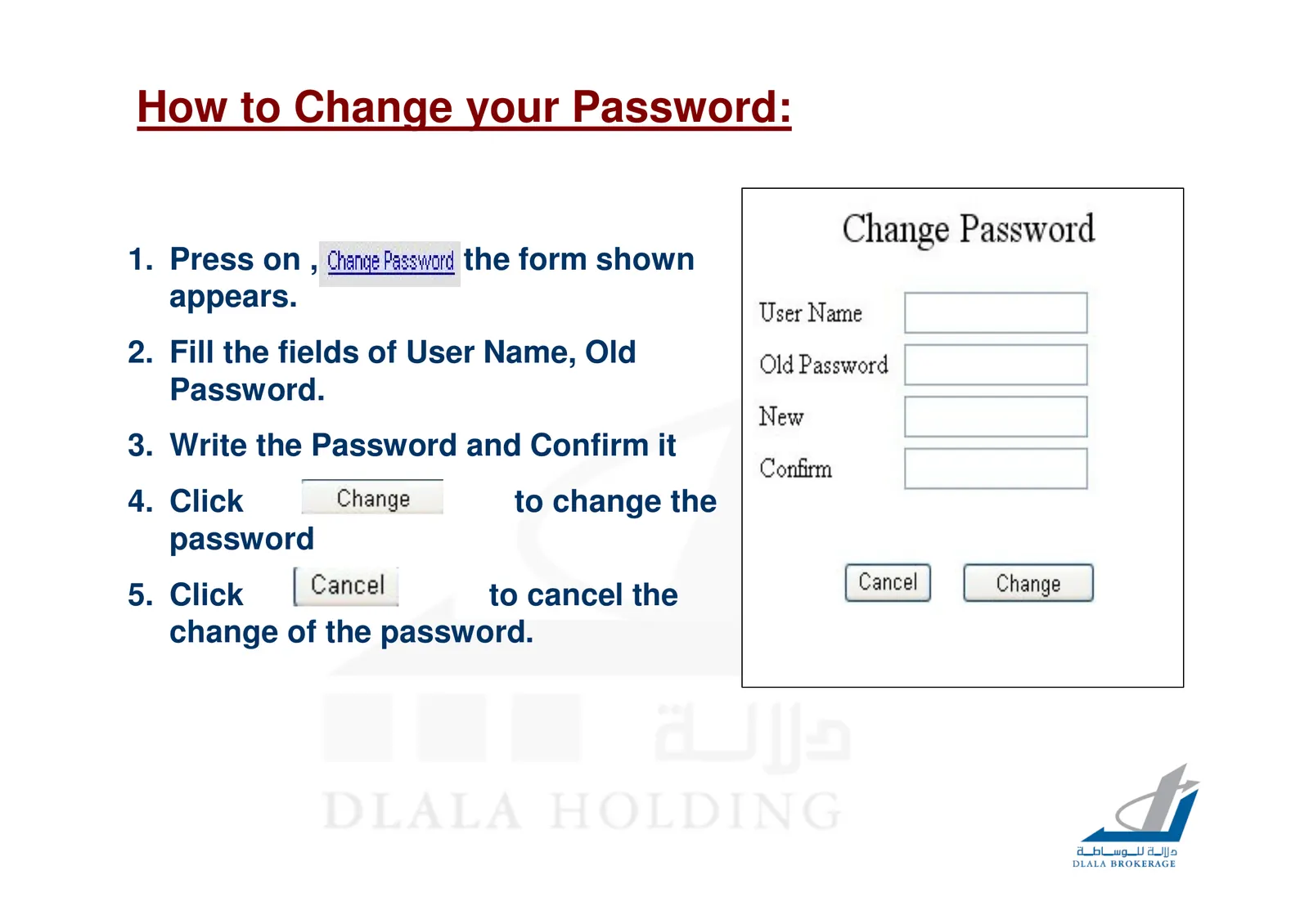
How to Change your Password: 1. Press on , the form shown appears. 2. Fill the fields of User Name, Old Password. 3. Write the Password and Confirm it 4. Click to change the password 5. Click to cancel the change of the password. 11
Slide 12: DLALA Market Watch
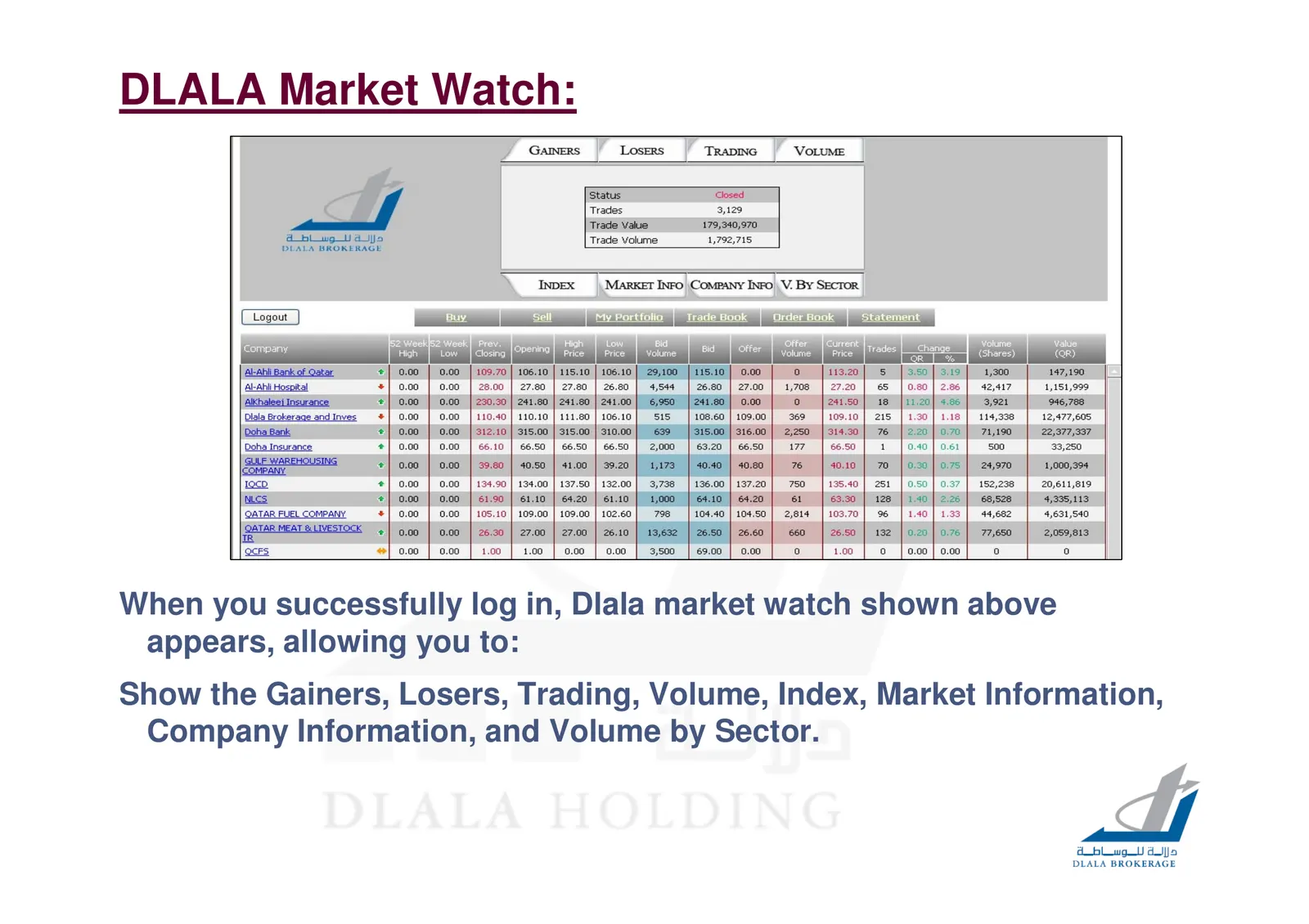
DLALA Market Watch: When you successfully log in, Dlala market watch shown above appears, allowing you to: Show the Gainers, Losers, Trading, Volume, Index, Market Information, Company Information, and Volume by Sector. 12
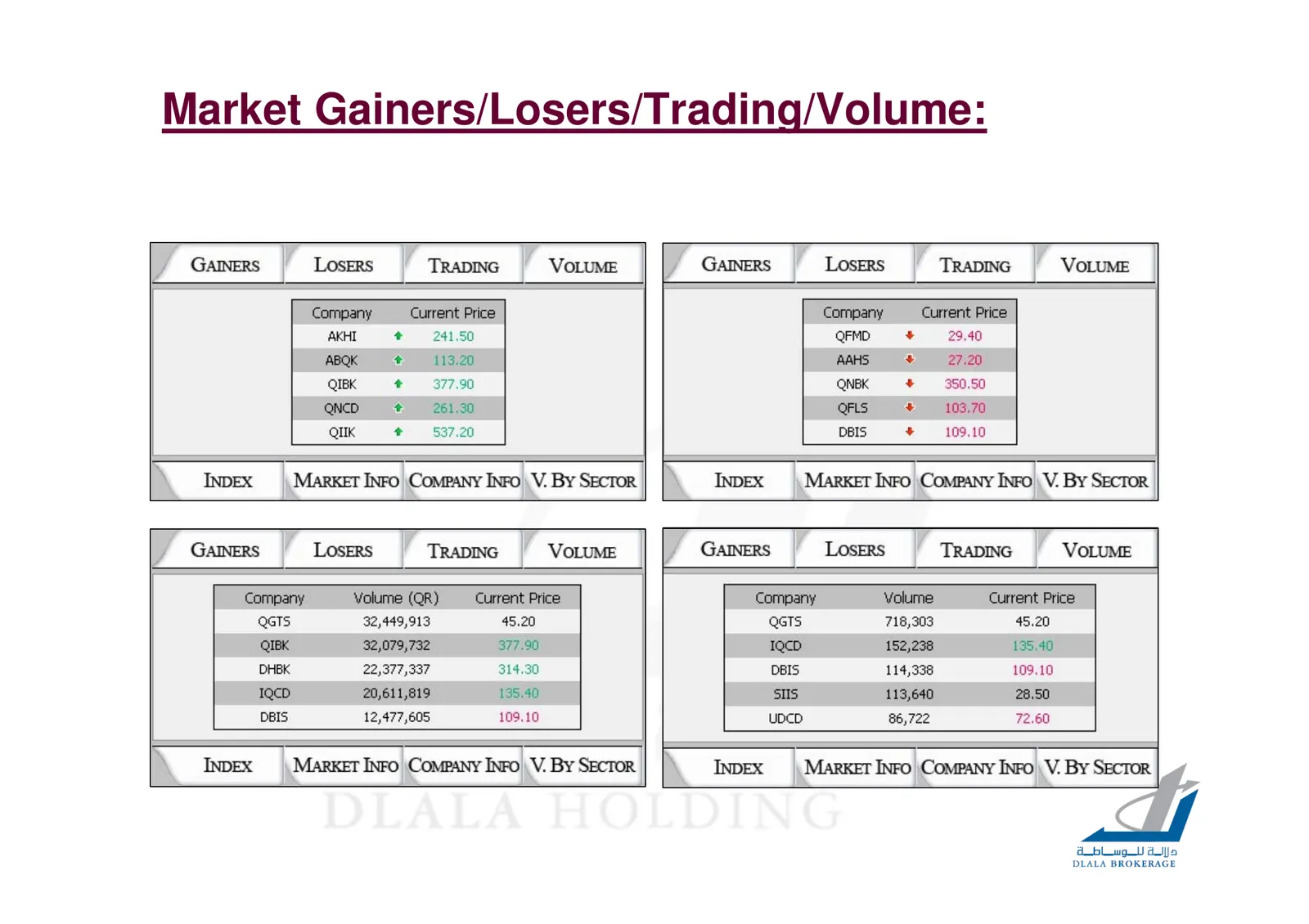
Slide 13: Market Gainers/Losers/Trading/Volume
Market Gainers/Losers/Trading/Volume: 13
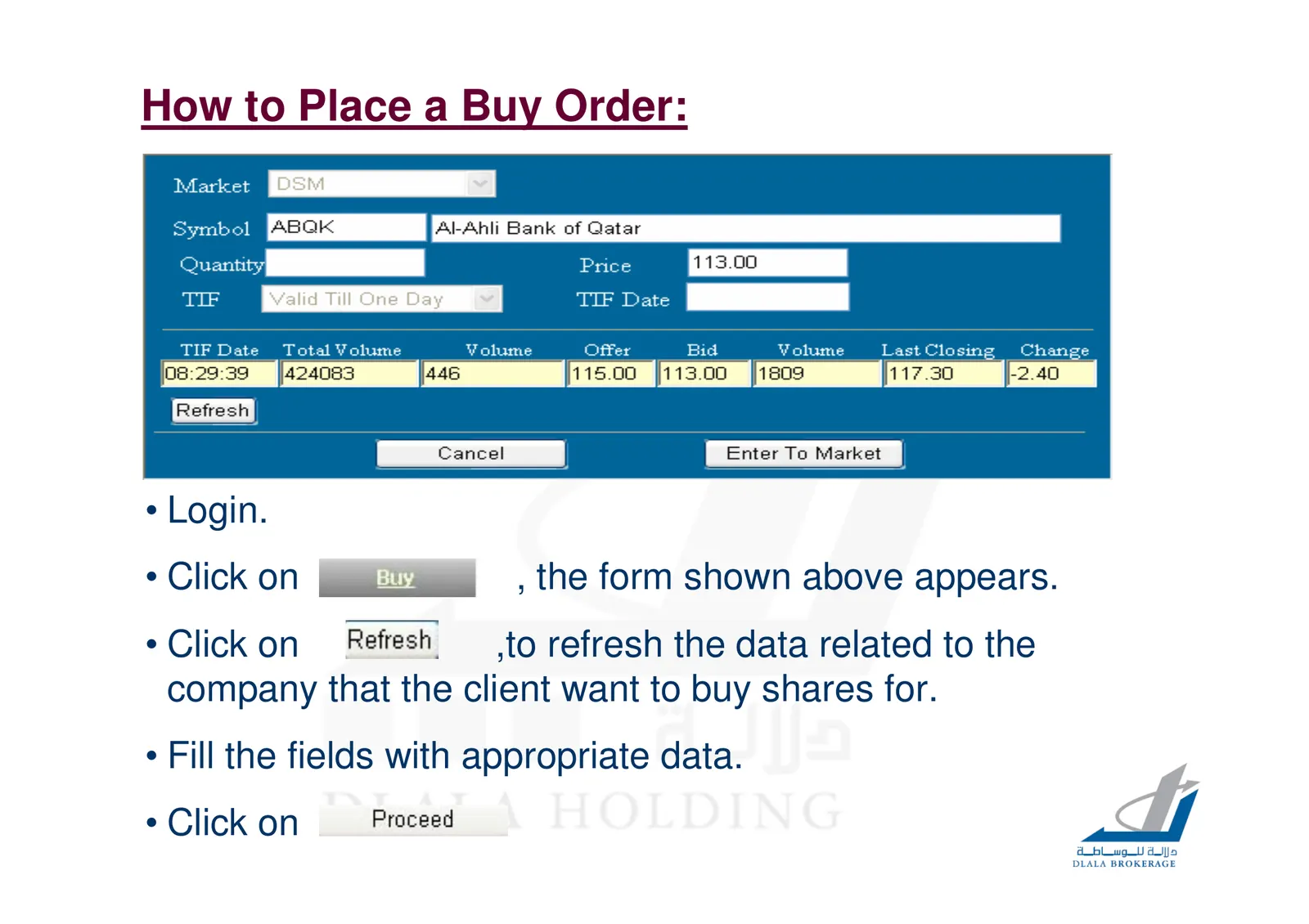
Slide 14: How to Place a Buy Order
How to Place a Buy Order: • Login. • Click on , the form shown above appears. • Click on ,to refresh the data related to the company that the client want to buy shares for. • Fill the fields with appropriate data. • Click on 14
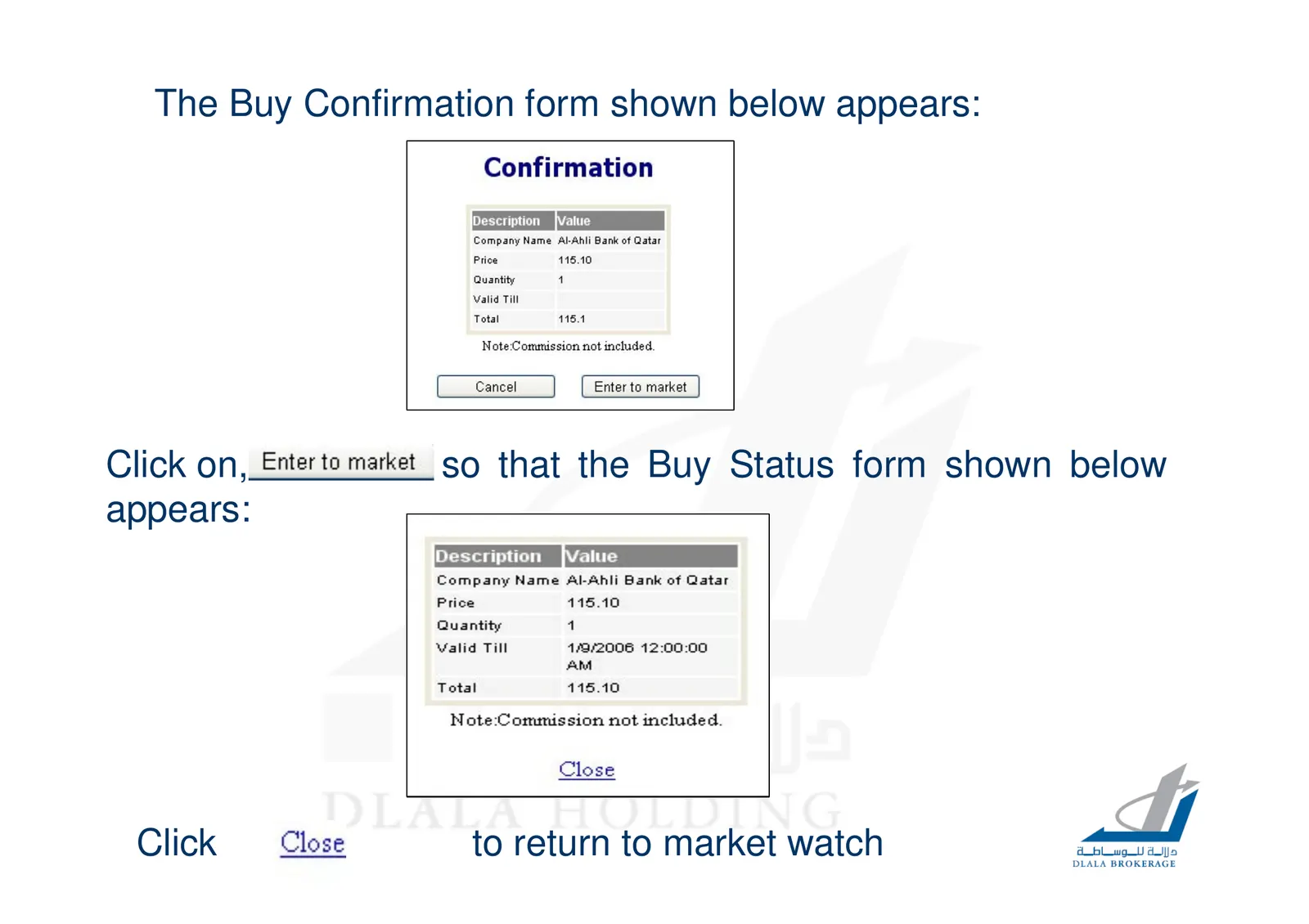
Slide 15: The Buy Confirmation form
The Buy Confirmation form shown below appears: Click on, so that the Buy Status form shown below appears: 15 Click to return to market watch
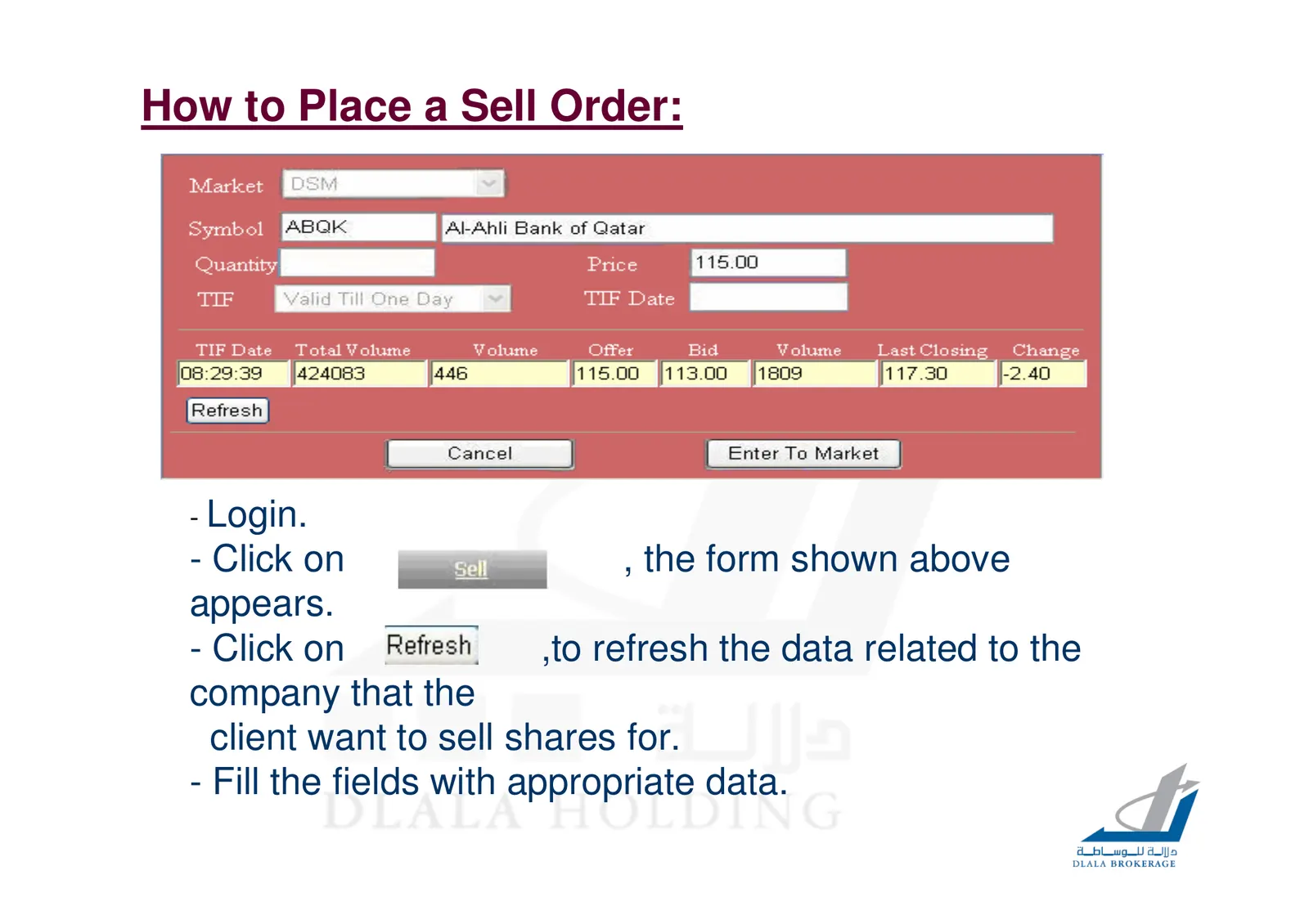
Slide 16: How to Place a Sell Order
How to Place a Sell Order: - Login. - Click on , the form shown above appears. - Click on ,to refresh the data related to the company that the client want to sell shares for. - Fill the fields with appropriate data. 16
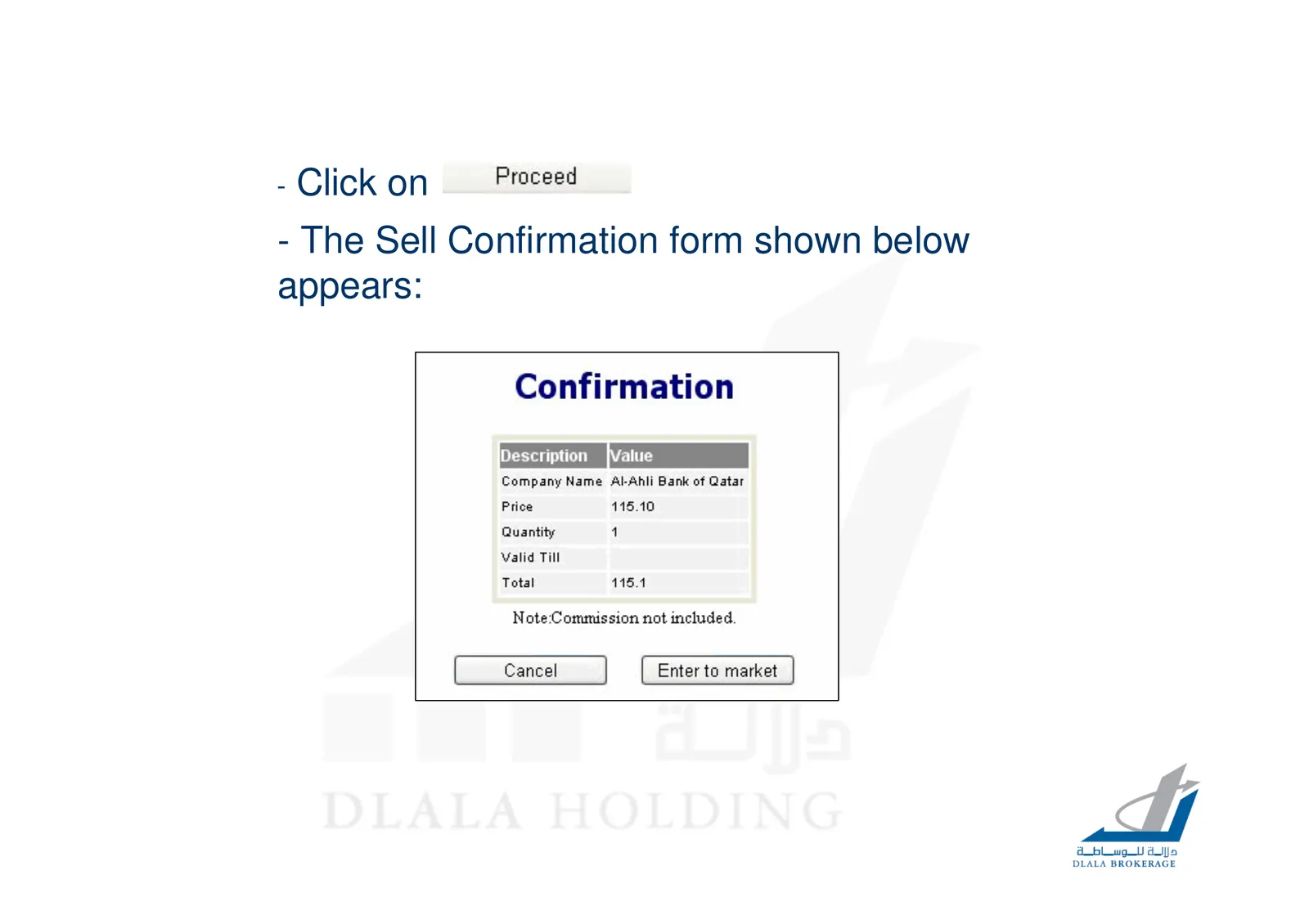
Slide 17: The Sell Confirmation form
- Click on - The Sell Confirmation form shown below appears: 17
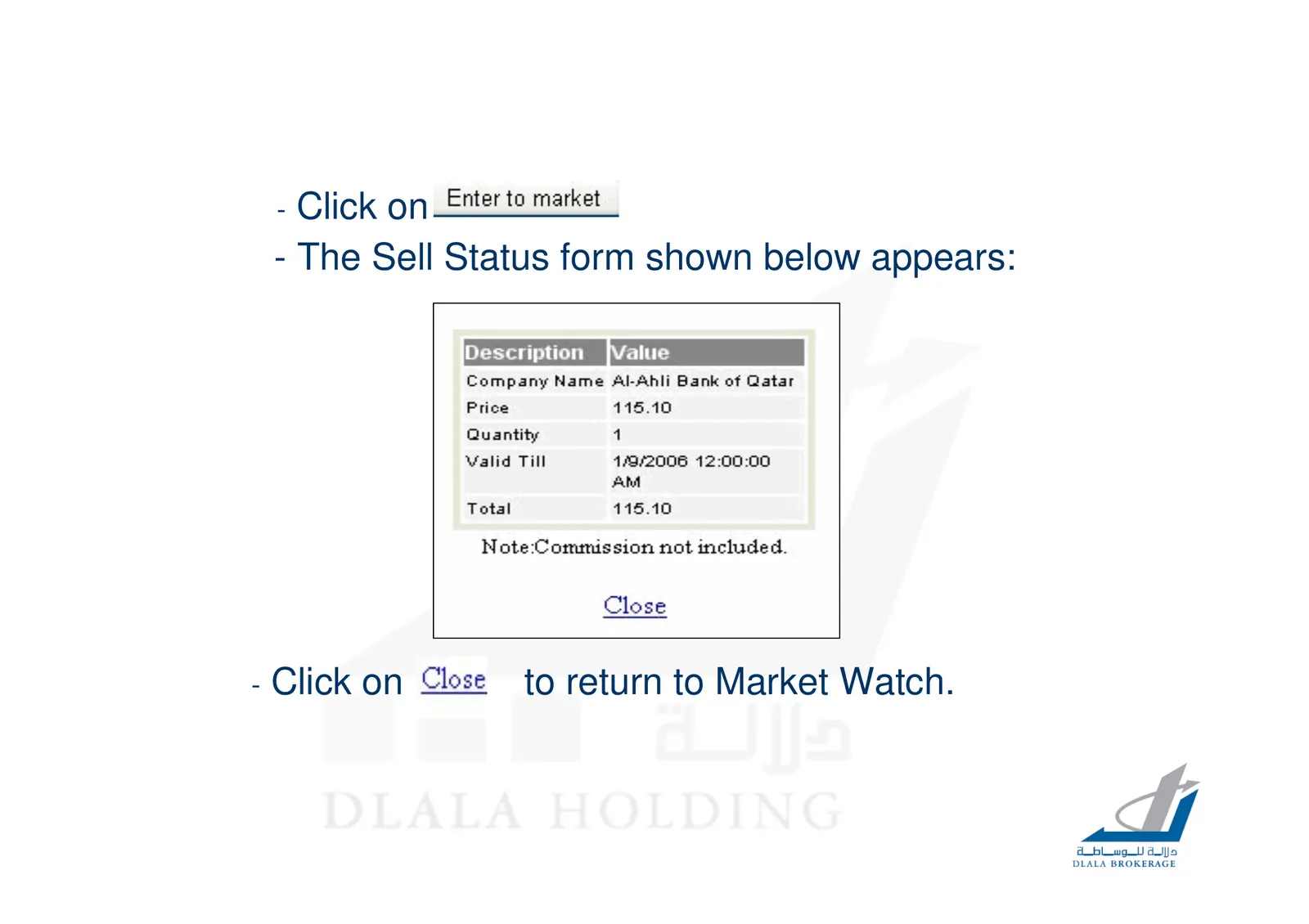
Slide 18: The Sell Status form
- Click on - The Sell Status form shown below appears: - Click on to return to Market Watch. 18
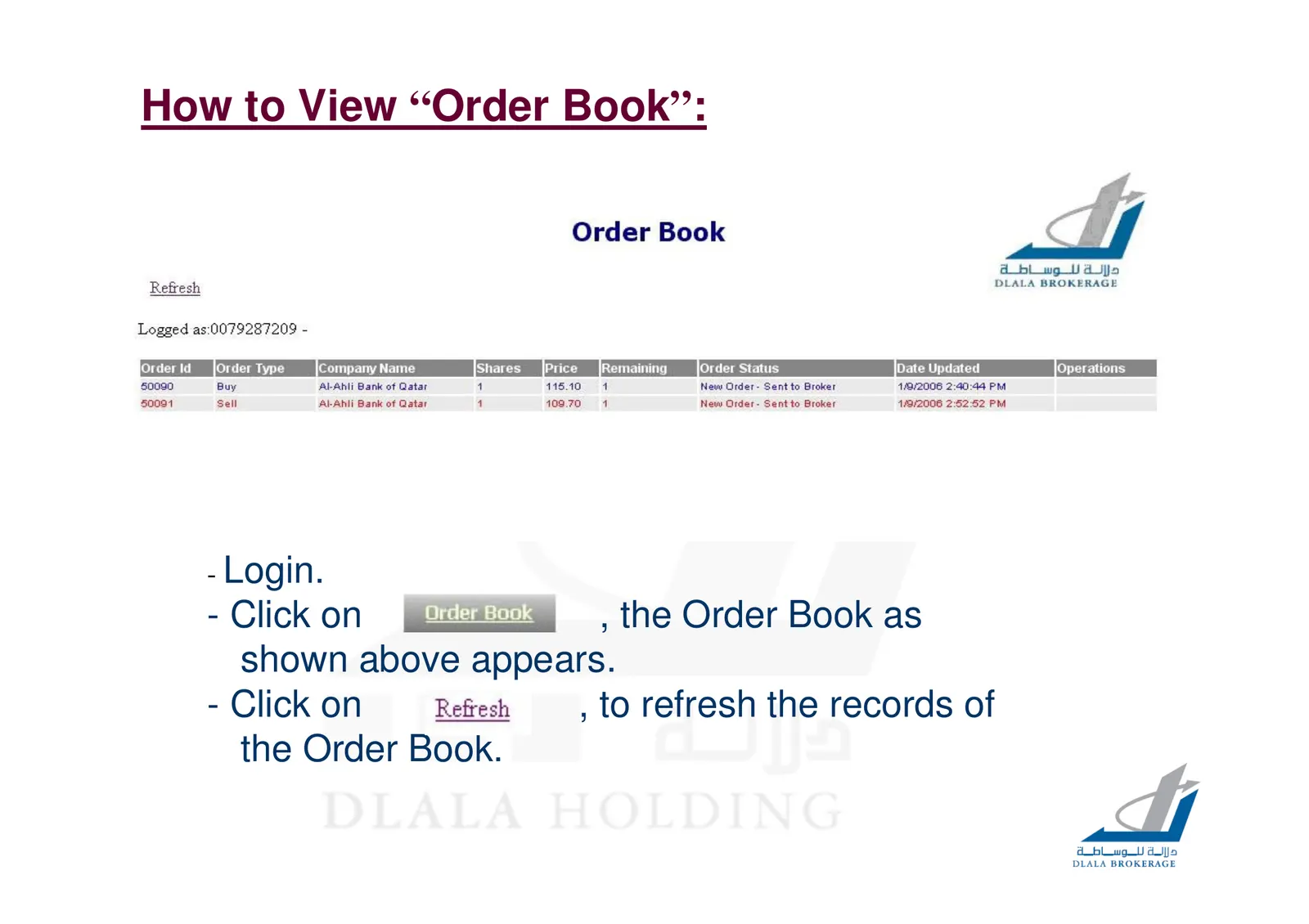
Slide 19: How to View Order Book
How to View “Order Book”: - Login. - Click on , the Order Book as shown above appears. - Click on , to refresh the records of the Order Book. 19
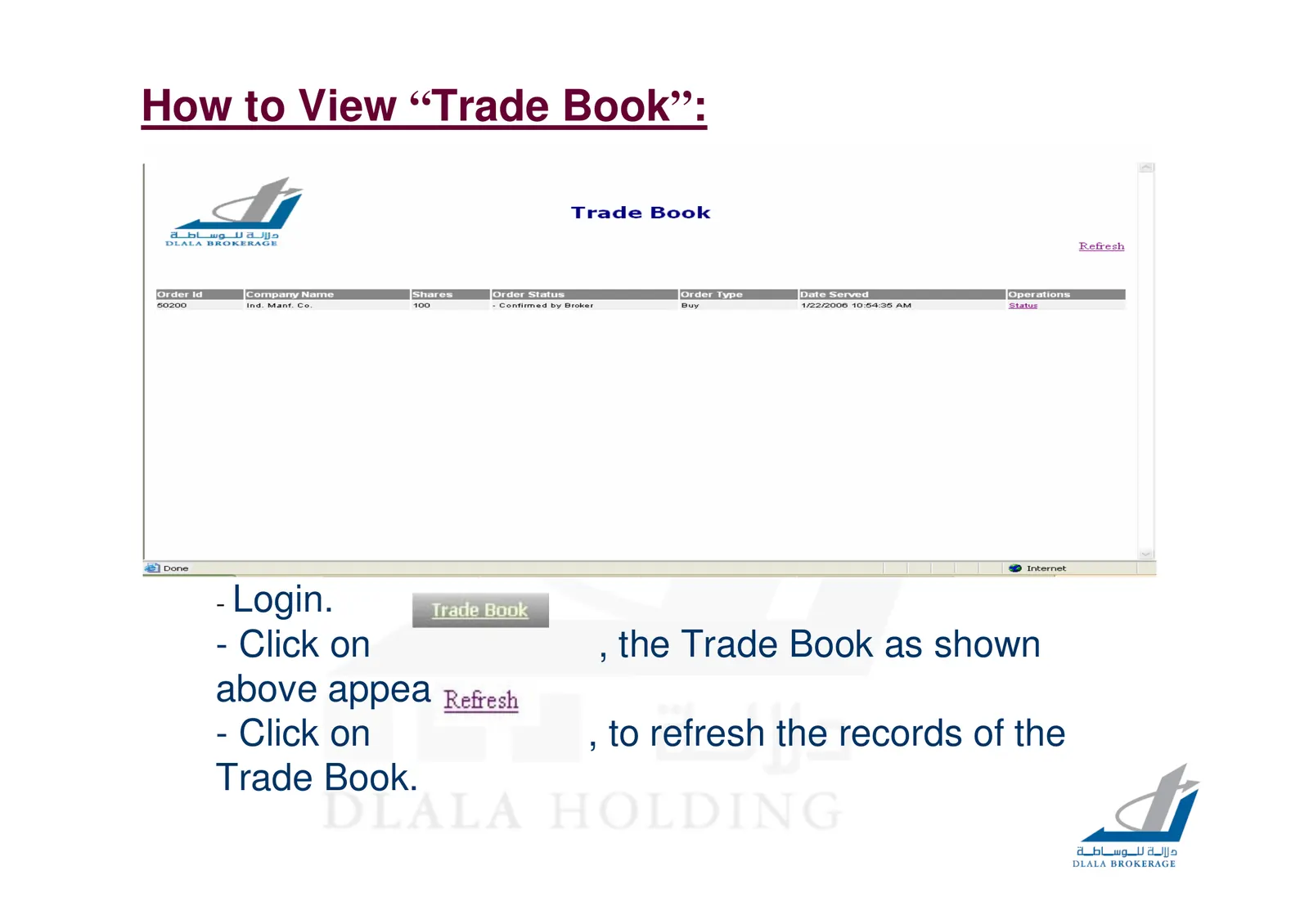
Slide 20: How to View Trade Book
How to View “Trade Book”: - Login. - Click on , the Trade Book as shown above appears. - Click on , to refresh the records of the Trade Book. 20
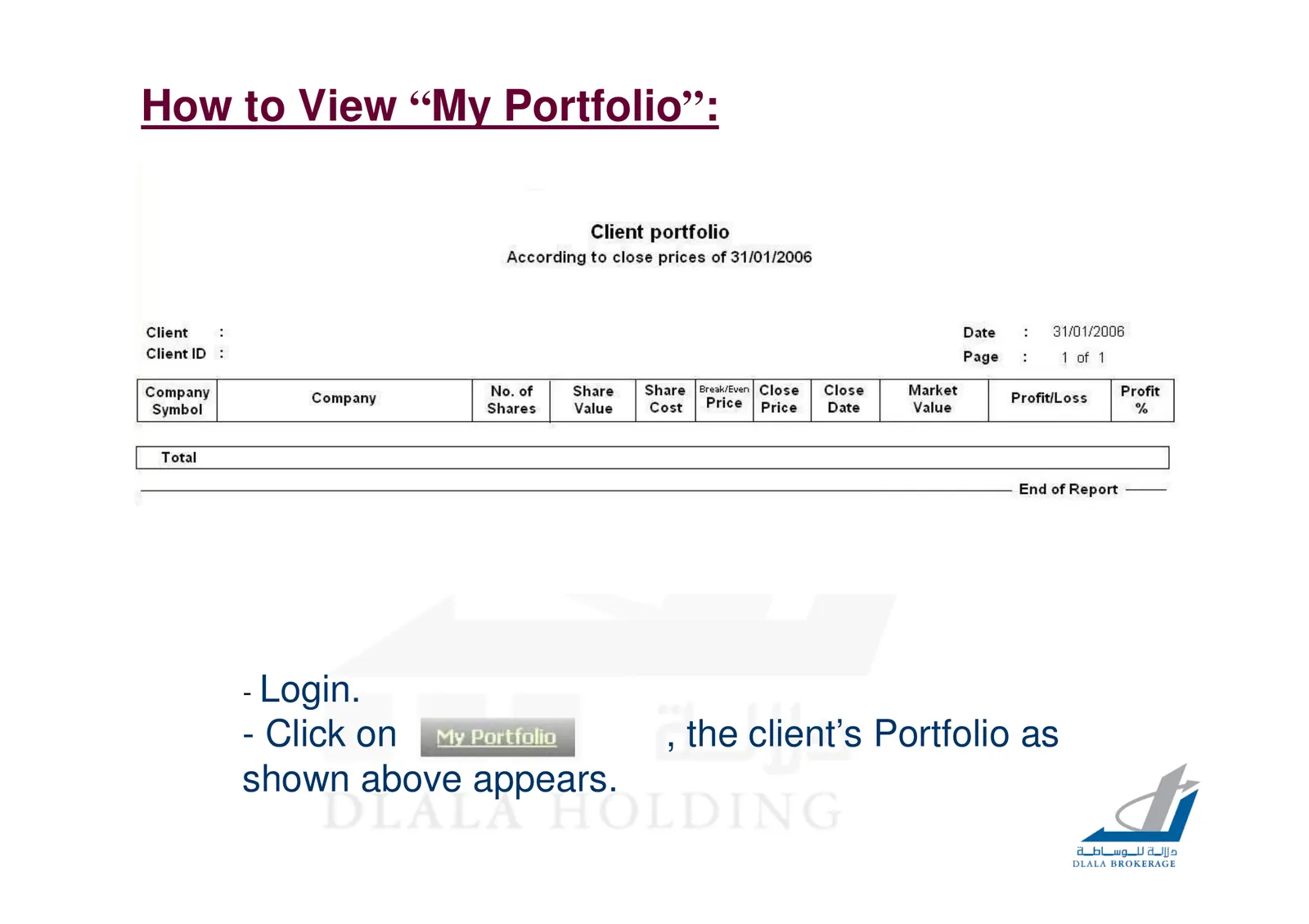
Slide 21: How to View My Portfolio
How to View “My Portfolio”: - Login. - Click on , the client’s Portfolio as shown above appears. 21
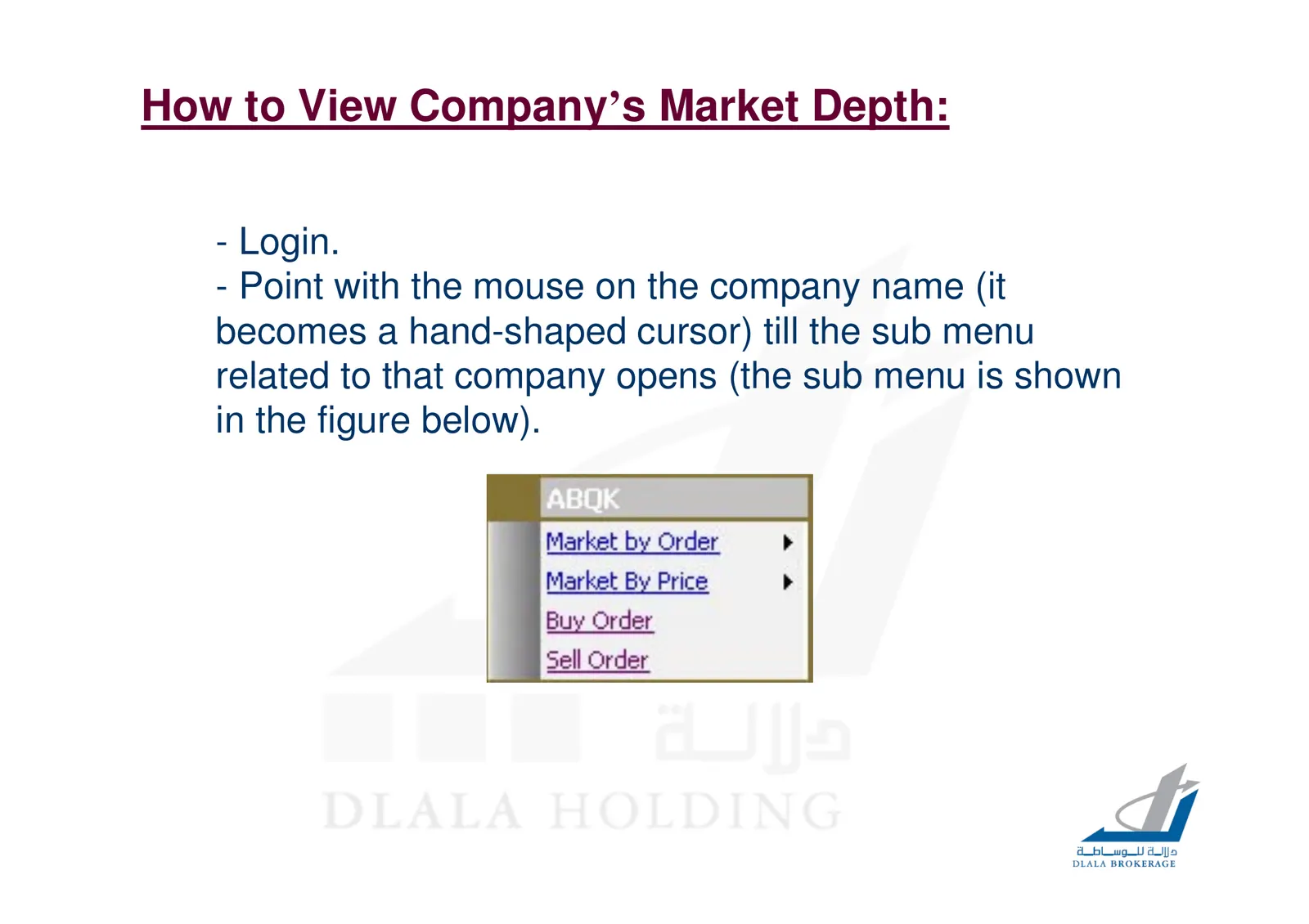
Slide 22: How to View Company's Market Depth
How to View Company’s Market Depth: - Login. - Point with the mouse on the company name (it becomes a hand-shaped cursor) till the sub menu related to that company opens (the sub menu is shown in the figure below). 22
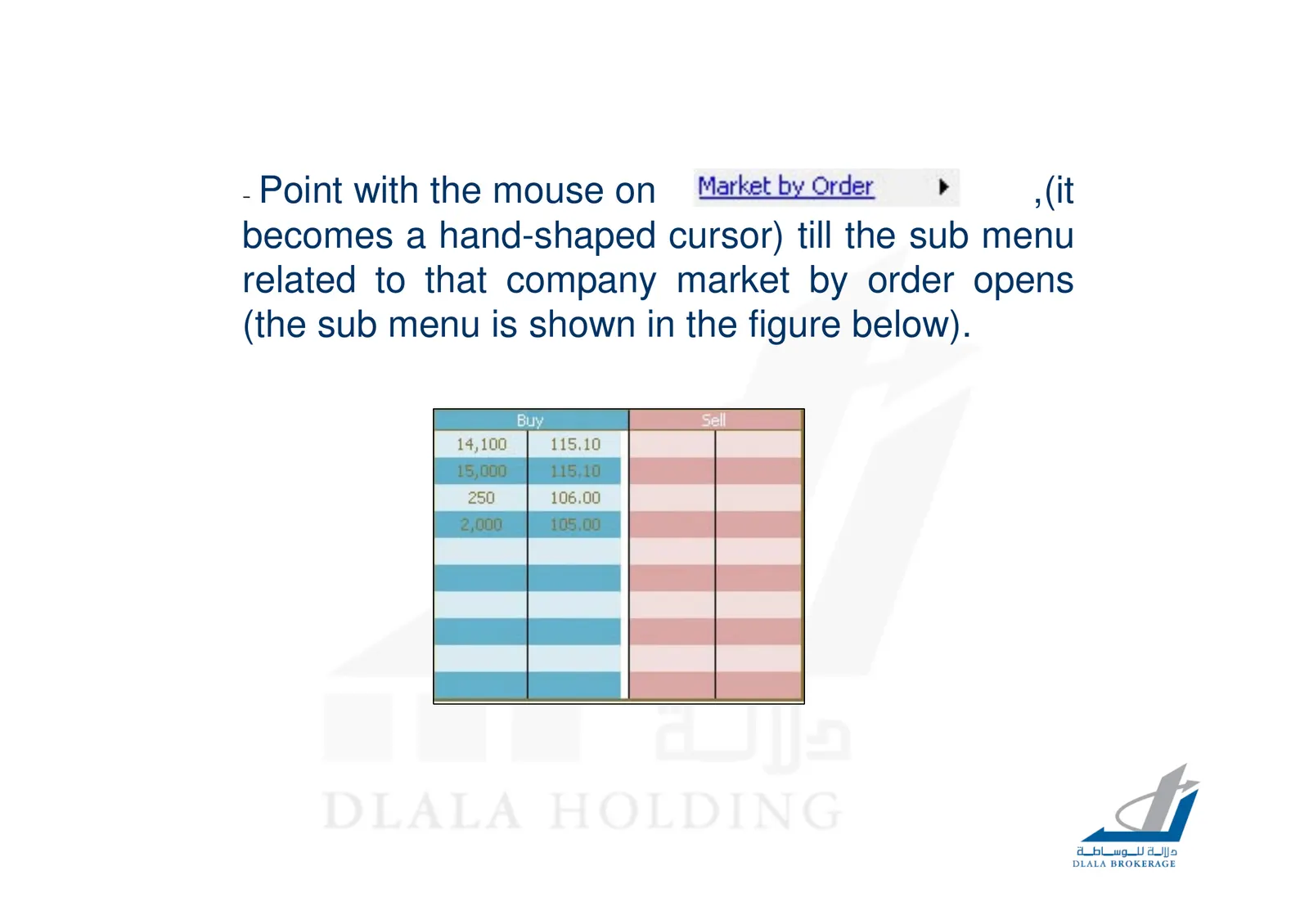
Slide 23: Market Depth: Market by Order
- Point with the mouse on ,(it becomes a hand-shaped cursor) till the sub menu related to that company market by order opens (the sub menu is shown in the figure below). 23
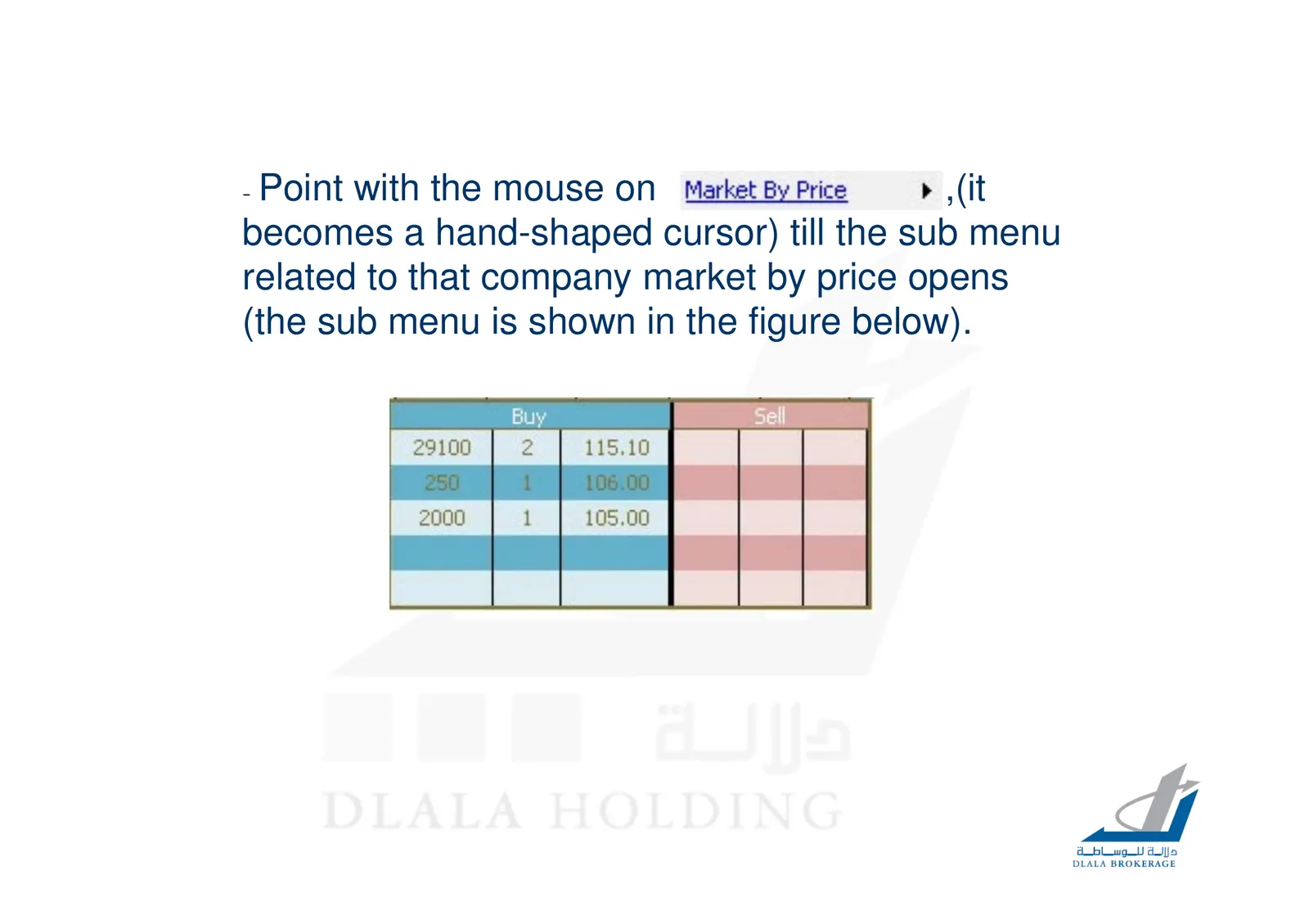
Slide 24: Market Depth: Market by Price
- Point with the mouse on ,(it becomes a hand-shaped cursor) till the sub menu related to that company market by price opens (the sub menu is shown in the figure below). 24
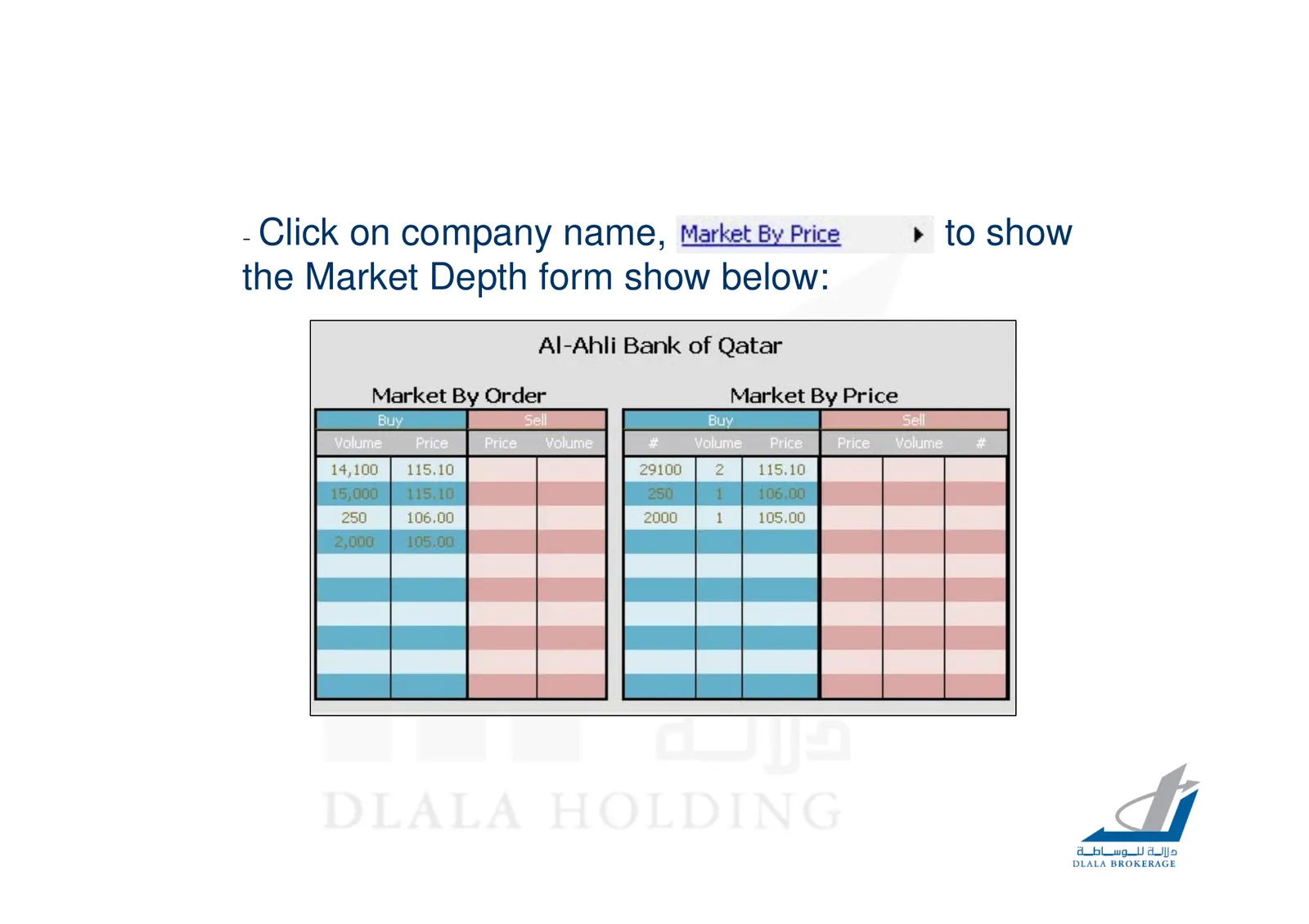
Slide 25: Market Depth form
- Click on company name, to show the Market Depth form show below: 25
Slide 26: Logout
Logout: - Click on - You will be back to Dlala Login page. 26

Slide 27: Q&A
doblLiwg duiija DLALA BROKERAGE Q&A 27
Source: Internet Archive copy of dlalaholding.com
More decks from Dlala Brokerage and Investment Holding Company
 Q3 2026 Earnings Presentation8 slides · November 2026
 H1 2026 Earnings Presentation8 slides · July 2026
 Q1 2026 Earnings Presentation8 slides · Apr 1, 2026
 Q3 2025 Earnings Presentation8 slides · October 2025
 H1 2025 Earnings Presentation8 slides · August 2025
 Q1 2025 Earnings Presentation8 slides · Apr 1, 2025