Zebra Technologies Corporation · NASDAQ:ZBRA
Zebra Technologies — Technical Presentation (2023)
21 slides from Zebra Technologies's technical presentation, 2023
Slide 1: Zebra Enterprise Camera Experience
Zebra Enterprise Camera Experience Ian Hatton EMEA Developer Advocate Tony Yang EMC Camera Experience Software Engineer
Slide 2: Zebra's Enterprise Camera Experience
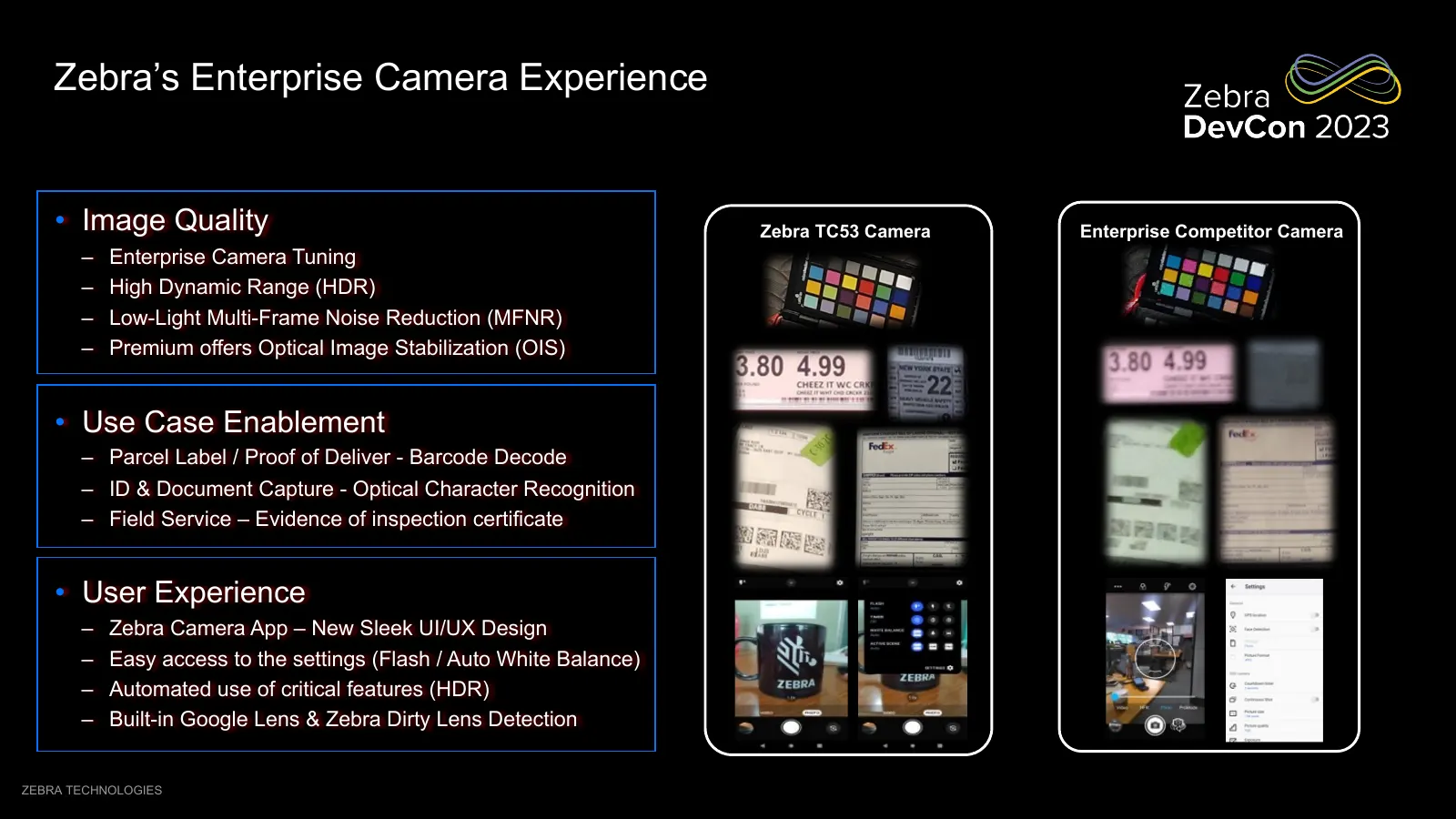
Zebra’s Enterprise Camera Experience • Image Quality Zebra TC53 Camera Enterprise Competitor Camera – Enterprise Camera Tuning – High Dynamic Range (HDR) – Low-Light Multi-Frame Noise Reduction (MFNR) – Premium offers Optical Image Stabilization (OIS) • Use Case Enablement – Parcel Label / Proof of

Slide 3: Enterprise Image Quality
Enterprise Image Quality ZEBRA TECHNOLOGIES
Slide 4: Camera Tuning Improvements
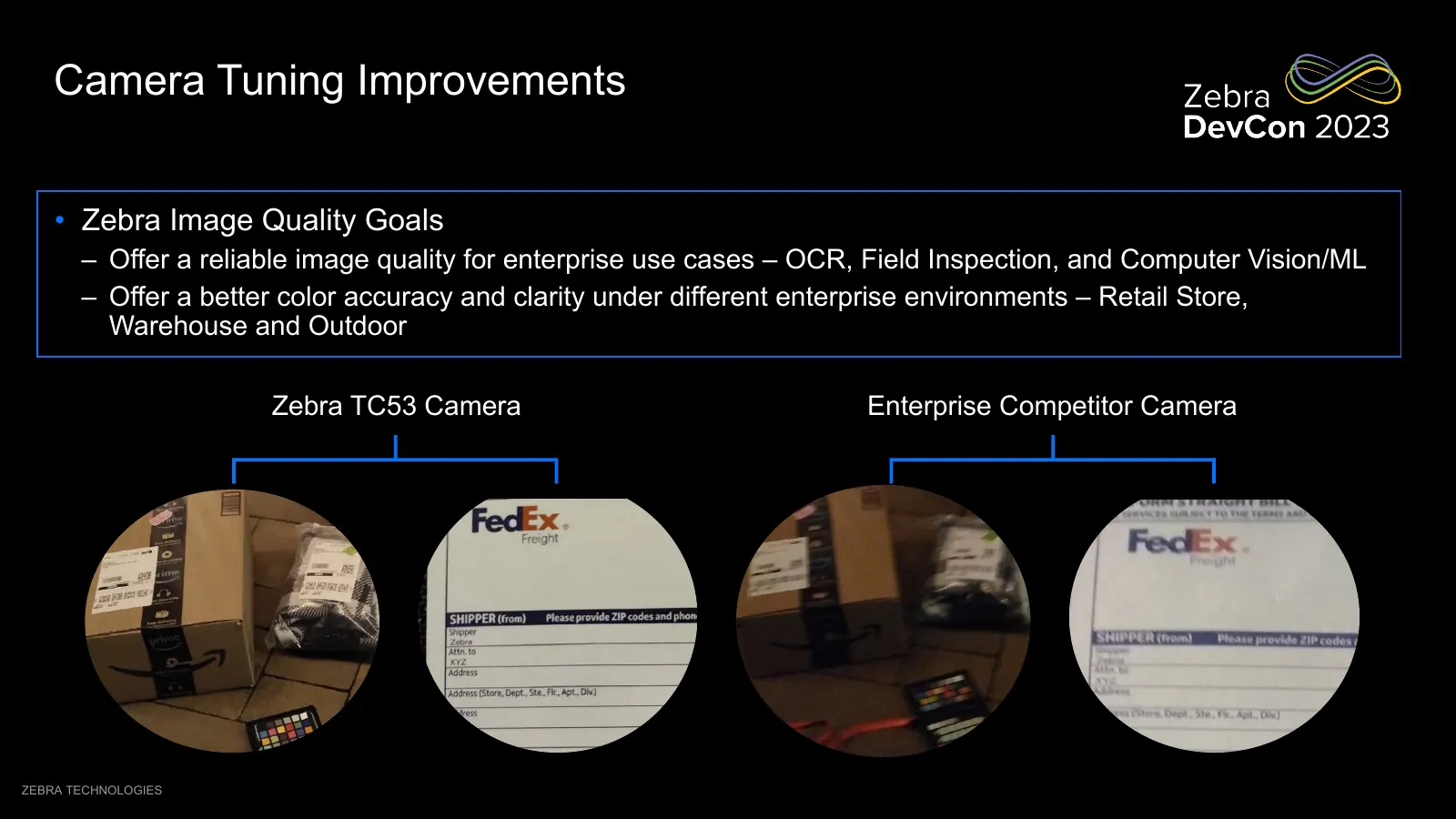
Camera Tuning Improvements • Zebra Image Quality Goals – Offer a reliable image quality for enterprise use cases – OCR, Field Inspection, and Computer Vision/ML – Offer a better color accuracy and clarity under different enterprise environments – Retail Store, Warehouse and Outdoor Zebra TC53 Camera
Slide 5: Low Light Environments
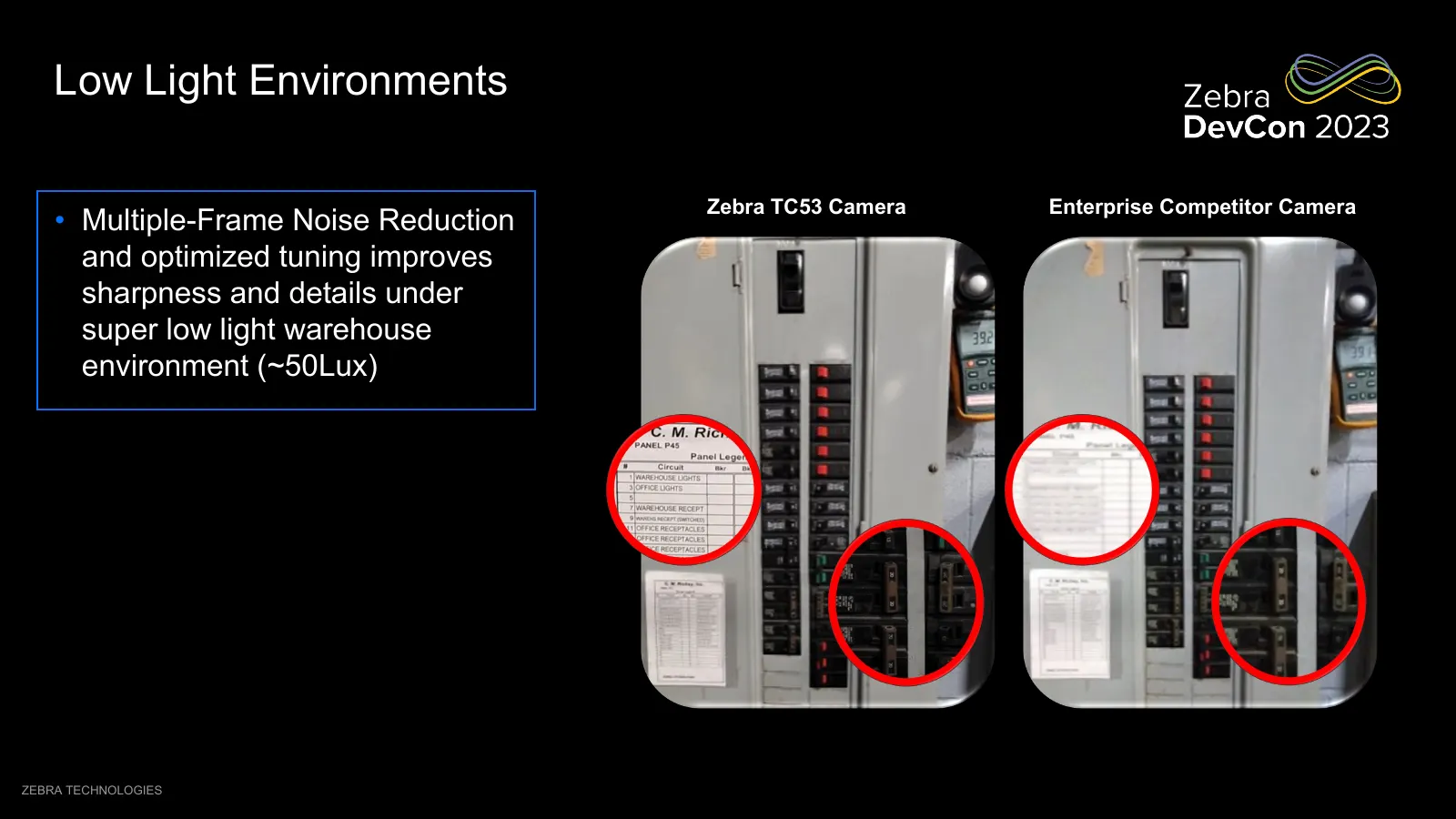
Low Light Environments Zebra TC53 Camera Enterprise Competitor Camera • Multiple-Frame Noise Reduction and optimized tuning improves sharpness and details under super low light warehouse environment (~50Lux) ZEBRA TECHNOLOGIES
Slide 6: High Dynamic Range Environment
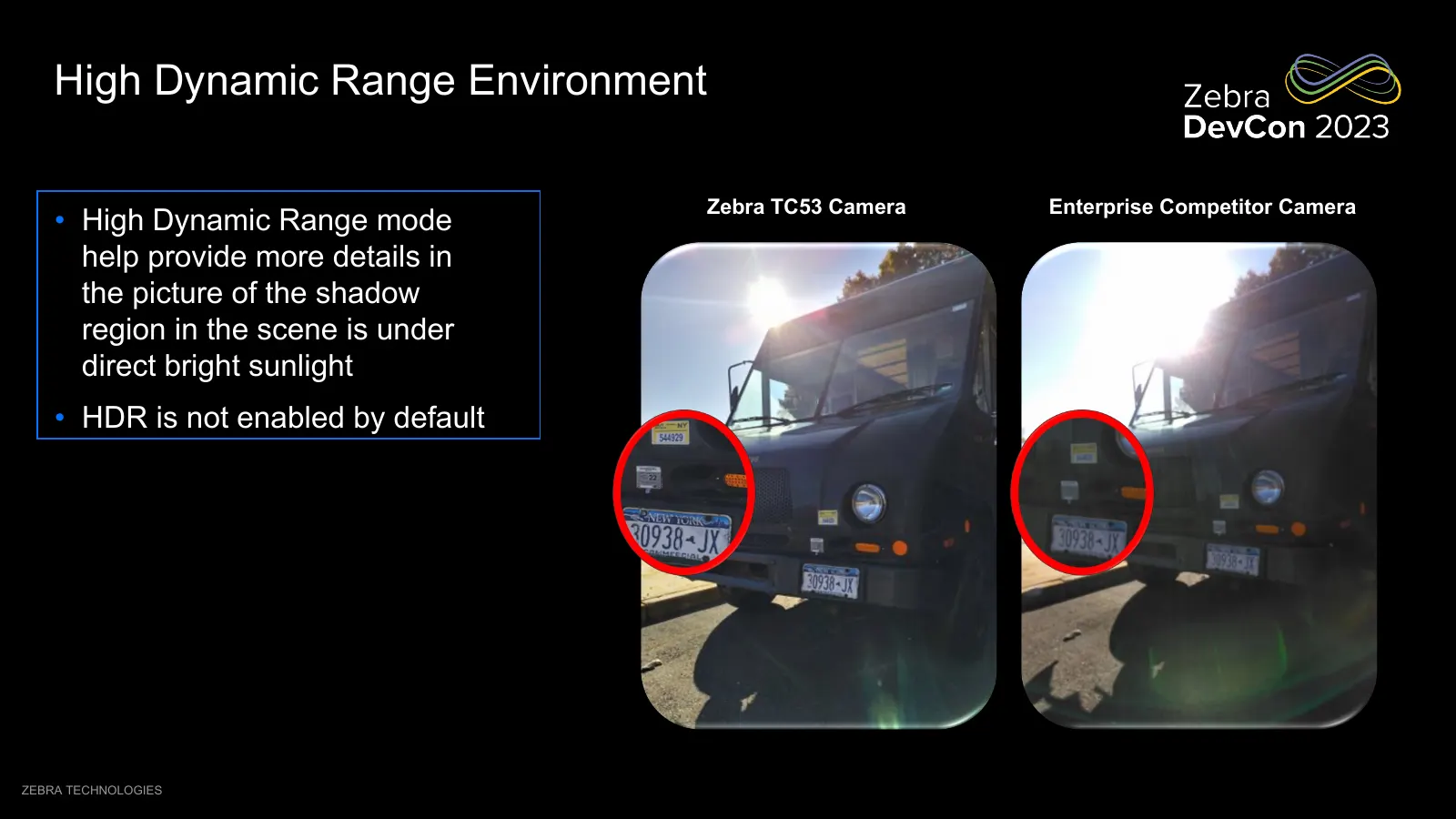
High Dynamic Range Environment Zebra TC53 Camera Enterprise Competitor Camera • High Dynamic Range mode help provide more details in the picture of the shadow region in the scene is under direct bright sunlight • HDR is not enabled by default ZEBRA TECHNOLOGIES
Slide 7: Optical Image Stabilization (OIS)
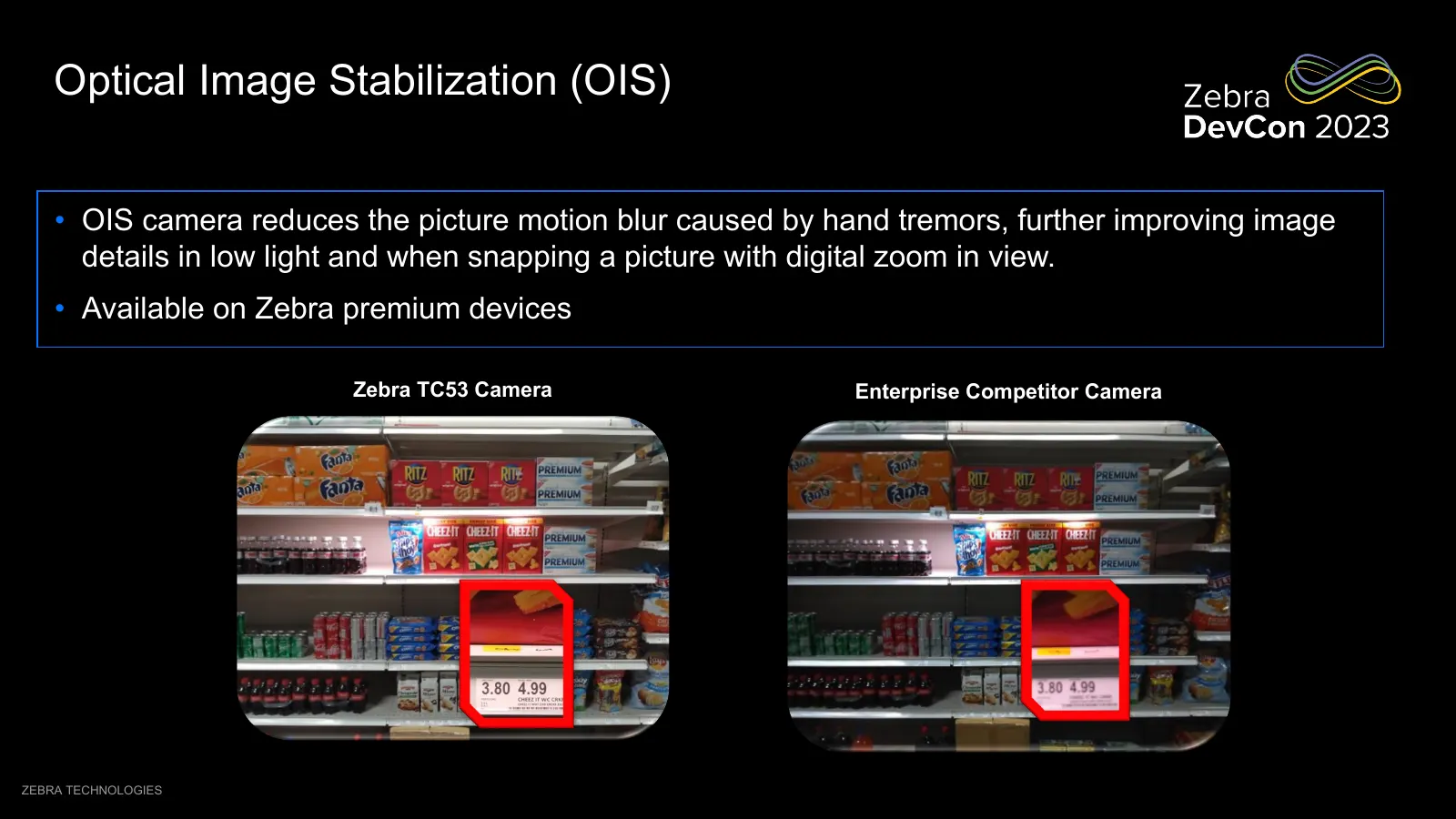
Optical Image Stabilization (OIS) • OIS camera reduces the picture motion blur caused by hand tremors, further improving image details in low light and when snapping a picture with digital zoom in view. • Available on Zebra premium devices Zebra TC53 Camera Enterprise Competitor Camera ZEBRA TECHNOL
Slide 8: Zebra Enterprise Camera Application
Zebra Enterprise Camera Application ZEBRA TECHNOLOGIES
Slide 9: Enhancements
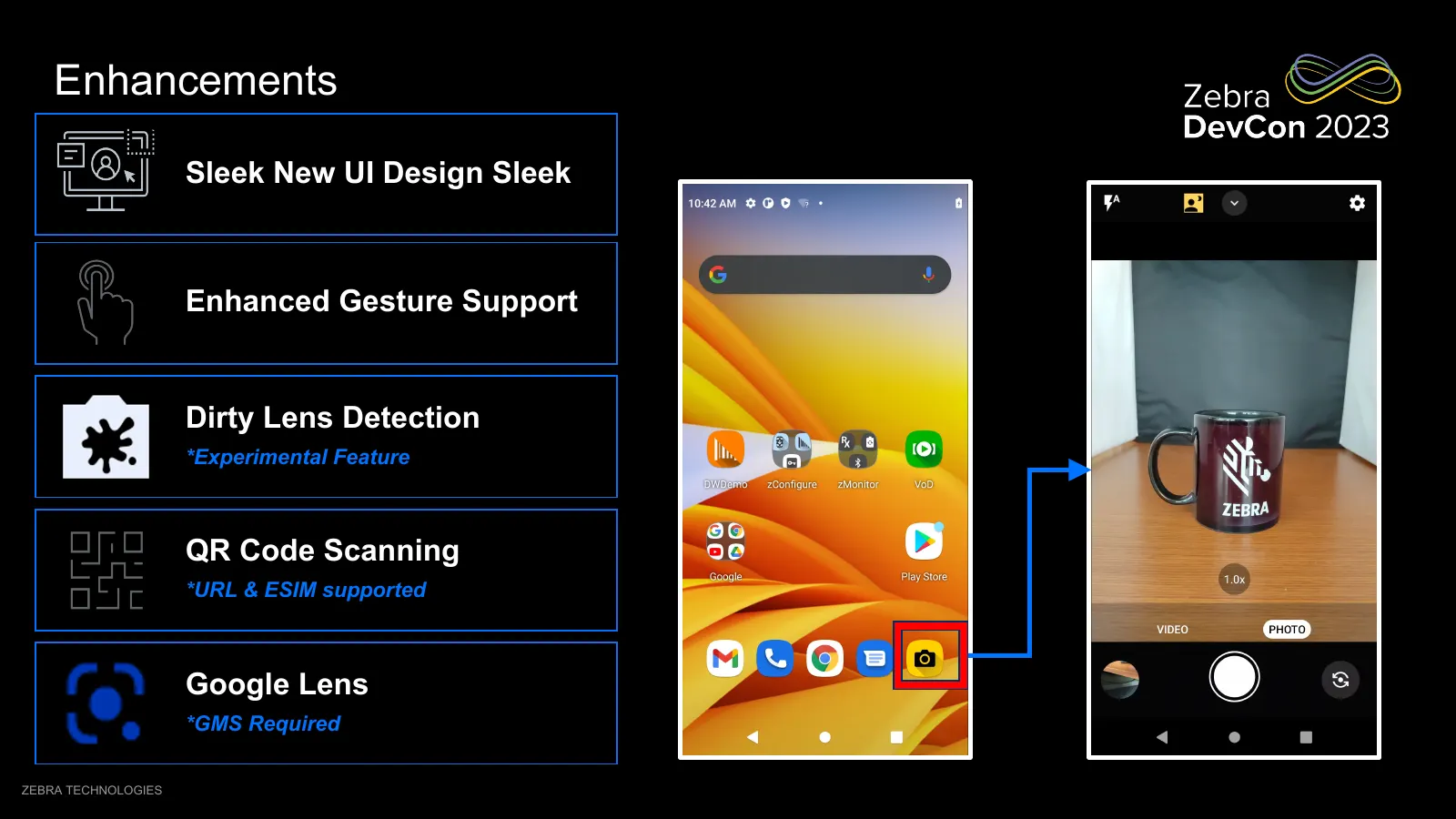
Enhancements Sleek New UI Design Sleek Enhanced Gesture Support Dirty Lens Detection *Experimental Feature QR Code Scanning *URL & ESIM supported Google Lens *GMS Required ZEBRA TECHNOLOGIES
Slide 10: Dirty Lens Detection
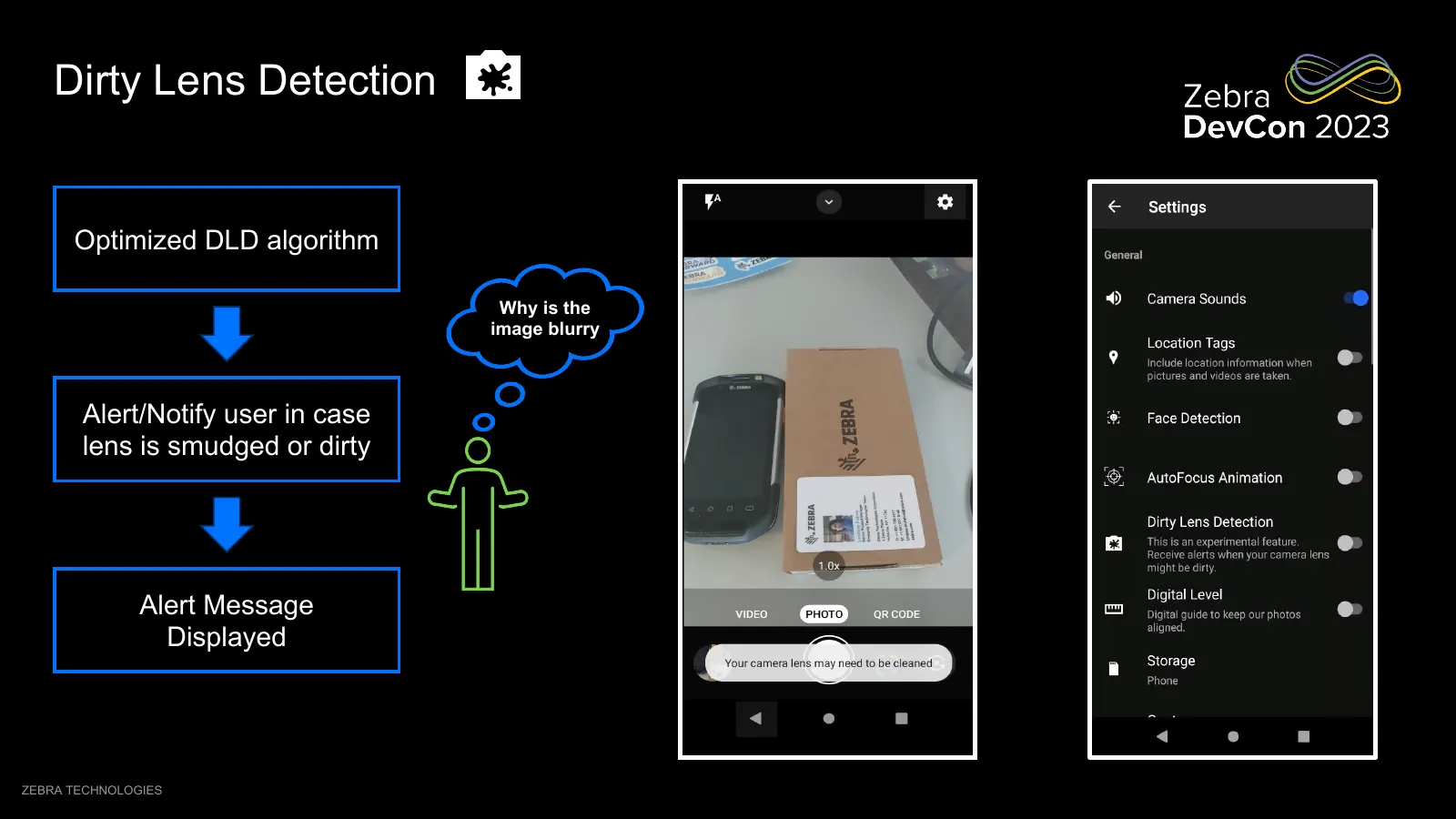
Dirty Lens Detection Optimized DLD algorithm Why is the image blurry Alert/Notify user in case lens is smudged or dirty Alert Message Displayed ZEBRA TECHNOLOGIES
Slide 11: URL QR Code and ESIM Registration
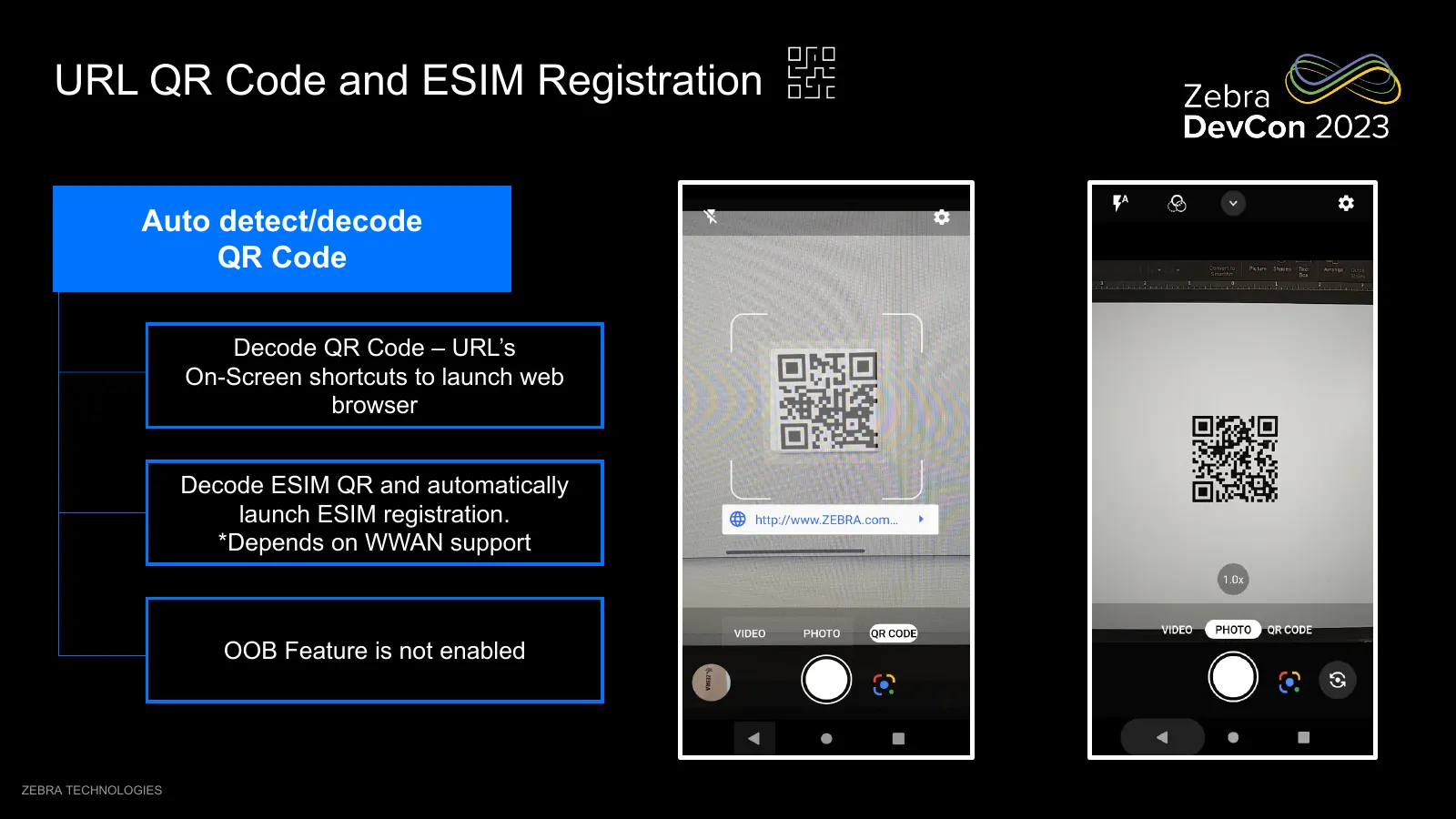
URL QR Code and ESIM Registration Auto detect/decode QR Code Decode QR Code – URL’s On-Screen shortcuts to launch web browser Decode ESIM QR and automatically launch ESIM registration. *Depends on WWAN support OOB Feature is not enabled ZEBRA TECHNOLOGIES
Slide 12: Auto HDR
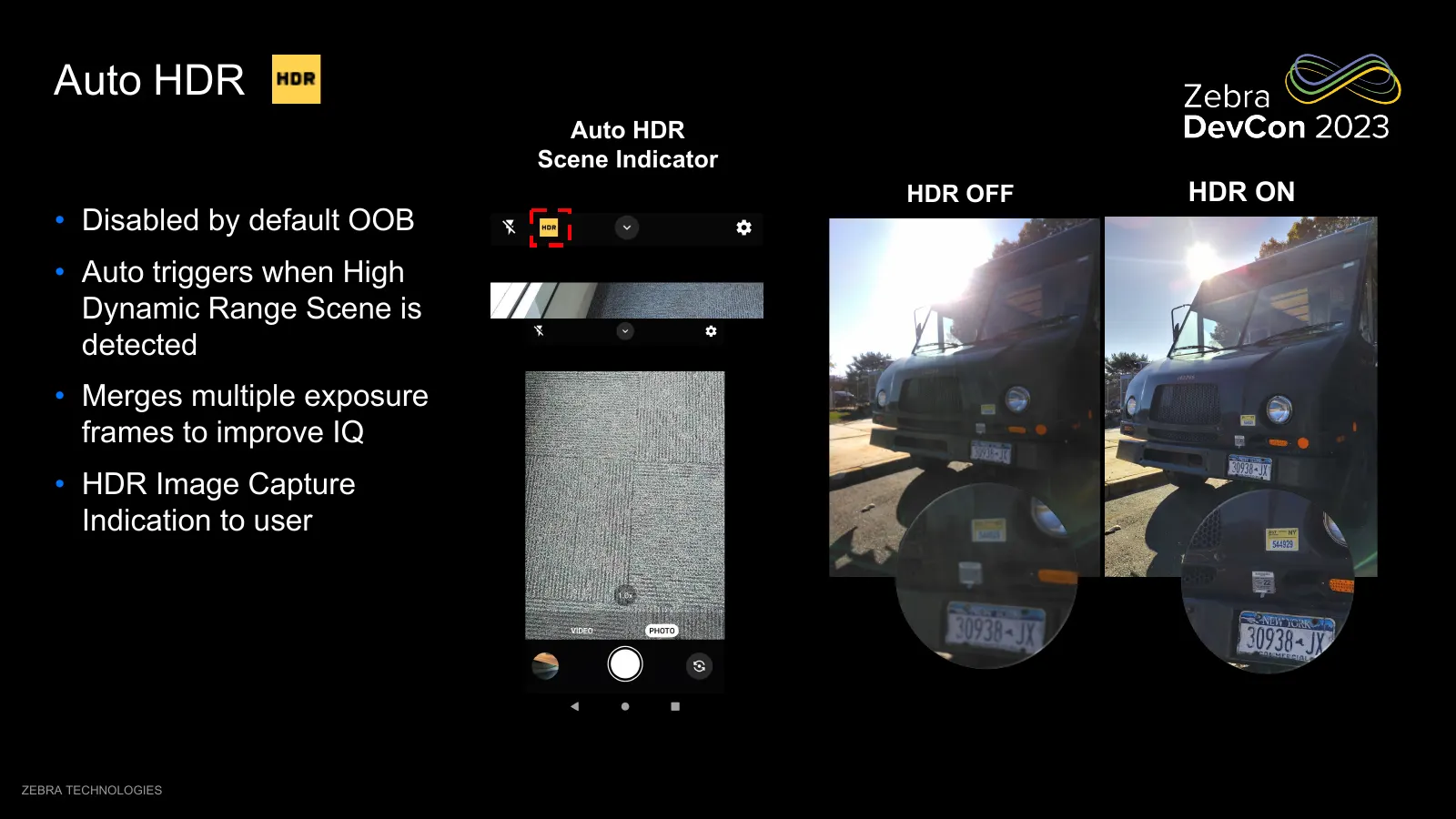
Auto HDR Auto HDR Scene Indicator HDR OFF HDR ON • Disabled by default OOB • Auto triggers when High Dynamic Range Scene is detected • Merges multiple exposure frames to improve IQ • HDR Image Capture Indication to user ZEBRA TECHNOLOGIES
Slide 13: Auto Low Light (MFNR)
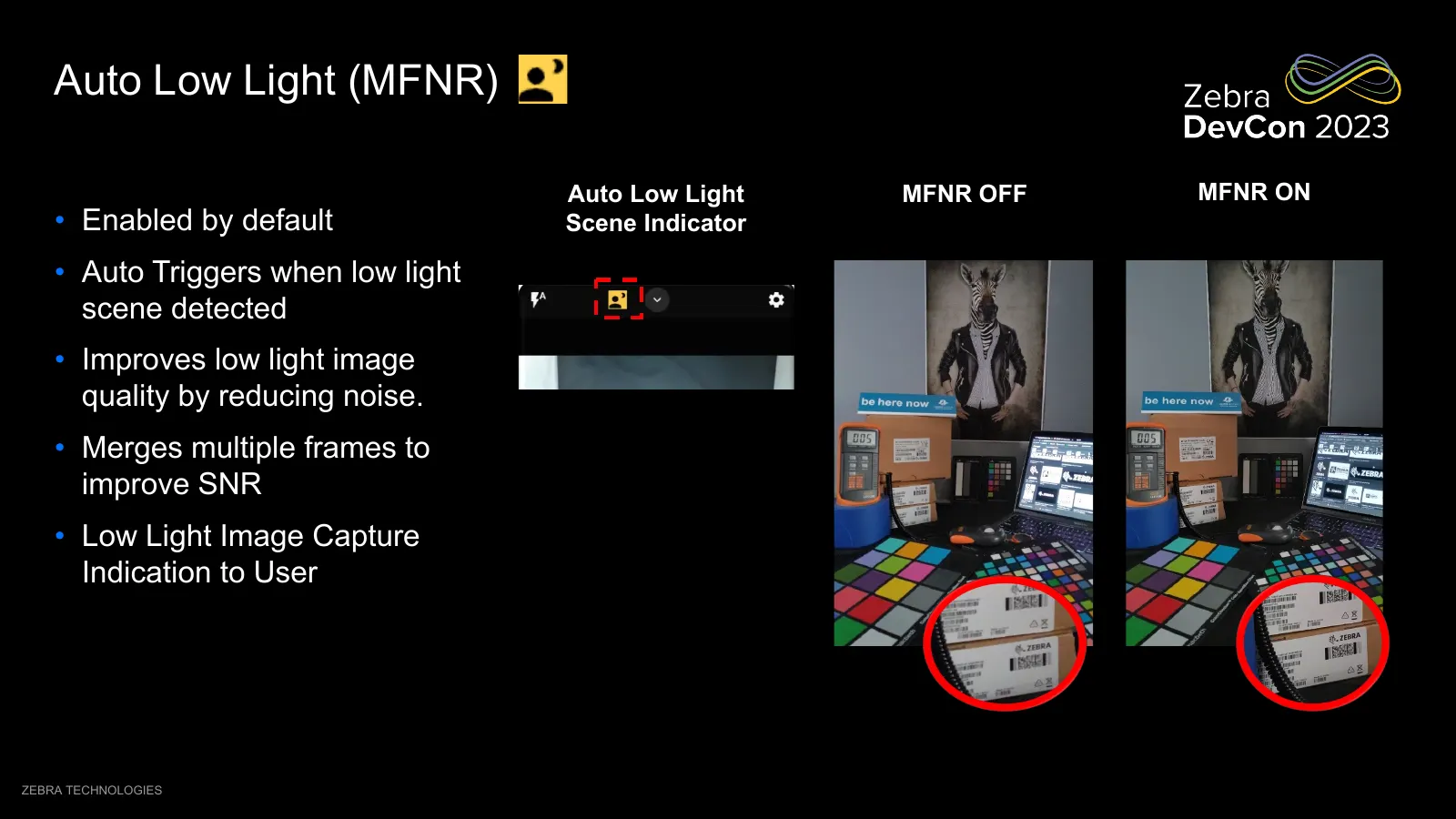
Auto Low Light (MFNR) Auto Low Light MFNR OFF MFNR ON • Enabled by default Scene Indicator • Auto Triggers when low light scene detected • Improves low light image quality by reducing noise. • Merges multiple frames to improve SNR • Low Light Image Capture Indication to User ZEBRA TECHNOLOGIES
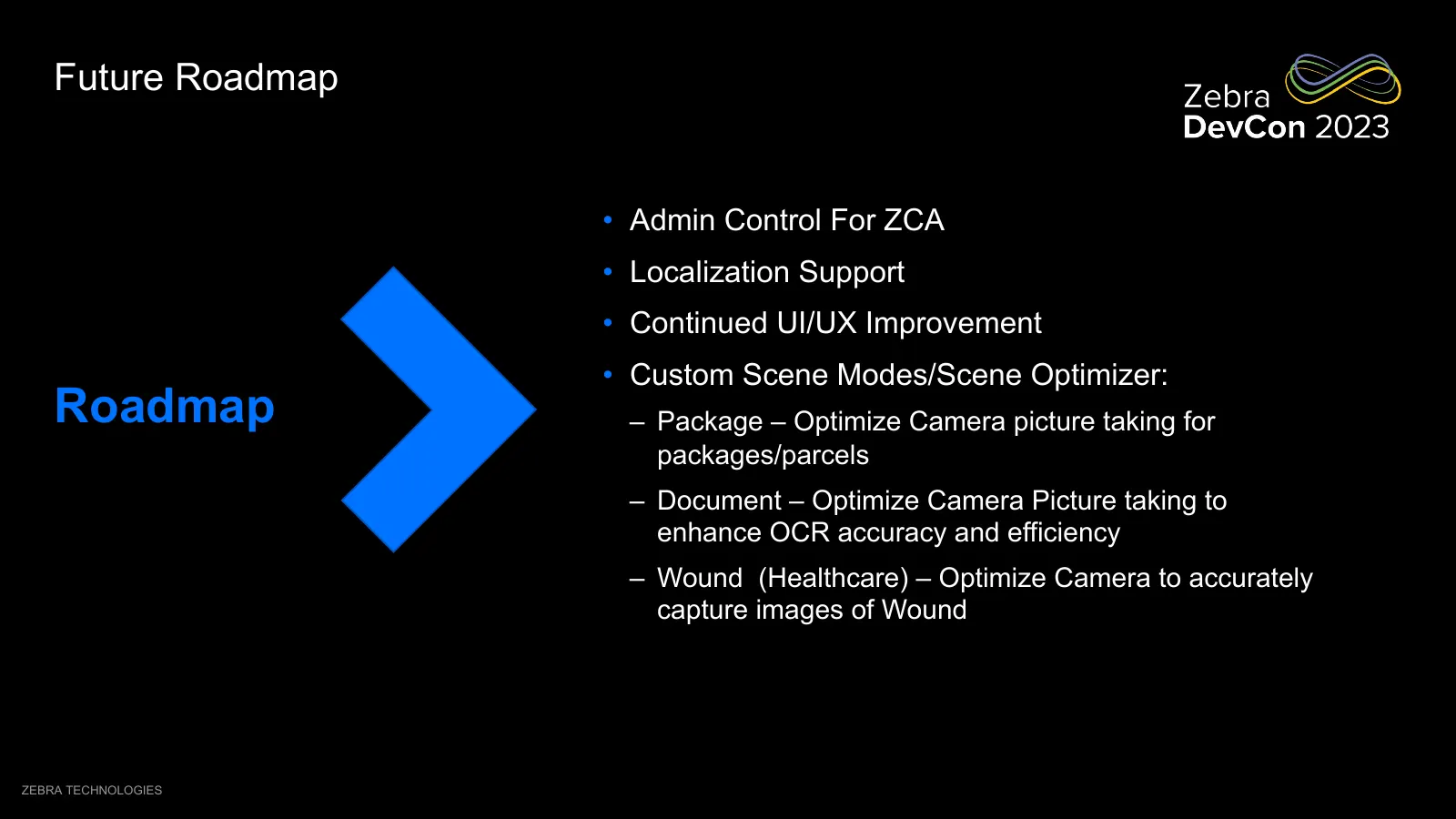
Slide 14: Future Roadmap
Future Roadmap • Admin Control For ZCA • Localization Support • Continued UI/UX Improvement • Custom Scene Modes/Scene Optimizer: Roadmap – Package – Optimize Camera picture taking for packages/parcels – Document – Optimize Camera Picture taking to enhance OCR accuracy and efficiency – Wound (Health
Slide 15: Harness Zebra Camera Features in Your Application
Harness Zebra Camera Features in Your Application ZEBRA TECHNOLOGIES
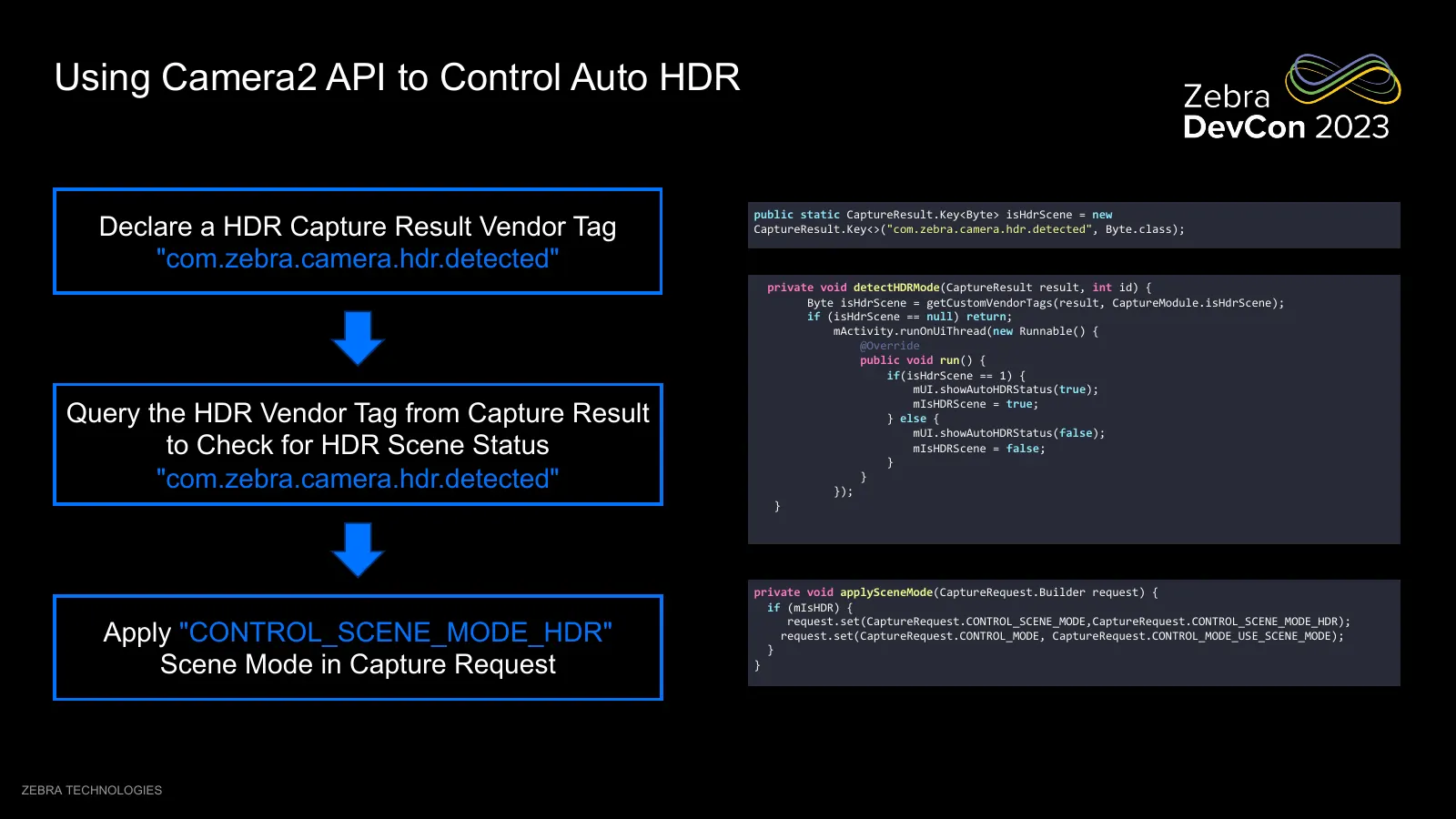
Slide 16: Using Camera2 API to Control Auto HDR
Using Camera2 API to Control Auto HDR public static CaptureResult.Key<Byte> isHdrScene = new Declare a HDR Capture Result Vendor Tag CaptureResult.Key<>("com.zebra.camera.hdr.detected", Byte.class); "com.zebra.camera.hdr.detected" private void detectHDRMode(CaptureResult result, int id) { Byte isHdr
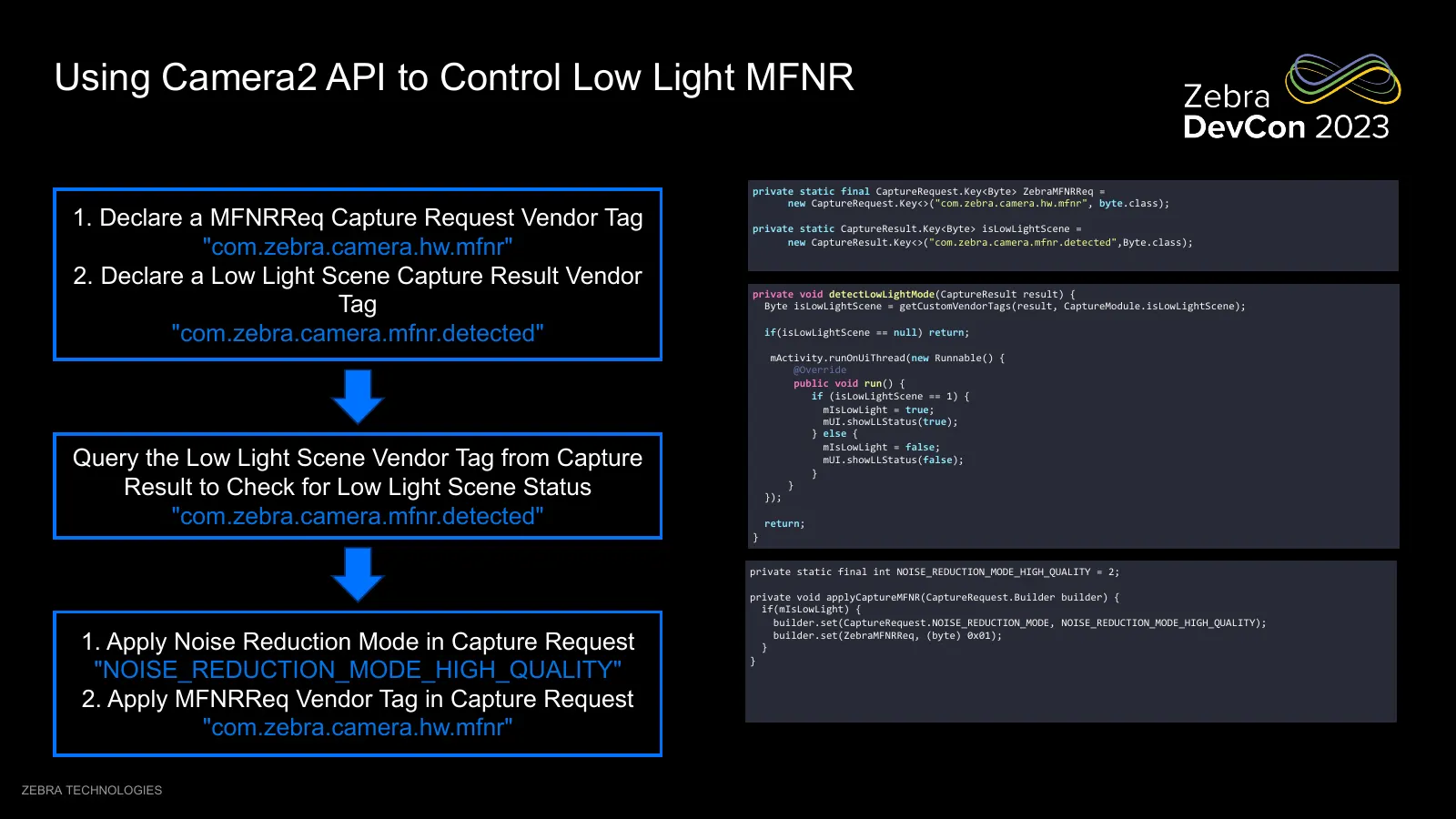
Slide 17: Using Camera2 API to Control Low Light MFNR
Using Camera2 API to Control Low Light MFNR private static final CaptureRequest.Key<Byte> ZebraMFNRReq = new CaptureRequest.Key<>("com.zebra.camera.hw.mfnr", byte.class); 1. Declare a MFNRReq Capture Request Vendor Tag private static CaptureResult.Key<Byte> isLowLightScene = "com.zebra.camera.hw.mfn
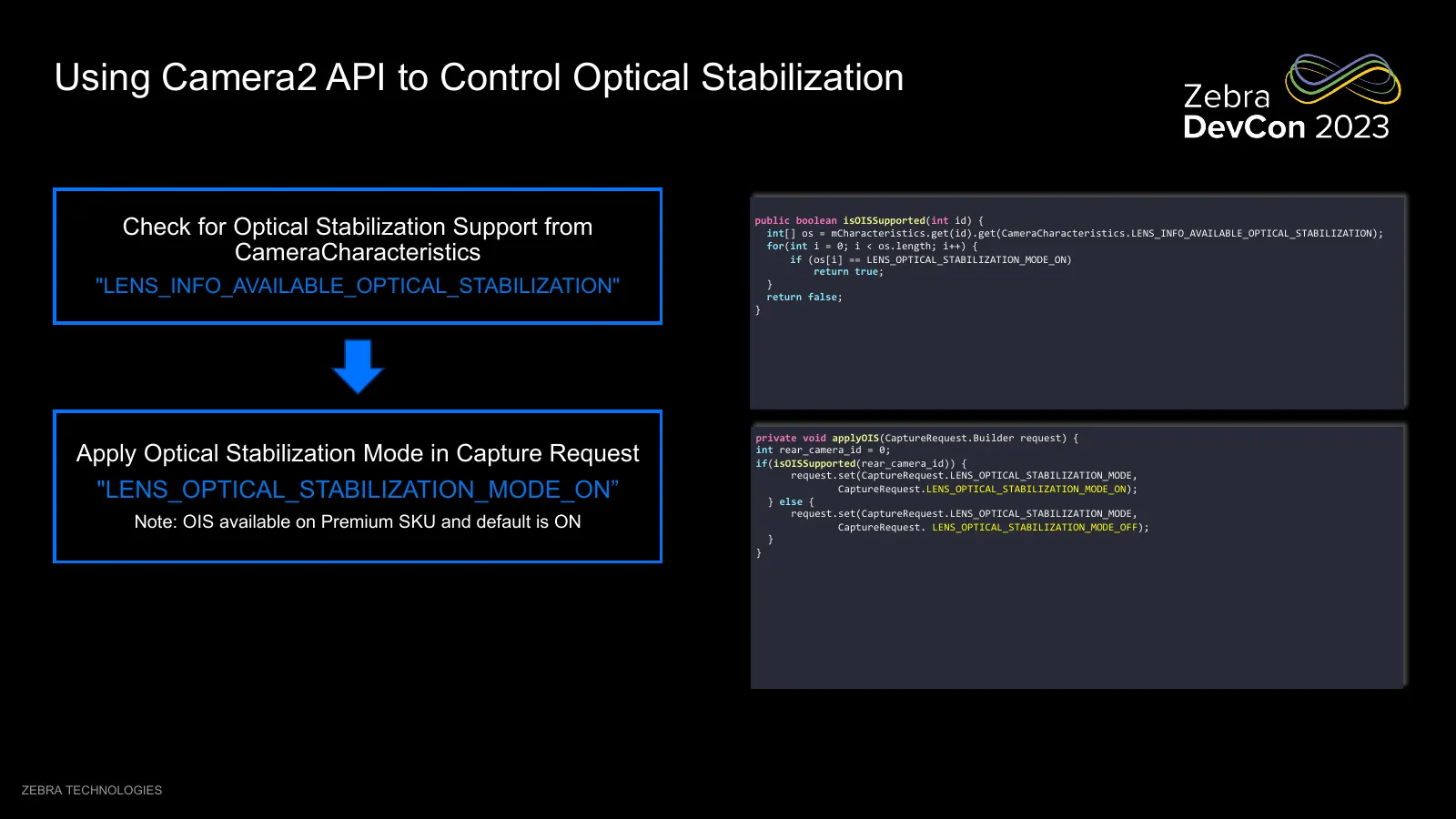
Slide 18: Using Camera2 API to Control Optical Stabilization
Using Camera2 API to Control Optical Stabilization Check for Optical Stabilization Support from public boolean isOISSupported(int id) { int[] os = mCharacteristics.get(id).get(CameraCharacteristics.LENS_INFO_AVAILABLE_OPTICAL_STABILIZATION); CameraCharacteristics for(int i = 0; i < os.length; i++) {
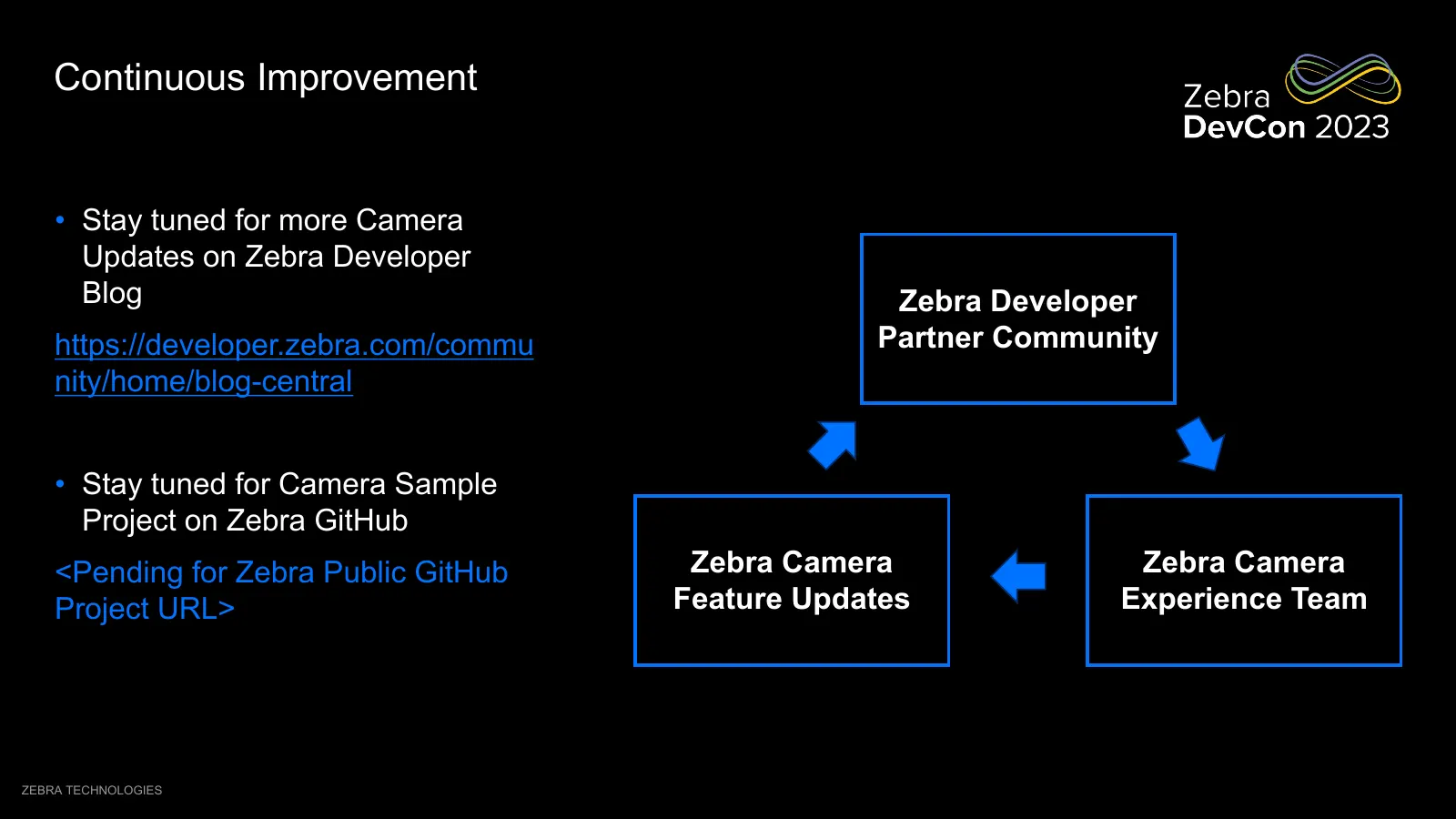
Slide 19: Continuous Improvement
Continuous Improvement • Stay tuned for more Camera Updates on Zebra Developer Blog Zebra Developer https://developer.zebra.com/commu Partner Community nity/home/blog-central • Stay tuned for Camera Sample Project on Zebra GitHub <Pending for Zebra Public GitHub Zebra Camera Zebra Camera Project URL

Slide 20: Questions
Questions
Slide 21: Thank You
Thank You ZEBRA and the stylized Zebra head are trademarks of Zebra Technologies Corp., registered in many jurisdictions worldwide. All other trademarks are the property of their respective owners. ©2023 Zebra Technologies Corp. and/or its affiliates. All rights reserved.
Source: Internet Archive copy of zebra.com
More decks from Zebra Technologies Corporation
 Q3 2026 Earnings Presentation25 slides · Nov 3, 2026
 Q2 2026 Earnings Presentation25 slides · Aug 4, 2026
 Q1 2026 Earnings Presentation27 slides · May 12, 2026
 Q4 2025 Earnings Presentation26 slides · Feb 12, 2026
 Q3 2025 Earnings Presentation27 slides · Oct 28, 2025
 Fact Sheet (October 2025)8 slides · Oct 8, 2025