Palo Alto Networks, Inc. · NASDAQ:PANW
Palo Alto Networks — Technical Presentation (2025)
82 slides from Palo Alto Networks's technical presentation, 2025
Slide 1: PAN-OS Threat Workshop
PAN-OS Threat Workshop Created for Customers and Partners by Narinder Singh (Staff Cybersecurity Specialist) 1 © 2025 2024 Palo Alto Networks, Inc. All rights reserved. Proprietary and confidential information.
Slide 2: Topics
Topics ● Advanced Wildfire Public Cloud ● Antivirus ● Vulnerability ● Anti-Spyware ● DNS Security ● URL Filtering ● Others - Additional Features and Best Practices 2 © 2025 2024 Palo Alto Networks, Inc. All rights reserved. Proprietary and confidential information.
Slide 3: Advanced Wildfire Public Cloud
Advanced Wildfire Public Cloud 3 © 2025 2024 Palo Alto Networks, Inc. All rights reserved. Proprietary and confidential information.
Slide 4: What is Advanced Wildfire?
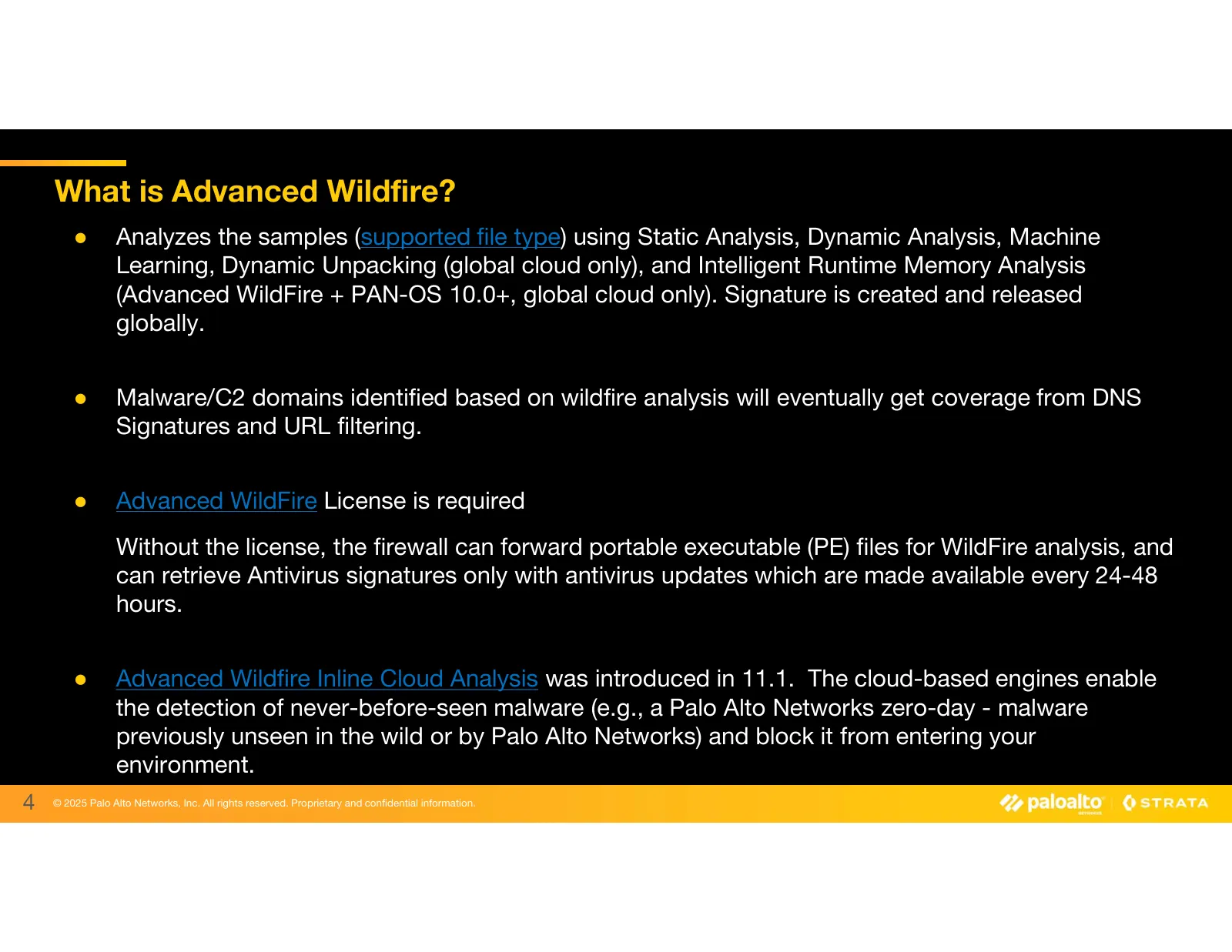
What is Advanced Wildfire? ● Analyzes the samples (supported file type) using Static Analysis, Dynamic Analysis, Machine Learning, Dynamic Unpacking (global cloud only), and Intelligent Runtime Memory Analysis (Advanced WildFire + PAN-OS 10.0+, global cloud only). Signature is created and released g
Slide 5: Content Packages and Wildfire Updates
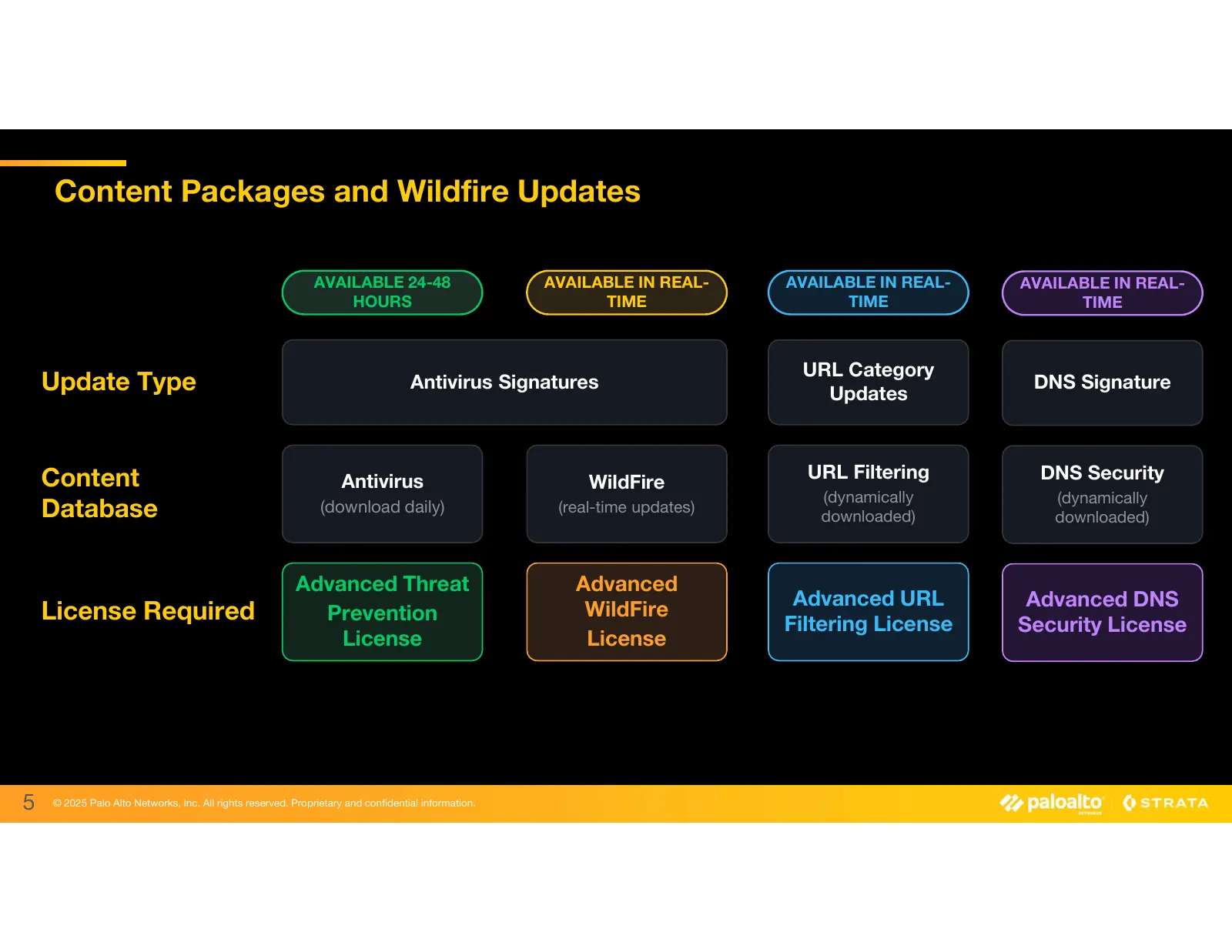
Content Packages and Wildfire Updates AVAILABLE 24-48 AVAILABLE IN REAL- AVAILABLE IN REAL- AVAILABLE IN REAL- HOURS TIME TIME TIME URL Category Update Type Antivirus Signatures Updates DNS Signature Content Antivirus URL Filtering DNS Security WildFire (dynamically (dynamically Database (download d
Slide 6: Firewall File Submission Workflow
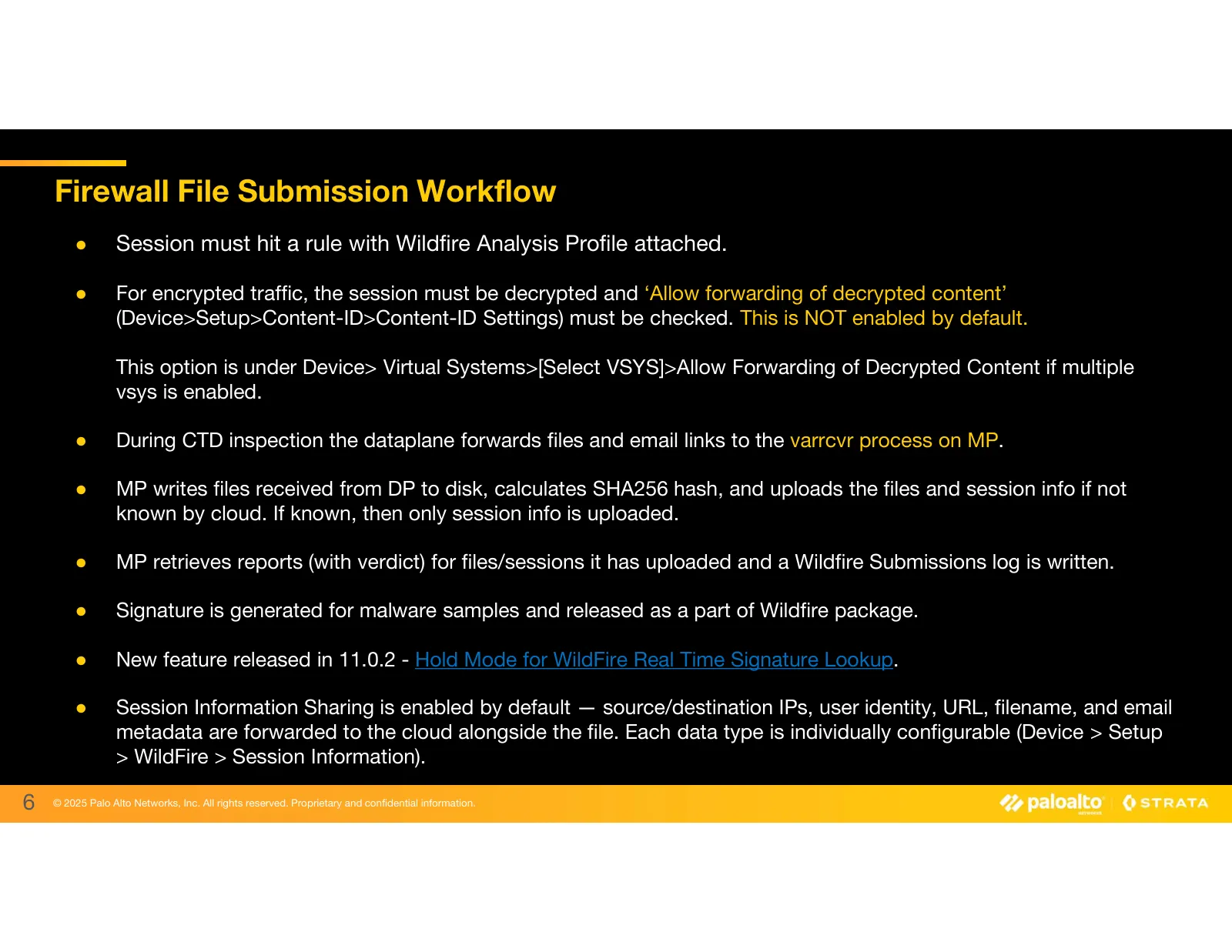
Firewall File Submission Workflow ● Session must hit a rule with Wildfire Analysis Profile attached. ● For encrypted traffic, the session must be decrypted and ‘Allow forwarding of decrypted content’ (Device>Setup>Content-ID>Content-ID Settings) must be checked. This is NOT enabled by default. This
Slide 7: Advanced Wildfire Public Clouds
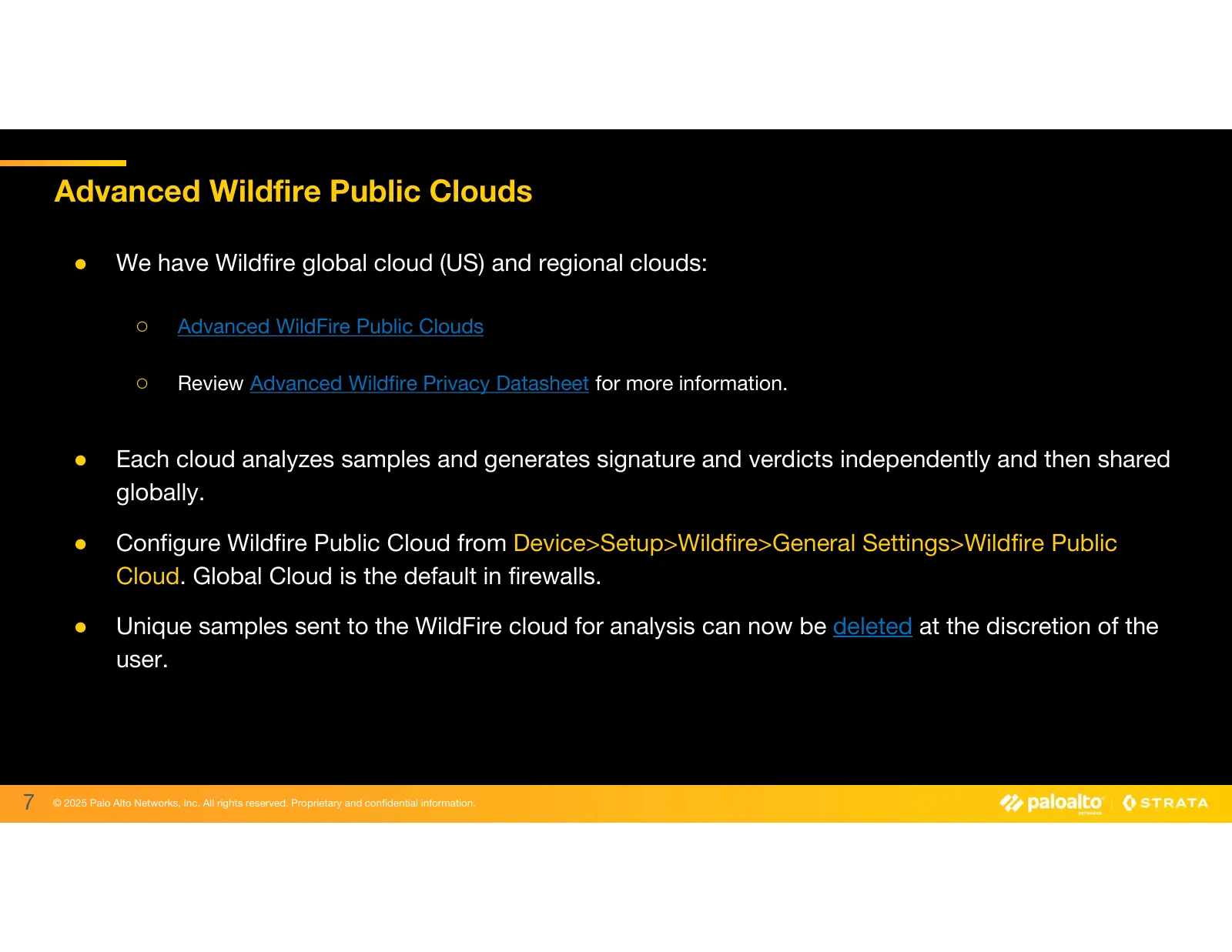
Advanced Wildfire Public Clouds ● We have Wildfire global cloud (US) and regional clouds: ○ Advanced WildFire Public Clouds ○ Review Advanced Wildfire Privacy Datasheet for more information. ● Each cloud analyzes samples and generates signature and verdicts independently and then shared globally. ●
Slide 8: Wildfire File forwarding Size
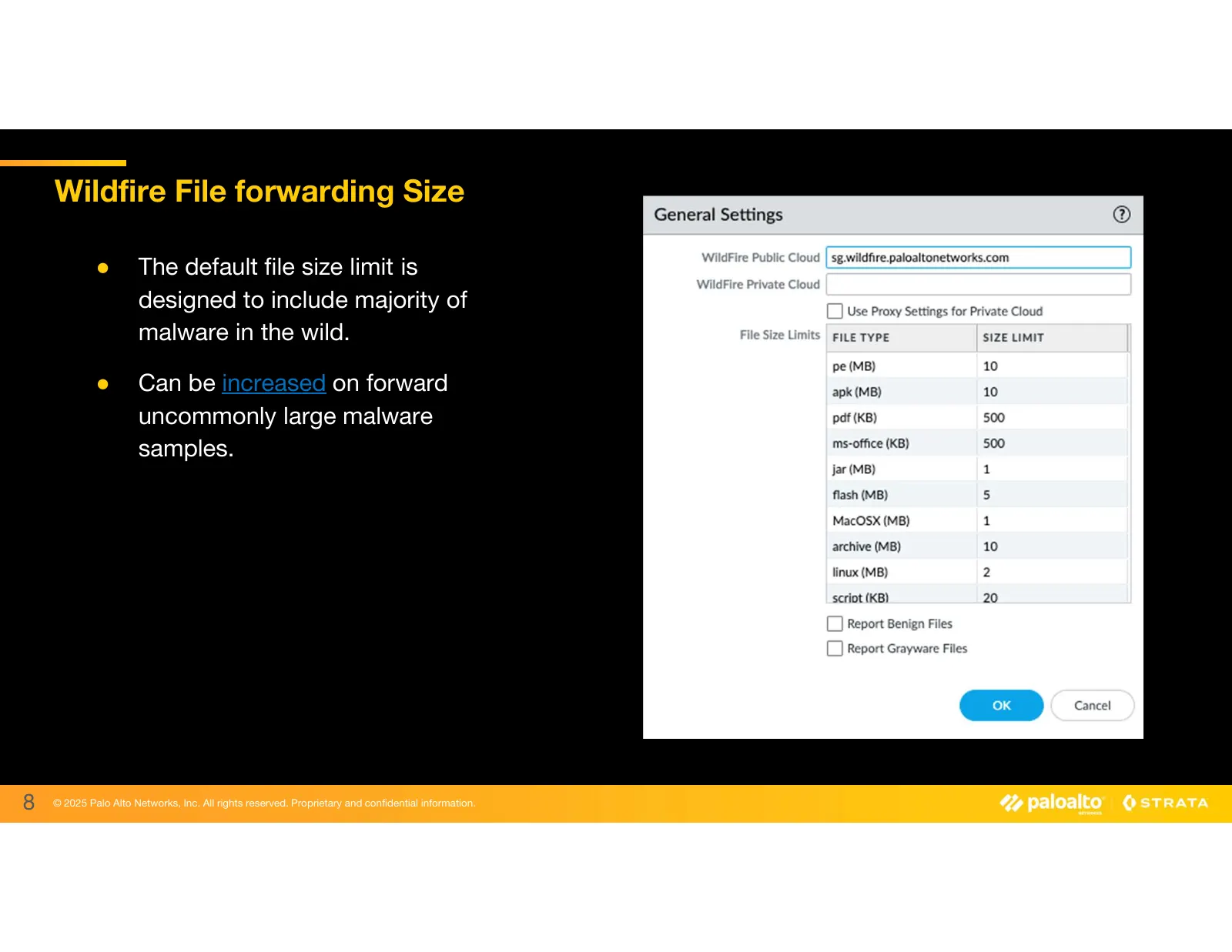
Wildfire File forwarding Size ● The default file size limit is designed to include majority of malware in the wild. ● Can be increased on forward uncommonly large malware samples. 8 © 2025 2024 Palo Alto Networks, Inc. All rights reserved. Proprietary and confidential information.
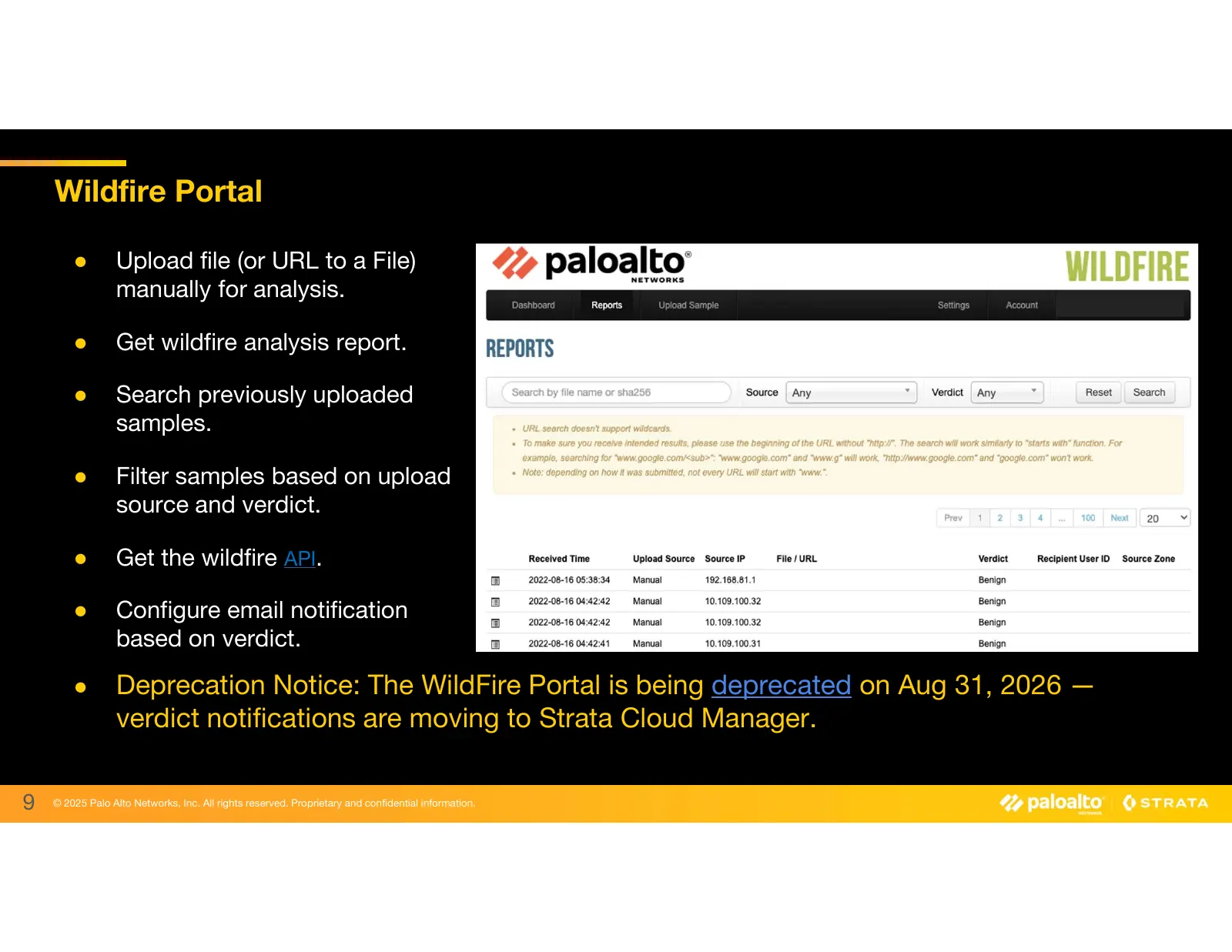
Slide 9: Wildfire Portal
Wildfire Portal ● Upload file (or URL to a File) manually for analysis. ● Get wildfire analysis report. ● Search previously uploaded samples. ● Filter samples based on upload source and verdict. ● Get the wildfire API. ● Configure email notification based on verdict. ● Deprecation Notice: The WildFi
Slide 10: WildFire Portal — Migrating to Strata Cloud Manager
WildFire Portal — Migrating to Strata Cloud Manager ● Unified Experience: WildFire functionality across Customer Service Portal (CSP) and the WildFire Portal is now centralized in SCM, providing a single unified console for all WildFire services. ● Centralized Management in SCM: All core portal feat
Slide 11: Wildfire Verdicts
Wildfire Verdicts ● Benign: The sample is safe and does not exhibit malicious behavior. ● Grayware: The sample does not pose a direct security threat, but might display otherwise intrusive behavior. ● Phishing (elink): The link directs users to a phishing site and poses a security threat. Phishing s
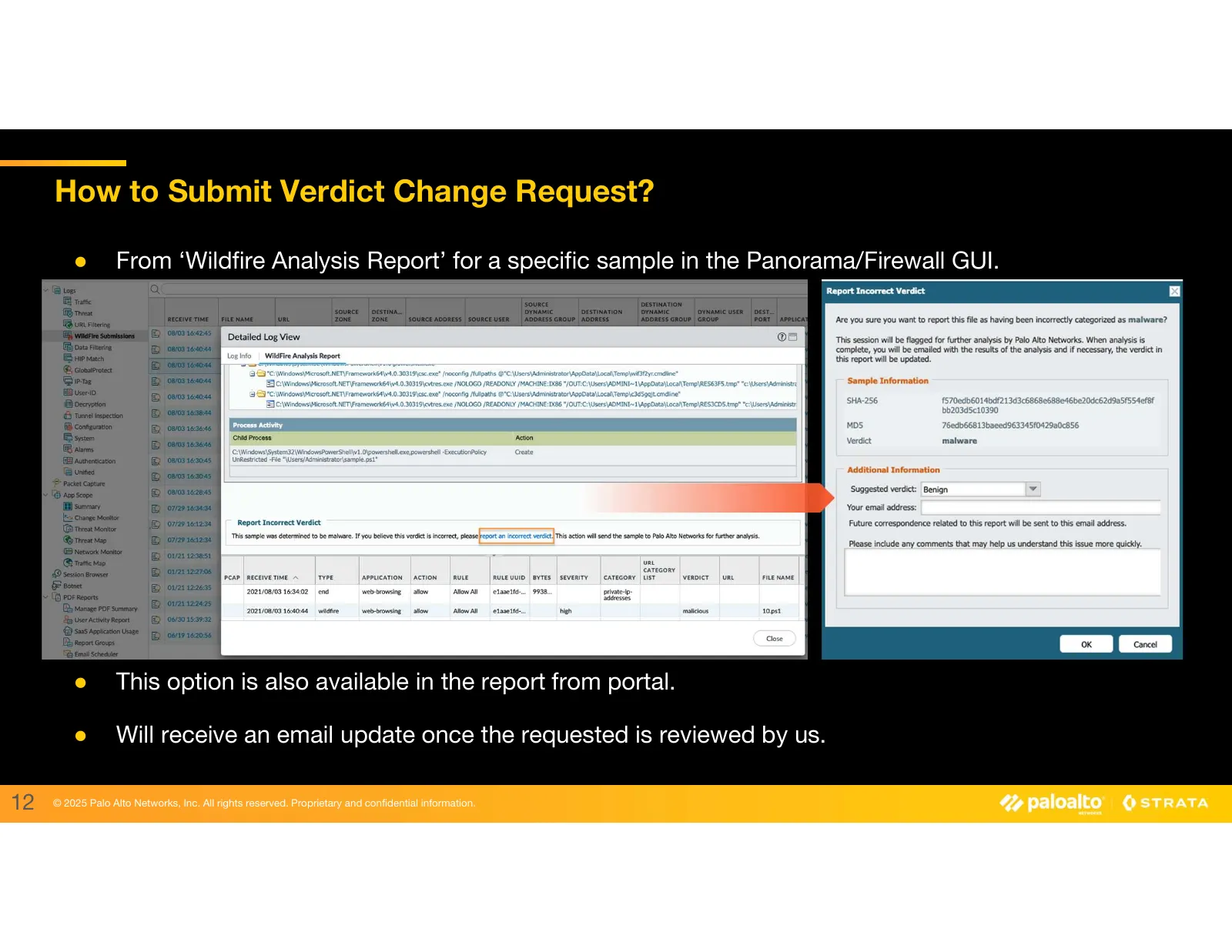
Slide 12: How to Submit Verdict Change Request?
How to Submit Verdict Change Request? ● From ‘Wildfire Analysis Report’ for a specific sample in the Panorama/Firewall GUI. ● This option is also available in the report from portal. ● Will receive an email update once the requested is reviewed by us. 12 © 2025 2024 Palo Alto Networks, Inc. All righ
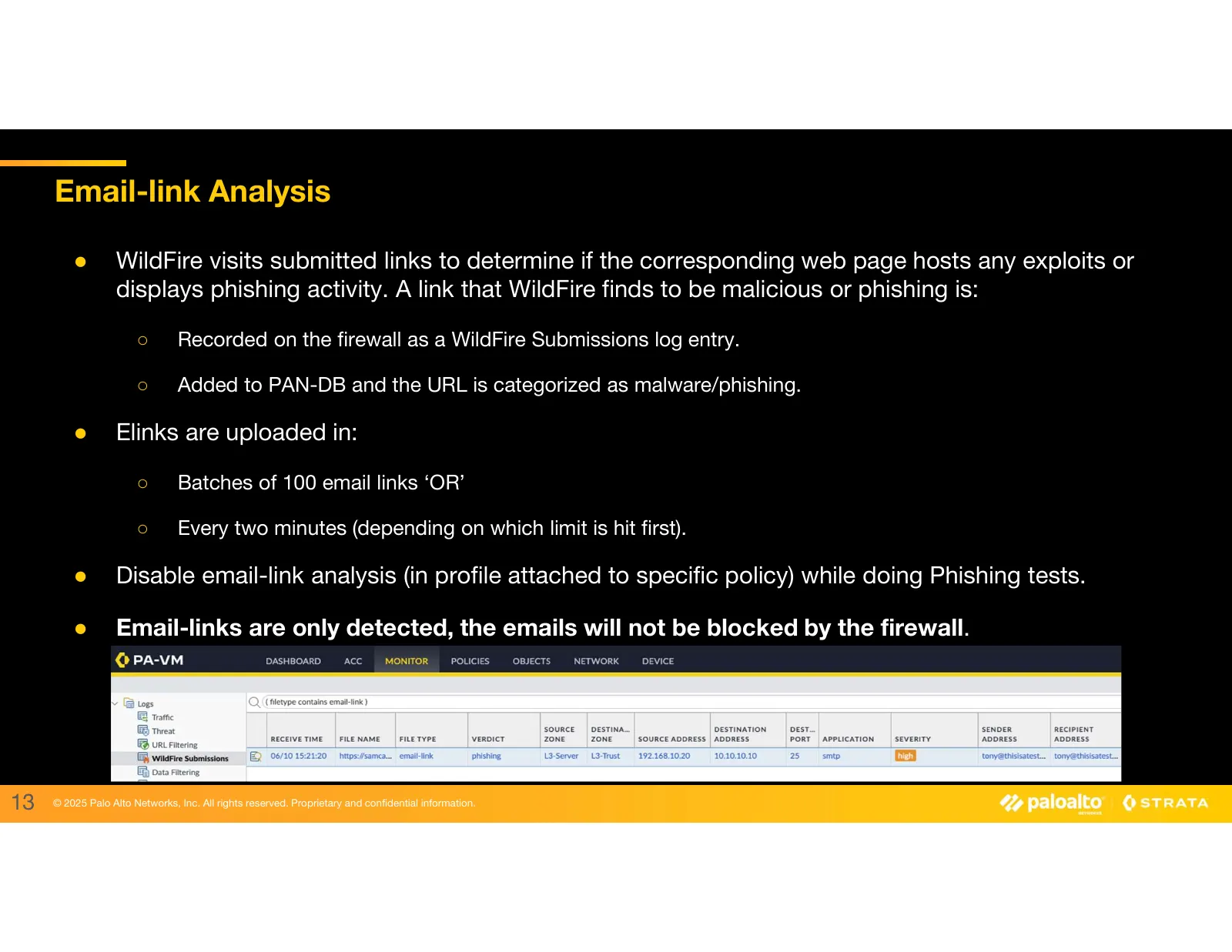
Slide 13: Email-link Analysis
Email-link Analysis ● WildFire visits submitted links to determine if the corresponding web page hosts any exploits or displays phishing activity. A link that WildFire finds to be malicious or phishing is: ○ Recorded on the firewall as a WildFire Submissions log entry. ○ Added to PAN-DB and the URL
Slide 14: Wildfire Submissions Log
Wildfire Submissions Log ● ‘WildFire Submissions’ under the Monitor tab, are reports coming back from WildFire after analysis completes, It’s not ‘forwarding’. ● Log will be written for every instance the file has traversed, irrespective of if it’s blocked or not. ● ‘High’ and ‘Informational’ severi
Slide 15: Archive Files
Archive Files ● ZIP files (compressed upto 4 times) are decoded by the firewall and the supported file-type inside the ZIP file will be forwarded to Wildfire. ○ ZIP file never gets uploaded to wildfire from Firewall. ○ Signature will be created for decompressed samples uploaded to wildfire. ● RAR an
Slide 16: Wildfire Real-time Signature Update
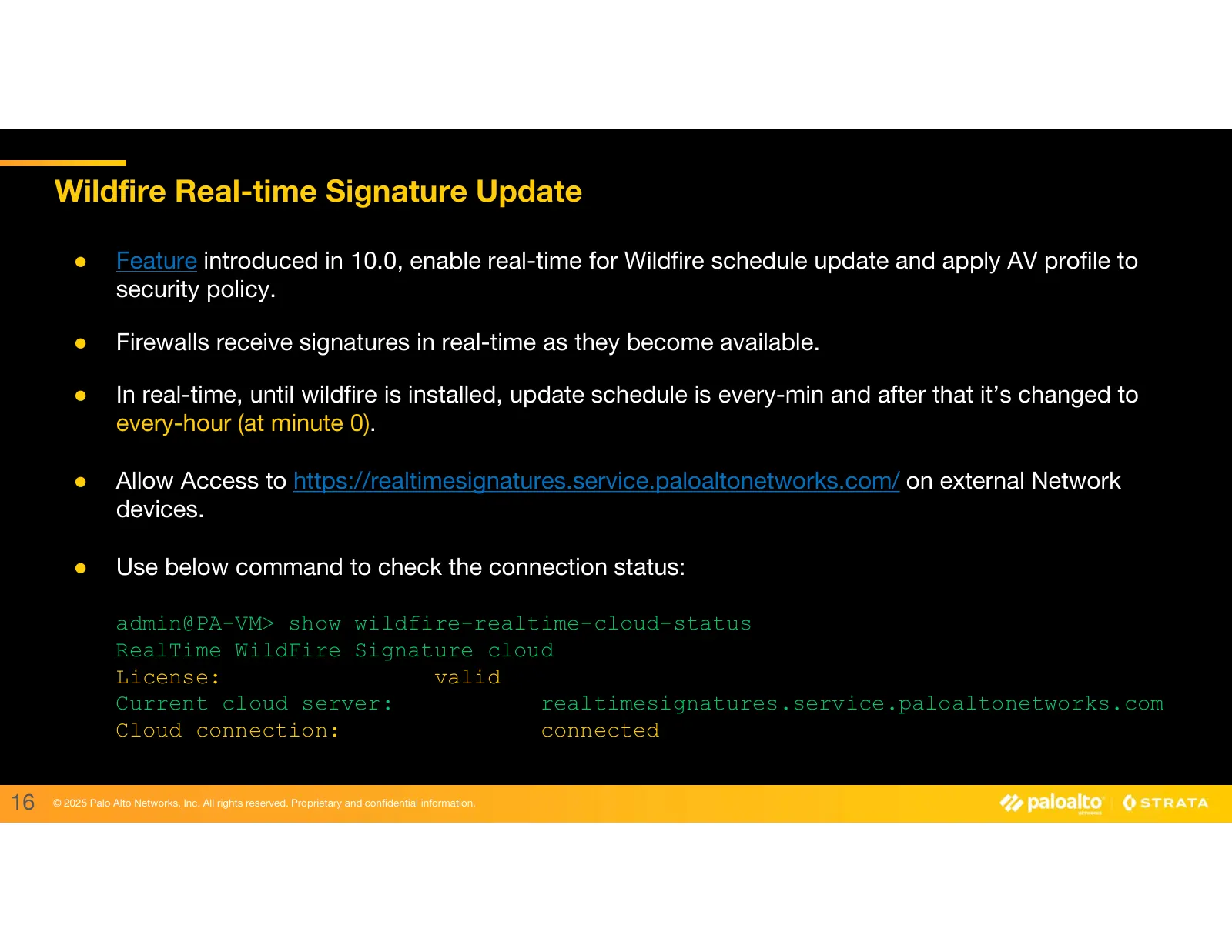
Wildfire Real-time Signature Update ● Feature introduced in 10.0, enable real-time for Wildfire schedule update and apply AV profile to security policy. ● Firewalls receive signatures in real-time as they become available. ● In real-time, until wildfire is installed, update schedule is every-min and
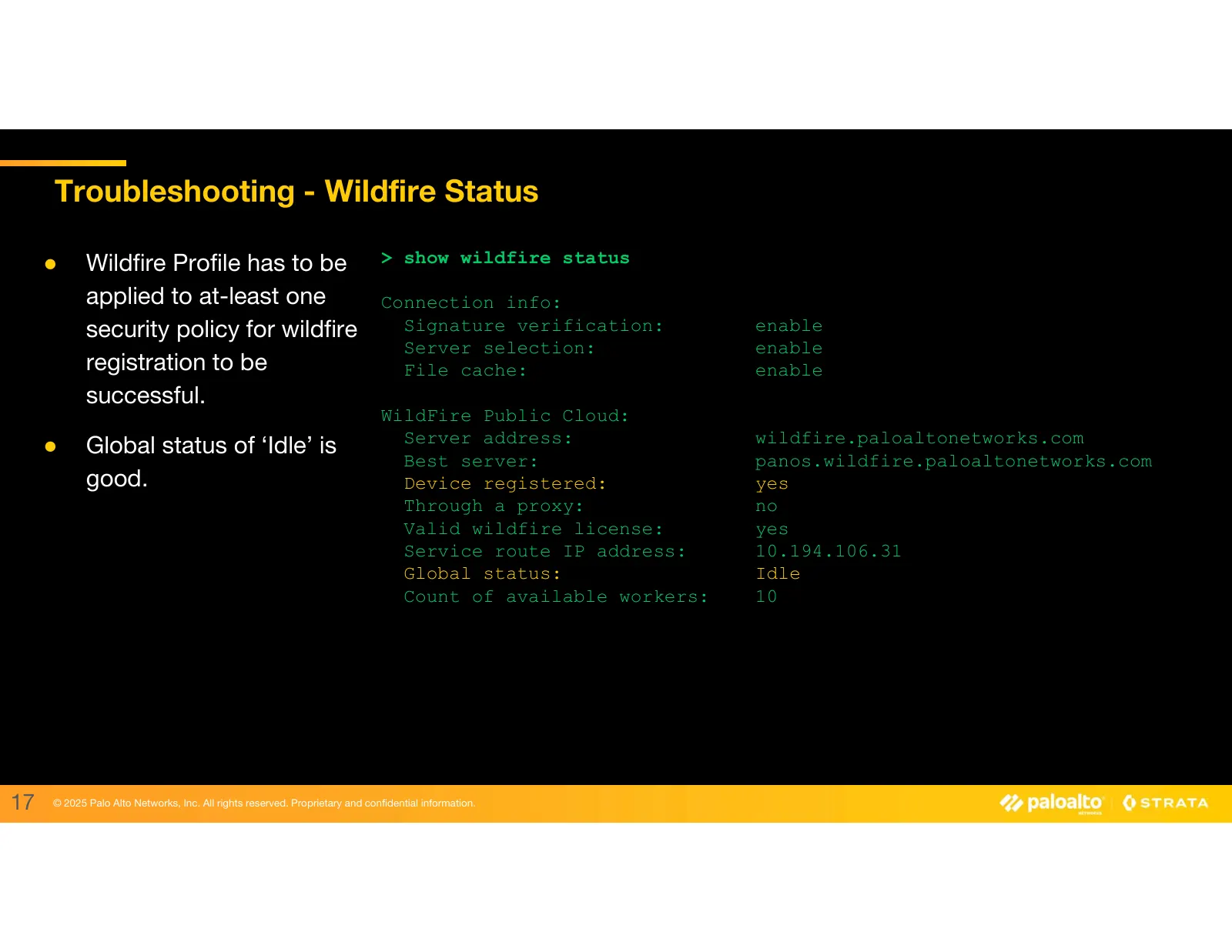
Slide 17: Troubleshooting - Wildfire Status
Troubleshooting - Wildfire Status ● Wildfire Profile has to be > show wildfire status applied to at-least one Connection info: security policy for wildfire Signature verification: enable Server selection: enable registration to be File cache: enable successful. WildFire Public Cloud: Server address:
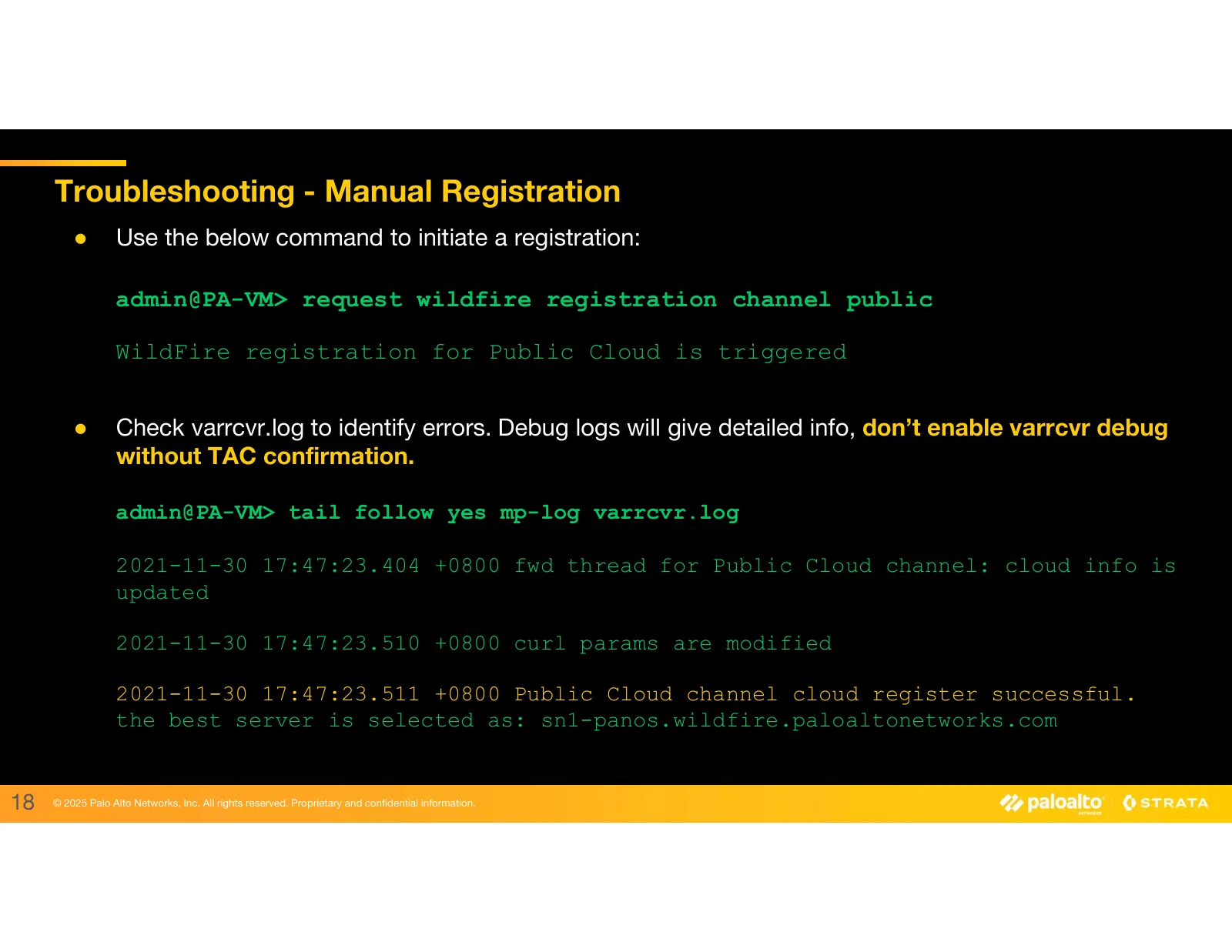
Slide 18: Troubleshooting - Manual Registration
Troubleshooting - Manual Registration ● Use the below command to initiate a registration: admin@PA-VM> request wildfire registration channel public WildFire registration for Public Cloud is triggered ● Check varrcvr.log to identify errors. Debug logs will give detailed info, don’t enable varrcvr deb
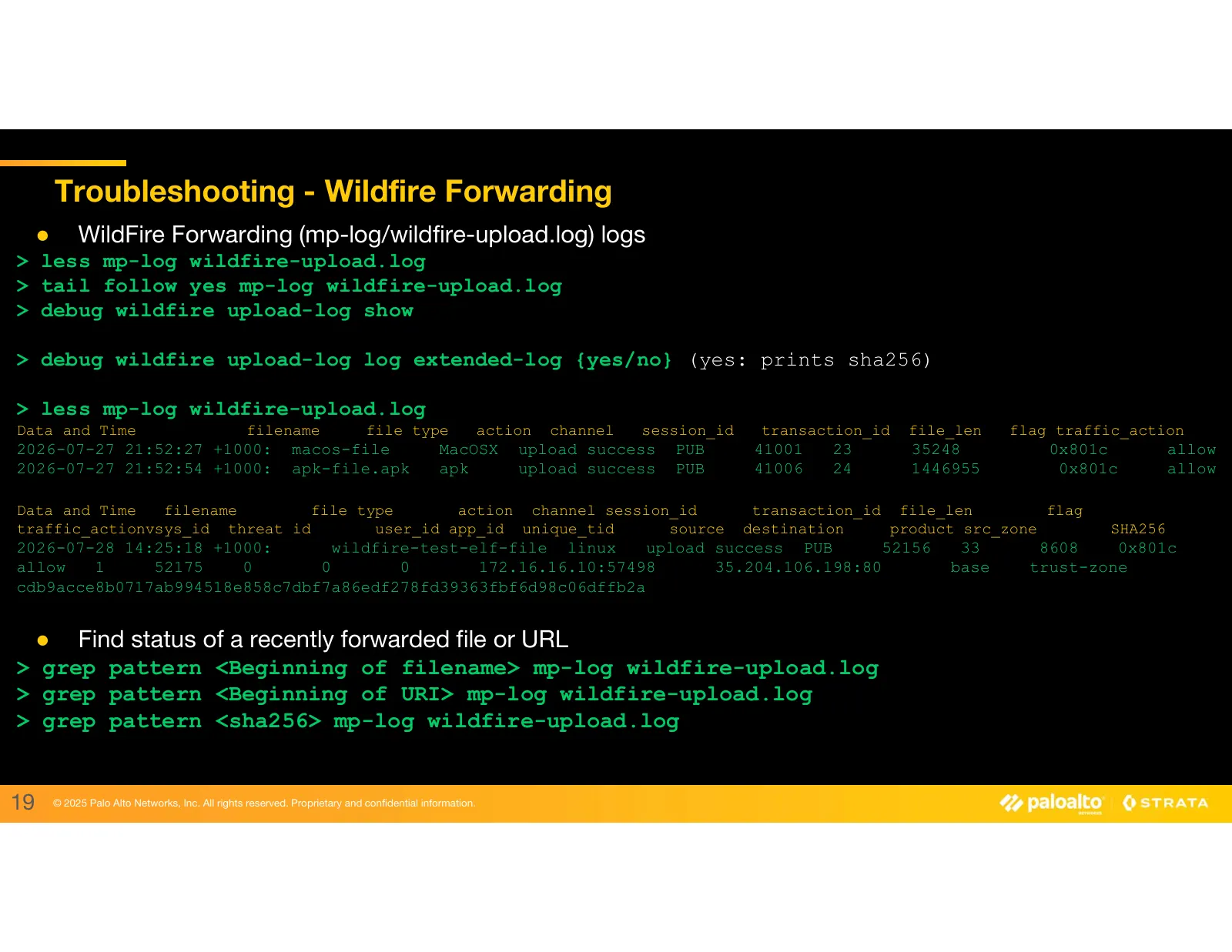
Slide 19: Troubleshooting - Wildfire Forwarding
Troubleshooting - Wildfire Forwarding ● WildFire Forwarding (mp-log/wildfire-upload.log) logs > less mp-log wildfire-upload.log > tail follow yes mp-log wildfire-upload.log > debug wildfire upload-log show > debug wildfire upload-log log extended-log {yes/no} (yes: prints sha256) > less mp-log wildf
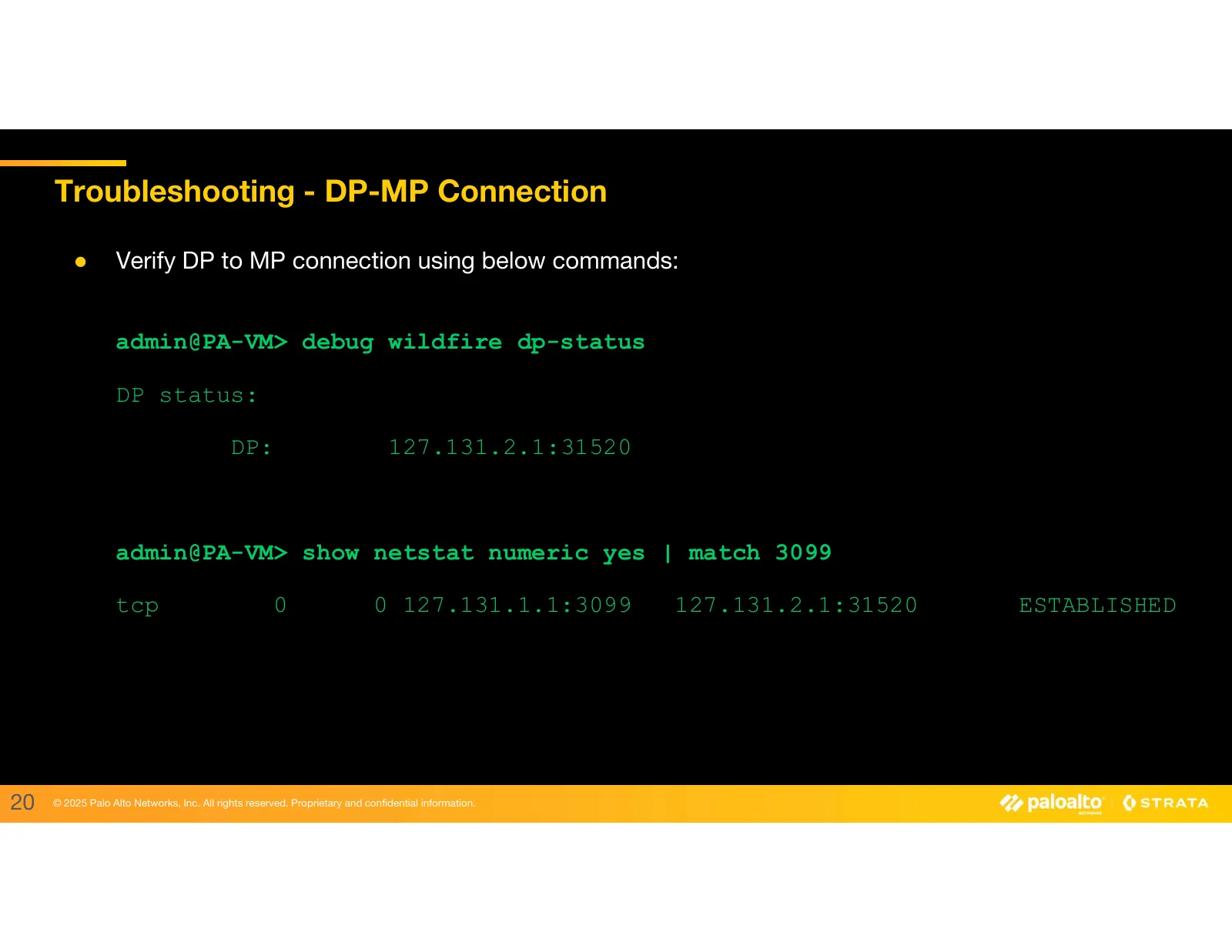
Slide 20: Troubleshooting - DP-MP Connection
Troubleshooting - DP-MP Connection ● Verify DP to MP connection using below commands: admin@PA-VM> debug wildfire dp-status DP status: DP: 127.131.2.1:31520 admin@PA-VM> show netstat numeric yes | match 3099 tcp 0 0 127.131.1.1:3099 127.131.2.1:31520 ESTABLISHED 20 © 2025 2024 Palo Alto Networks, In
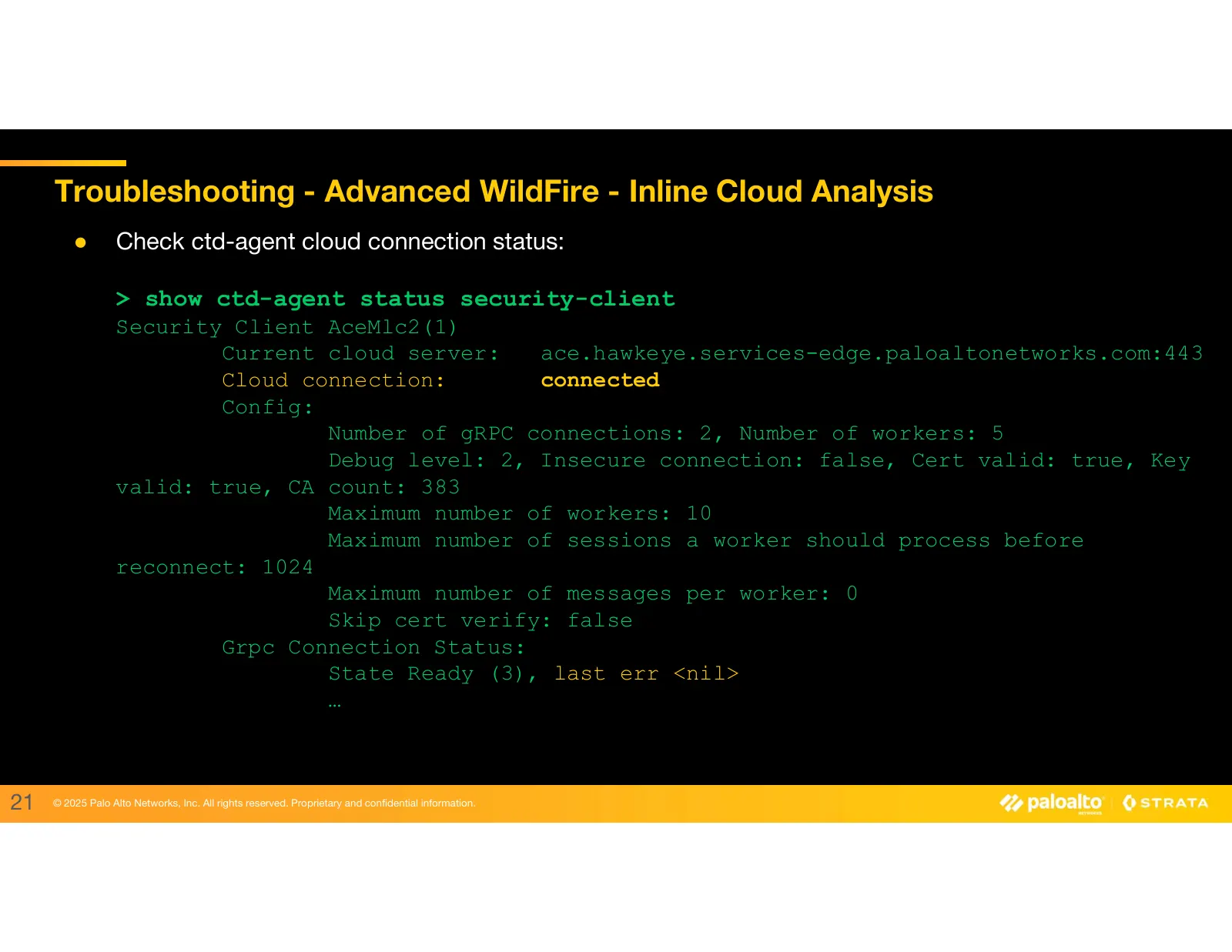
Slide 21: Troubleshooting - Advanced WildFire - Inline Cloud Analysis
Troubleshooting - Advanced WildFire - Inline Cloud Analysis ● Check ctd-agent cloud connection status: > show ctd-agent status security-client Security Client AceMlc2(1) Current cloud server: ace.hawkeye.services-edge.paloaltonetworks.com:443 Cloud connection: connected Config: Number of gRPC connec
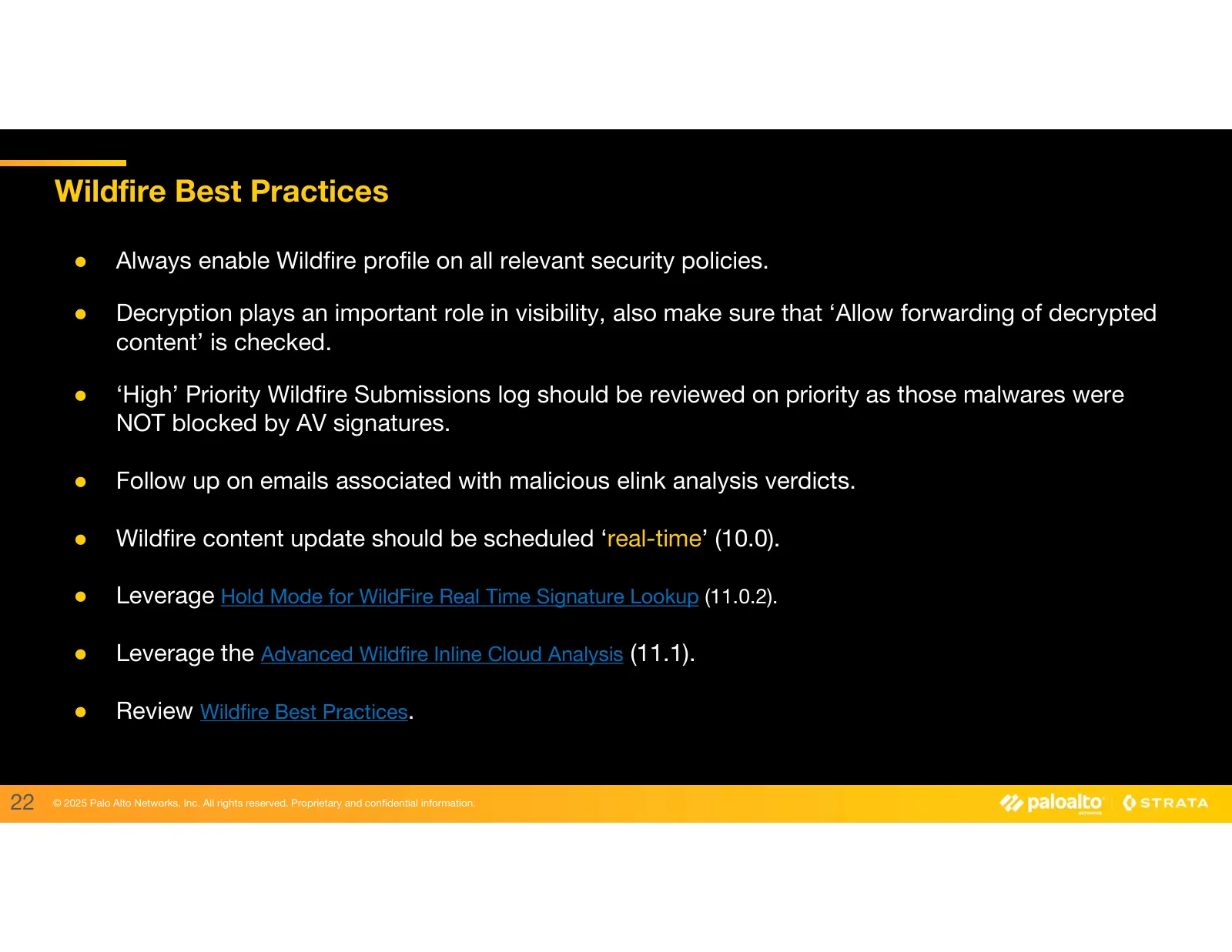
Slide 22: Wildfire Best Practices
Wildfire Best Practices ● Always enable Wildfire profile on all relevant security policies. ● Decryption plays an important role in visibility, also make sure that ‘Allow forwarding of decrypted content’ is checked. ● ‘High’ Priority Wildfire Submissions log should be reviewed on priority as those m

Slide 23: DEMO
DEMO 23 © 2025 2024 Palo Alto Networks, Inc. All rights reserved. Proprietary and confidential information.

Slide 24: Antivirus
Antivirus 24 © 2025 2024 Palo Alto Networks, Inc. All rights reserved. Proprietary and confidential information.
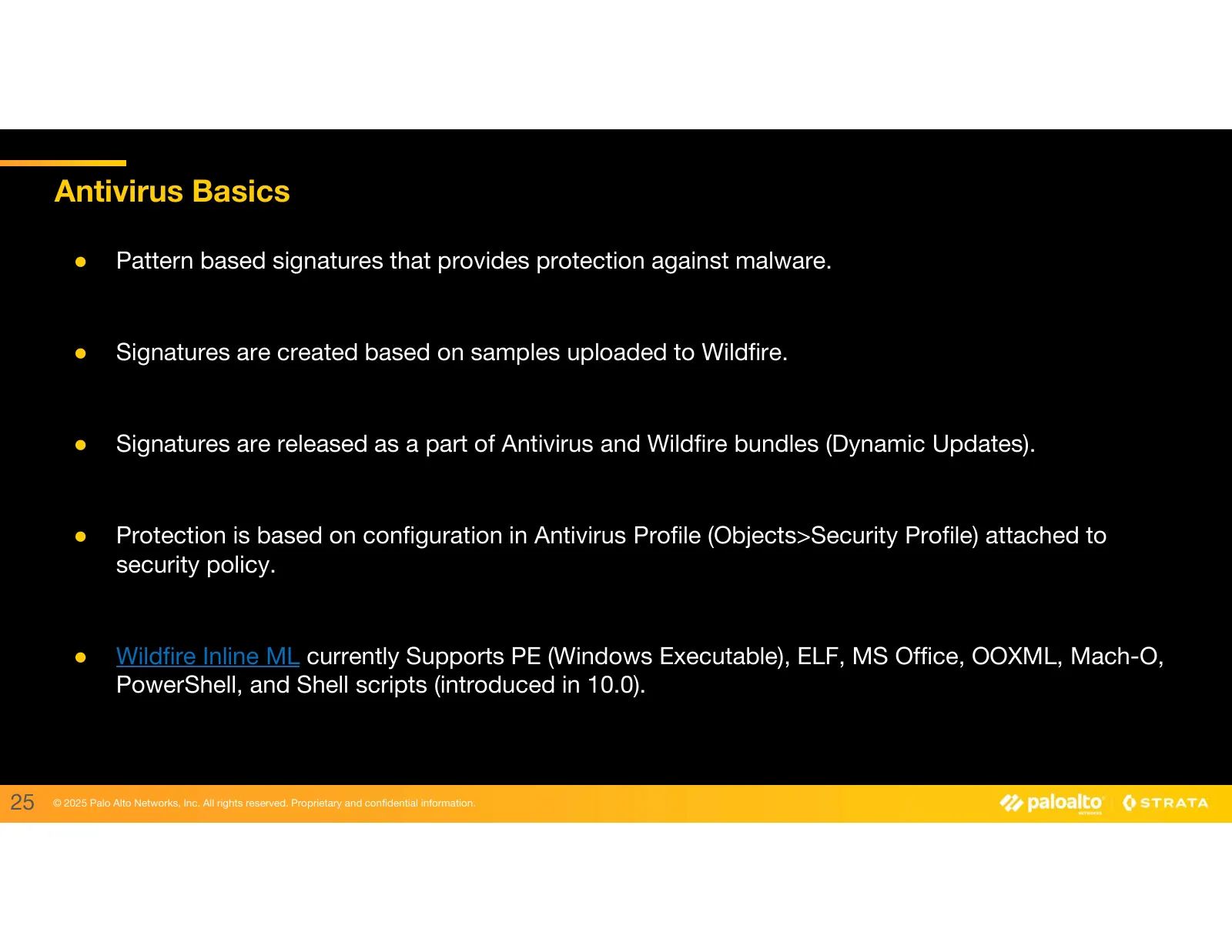
Slide 25: Antivirus Basics
Antivirus Basics ● Pattern based signatures that provides protection against malware. ● Signatures are created based on samples uploaded to Wildfire. ● Signatures are released as a part of Antivirus and Wildfire bundles (Dynamic Updates). ● Protection is based on configuration in Antivirus Profile (
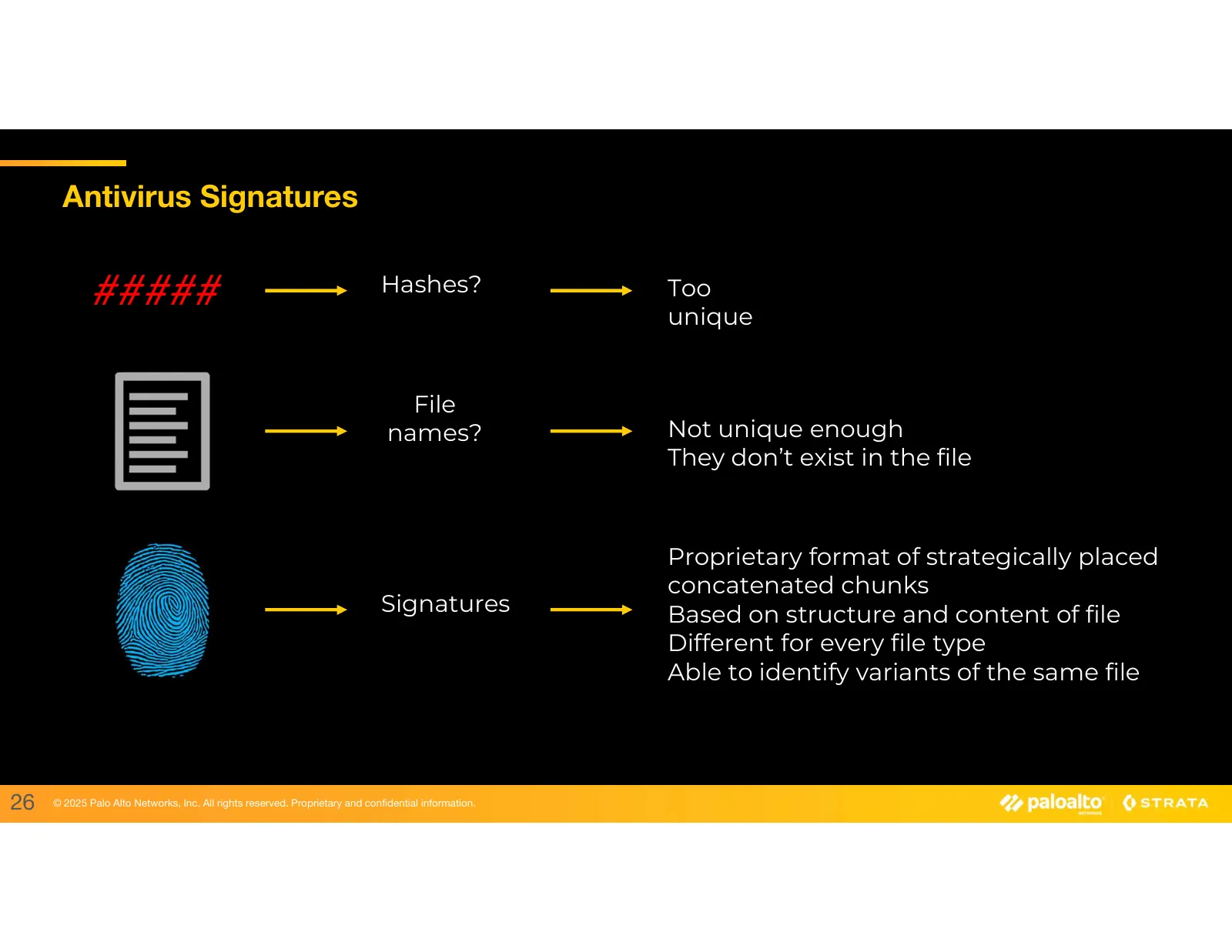
Slide 26: Antivirus Signatures
Antivirus Signatures ##### Hashes? Too unique File names? Not unique enough They don’t exist in the file Proprietary format of strategically placed concatenated chunks Signatures Based on structure and content of file Different for every file type Able to identify variants of the same file 26 © 2025
Slide 27: Wildfire Inline ML
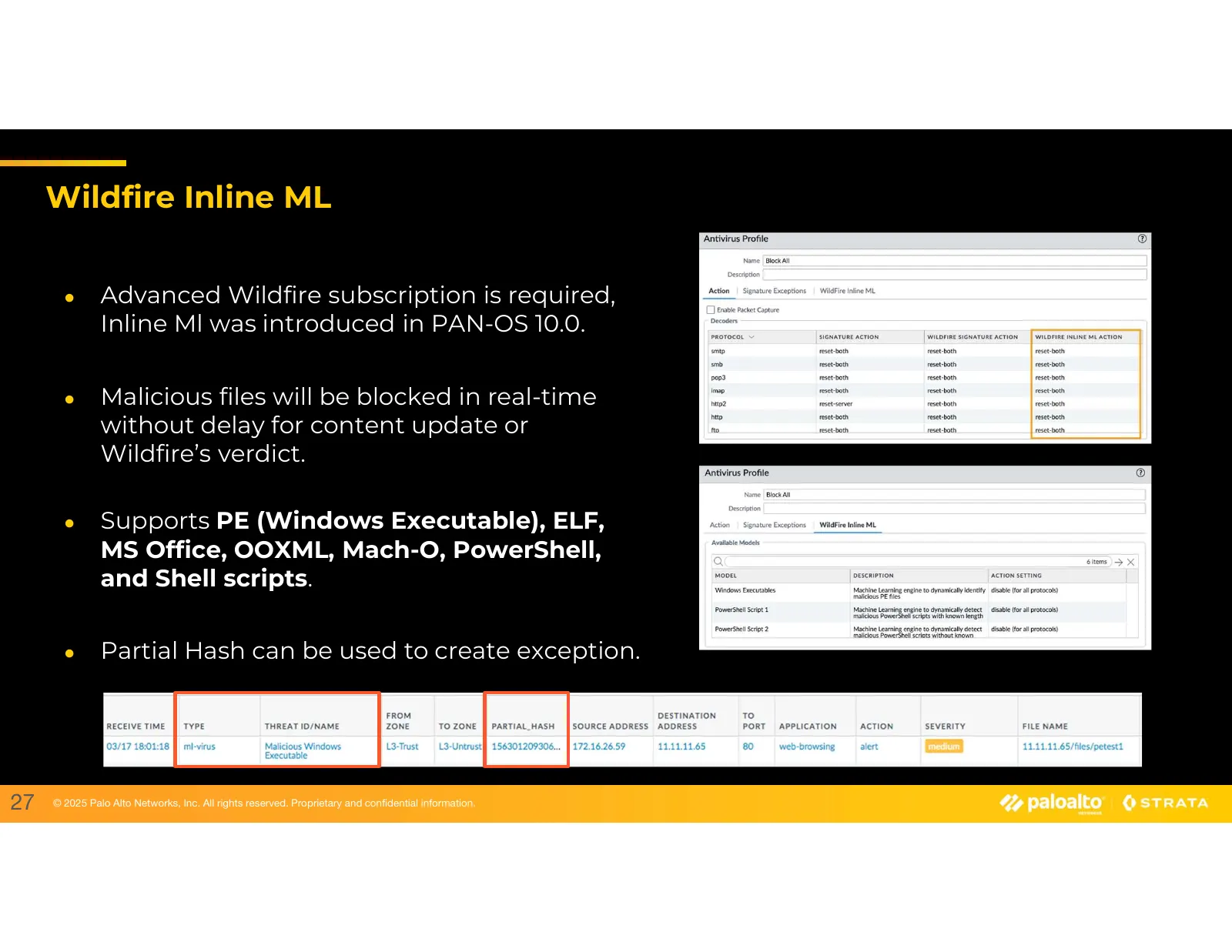
Wildfire Inline ML ● Advanced Wildfire subscription is required, Inline Ml was introduced in PAN-OS 10.0. ● Malicious files will be blocked in real-time without delay for content update or Wildfire’s verdict. ● Supports PE (Windows Executable), ELF, MS Office, OOXML, Mach-O, PowerShell, and Shell sc
Slide 28: Wildfire Inline ML
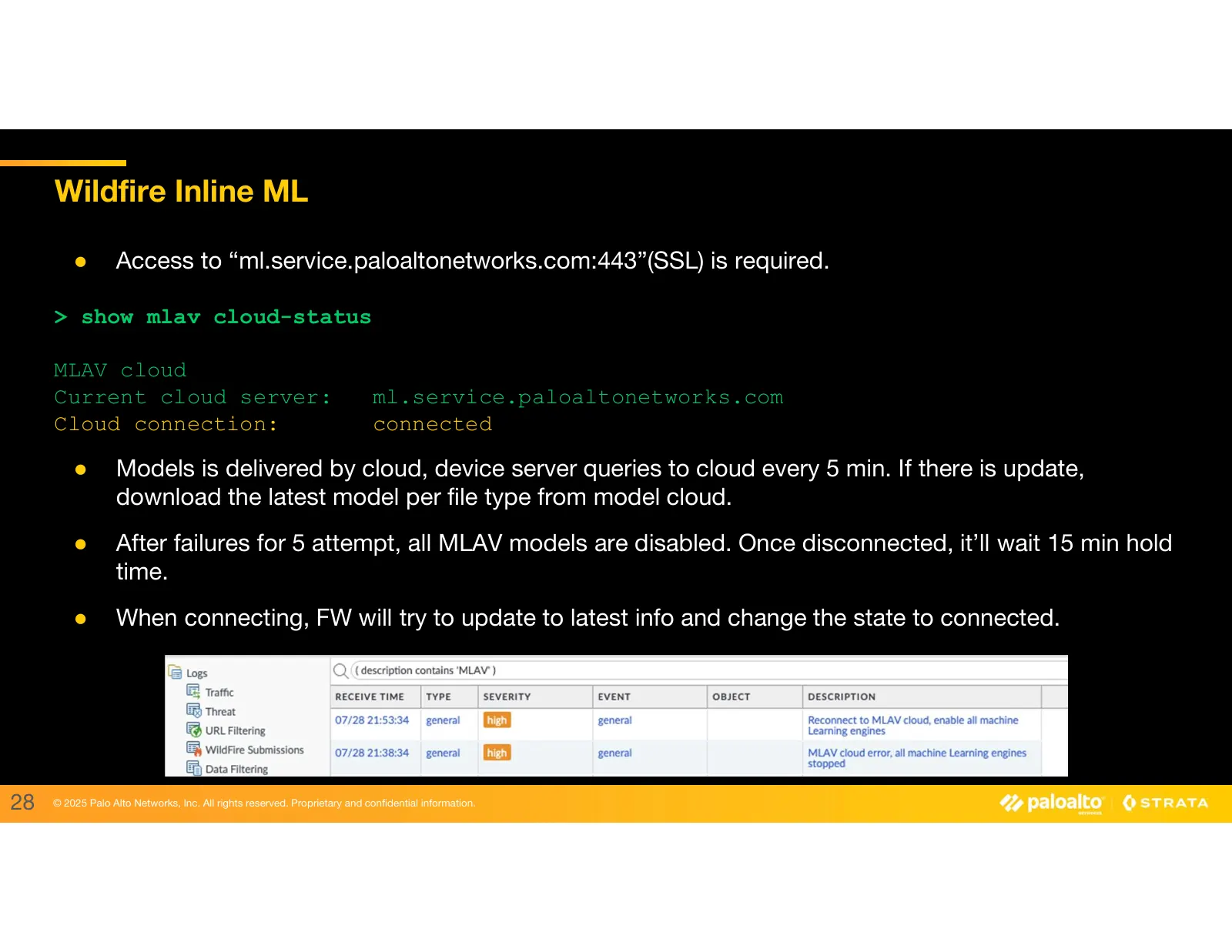
Wildfire Inline ML ● Access to “ml.service.paloaltonetworks.com:443”(SSL) is required. > show mlav cloud-status MLAV cloud Current cloud server: ml.service.paloaltonetworks.com Cloud connection: connected ● Models is delivered by cloud, device server queries to cloud every 5 min. If there is update,
Slide 29: Troubleshooting False Positives - What Is Signature Collision?
Troubleshooting False Positives - What Is Signature Collision? ● PanAV signatures are created based on content of a malicious file. The signatures are not hash based and do not use the full sample body. This approach provides the benefit that a signature created from one malicious sample can potenti
Slide 30: Troubleshooting False Positives
Troubleshooting False Positives ● FP with Wildfire detection if wildfire classifies a benign sample as ‘Malware’: Check Threat ID in threatvault to get the sample based on which signature was created. Signature will be disabled (in a future AV release) if the verdict of that sample gets flipped to B
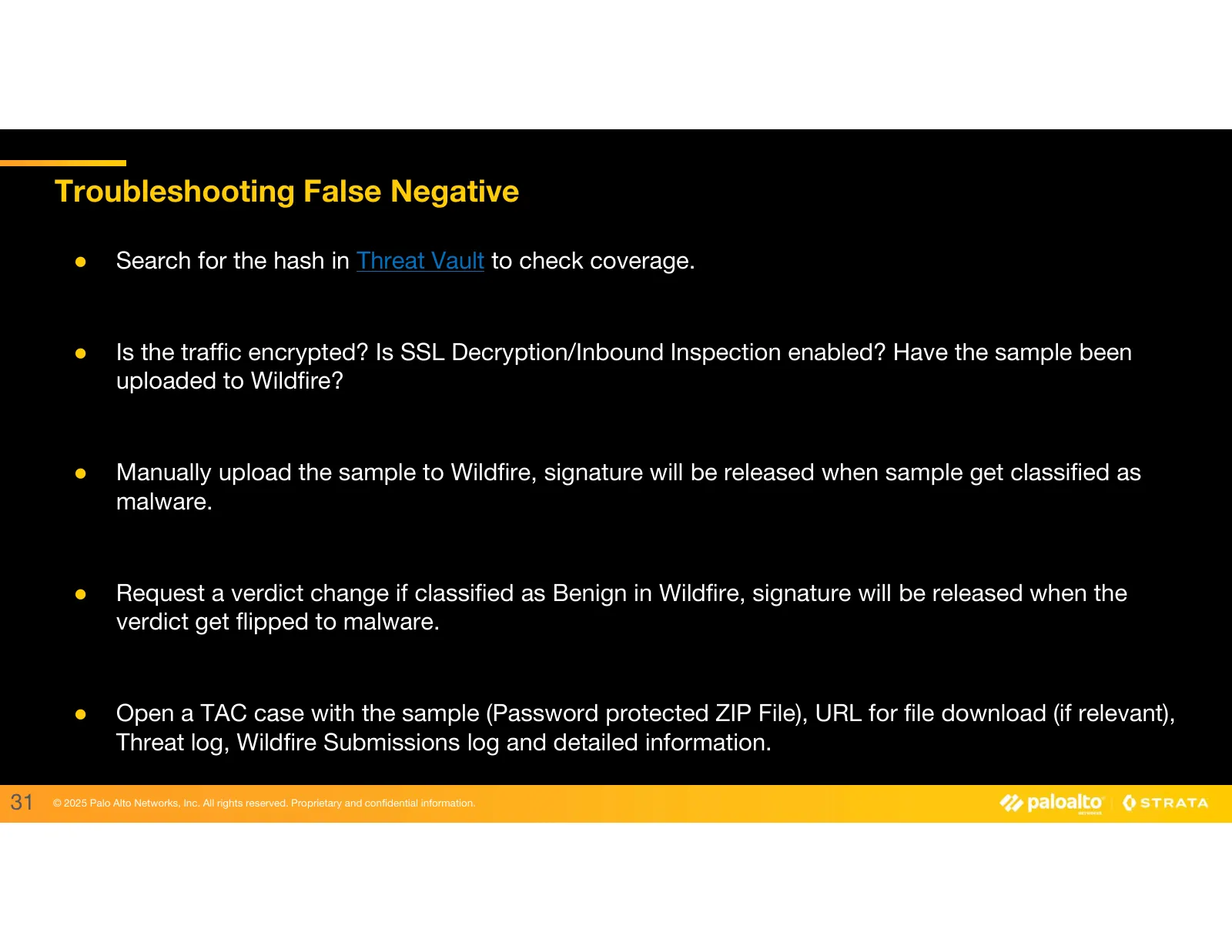
Slide 31: Troubleshooting False Negative
Troubleshooting False Negative ● Search for the hash in Threat Vault to check coverage. ● Is the traffic encrypted? Is SSL Decryption/Inbound Inspection enabled? Have the sample been uploaded to Wildfire? ● Manually upload the sample to Wildfire, signature will be released when sample get classified
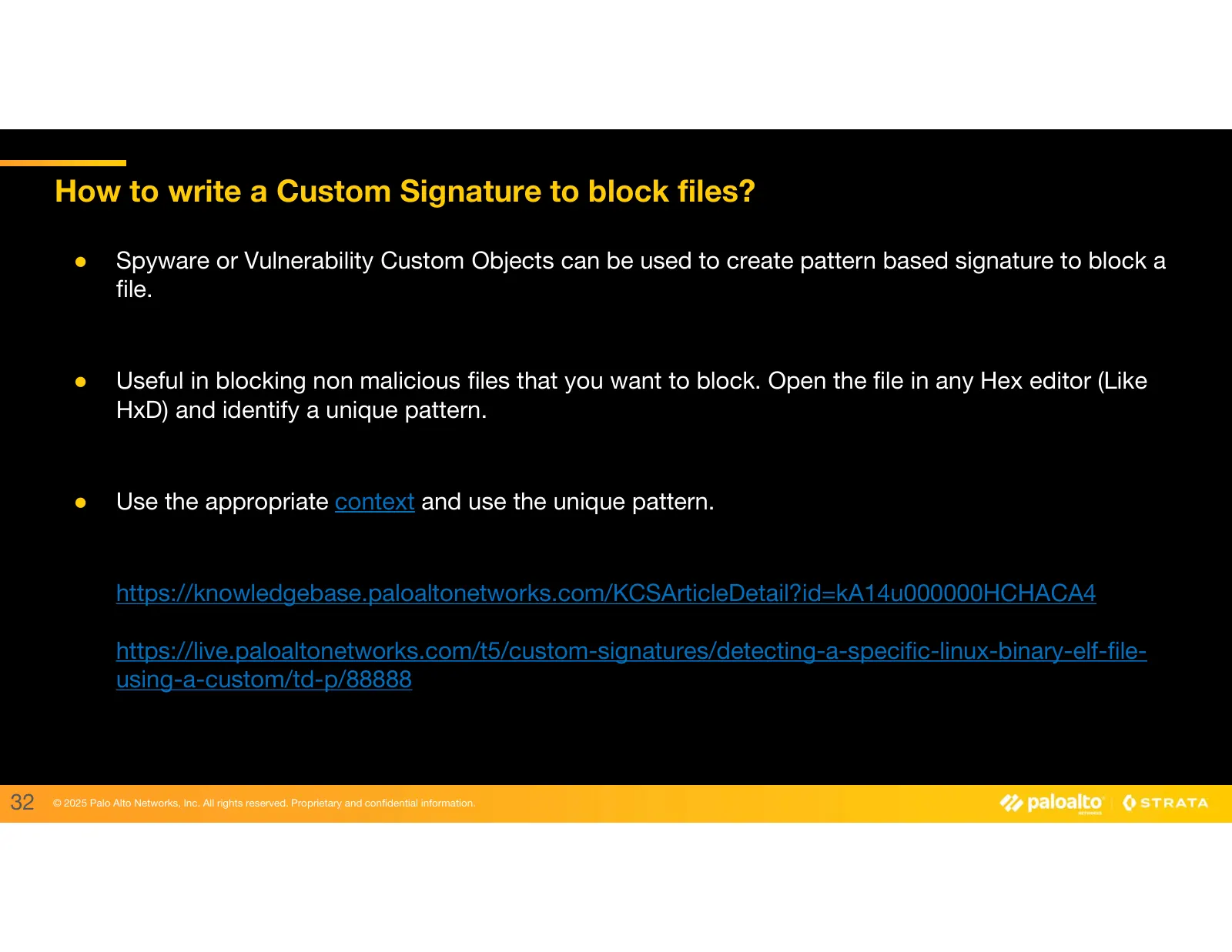
Slide 32: How to write a Custom Signature to block files?
How to write a Custom Signature to block files? ● Spyware or Vulnerability Custom Objects can be used to create pattern based signature to block a file. ● Useful in blocking non malicious files that you want to block. Open the file in any Hex editor (Like HxD) and identify a unique pattern. ● Use th
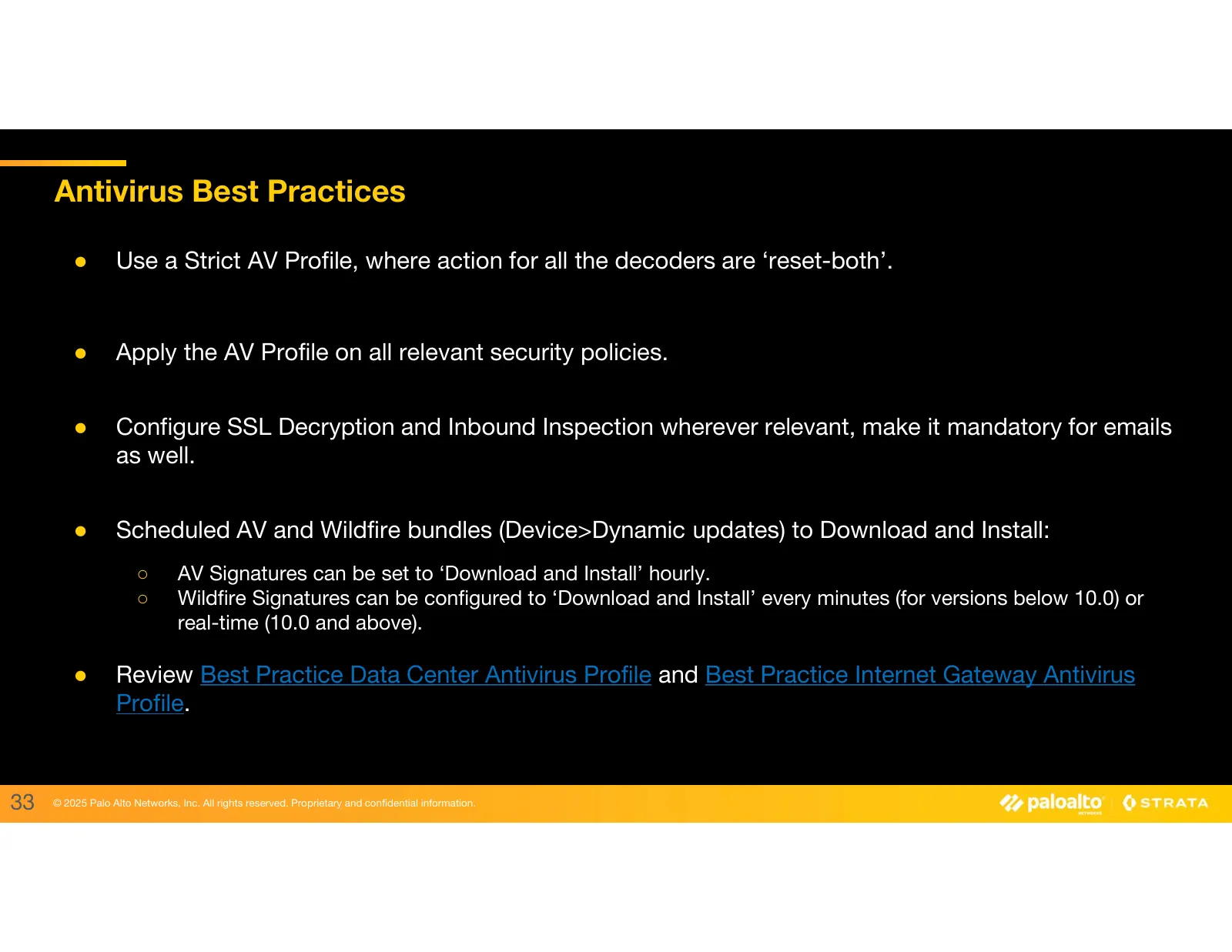
Slide 33: Antivirus Best Practices
Antivirus Best Practices ● Use a Strict AV Profile, where action for all the decoders are ‘reset-both’. ● Apply the AV Profile on all relevant security policies. ● Configure SSL Decryption and Inbound Inspection wherever relevant, make it mandatory for emails as well. ● Scheduled AV and Wildfire bun

Slide 34: DEMO
DEMO 34 © 2025 2024 Palo Alto Networks, Inc. All rights reserved. Proprietary and confidential information.

Slide 35: Vulnerability Protection
Vulnerability Protection 35 © 2025 2024 Palo Alto Networks, Inc. All rights reserved. Proprietary and confidential information.
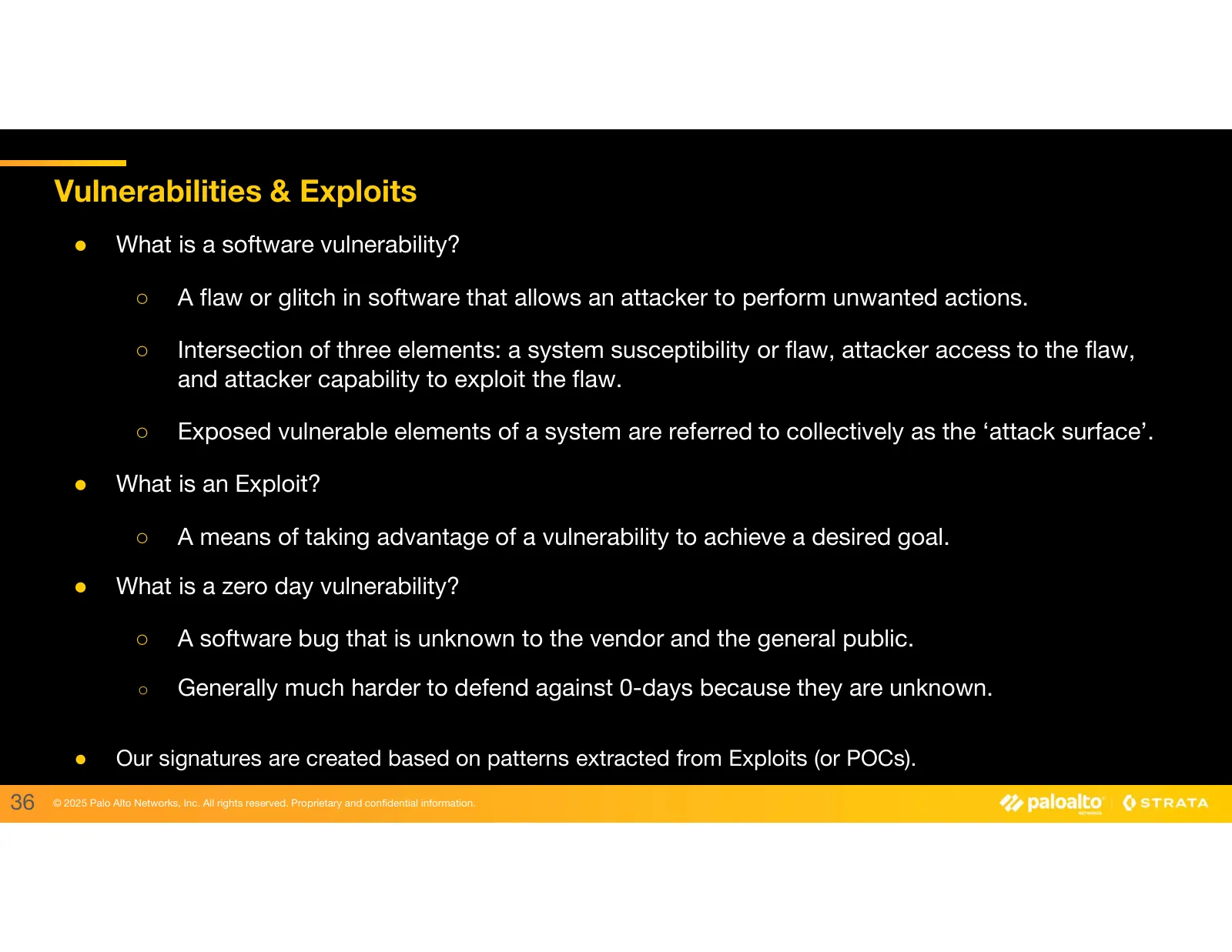
Slide 36: Vulnerabilities & Exploits
Vulnerabilities & Exploits ● What is a software vulnerability? ○ A flaw or glitch in software that allows an attacker to perform unwanted actions. ○ Intersection of three elements: a system susceptibility or flaw, attacker access to the flaw, and attacker capability to exploit the flaw. ○ Exposed vu
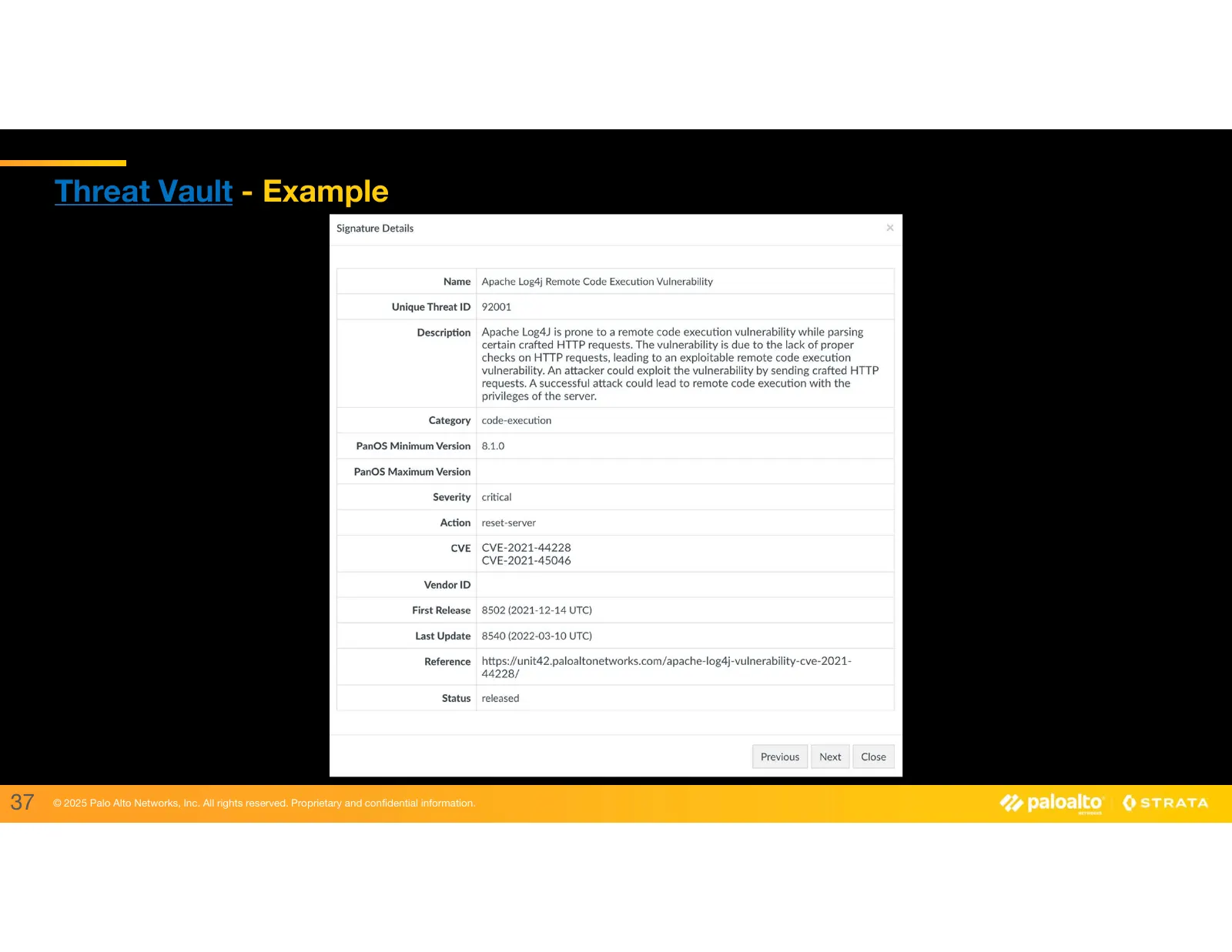
Slide 37: Threat Vault - Example
Threat Vault - Example 37 © 2025 2024 Palo Alto Networks, Inc. All rights reserved. Proprietary and confidential information.
Slide 38: Vulnerability Protection - Brute Force Signatures
Vulnerability Protection - Brute Force Signatures. ● The firewall includes two types of predefined brute force signatures—parent signatures and child signatures ● The relationship between Parent and Child Threat ID’s is documented at https://knowledgebase.paloaltonetworks.com/KCSArticleDetail?id=kA1
Slide 39: IPS Signature Converter Plugin for Panorama
IPS Signature Converter Plugin for Panorama ● Plugin Supported in Panorama starting from 10.0. Download and Install from Panorama>Plugins> IPS Signature Converter. ● Automated solution for converting rules from third-party IPS Snort and Suricata into custom Palo Alto Networks threat signatures. ● Re
Slide 40: Troubleshooting False Positives
Troubleshooting False Positives ● Read Description in threat vault for contextual information. ● Get more information regarding the CVE (from Mitre/NVD/Vendor). ● Assess if the server is Vulnerable to this CVE. ● Enable extended threat packet capture. Complete stream of PCAP if required. ● Open a TA
Slide 41: New Coverage and False Negatives
New Coverage and False Negatives ● Need an Exploit or POC for creating pattern based coverage. ● Types of vulnerabilities covered (local vs remote). ● If signature is already present, need complete stream of PCAPs to review FNs. ● Is the traffic encrypted? ● Is the Vulnerability profile applied to p
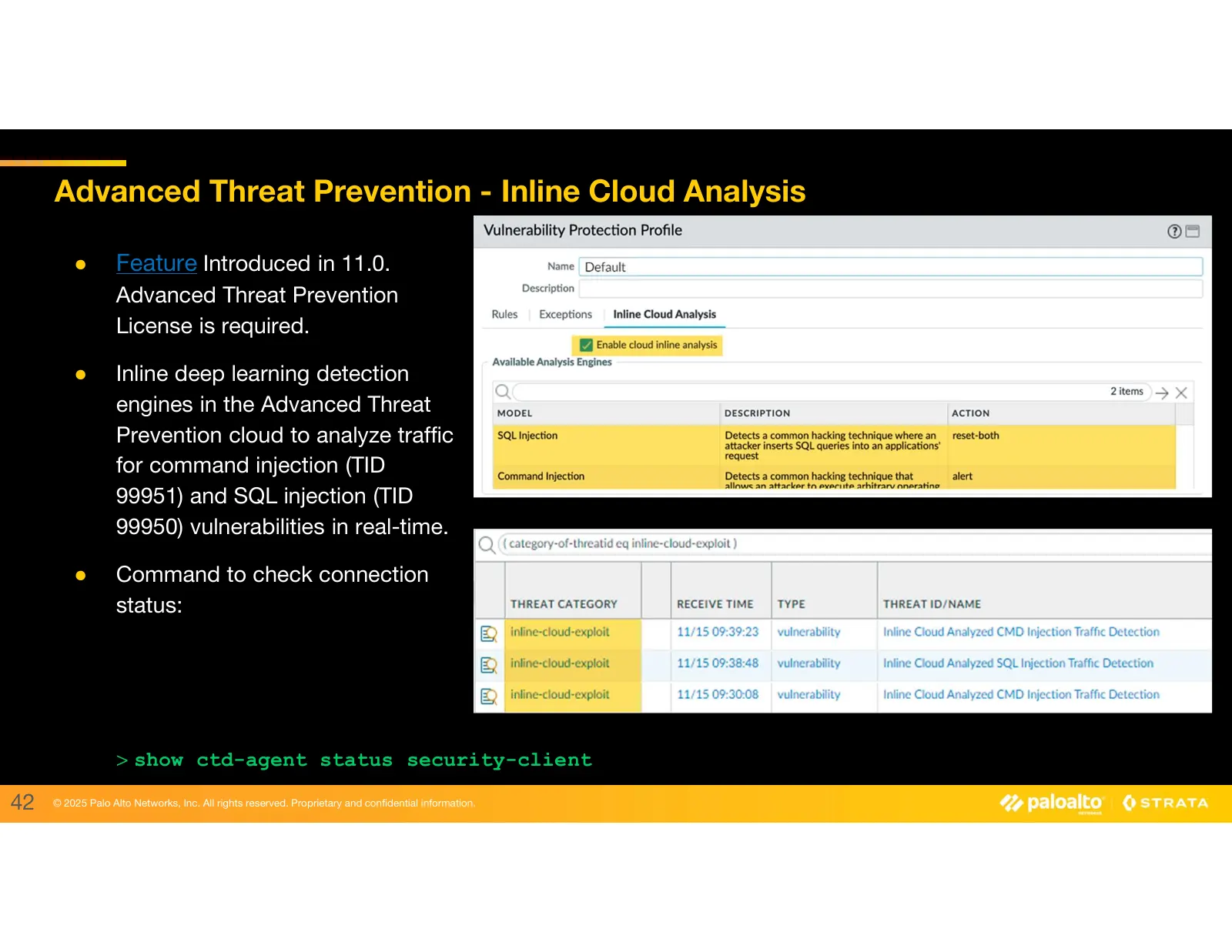
Slide 42: Advanced Threat Prevention - Inline Cloud Analysis
Advanced Threat Prevention - Inline Cloud Analysis ● Feature Introduced in 11.0. Advanced Threat Prevention License is required. ● Inline deep learning detection engines in the Advanced Threat Prevention cloud to analyze traffic for command injection (TID 99951) and SQL injection (TID 99950) vulnera
Slide 43: Vulnerability Signature Best Practices
Vulnerability Signature Best Practices ● Make SSL Inbound Inspection mandatory for all relevant servers that’s accessible from internet. ● Work on hardening your vulnerability profiles, the goal should be to apply Strict profile. ● Apply the Vulnerability Profile on all relevant security policies. ●

Slide 44: DEMO
DEMO 44 © 2025 2024 Palo Alto Networks, Inc. All rights reserved. Proprietary and confidential information.
Slide 45: Anti-Spyware
Anti-Spyware 45 © 2025 2024 Palo Alto Networks, Inc. All rights reserved. Proprietary and confidential information.
Slide 46: Anti-Spyware Signatures
Anti-Spyware Signatures ● Anti-Spyware signatures blocks spyware on compromised hosts from trying to phone-home or beacon out to external command-and-control (C2) servers, allowing you to detect malicious traffic leaving the network from infected clients. ● Limited number of Anti-Spyware DNS Signatu
Slide 47: Threat Vault - Example
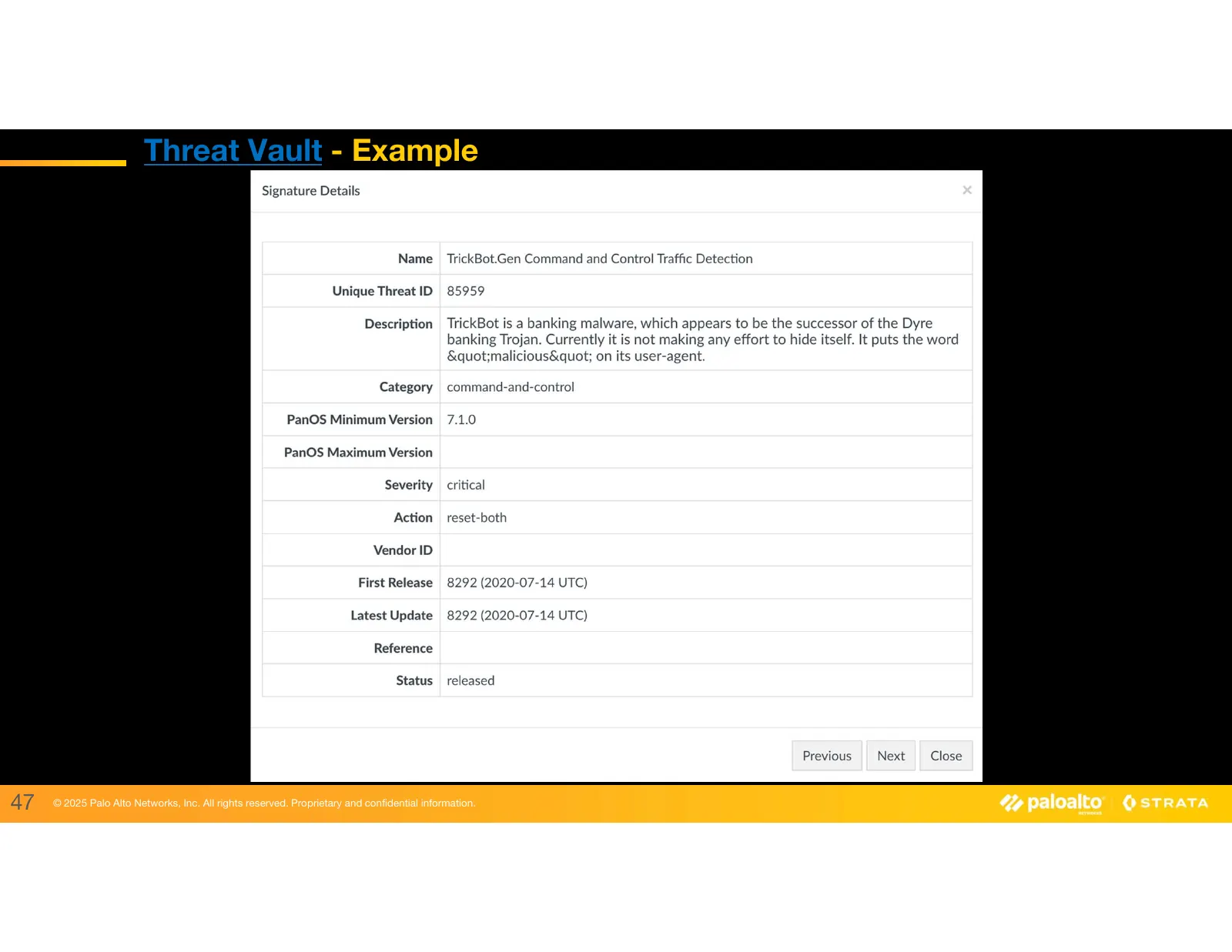
Threat Vault - Example 47 © 2025 2024 Palo Alto Networks, Inc. All rights reserved. Proprietary and confidential information.
Slide 48: Anti-Spyware - DNS Signature
Anti-Spyware - DNS Signature ● DNS Signatures are delivered as a part of Antivirus Bundle, the goal is to block DNS resolution of malicious domains. ● 1) If Workstation >> Firewall >> DNS Server, then you will easily see the source IP. 2) If Workstation >> DNS Server >> Firewall, then the firewall o
Slide 49: Data Needed for False Positive/Negatives
Data Needed for False Positive/Negatives ● Context/Reason (Why – What is the user trying to do?) is needed for False Positives. ● Threat/URL Filtering Log (CSV Output) and Tech Support File. ● Extended threat PCAP should be enough for majority of the False Positives. If not, complete stream of PCAP
Slide 50: Advanced Threat Prevention - Inline Cloud Analysis
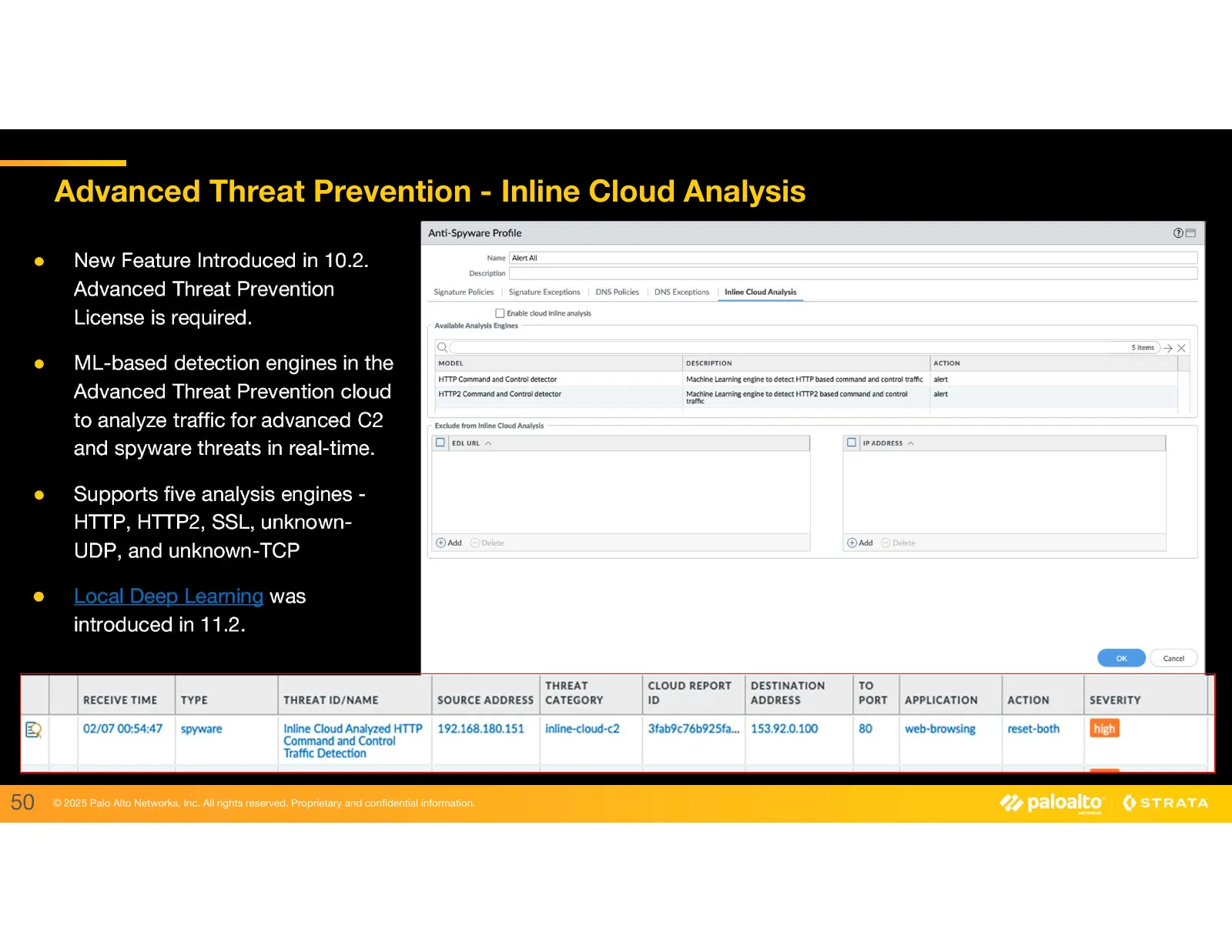
Advanced Threat Prevention - Inline Cloud Analysis ● New Feature Introduced in 10.2. Advanced Threat Prevention License is required. ● ML-based detection engines in the Advanced Threat Prevention cloud to analyze traffic for advanced C2 and spyware threats in real-time. ● Supports five analysis engi
Slide 51: Anti-Spyware Signature Best Practices
Anti-Spyware Signature Best Practices ● Set the action for DNS signatures to sinkhole wherever applicable. ● Work on hardening your Anti-Spyware profiles, the goal should be to apply Strict profile. ● Apply the Anti-Spyware Profile on all relevant security policies, this seems straight forward but I
Slide 52: DNS Security
DNS Security 52 © 2025 2024 Palo Alto Networks, Inc. All rights reserved. Proprietary and confidential information.
Slide 53: Why We Introduced DNS Security?
Why We Introduced DNS Security? ● Problem: ○ A WildFire and other IoC sources have created a proliferation of DNS signatures. ○ The number of available DNS signatures exceeds device capacity. ○ We have prioritized the “most important” sigs, and avoid shipping lower priority to work under the capacit
Slide 54: Feature Details
Feature Details ● Policy Actions: ○ Sinkholing. ○ Blocking and Alerting. ● DNS signature checking will be completely transparent to DNS clients and servers for benign domains. ● DNS lookups will be cached (Lifetime determined by TTL of DNS record in server response) to reduce latency caused by this
Slide 55: Configuration
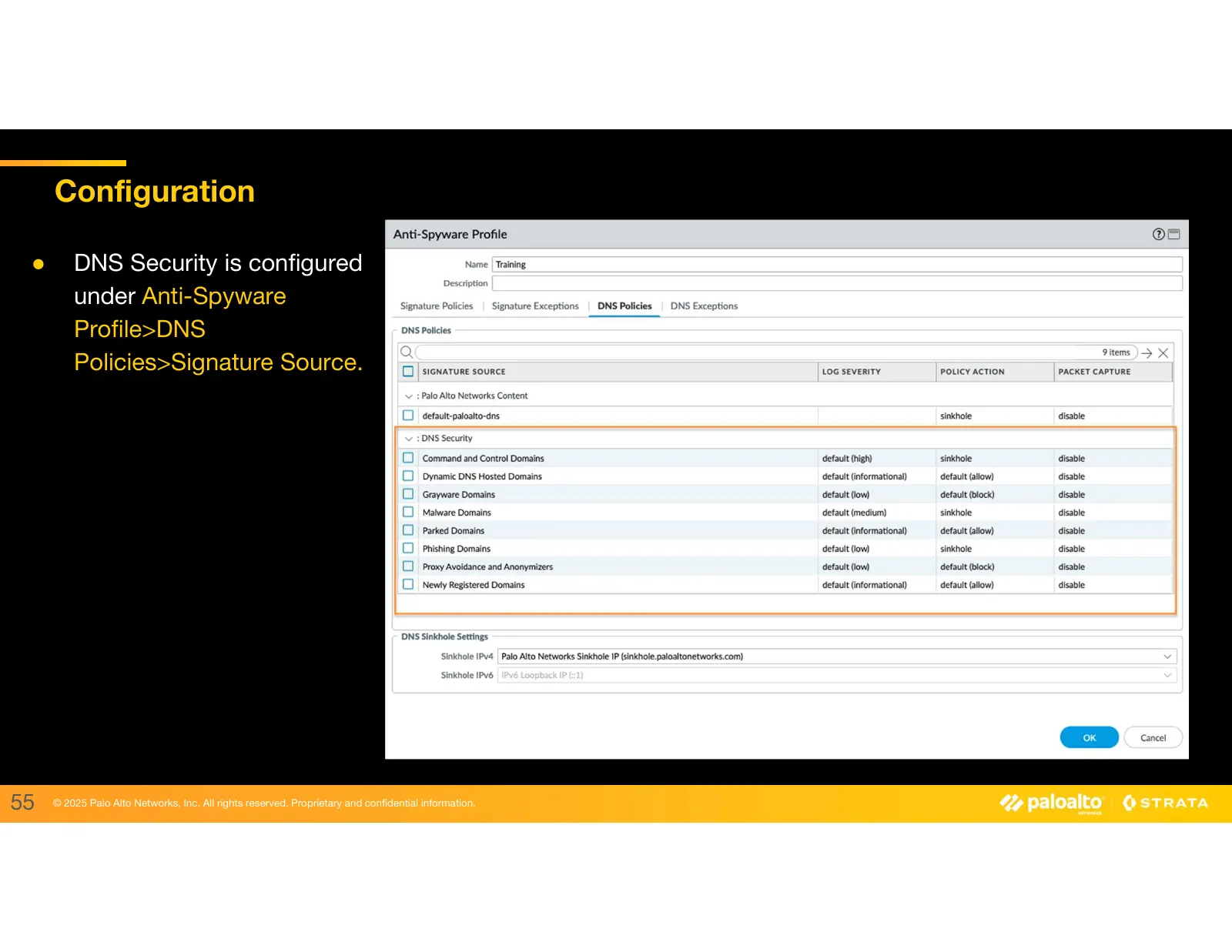
Configuration ● DNS Security is configured under Anti-Spyware Profile>DNS Policies>Signature Source. 55 © 2025 2024 Palo Alto Networks, Inc. All rights reserved. Proprietary and confidential information.
Slide 56: DNS Exceptions
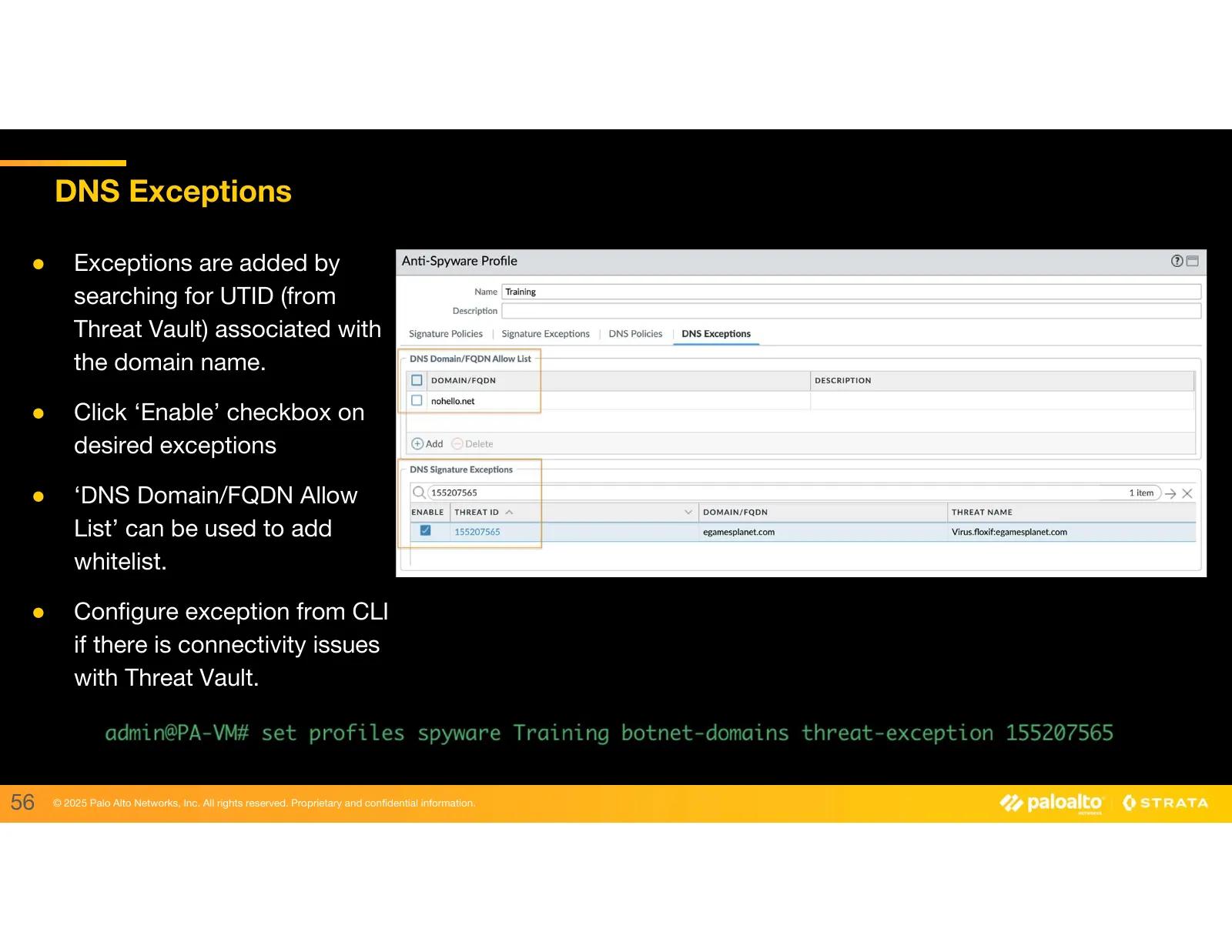
DNS Exceptions ● Exceptions are added by searching for UTID (from Threat Vault) associated with the domain name. ● Click ‘Enable’ checkbox on desired exceptions ● ‘DNS Domain/FQDN Allow List’ can be used to add whitelist. ● Configure exception from CLI if there is connectivity issues with Threat Vau
Slide 57: Cloud Lookup Timeout
Cloud Lookup Timeout ● The cloud lookup timeout is configurable via a global setting called ‘DNS signature lookup timeout’. ○ Device > Setup > Content-ID > Realtime Signature Lookup (Default Value is 100 ms). Note: configuring too aggressive timeout value may result in effective persistent failure t
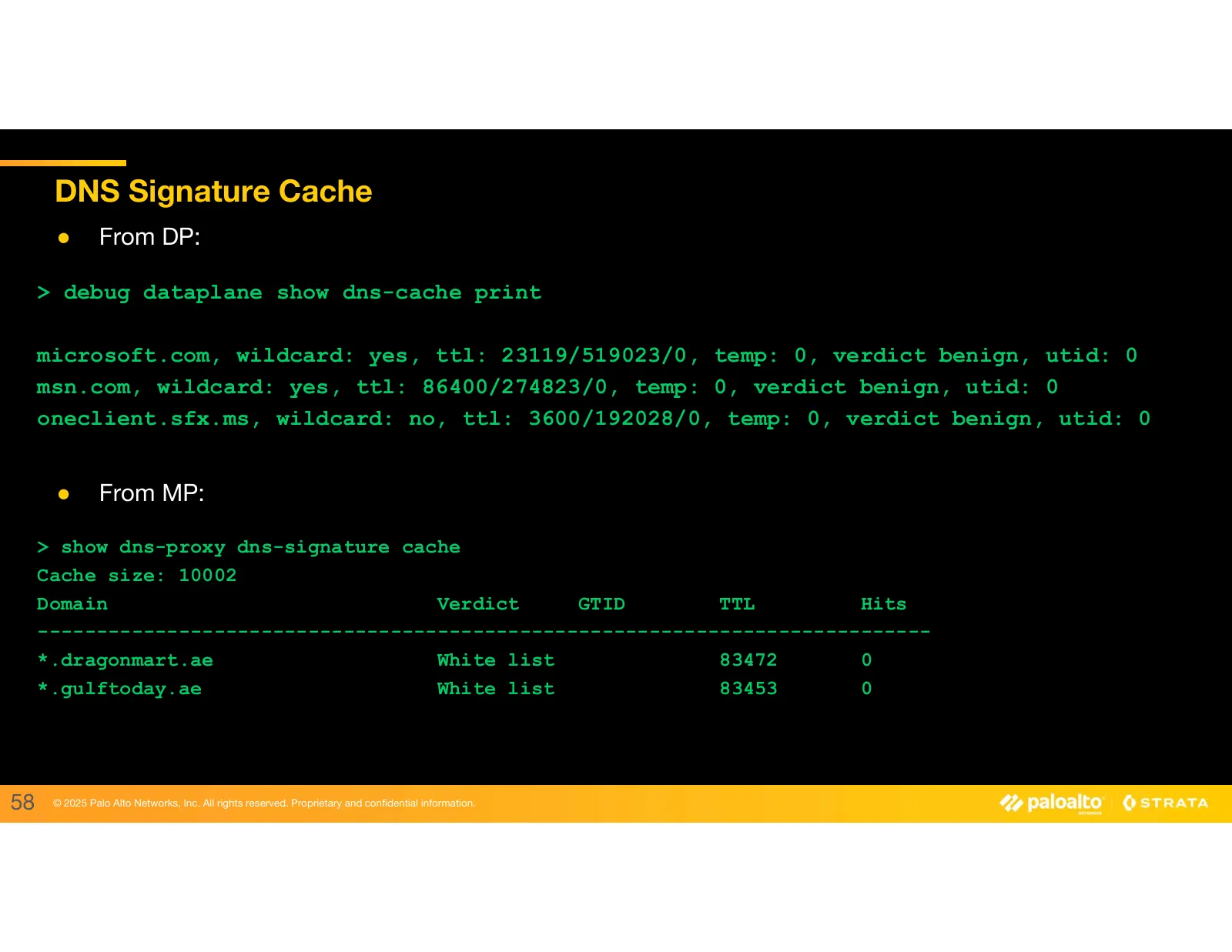
Slide 58: DNS Signature Cache
DNS Signature Cache ● From DP: > debug dataplane show dns-cache print microsoft.com, wildcard: yes, ttl: 23119/519023/0, temp: 0, verdict benign, utid: 0 msn.com, wildcard: yes, ttl: 86400/274823/0, temp: 0, verdict benign, utid: 0 oneclient.sfx.ms, wildcard: no, ttl: 3600/192028/0, temp: 0, verdict
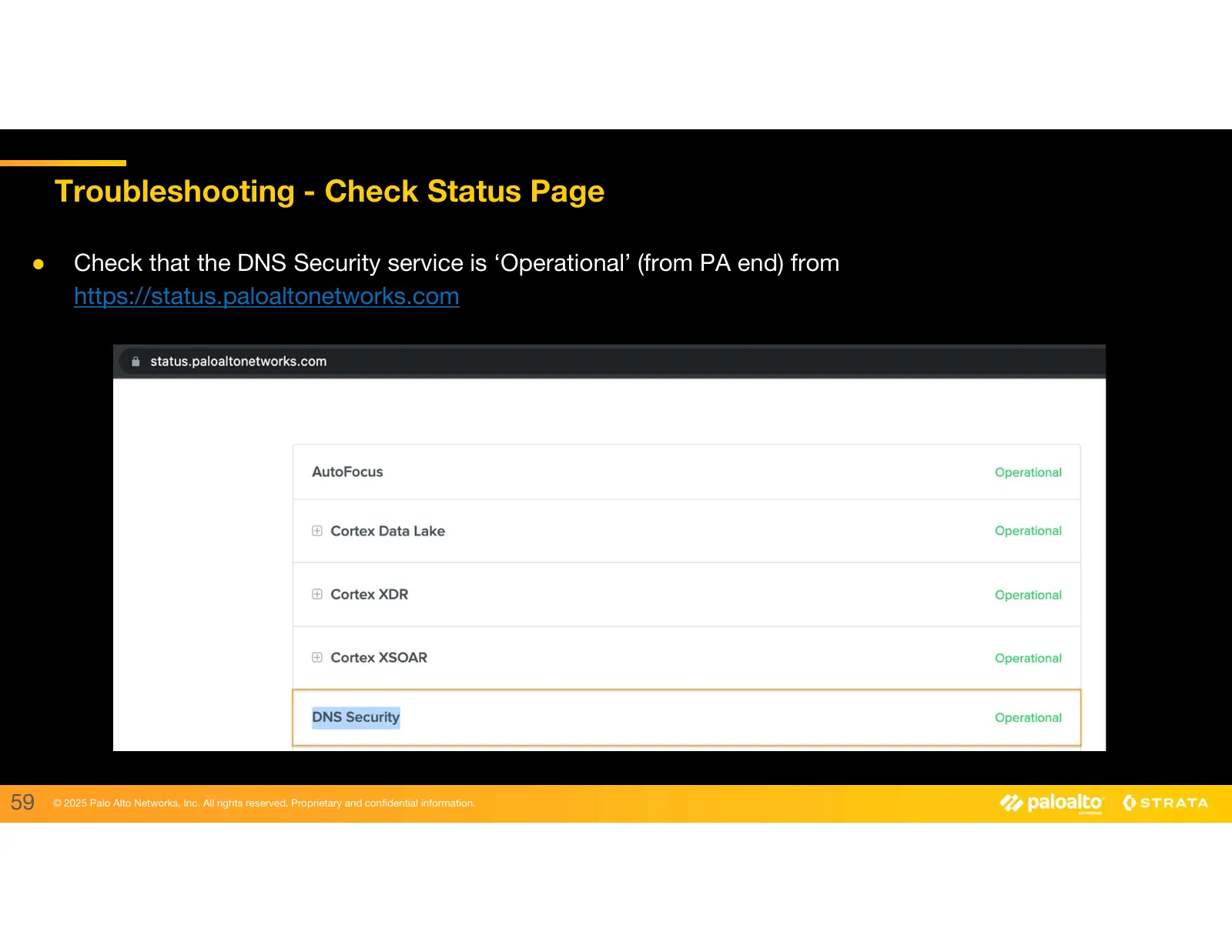
Slide 59: Troubleshooting - Check Status Page
Troubleshooting - Check Status Page ● Check that the DNS Security service is ‘Operational’ (from PA end) from https://status.paloaltonetworks.com 59 © 2025 2024 Palo Alto Networks, Inc. All rights reserved. Proprietary and confidential information.
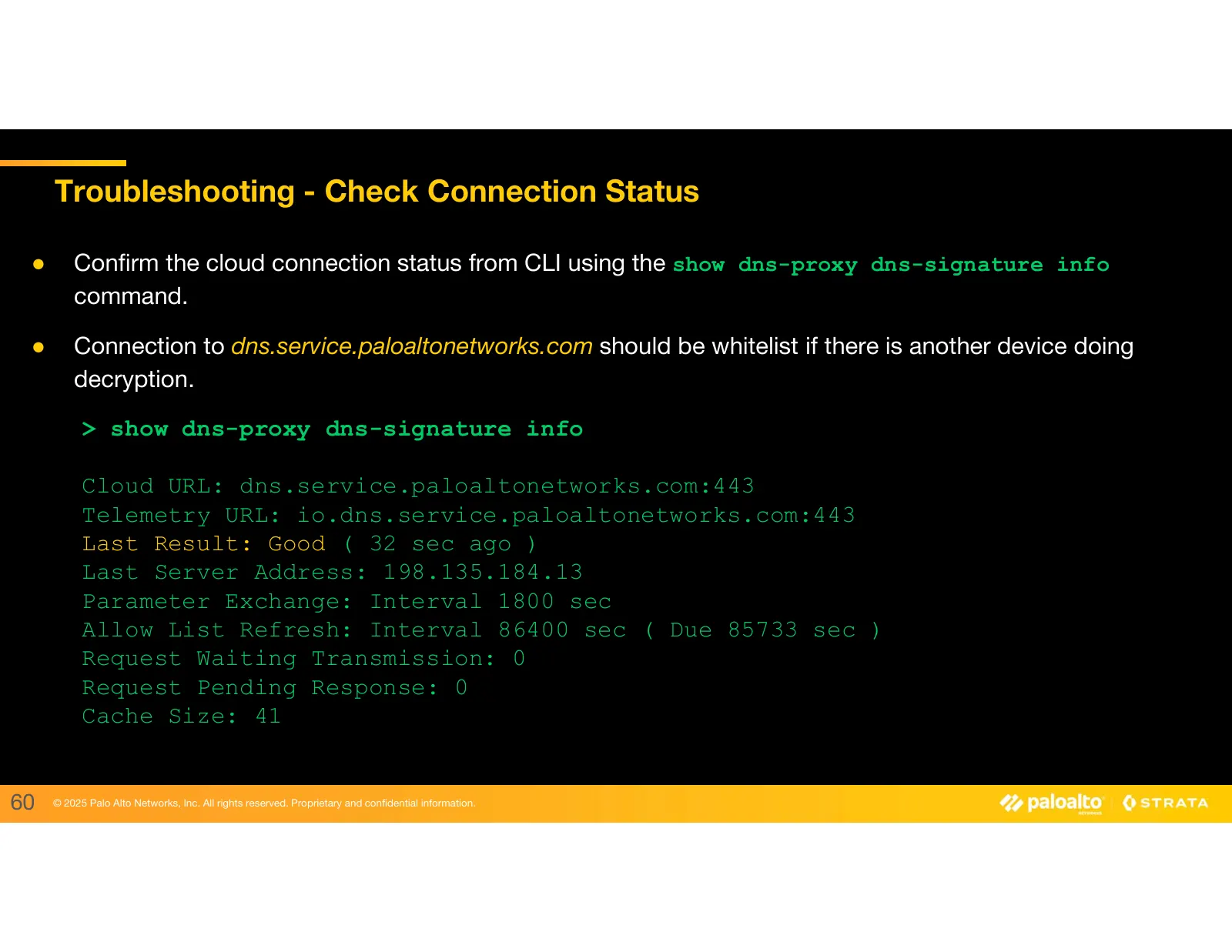
Slide 60: Troubleshooting - Check Connection Status
Troubleshooting - Check Connection Status ● Confirm the cloud connection status from CLI using the show dns-proxy dns-signature info command. ● Connection to dns.service.paloaltonetworks.com should be whitelist if there is another device doing decryption. > show dns-proxy dns-signature info Cloud UR
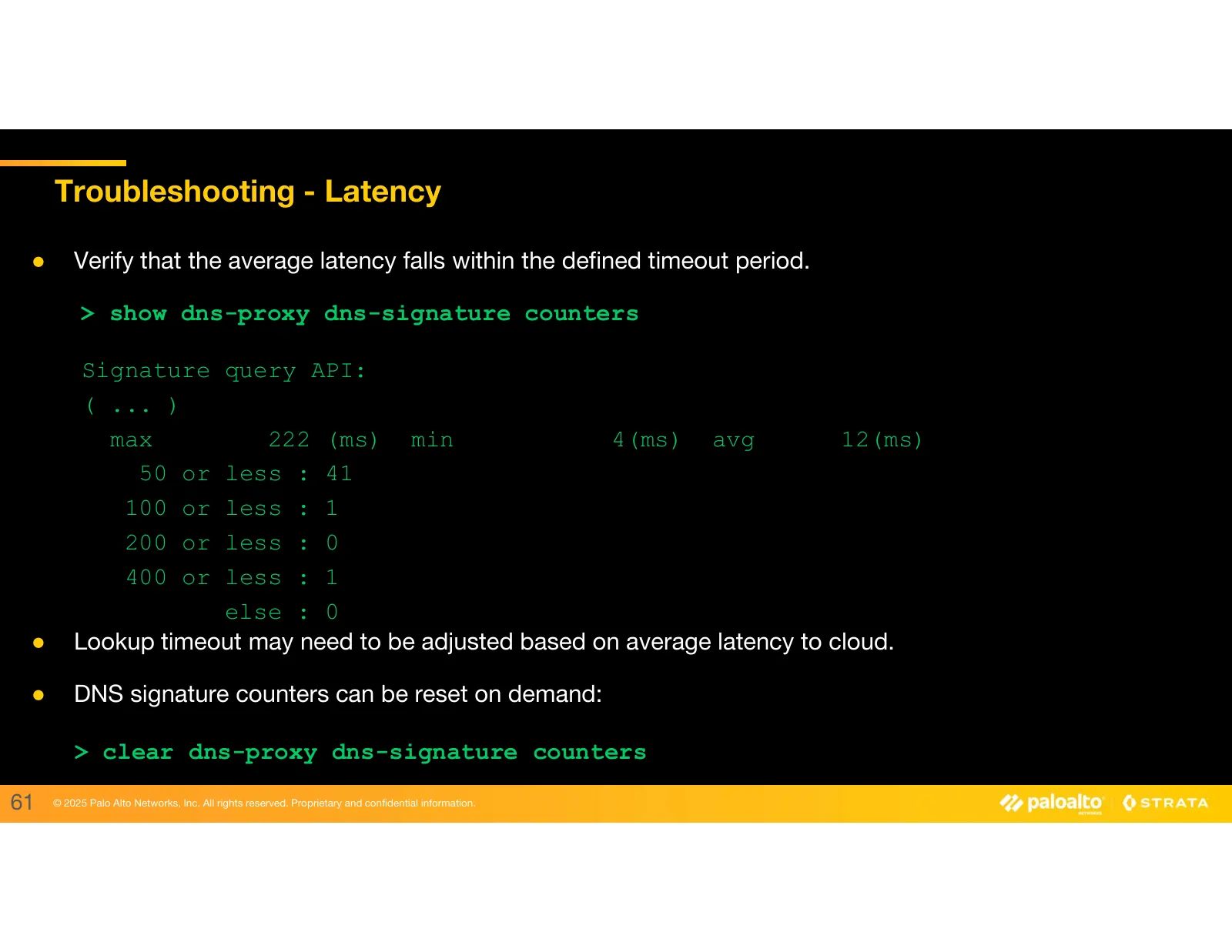
Slide 61: Troubleshooting - Latency
Troubleshooting - Latency ● Verify that the average latency falls within the defined timeout period. > show dns-proxy dns-signature counters Signature query API: ( ... ) max 222 (ms) min 4(ms) avg 12(ms) 50 or less : 41 100 or less : 1 200 or less : 0 400 or less : 1 else : 0 ● Lookup timeout may ne
Slide 62: Troubleshooting - FP and FN
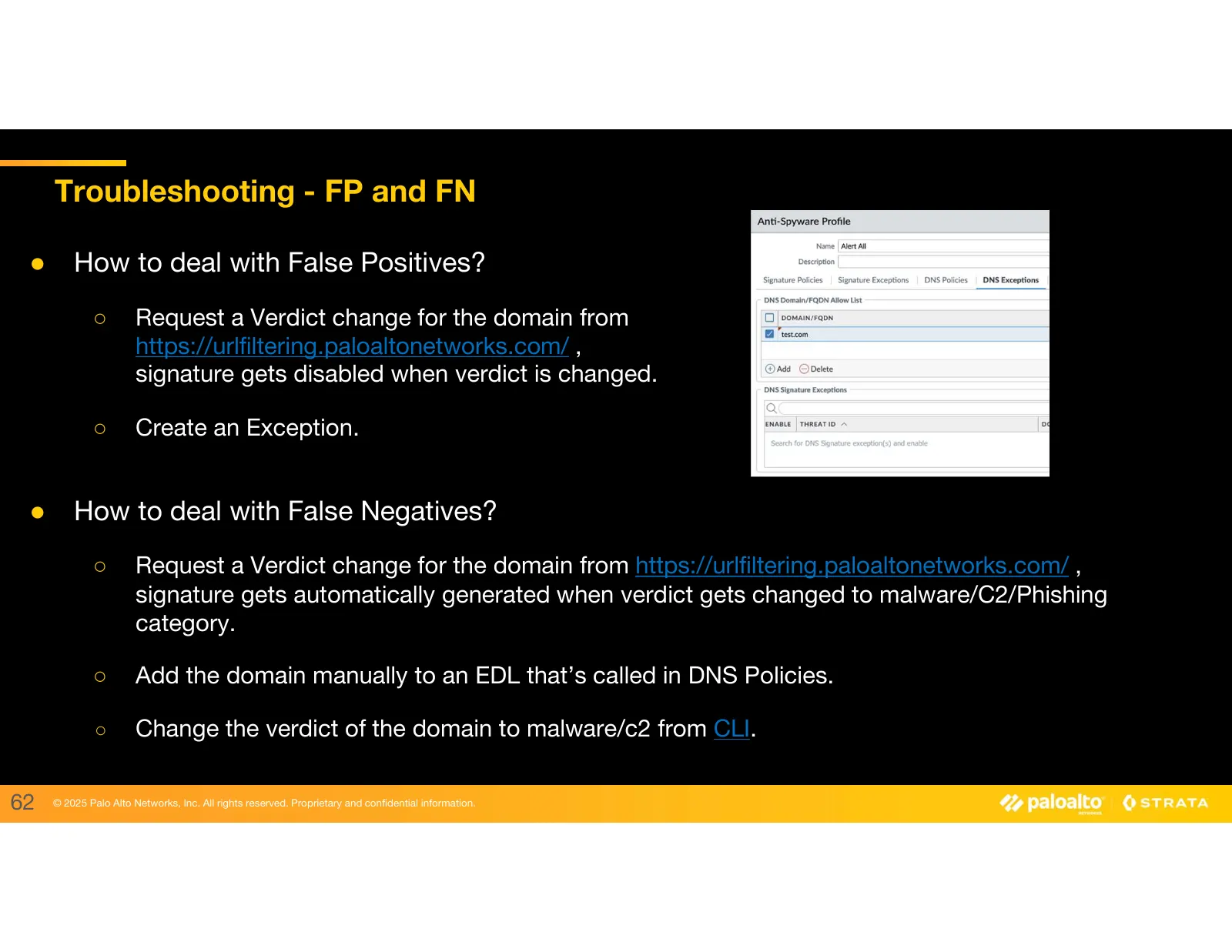
Troubleshooting - FP and FN ● How to deal with False Positives? ○ Request a Verdict change for the domain from https://urlfiltering.paloaltonetworks.com/ , signature gets disabled when verdict is changed. ○ Create an Exception. ● How to deal with False Negatives? ○ Request a Verdict change for the d
Slide 63: Troubleshooting - Clear Cache
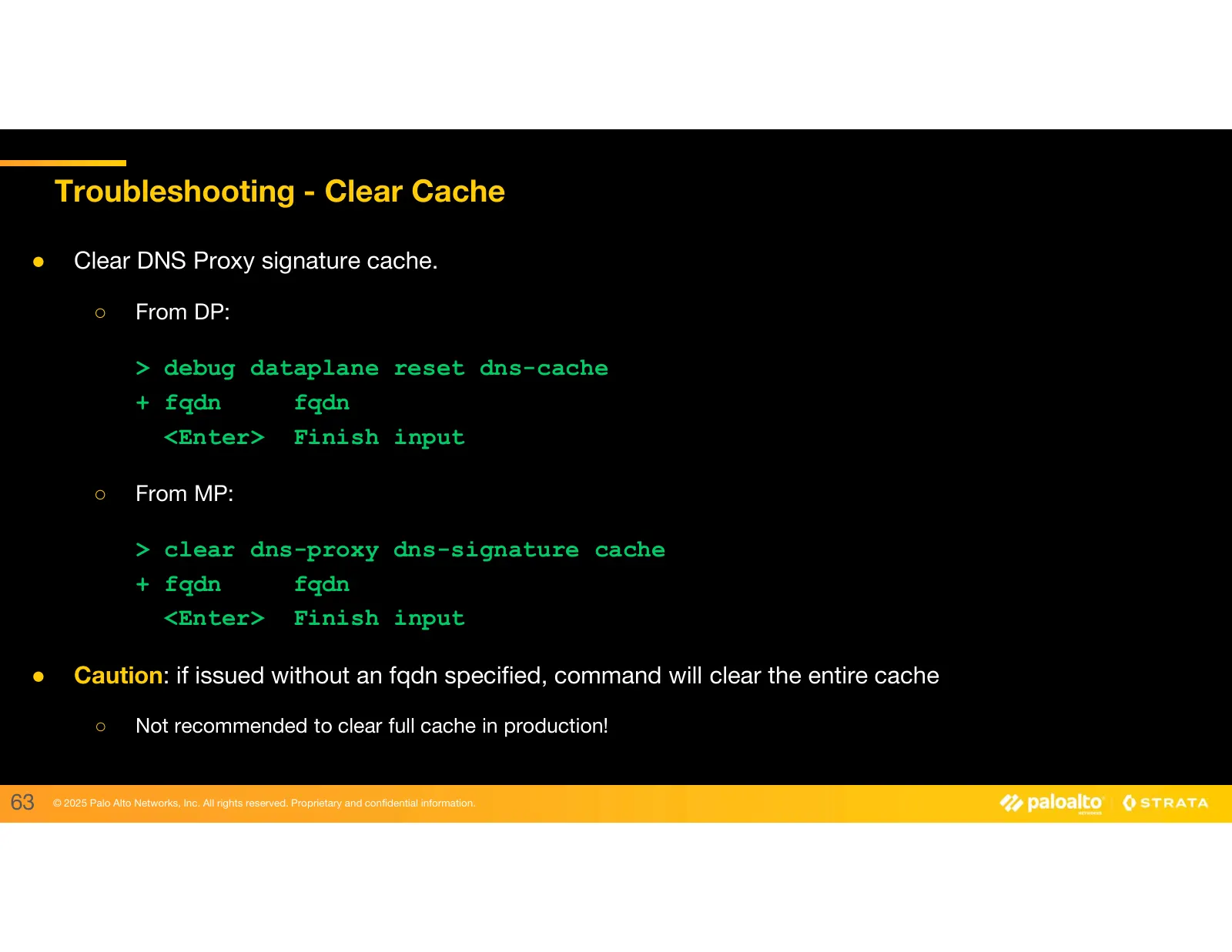
Troubleshooting - Clear Cache ● Clear DNS Proxy signature cache. ○ From DP: > debug dataplane reset dns-cache + fqdn fqdn <Enter> Finish input ○ From MP: > clear dns-proxy dns-signature cache + fqdn fqdn <Enter> Finish input ● Caution: if issued without an fqdn specified, command will clear the enti
Slide 64: Advanced DNS Security Subscription
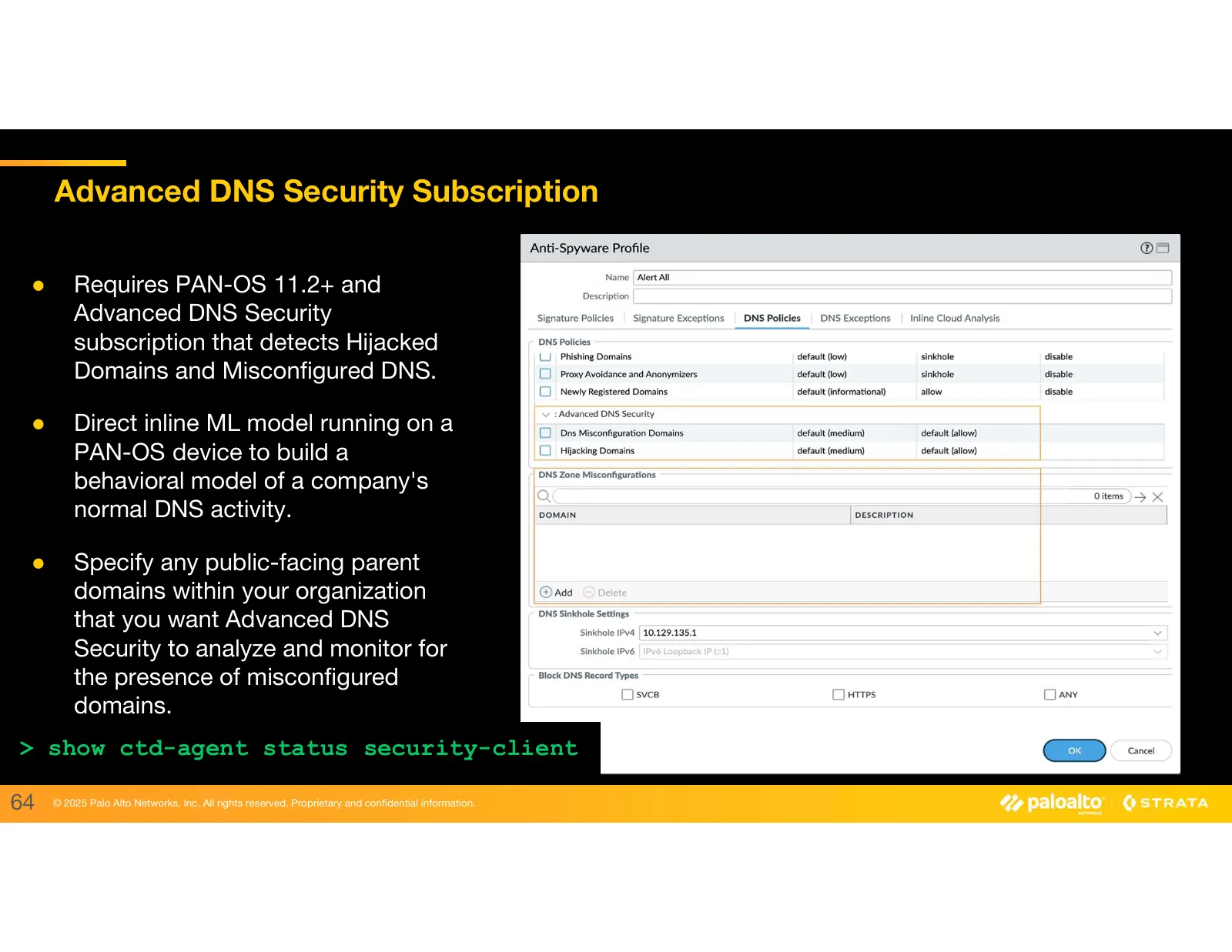
Advanced DNS Security Subscription ● Requires PAN-OS 11.2+ and Advanced DNS Security subscription that detects Hijacked Domains and Misconfigured DNS. ● Direct inline ML model running on a PAN-OS device to build a behavioral model of a company's normal DNS activity. ● Specify any public-facing paren

Slide 65: DEMO
DEMO 65 © 2025 2024 Palo Alto Networks, Inc. All rights reserved. Proprietary and confidential information.

Slide 66: URL Filtering
URL Filtering 66 © 2025 2024 Palo Alto Networks, Inc. All rights reserved. Proprietary and confidential information.
Slide 67: URL Filtering Basics
URL Filtering Basics ● URL Filtering requires Advanced URL Filtering license. ● URL Filtering can be applied as a security profile or a policy match condition, this is particularly useful for SSL Decryption policies. ● URL Filtering looks at HTTP requests from a client to identify the URL. ● Session
Slide 68: URL Filtering Details
URL Filtering Details ● Management plane communicates with PAN-DB, the retrieves category information is cached in the management plane (MP) and it’s then passed to the dataplane (DP). ● URL category lookup happens in below priority: ○ Firewall checks exception list first (Custom URL categories and
Slide 69: Security-Focused URL Categories
Security-Focused URL Categories ● Include High-Risk, Medium-Risk, Low-Risk and Newly-Registered Domains (NRD). This can be leveraged for targeted decryption and blocking. ● Unknown domains are classified as High-Risk until PAN-DB completes site analysis and categorization. ● Recommended to ‘Block’ N
Slide 70: Hold Web Request During URL Category Lookup
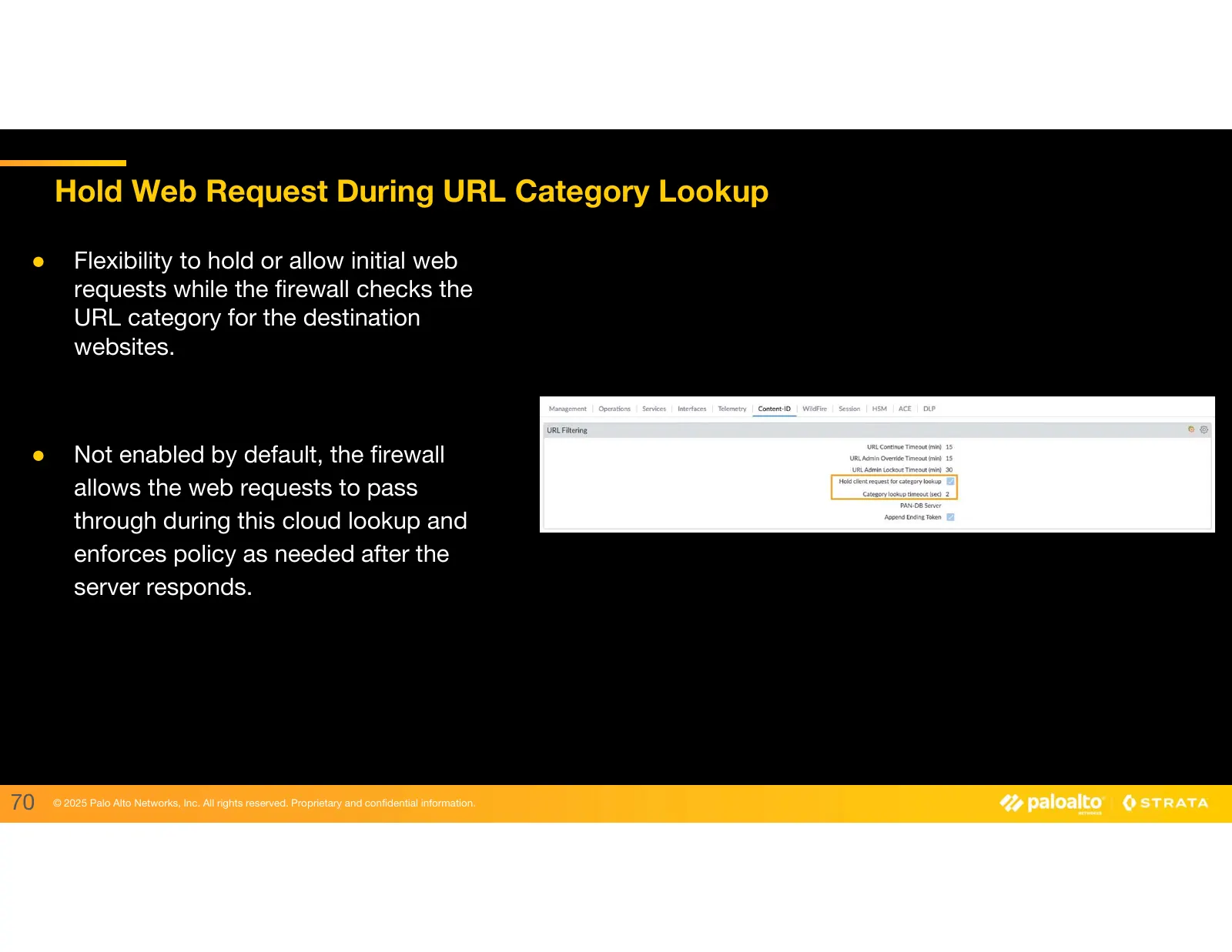
Hold Web Request During URL Category Lookup ● Flexibility to hold or allow initial web requests while the firewall checks the URL category for the destination websites. ● Not enabled by default, the firewall allows the web requests to pass through during this cloud lookup and enforces policy as need
Slide 71: Real-time-detection - Advanced URL Filtering
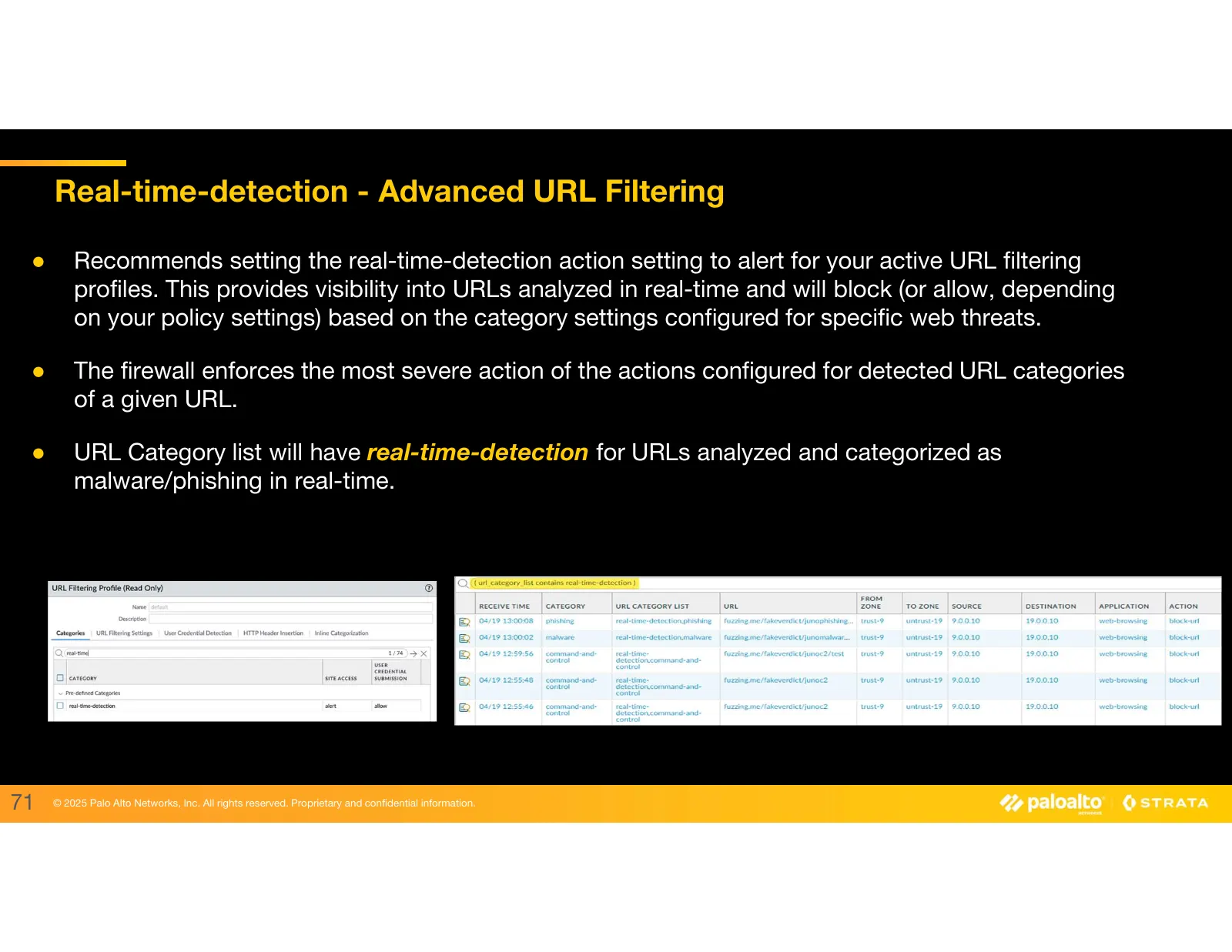
Real-time-detection - Advanced URL Filtering ● Recommends setting the real-time-detection action setting to alert for your active URL filtering profiles. This provides visibility into URLs analyzed in real-time and will block (or allow, depending on your policy settings) based on the category settin
Slide 72: Inline ML
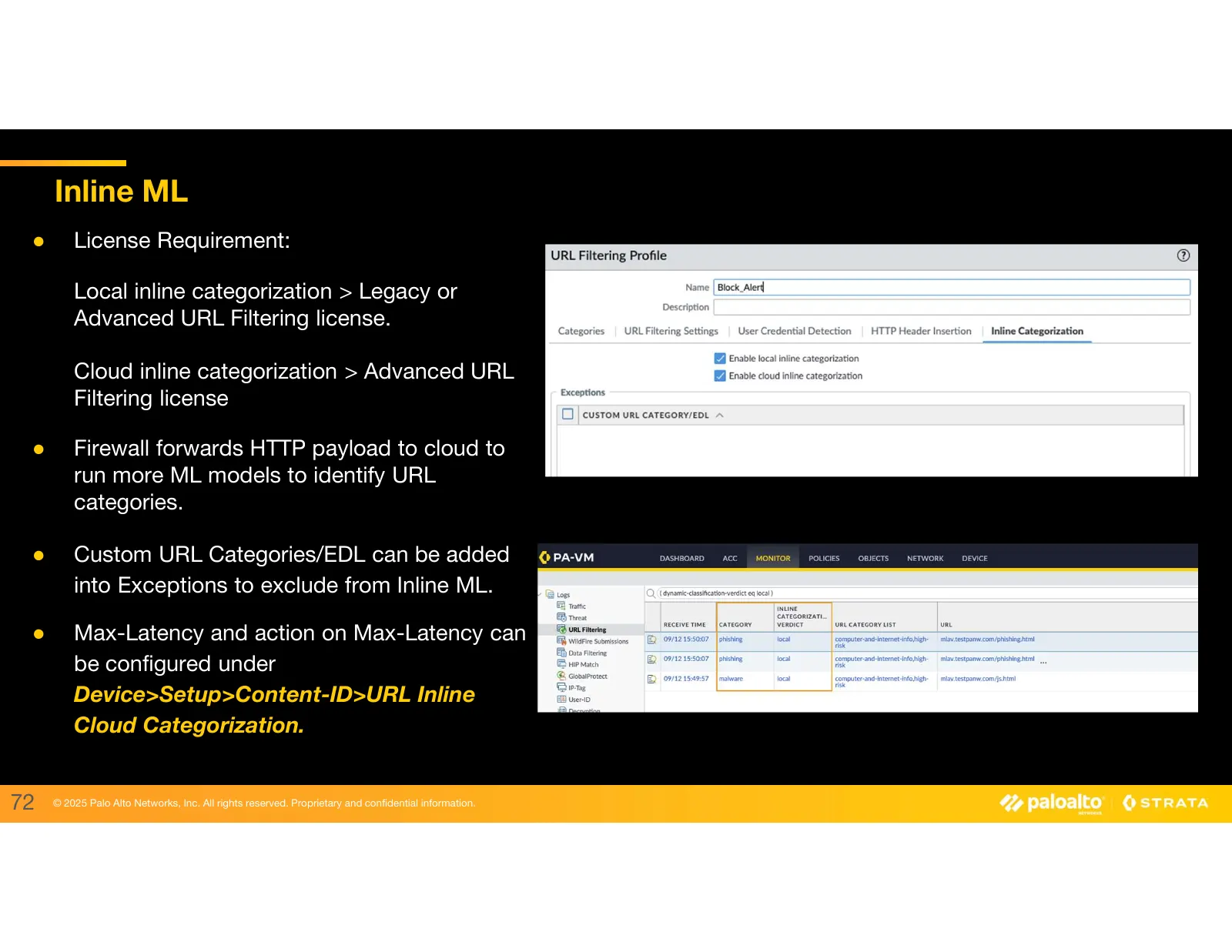
Inline ML ● License Requirement: Local inline categorization > Legacy or Advanced URL Filtering license. Cloud inline categorization > Advanced URL Filtering license ● Firewall forwards HTTP payload to cloud to run more ML models to identify URL categories. ● Custom URL Categories/EDL can be added i
Slide 73: False Positive/Negative - Category Change
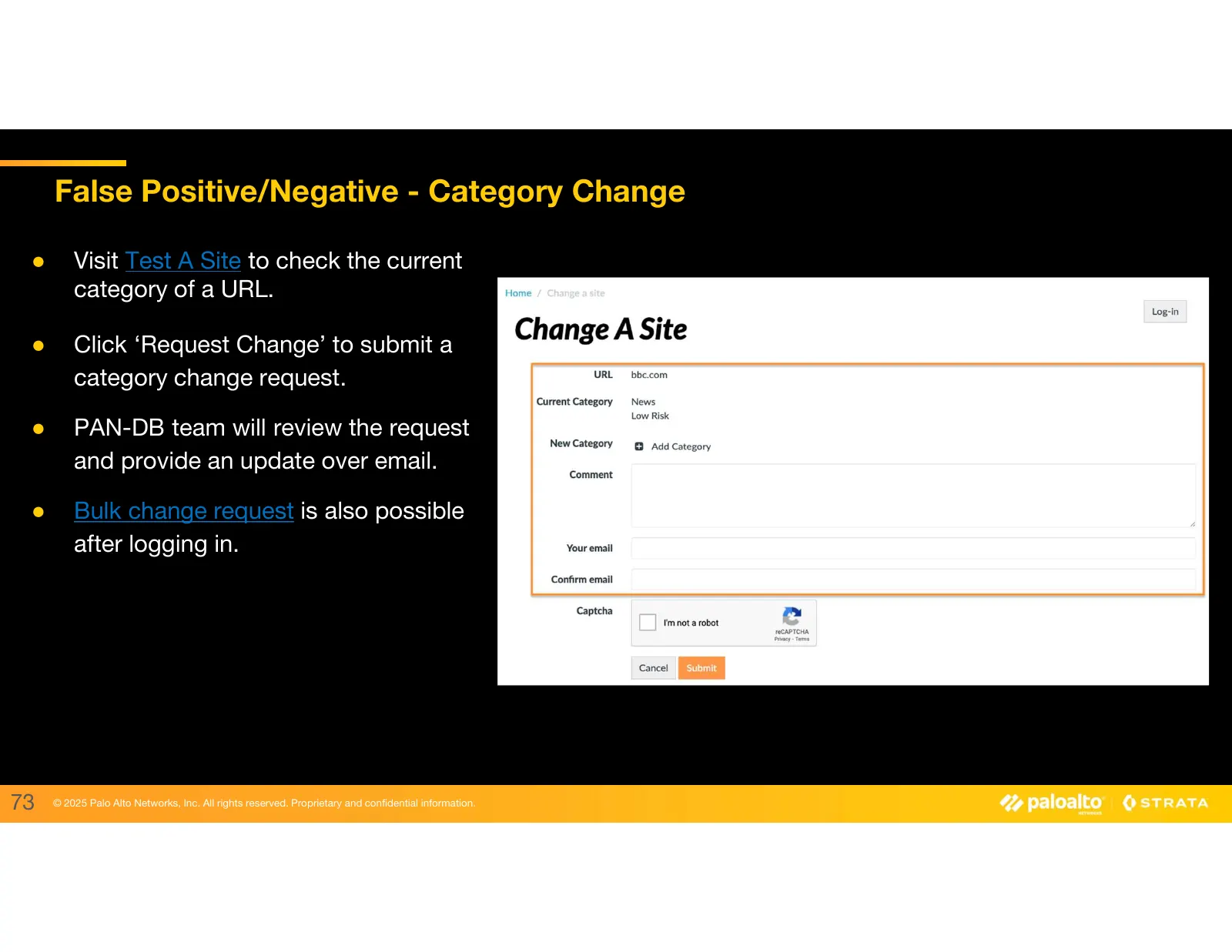
False Positive/Negative - Category Change ● Visit Test A Site to check the current category of a URL. ● Click ‘Request Change’ to submit a category change request. ● PAN-DB team will review the request and provide an update over email. ● Bulk change request is also possible after logging in. 73 © 20
Slide 74: False Positive/Negative - Exception and Category Change
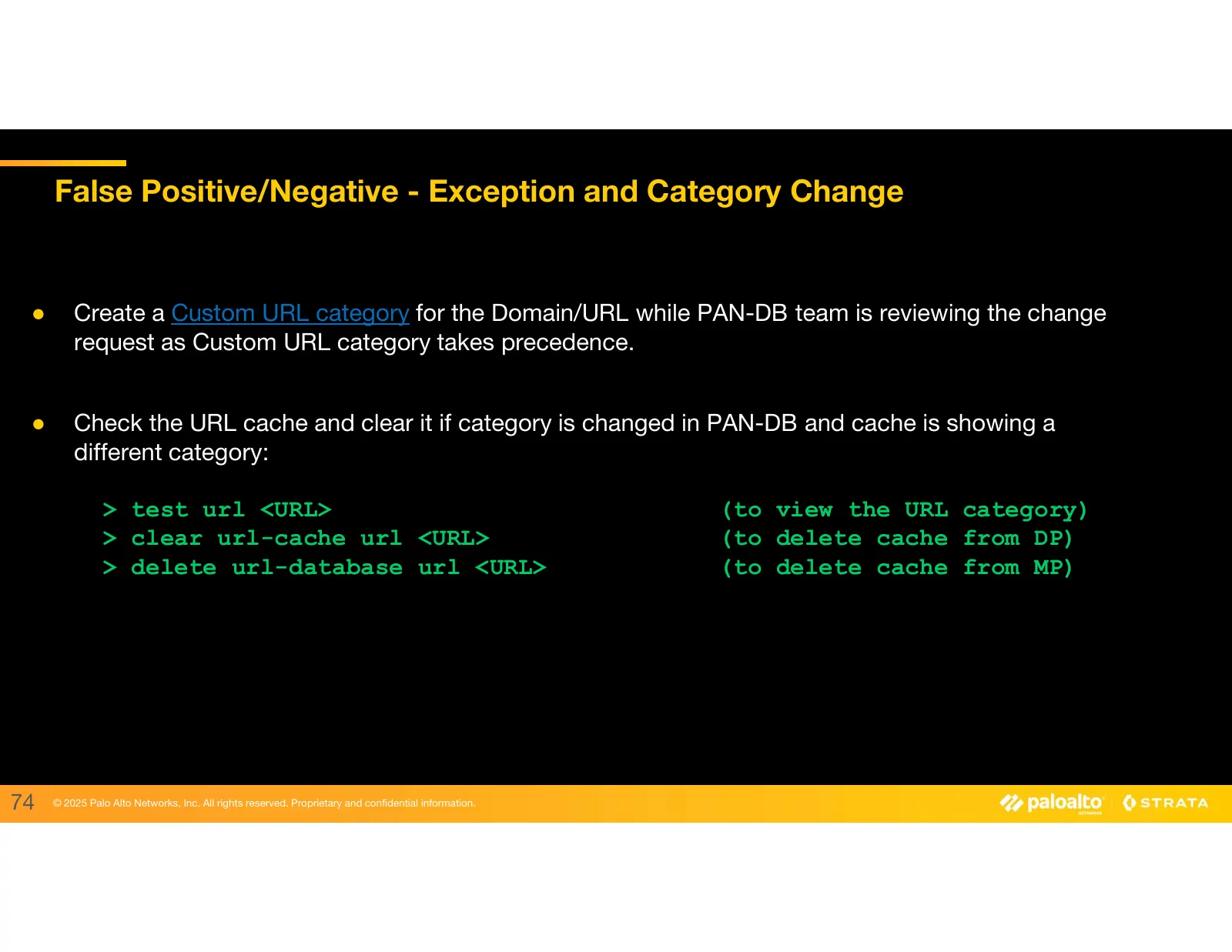
False Positive/Negative - Exception and Category Change ● Create a Custom URL category for the Domain/URL while PAN-DB team is reviewing the change request as Custom URL category takes precedence. ● Check the URL cache and clear it if category is changed in PAN-DB and cache is showing a different ca
Slide 75: URL Filtering Best Practices
URL Filtering Best Practices ● Make sure to review and enable at-least ‘default’ URL Filtering on all relevant policies. ● Block Newly Registered Domains and closely monitor connection to Unknown URLs. ● Decrypt high-risk and medium-risk sites and enable Strict Profiles on security policy matching h

Slide 76: DEMO
DEMO 76 © 2025 2024 Palo Alto Networks, Inc. All rights reserved. Proprietary and confidential information.
Slide 77: Others - Additional Features and Best Practices
Others - Additional Features and Best Practices 77 © 2025 2024 Palo Alto Networks, Inc. All rights reserved. Proprietary and confidential information.
Slide 78: File Blocking
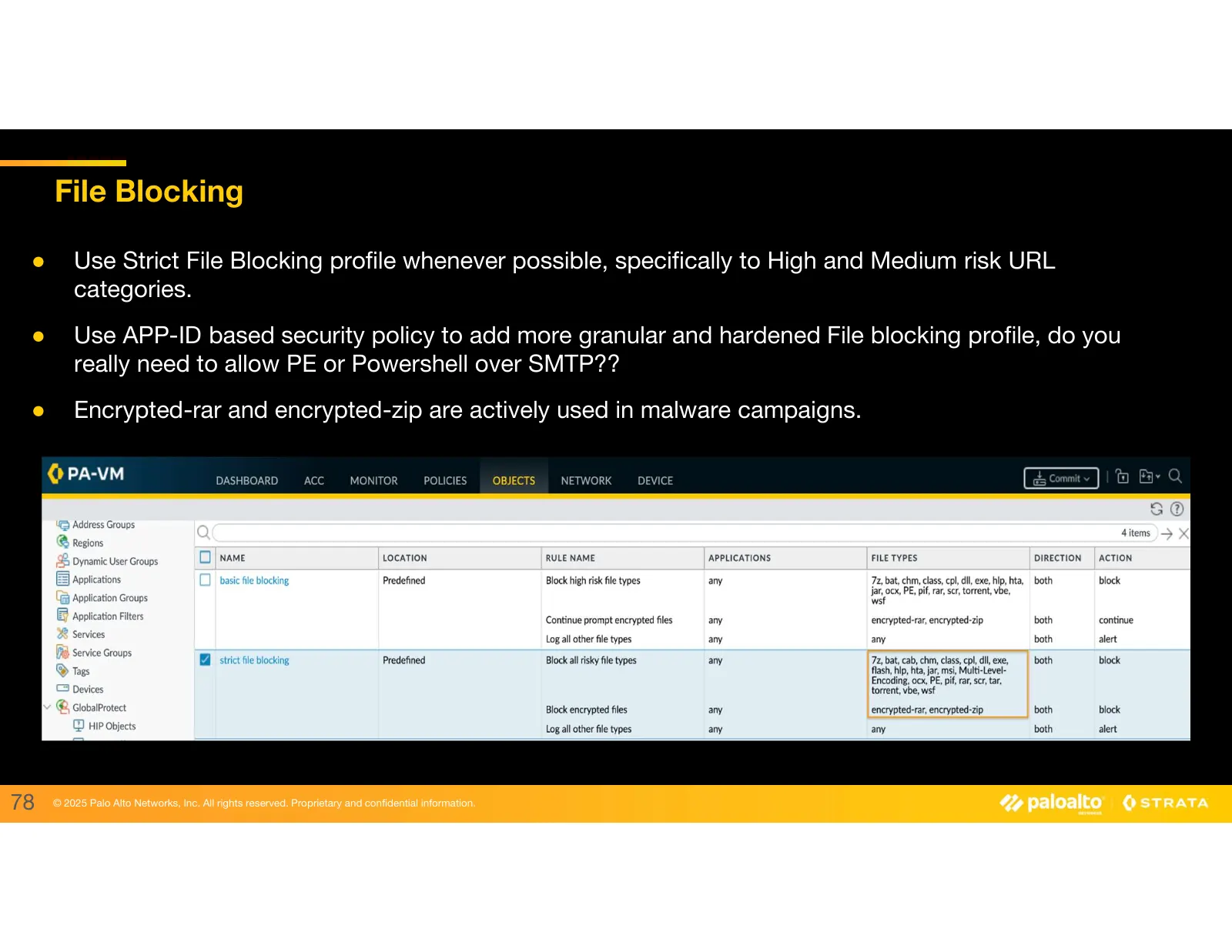
File Blocking ● Use Strict File Blocking profile whenever possible, specifically to High and Medium risk URL categories. ● Use APP-ID based security policy to add more granular and hardened File blocking profile, do you really need to allow PE or Powershell over SMTP?? ● Encrypted-rar and encrypted-
Slide 79: PANW Predefined Dynamic List
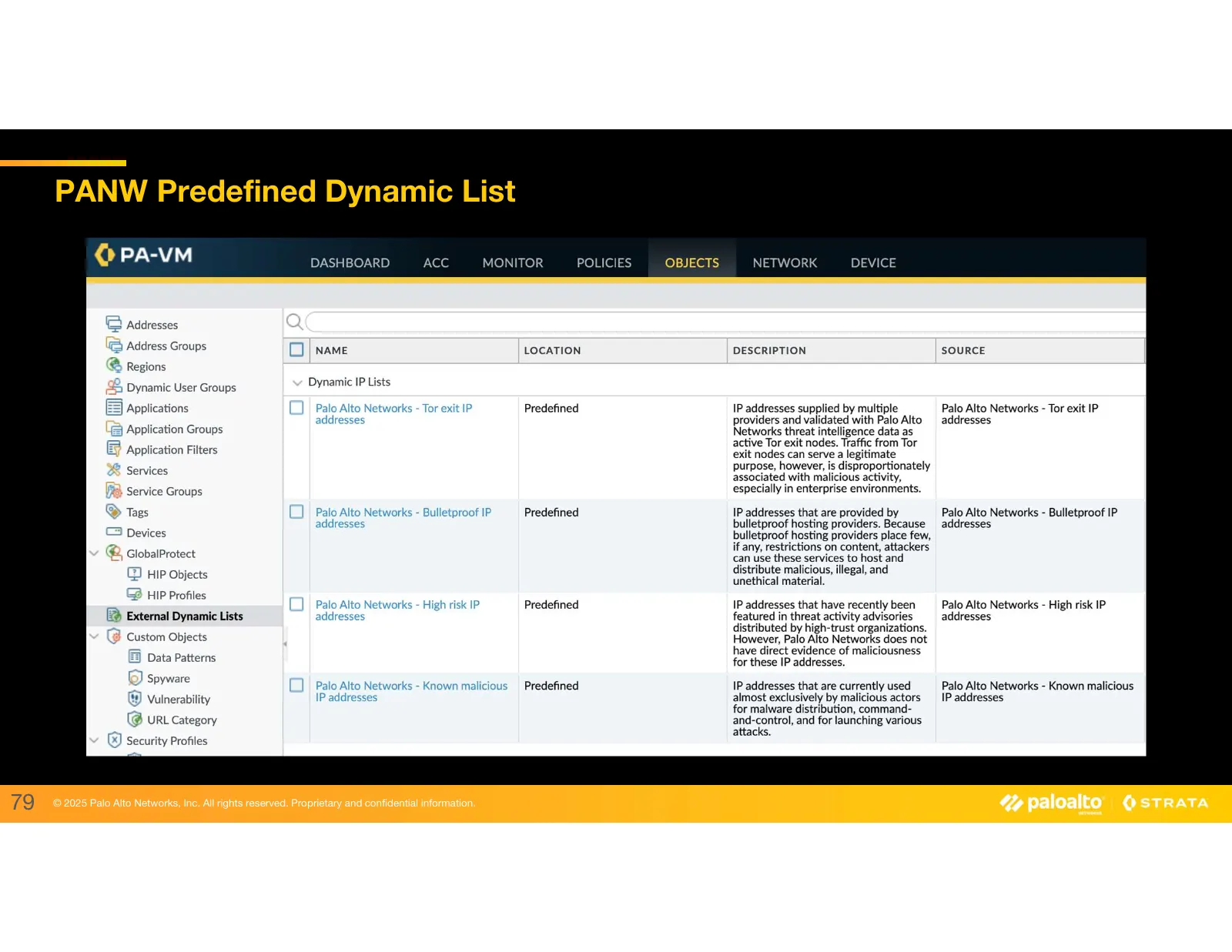
PANW Predefined Dynamic List 79 © 2025 2024 Palo Alto Networks, Inc. All rights reserved. Proprietary and confidential information.
Slide 80: Others
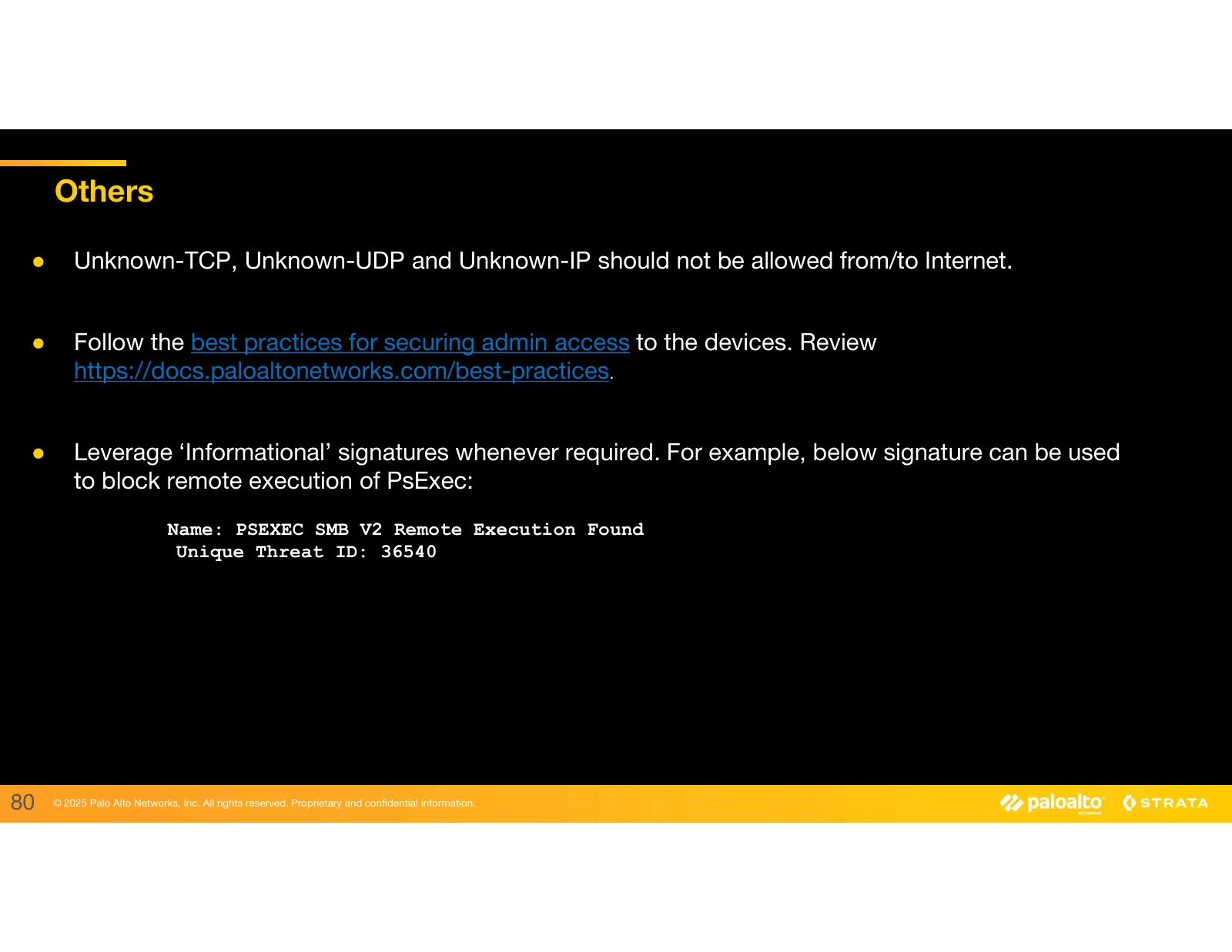
Others ● Unknown-TCP, Unknown-UDP and Unknown-IP should not be allowed from/to Internet. ● Follow the best practices for securing admin access to the devices. Review https://docs.paloaltonetworks.com/best-practices. ● Leverage ‘Informational’ signatures whenever required. For example, below signatur

Slide 81: Questions?
Questions? 81 © 2025 2024 Palo Alto Networks, Inc. All rights reserved. Proprietary and confidential information.

Slide 82: Thank You
Thank You paloaltonetworks.com 82 © 2025 2024 Palo Alto Networks, Inc. All rights reserved. Proprietary and confidential information.
Source: company website
More decks from Palo Alto Networks, Inc.
 Q1 2027 Earnings Presentation34 slides · Nov 18, 2026
 Q4 2026 Earnings Presentation32 slides · Sep 1, 2026
 Technical Presentation (June 2026)46 slides · Jun 2, 2026
 Q3 2026 Earnings Presentation30 slides · Jun 2, 2026
 Tufin — Palo Alto Networks Fuel User Group (April 2026)16 slides · April 2026
 Technical Presentation (March 2026)43 slides · Mar 17, 2026