Arthur J. Gallagher & Co. · NYSE:AJG
Arthur J. Gallagher & — Navia Benefit Solutions — Investor Presentation (November 2021)
38 slides from Arthur J. Gallagher &'s investor presentation, November 2021
Slide 1: Navia Benefit Solutions
Navia Benefit Solutions
Slide 2: Gallagher HTC Benefits presenters and meeting instructions
Please mute until the end of the presentation Gallagher Use chat to ask Gail Gentry questions during the meeting If you have a HTC Benefits more personal Ariana Poltz question, send a private chat to Ariana Poltz
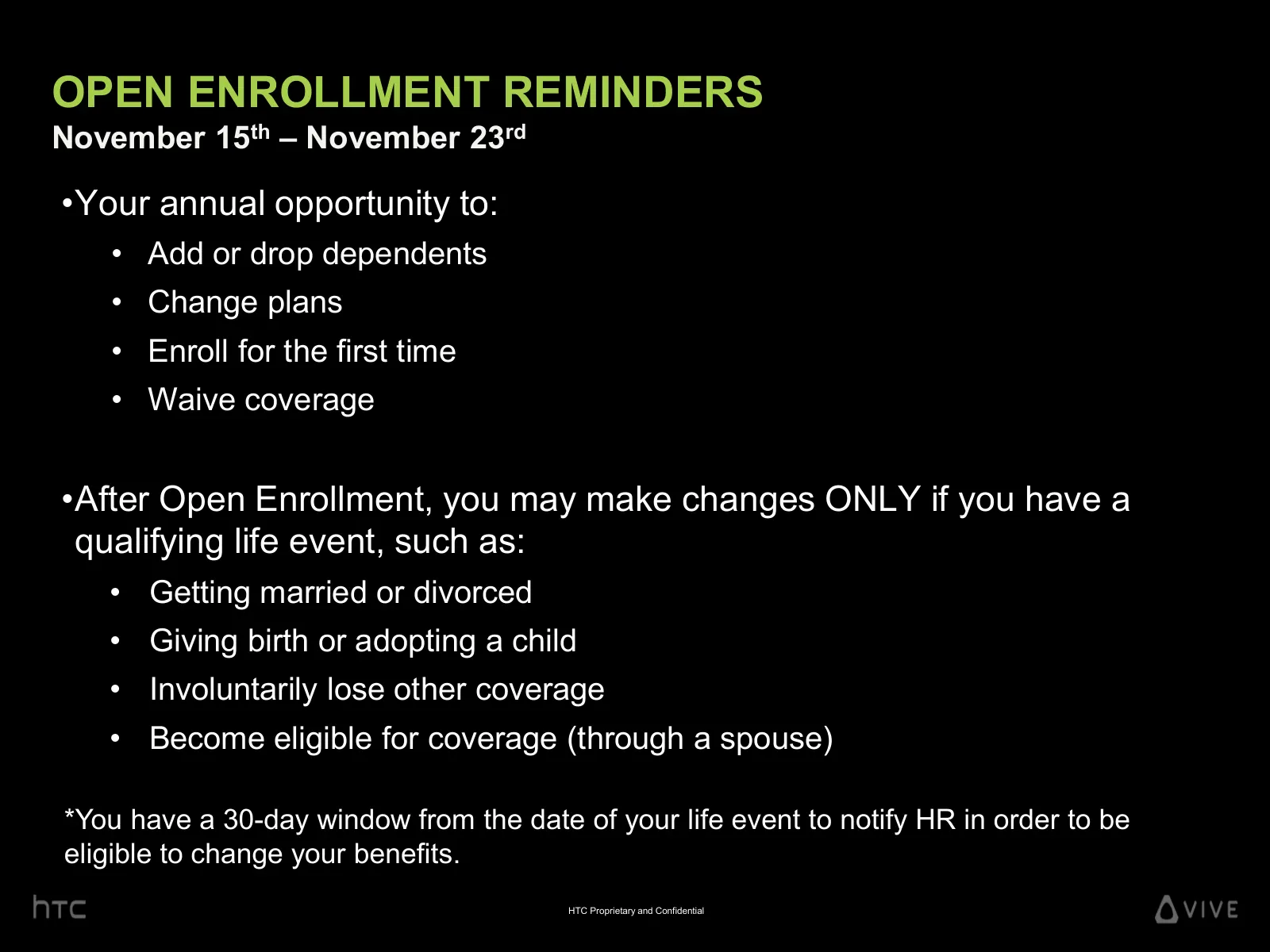
Slide 3: Open Enrollment Reminders
OPEN ENROLLMENT REMINDERS November 15th – November 23rd •Your annual opportunity to: • Add or drop dependents • Change plans • Enroll for the first time • Waive coverage •After Open Enrollment, you may make changes ONLY if you have a qualifying life event, such as: • Getting married or divorced • Gi
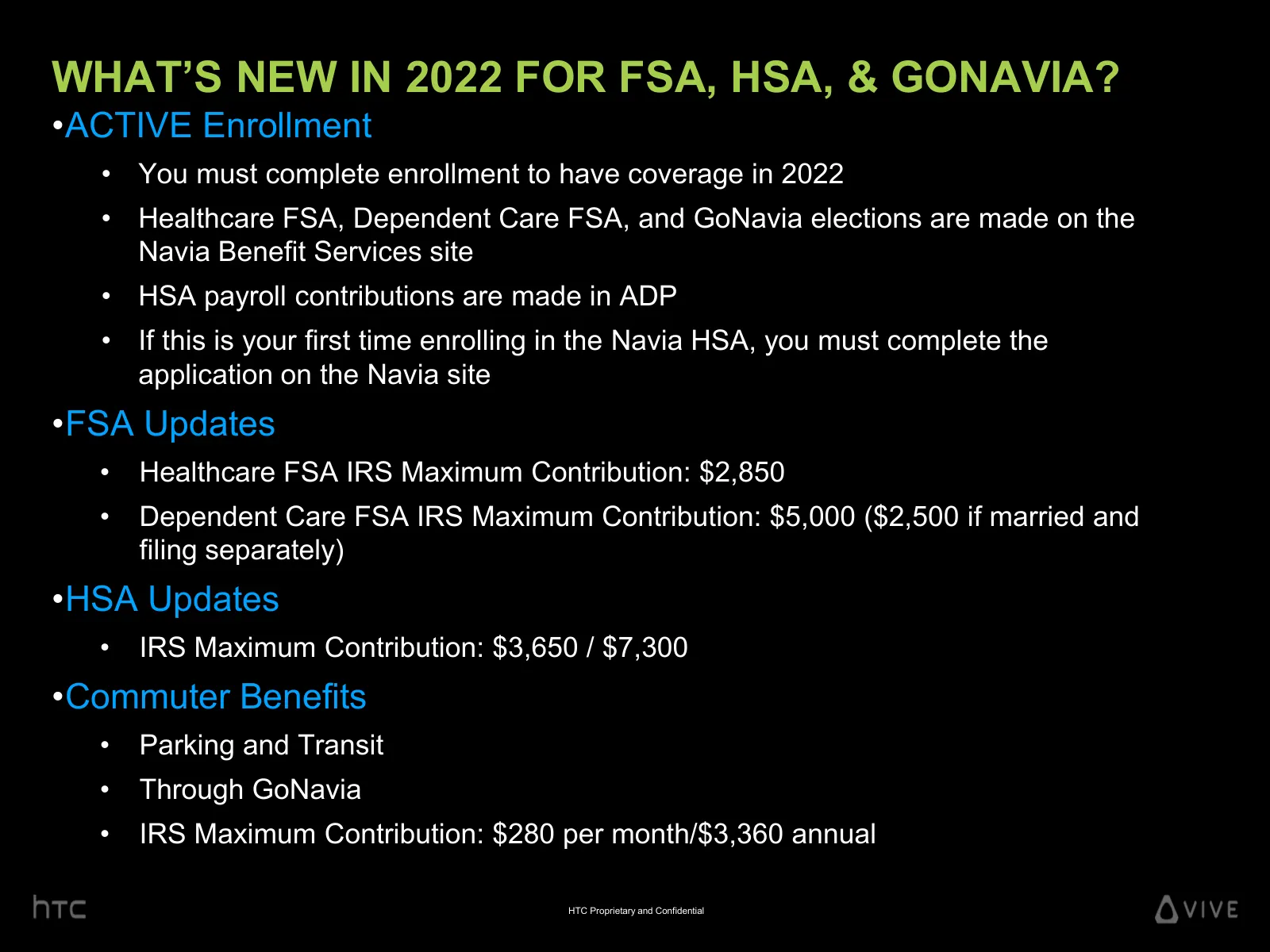
Slide 4: What's New in 2022 for FSA, HSA, & GoNavia?
WHAT’S NEW IN 2022 FOR FSA, HSA, & GONAVIA? •ACTIVE Enrollment • You must complete enrollment to have coverage in 2022 • Healthcare FSA, Dependent Care FSA, and GoNavia elections are made on the Navia Benefit Services site • HSA payroll contributions are made in ADP • If this is your first time enro
Slide 5: Eligibility for Coverage
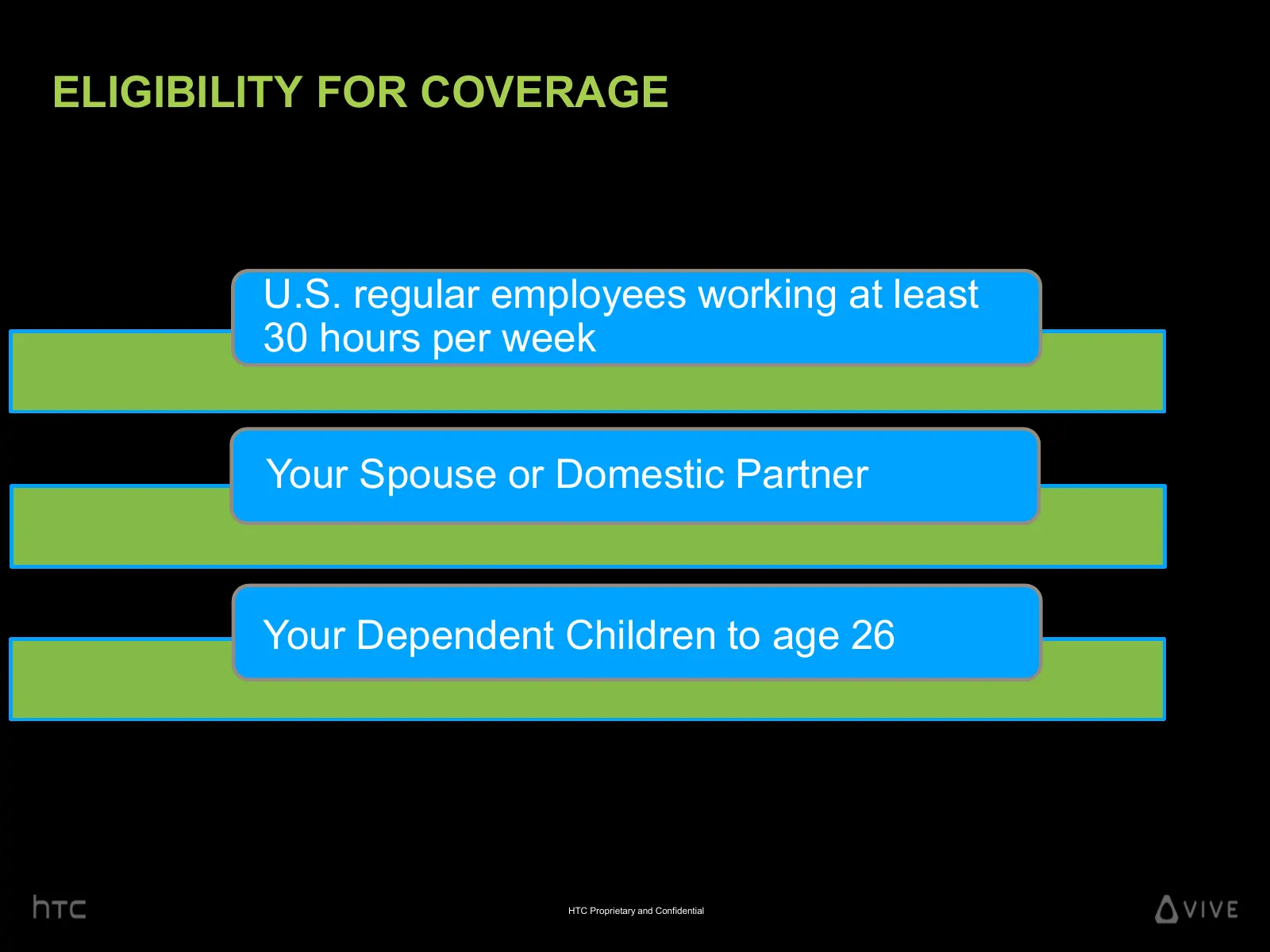
ELIGIBILITY FOR COVERAGE U.S. regular employees working at least 30 hours per week Your Spouse or Domestic Partner Your Dependent Children to age 26 HTC Proprietary and Confidential
Slide 6: Flexible Spending Accounts & Commuter Benefits
Flexible Spending Accounts & Commuter Benefits Navia Benefit Solutions HTC Proprietary and Confidential
Slide 7: Commuter Benefits Transit & Parking
Commuter Benefits Transit & Parking HTC Proprietary and Confidential
Slide 8: Commuter Benefits
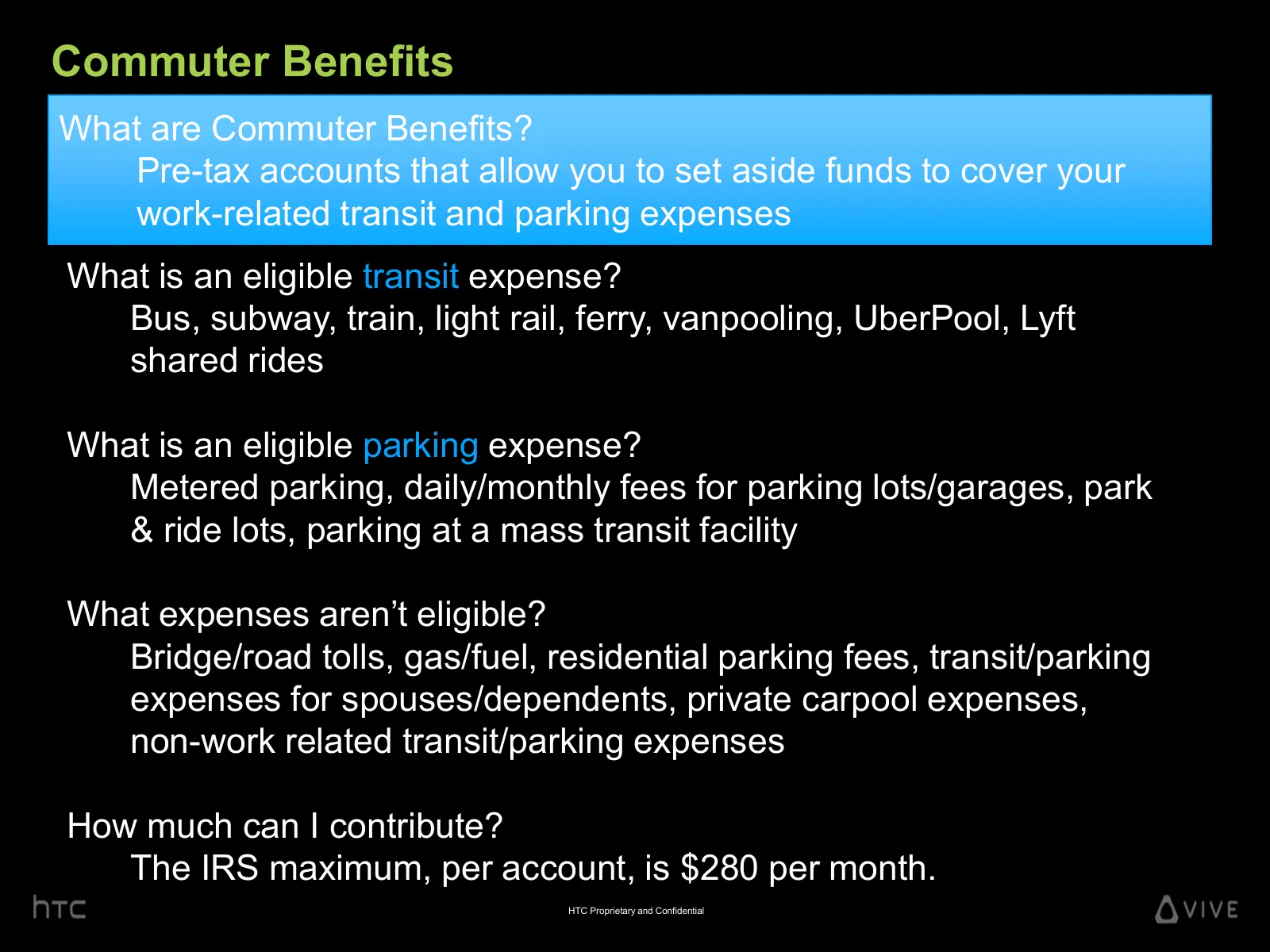
Commuter Benefits What are Commuter Benefits? Pre-tax accounts that allow you to set aside funds to cover your work-related transit and parking expenses What is an eligible transit expense? Bus, subway, train, light rail, ferry, vanpooling, UberPool, Lyft shared rides What is an eligible parking exp
Slide 9: Commuter Benefits
Commuter Benefits How do I elect my commuter benefits? Login as a participant to Navia’s employee portal. If you’ve not registered yet, you will need to complete the registration process. Select the “GoNavia Commuter Orders” and follow the instructions. When will the election portal be open for 2022
Slide 10: Commuter Benefits – How to Place Your GoNavia Transit Order
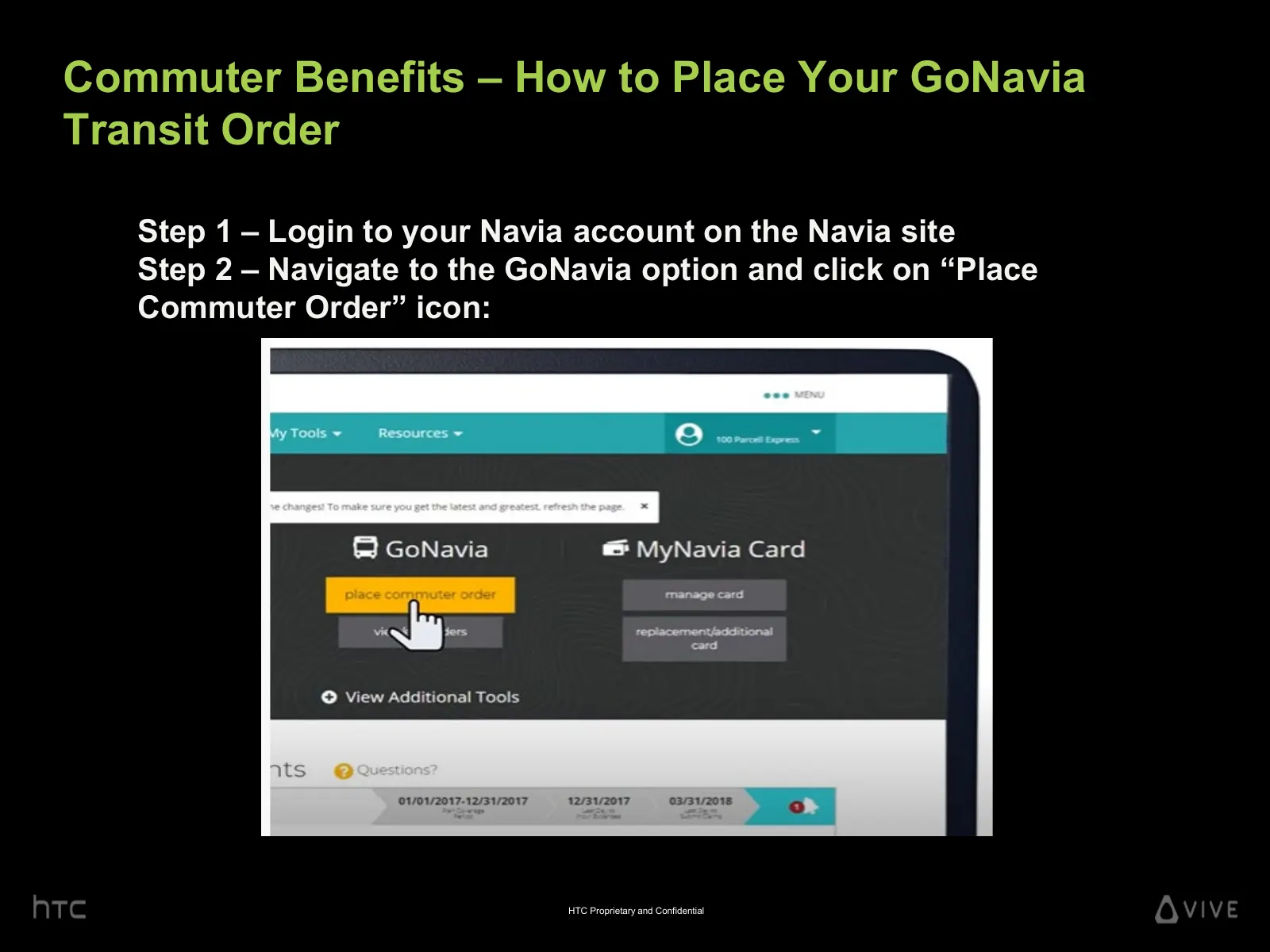
Commuter Benefits – How to Place Your GoNavia Transit Order Step 1 – Login to your Navia account on the Navia site Step 2 – Navigate to the GoNavia option and click on “Place Commuter Order” icon: HTC Proprietary and Confidential
Slide 11: Commuter Benefits – How to Place Your GoNavia Transit Order
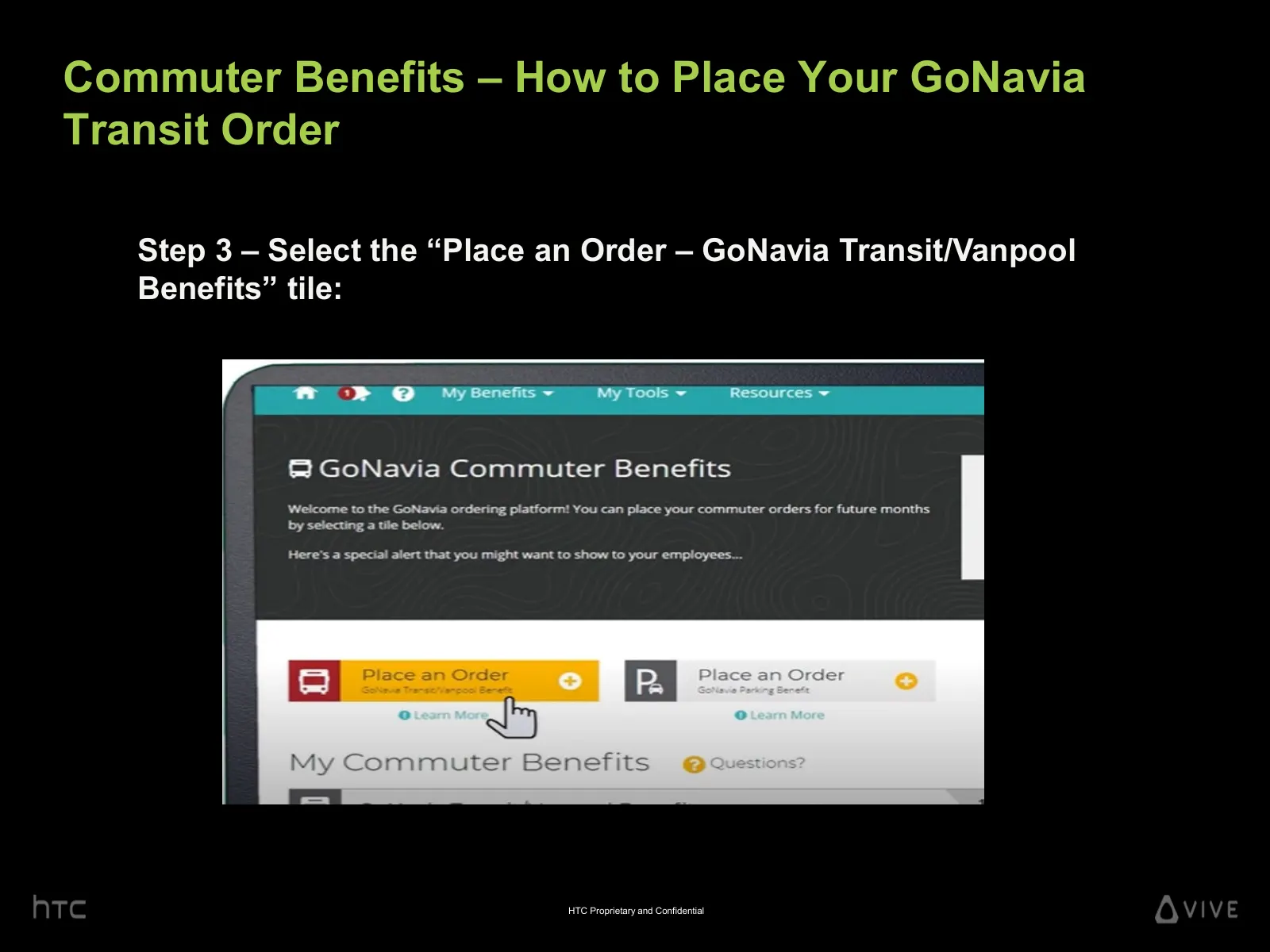
Commuter Benefits – How to Place Your GoNavia Transit Order Step 3 – Select the “Place an Order – GoNavia Transit/Vanpool Benefits” tile: HTC Proprietary and Confidential
Slide 12: Commuter Benefits – How to Place Your GoNavia Transit Order
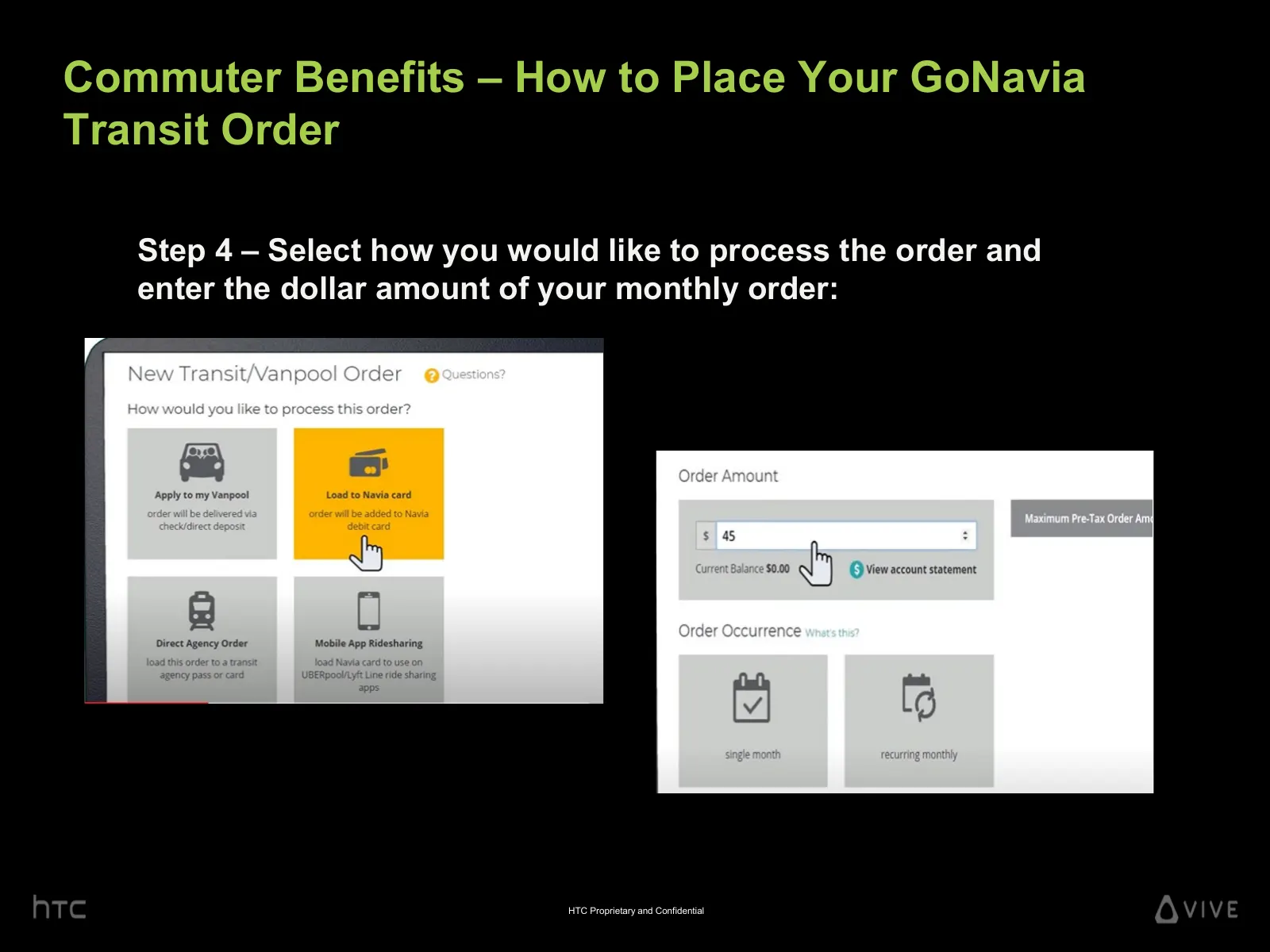
Commuter Benefits – How to Place Your GoNavia Transit Order Step 4 – Select how you would like to process the order and enter the dollar amount of your monthly order: HTC Proprietary and Confidential
Slide 13: Commuter Benefits – How to Place Your GoNavia Transit Order
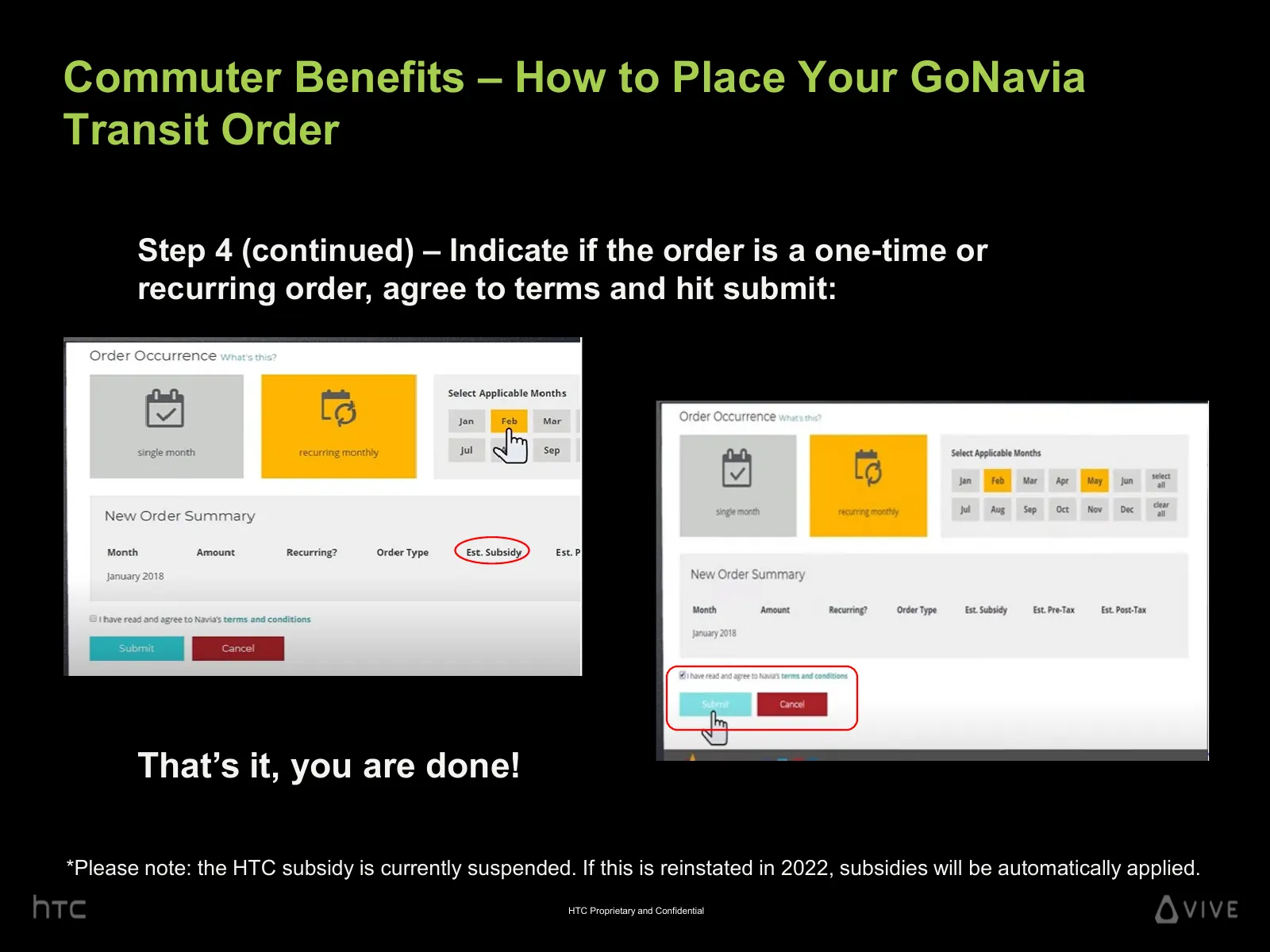
Commuter Benefits – How to Place Your GoNavia Transit Order Step 4 (continued) – Indicate if the order is a one-time or recurring order, agree to terms and hit submit: That’s it, you are done! *Please note: the HTC subsidy is currently suspended. If this is reinstated in 2022, subsidies will be auto
Slide 14: Commuter Benefits – How to Place Your GoNavia Parking Order
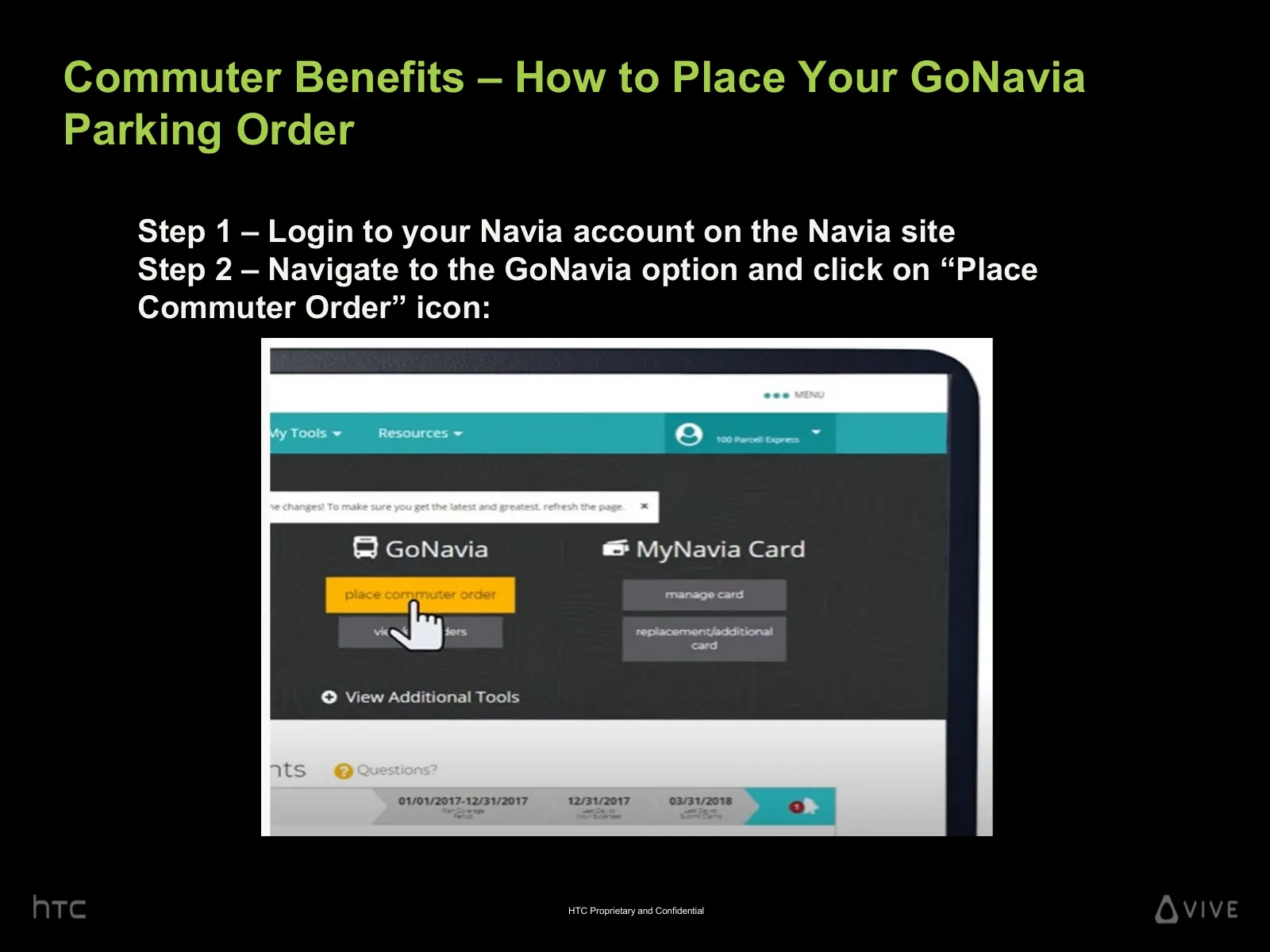
Commuter Benefits – How to Place Your GoNavia Parking Order Step 1 – Login to your Navia account on the Navia site Step 2 – Navigate to the GoNavia option and click on “Place Commuter Order” icon: HTC Proprietary and Confidential
Slide 15: Commuter Benefits – How to Place Your GoNavia Parking Order
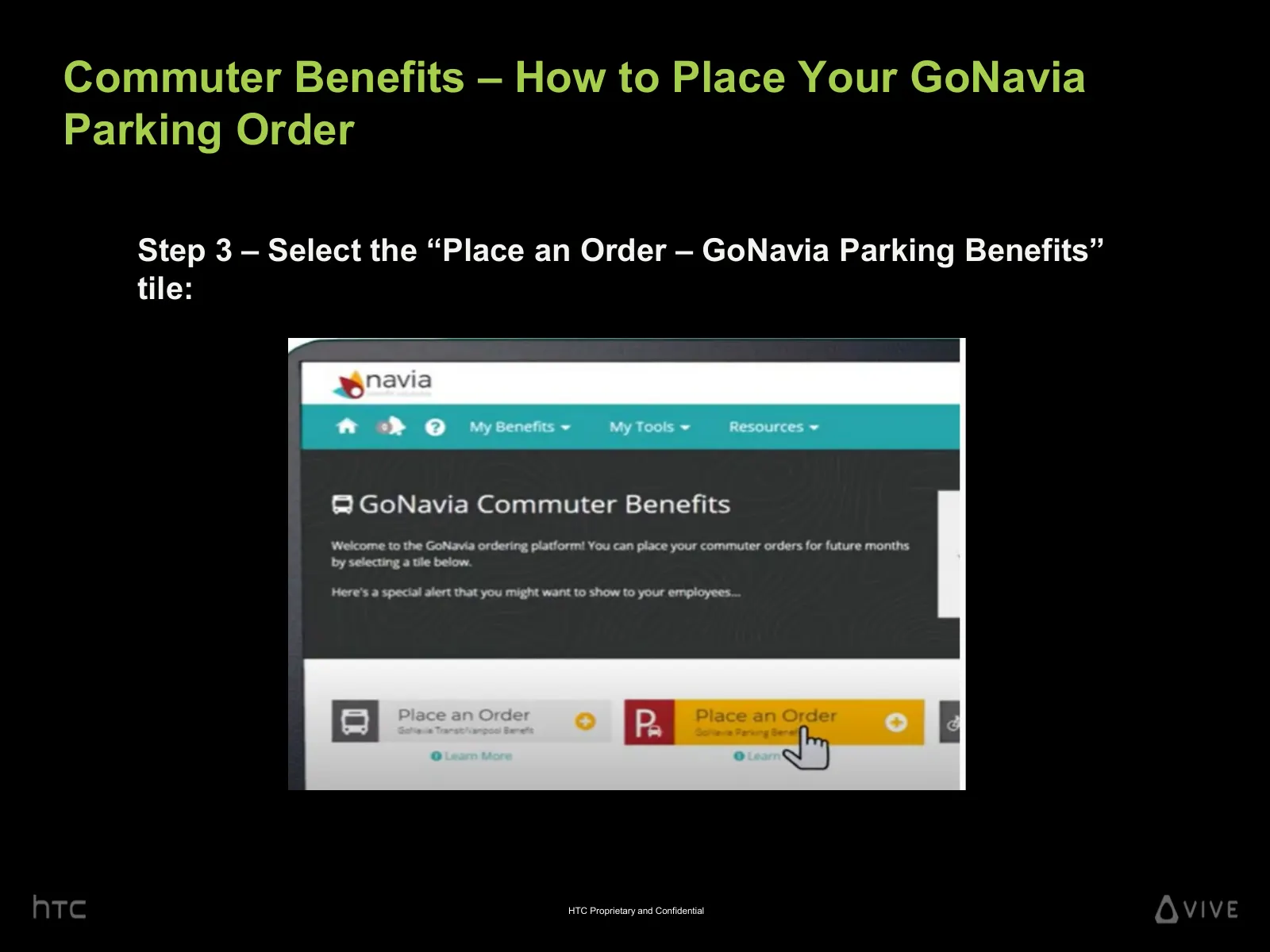
Commuter Benefits – How to Place Your GoNavia Parking Order Step 3 – Select the “Place an Order – GoNavia Parking Benefits” tile: HTC Proprietary and Confidential
Slide 16: Commuter Benefits – How to Place Your GoNavia Parking Order
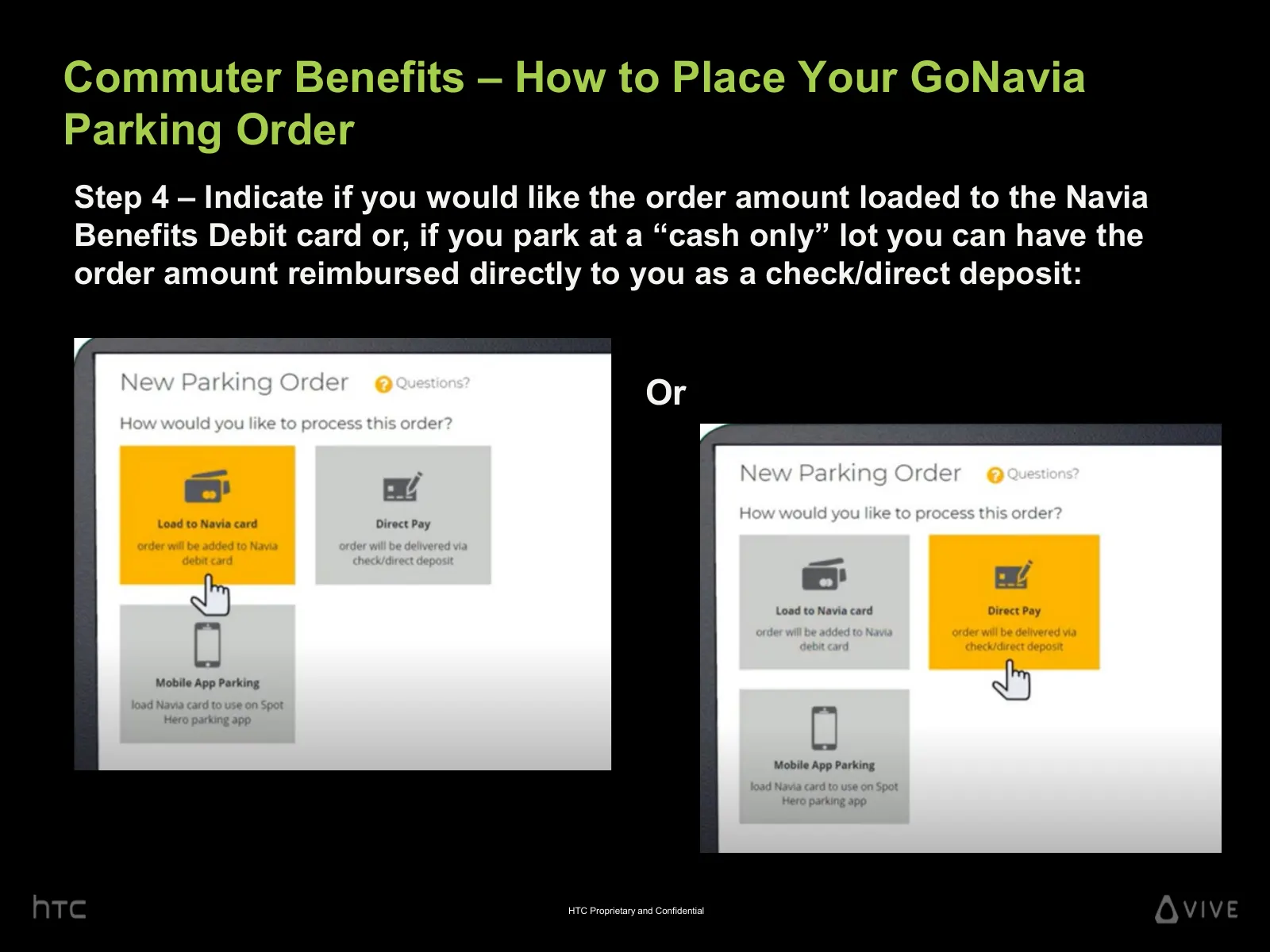
Commuter Benefits – How to Place Your GoNavia Parking Order Step 4 – Indicate if you would like the order amount loaded to the Navia Benefits Debit card or, if you park at a “cash only” lot you can have the order amount reimbursed directly to you as a check/direct deposit: Or HTC Proprietary and Con
Slide 17: Commuter Benefits – How to Place Your GoNavia Parking Order
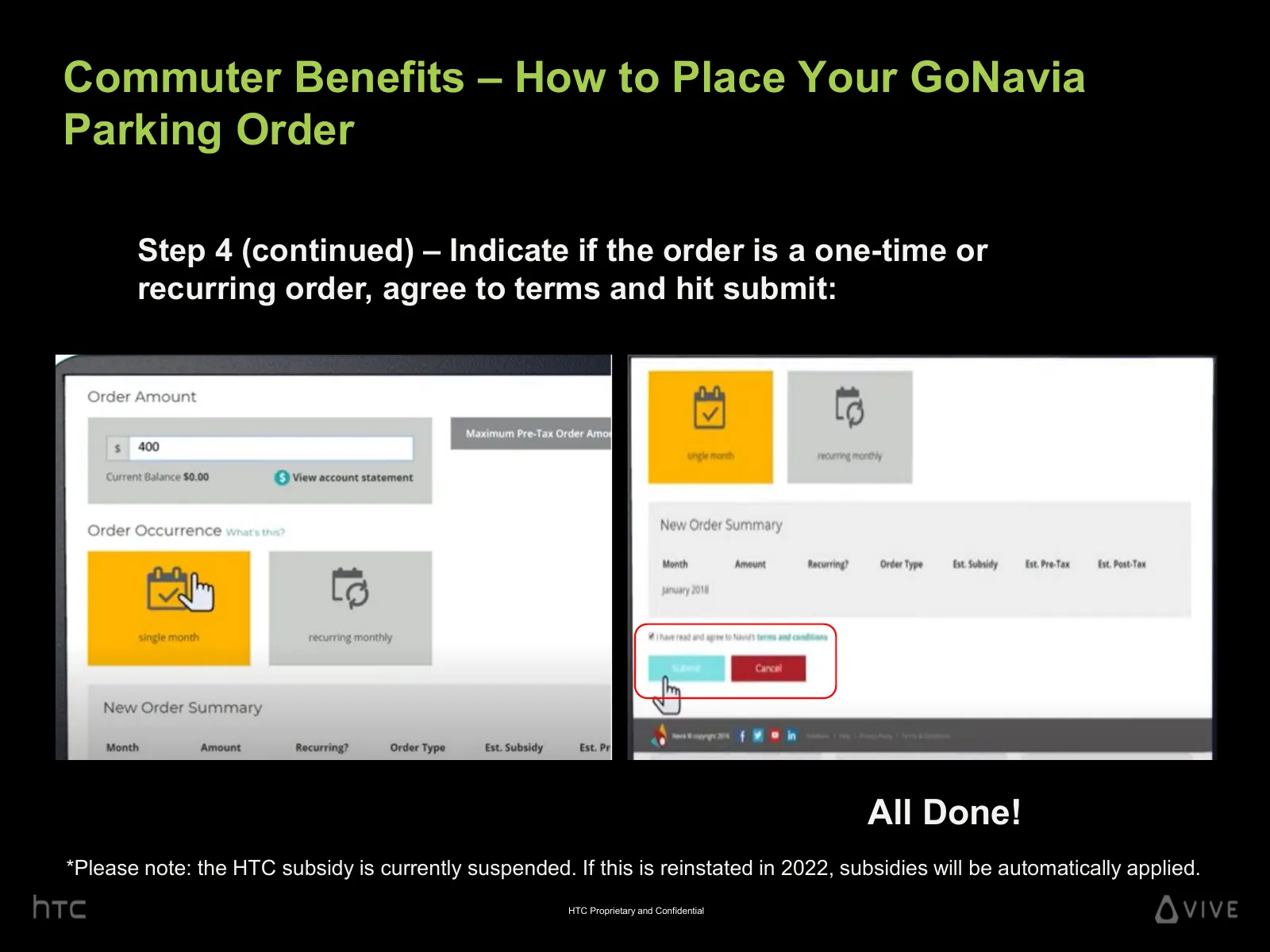
Commuter Benefits – How to Place Your GoNavia Parking Order Step 4 (continued) – Indicate if the order is a one-time or recurring order, agree to terms and hit submit: All Done! *Please note: the HTC subsidy is currently suspended. If this is reinstated in 2022, subsidies will be automatically appli
Slide 18: Healthcare Flexible Spending Account
Healthcare Flexible Spending Account For employees participating in PPO plan or waiving medical coverage with HTC HTC Proprietary and Confidential
Slide 19: Healthcare Flexible Spending Account (FSA)
Healthcare Flexible Spending Account (FSA) What is a Healthcare FSA? A pre-tax account that allows you to set aside funds to cover your medical/dental/vision/pharmacy expenses. • Date of Service Plan: Services must be used within the Calendar Year • Maximum Contribution: $2,850 • Commitment: Must co
Slide 20: Healthcare Flexible Spending Account (FSA)
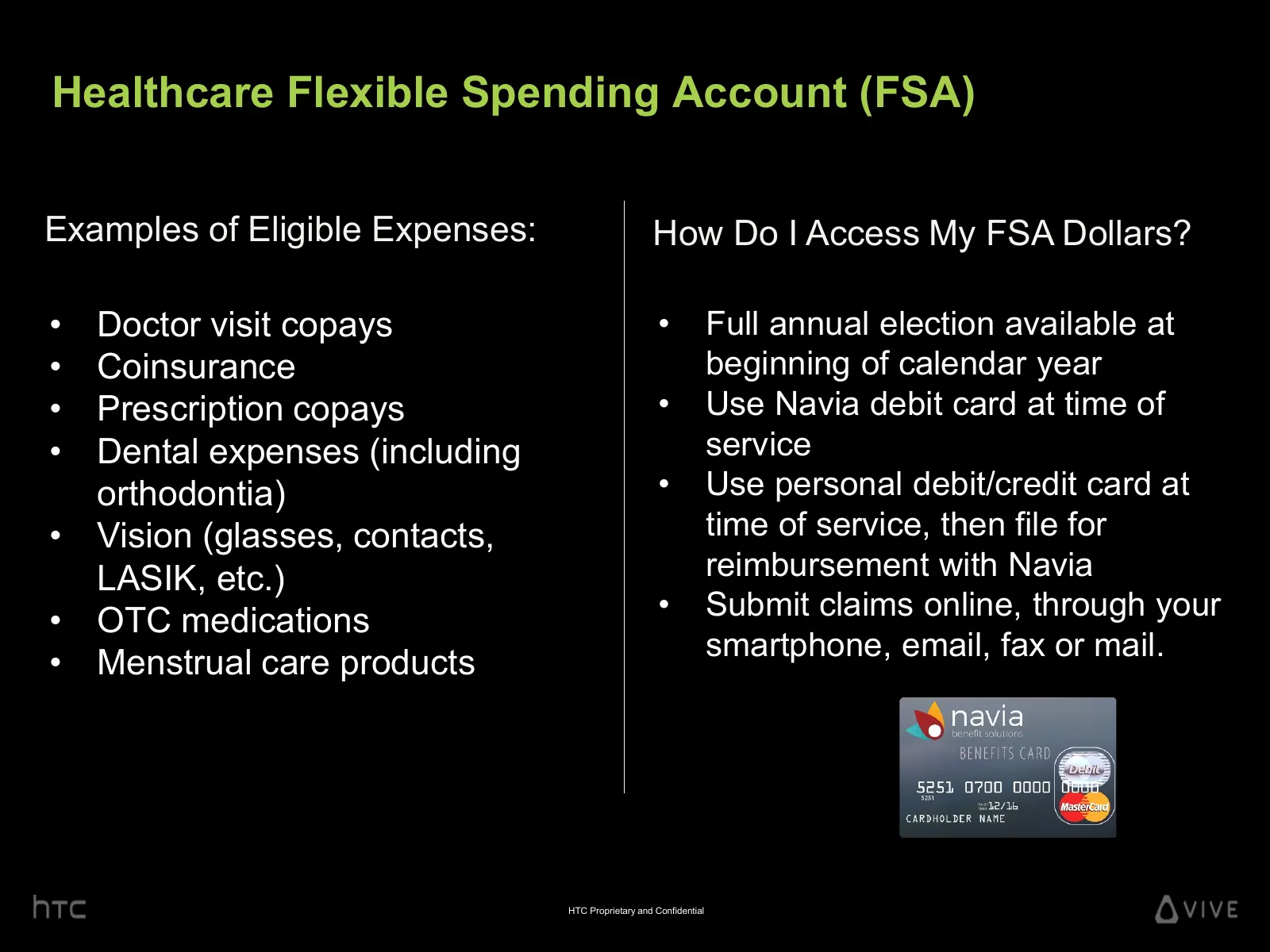
Healthcare Flexible Spending Account (FSA) Examples of Eligible Expenses: How Do I Access My FSA Dollars? • Doctor visit copays • Full annual election available at • Coinsurance beginning of calendar year • Prescription copays • Use Navia debit card at time of • Dental expenses (including service or
Slide 21: Dependent Care Flexible Spending Account
Dependent Care Flexible Spending Account HTC Proprietary and Confidential
Slide 22: Dependent Care Flexible Spending Account (FSA)
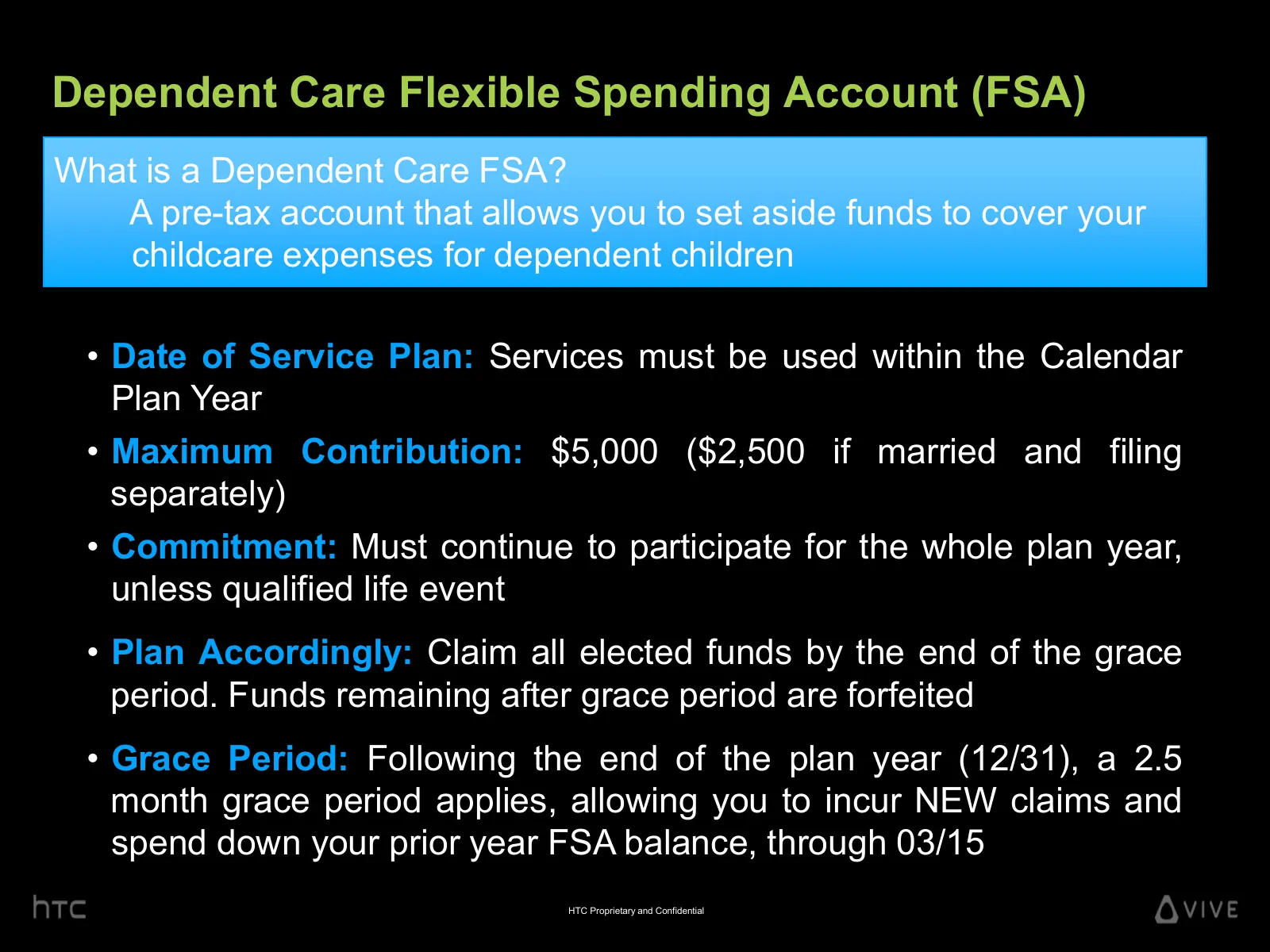
Dependent Care Flexible Spending Account (FSA) What is a Dependent Care FSA? A pre-tax account that allows you to set aside funds to cover your childcare expenses for dependent children • Date of Service Plan: Services must be used within the Calendar Plan Year • Maximum Contribution: $5,000 ($2,500
Slide 23: Dependent Care Flexible Spending Account (FSA)
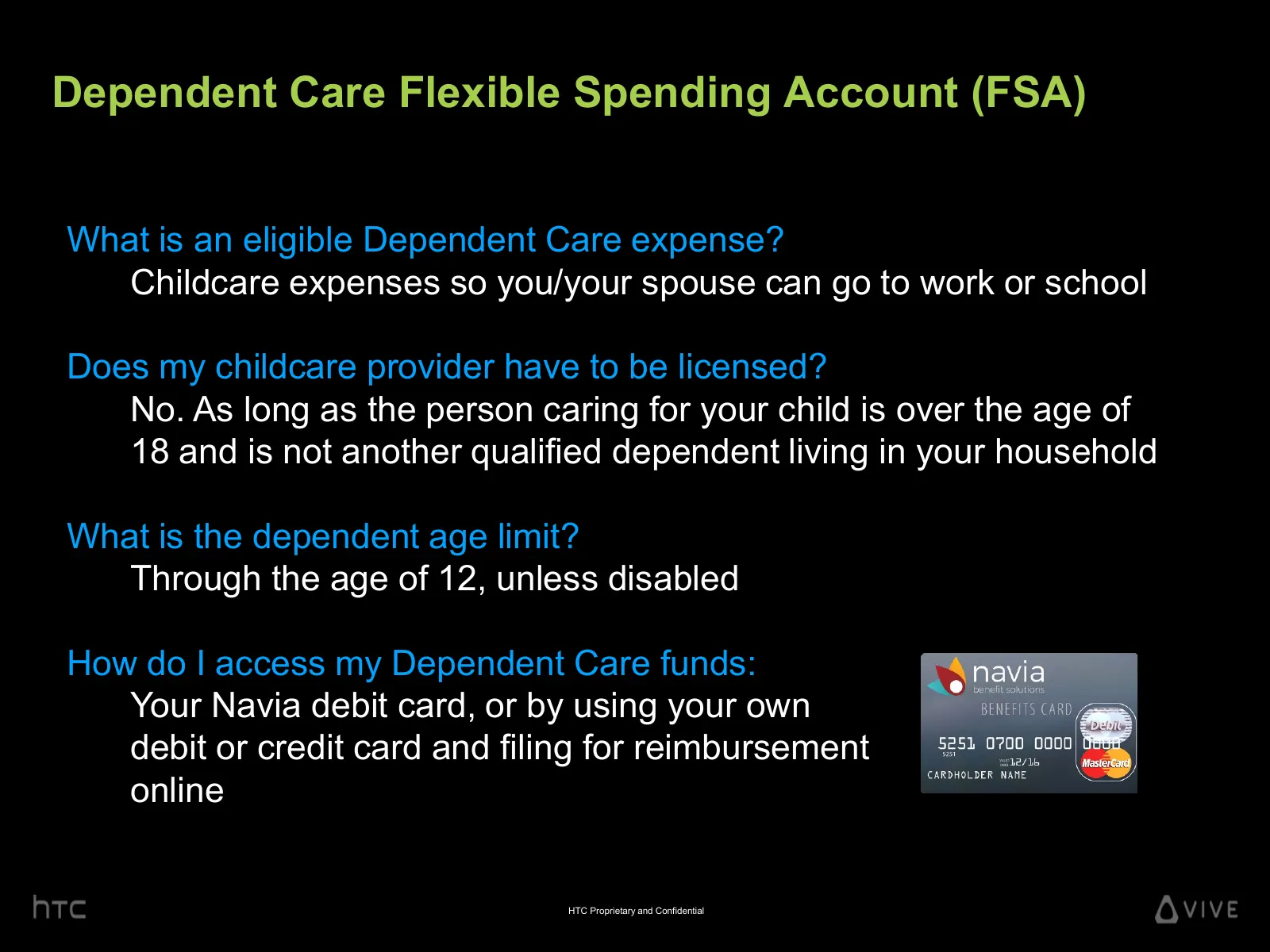
Dependent Care Flexible Spending Account (FSA) What is an eligible Dependent Care expense? Childcare expenses so you/your spouse can go to work or school Does my childcare provider have to be licensed? No. As long as the person caring for your child is over the age of 18 and is not another qualified
Slide 24: Health Savings Account (HSA)
Health Savings Account (HSA) HTC Proprietary and Confidential
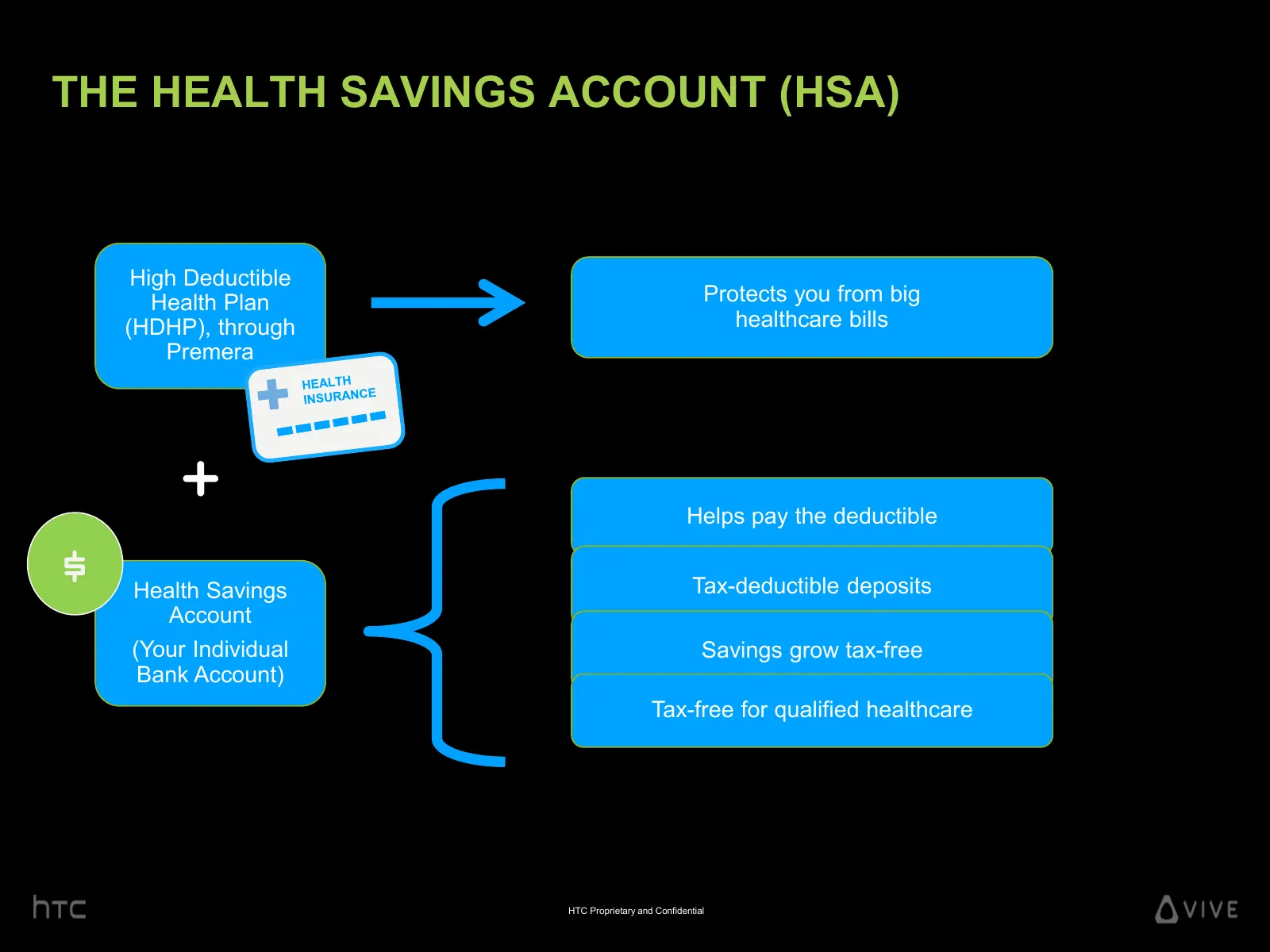
Slide 25: The Health Savings Account (HSA)
THE HEALTH SAVINGS ACCOUNT (HSA) High Deductible Health Plan Protects you from big (HDHP), through healthcare bills Premera + Helps pay the deductible $ Health Savings Tax-deductible deposits Account (Your Individual Savings grow tax-free Bank Account) Tax-free for qualified healthcare HTC Proprieta
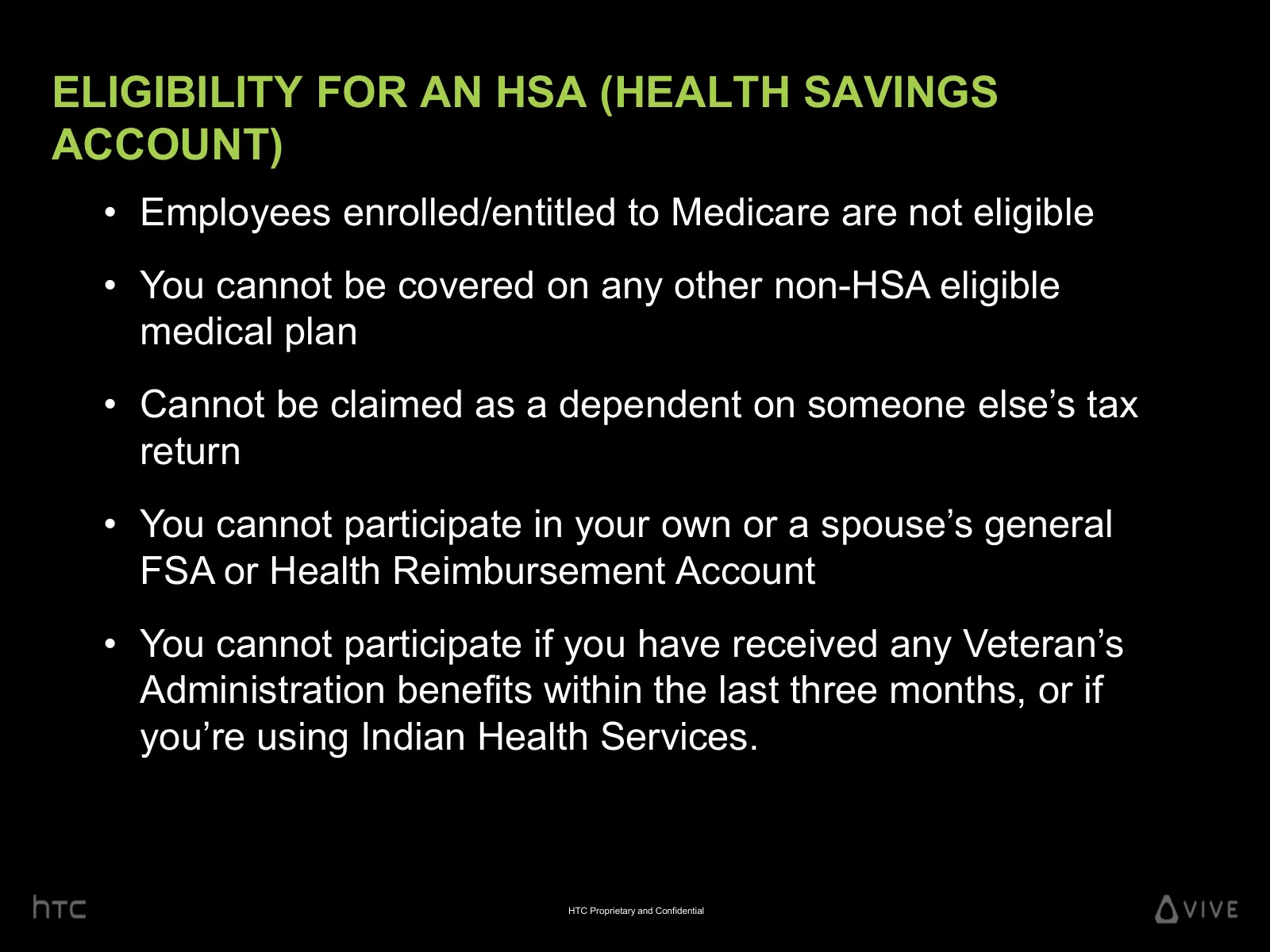
Slide 26: Eligibility for an HSA (Health Savings Account)
ELIGIBILITY FOR AN HSA (HEALTH SAVINGS ACCOUNT) • Employees enrolled/entitled to Medicare are not eligible • You cannot be covered on any other non-HSA eligible medical plan • Cannot be claimed as a dependent on someone else’s tax return • You cannot participate in your own or a spouse’s general FSA
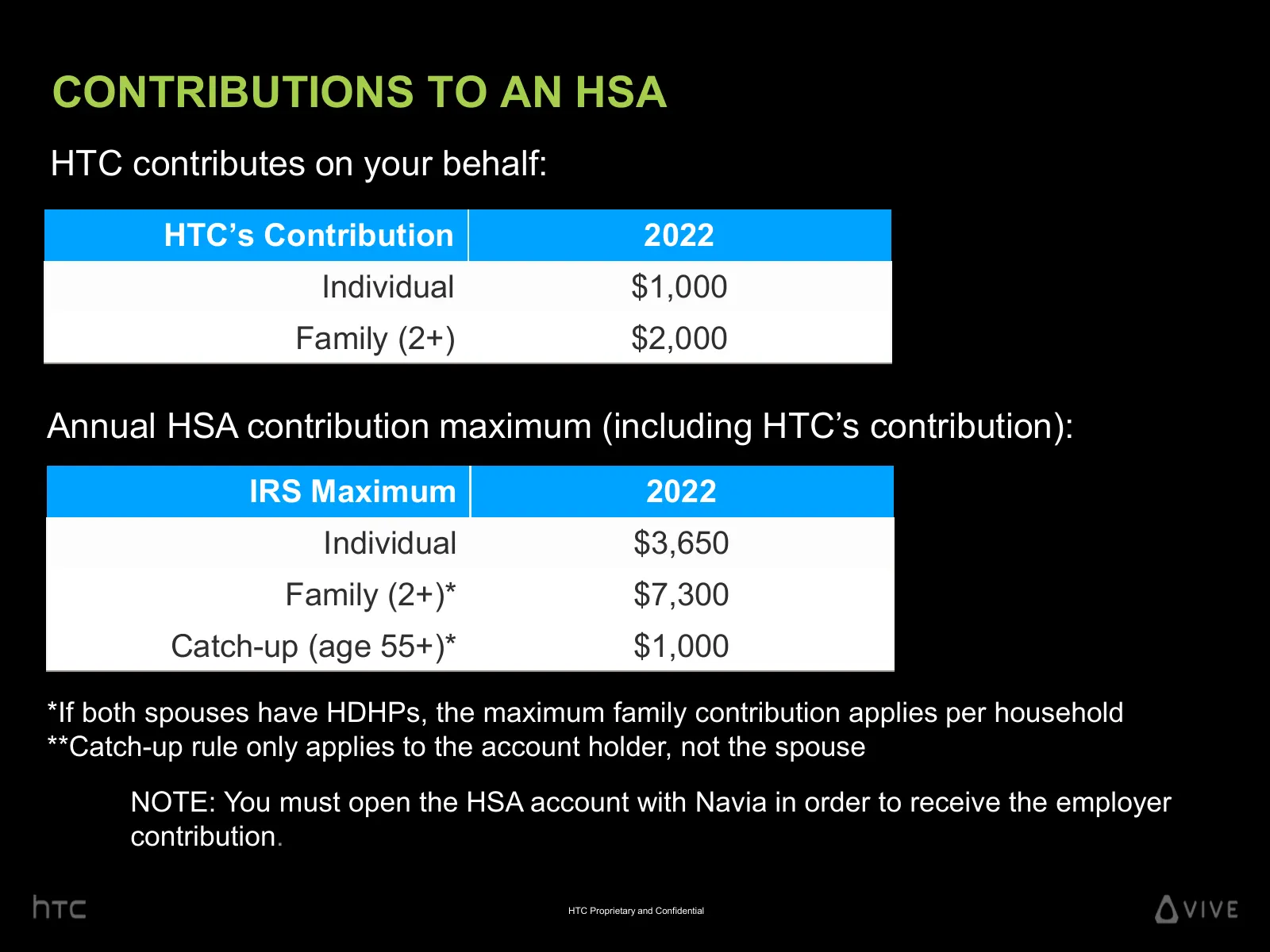
Slide 27: Contributions to an HSA
CONTRIBUTIONS TO AN HSA HTC contributes on your behalf: HTC’s Contribution 2022 Individual $1,000 Family (2+) $2,000 Annual HSA contribution maximum (including HTC’s contribution): IRS Maximum 2022 Individual $3,650 Family (2+)* $7,300 Catch-up (age 55+)* $1,000 *If both spouses have HDHPs, the maxi
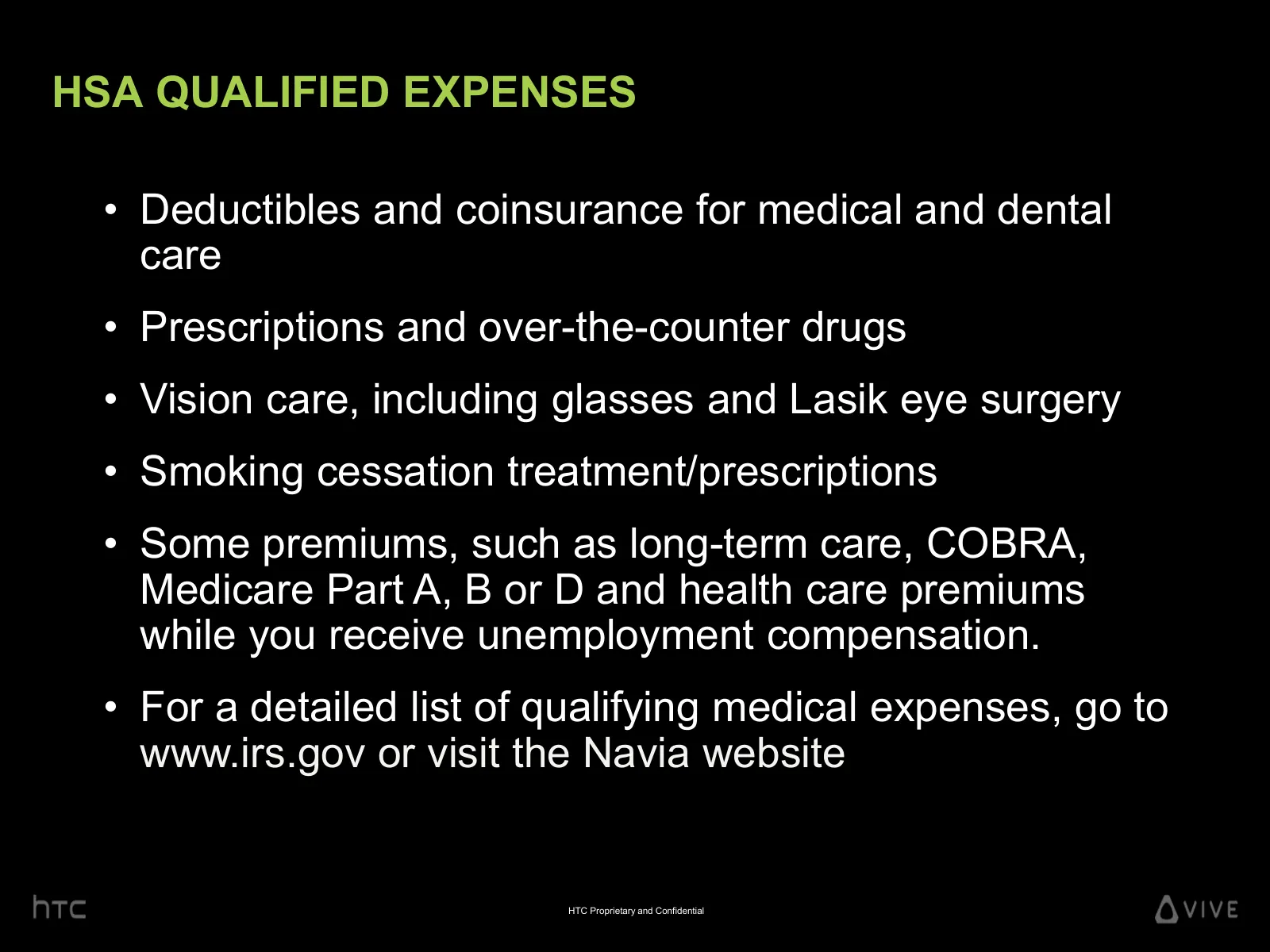
Slide 28: HSA Qualified Expenses
HSA QUALIFIED EXPENSES • Deductibles and coinsurance for medical and dental care • Prescriptions and over-the-counter drugs • Vision care, including glasses and Lasik eye surgery • Smoking cessation treatment/prescriptions • Some premiums, such as long-term care, COBRA, Medicare Part A, B or D and h
Slide 29: HSA – Getting Started with Navia
HSA – GETTING STARTED WITH NAVIA • Register online at www.naviabenefits.com. Once registered, click on “I’m a participant”. • Complete the Participant Information section – your Employer Code can be found in the enrollment invitation sent by Navia. • Shortly after submitting your form, you will rece
Slide 30: HSA – Set Up Your HSA Account
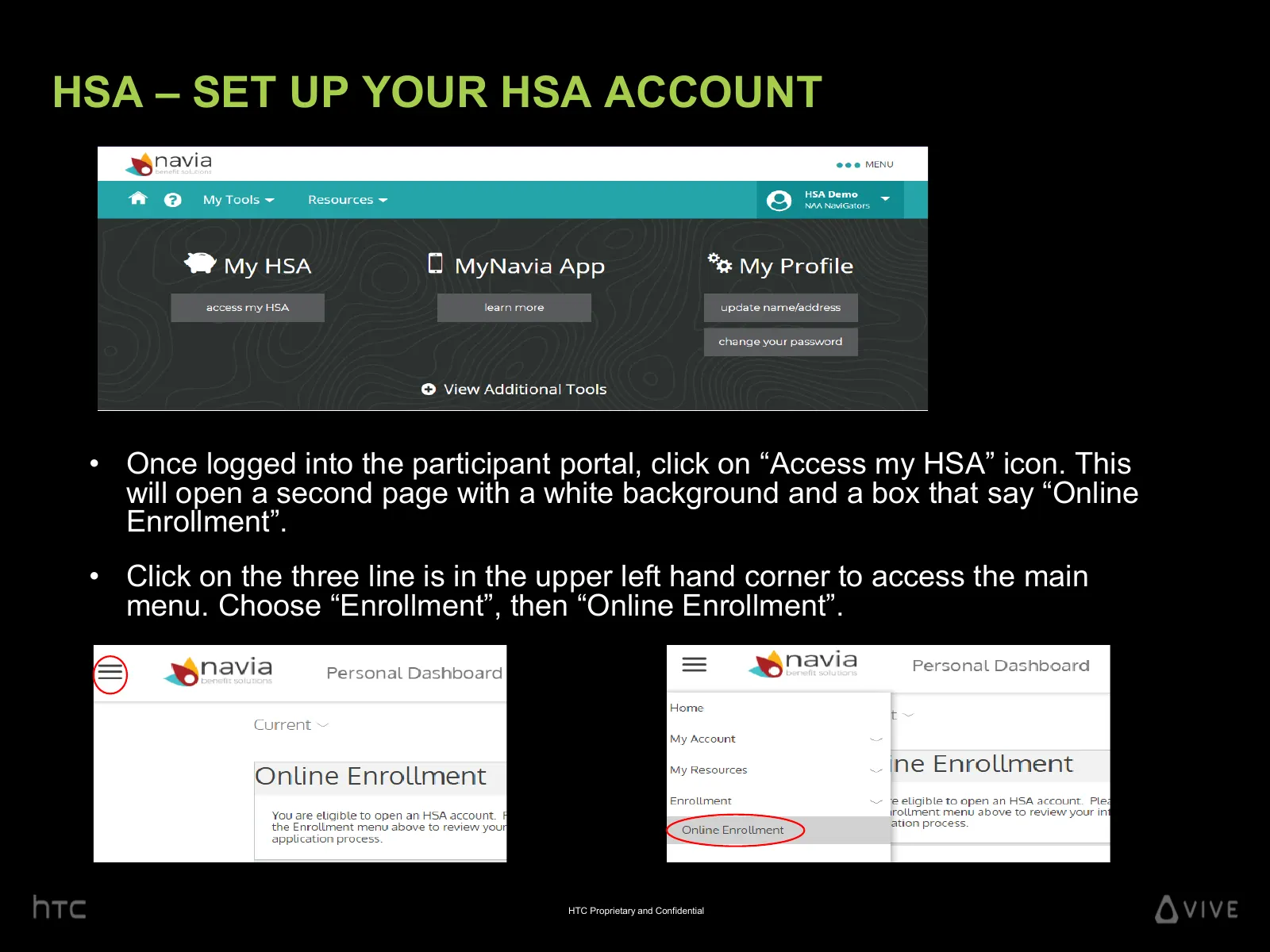
HSA – SET UP YOUR HSA ACCOUNT • Once logged into the participant portal, click on “Access my HSA” icon. This will open a second page with a white background and a box that say “Online Enrollment”. • Click on the three line is in the upper left hand corner to access the main menu. Choose “Enrollment”
Slide 31: HSA – Set Up Your HSA Account - Continued
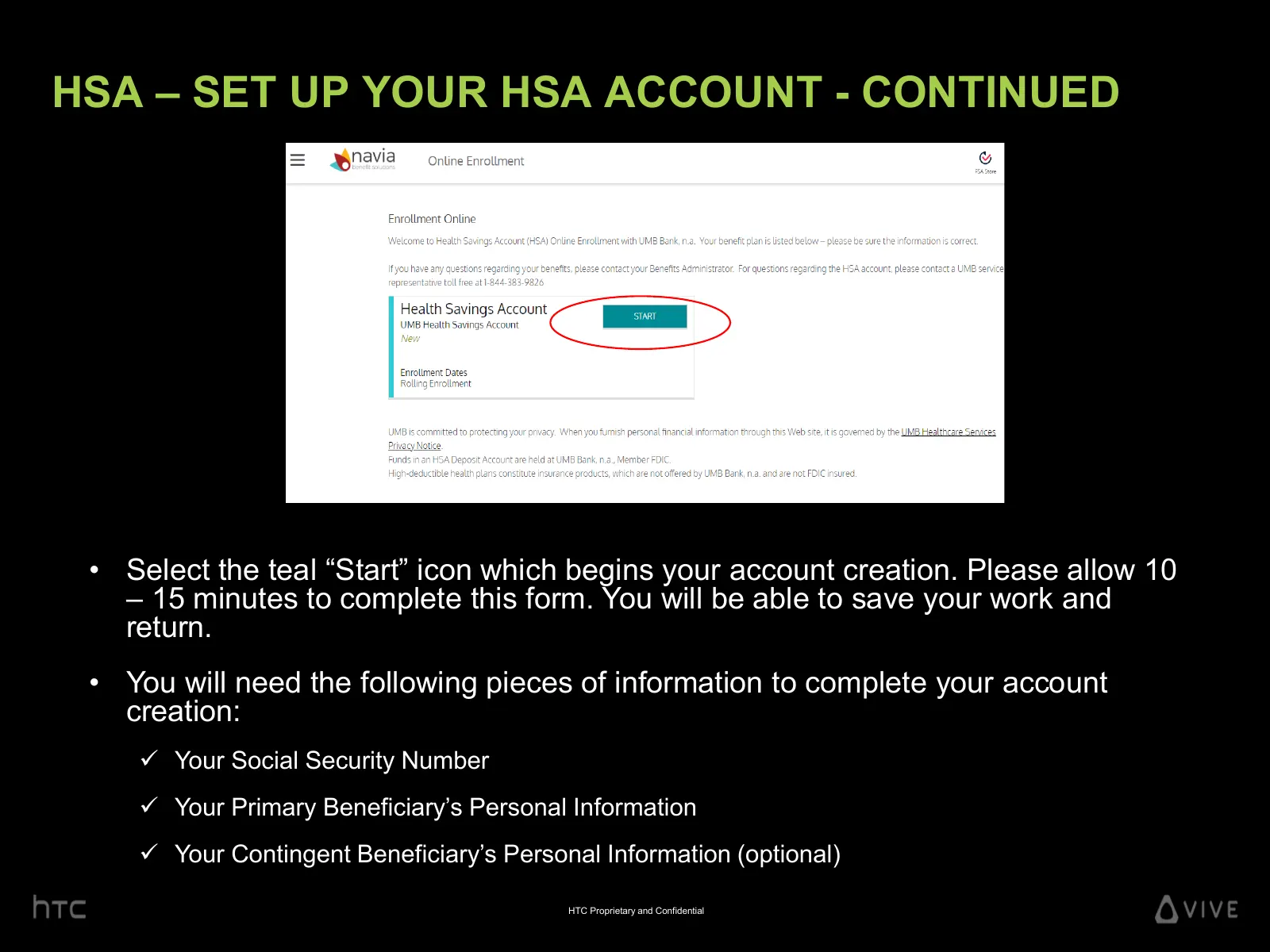
HSA – SET UP YOUR HSA ACCOUNT - CONTINUED • Select the teal “Start” icon which begins your account creation. Please allow 10 – 15 minutes to complete this form. You will be able to save your work and return. • You will need the following pieces of information to complete your account creation: You
Slide 32: HSA – Set Up Your HSA Account - Continued
HSA – SET UP YOUR HSA ACCOUNT - CONTINUED • Verify your information – fields with an * are required • Physical Address – PO Box addresses can not be used to establish your account but can be used as a mailing address • Account Details • Statements and Forms – select between electronic and paper • Be
Slide 33: 2022 HSA Reminders
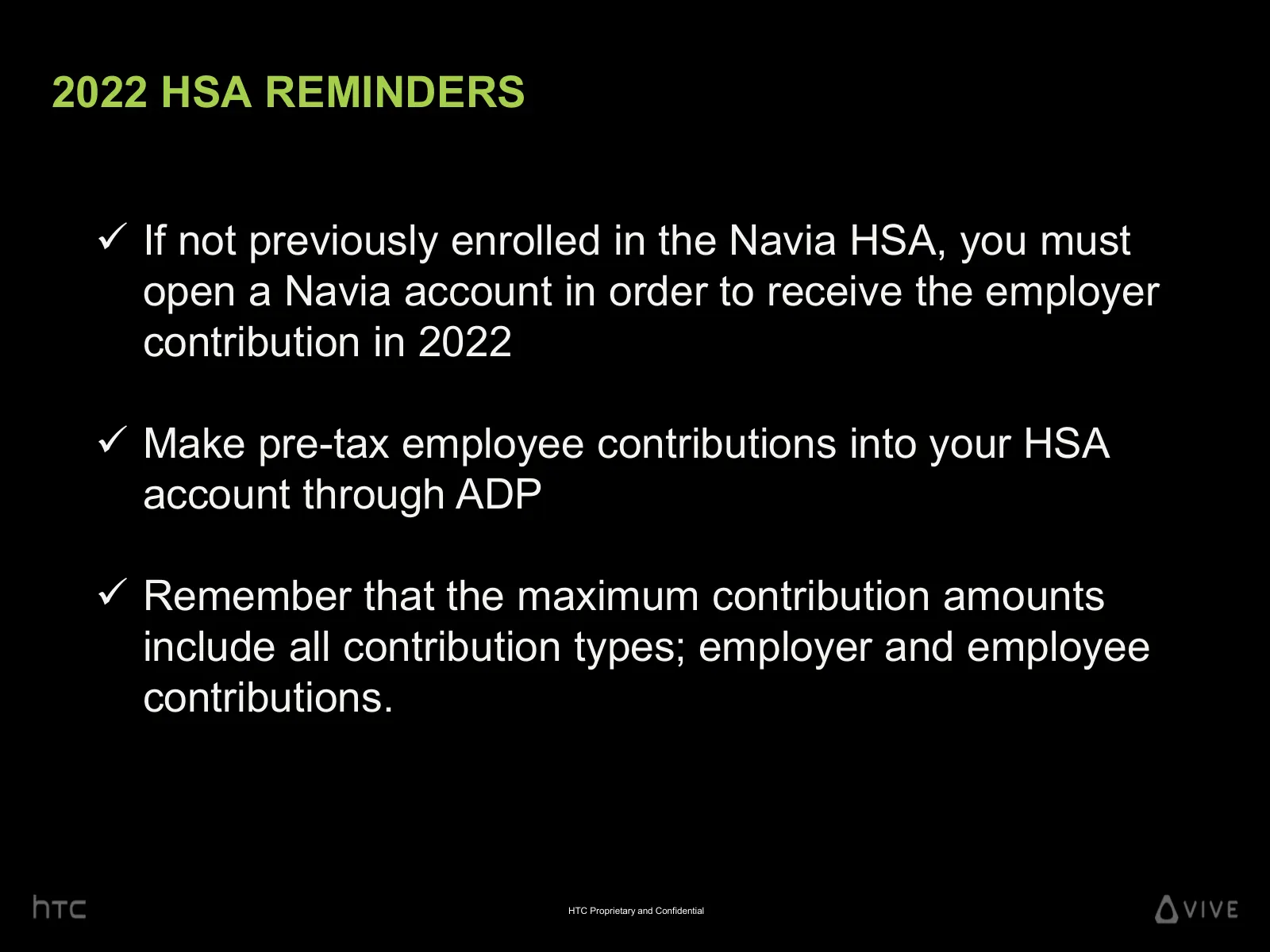
2022 HSA REMINDERS If not previously enrolled in the Navia HSA, you must open a Navia account in order to receive the employer contribution in 2022 Make pre-tax employee contributions into your HSA account through ADP Remember that the maximum contribution amounts include all contribution type

Slide 34: Additional Resources
Additional Resources HTC Proprietary and Confidential
Slide 35: Gallagher Benefit Advocate Center (BAC)
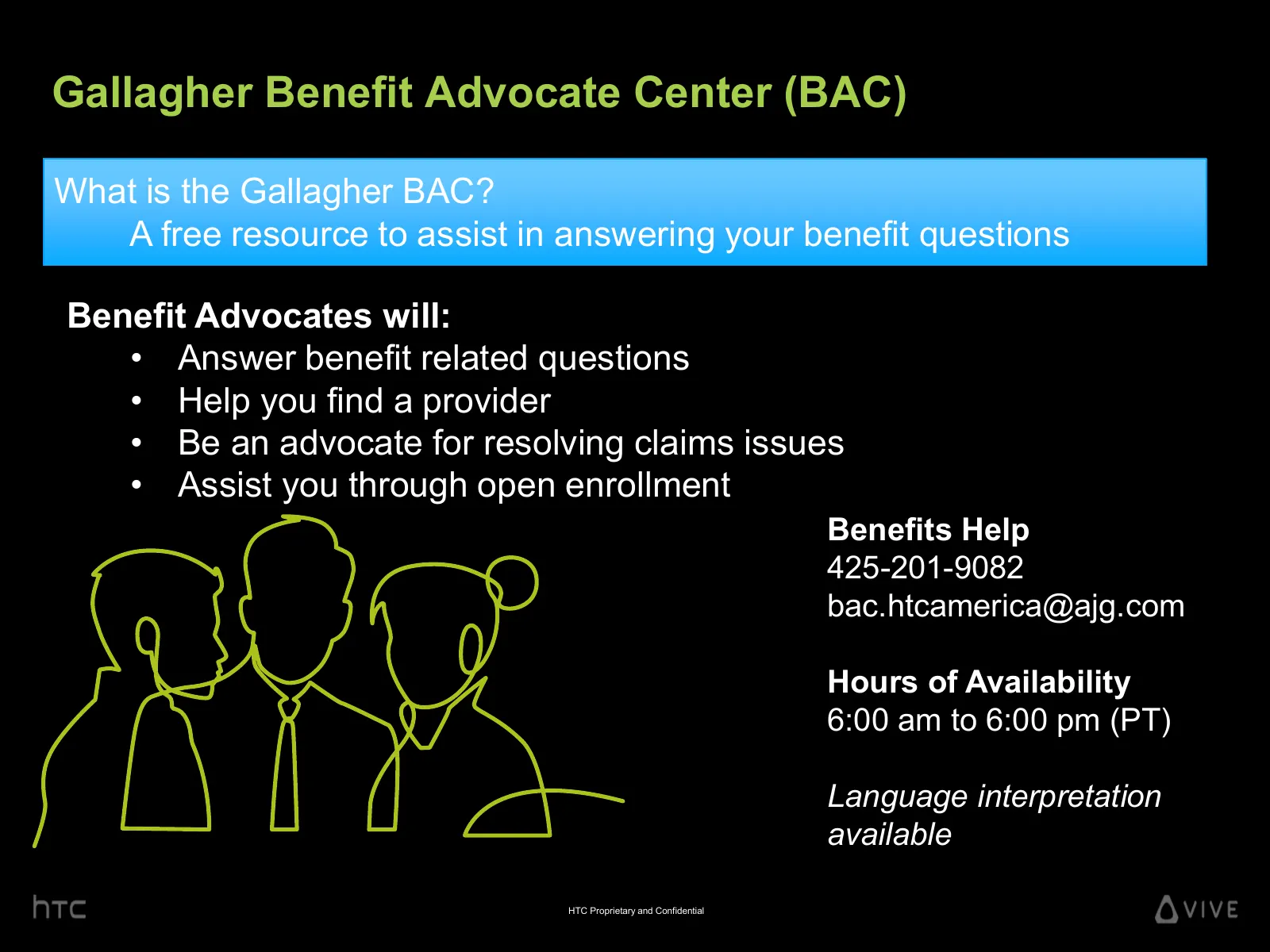
Gallagher Benefit Advocate Center (BAC) What is the Gallagher BAC? A free resource to assist in answering your benefit questions Benefit Advocates will: • Answer benefit related questions • Help you find a provider • Be an advocate for resolving claims issues • Assist you through open enrollment Ben

Slide 36: Next Steps
Next Steps HTC Proprietary and Confidential
Slide 37: Important Enrollment Information
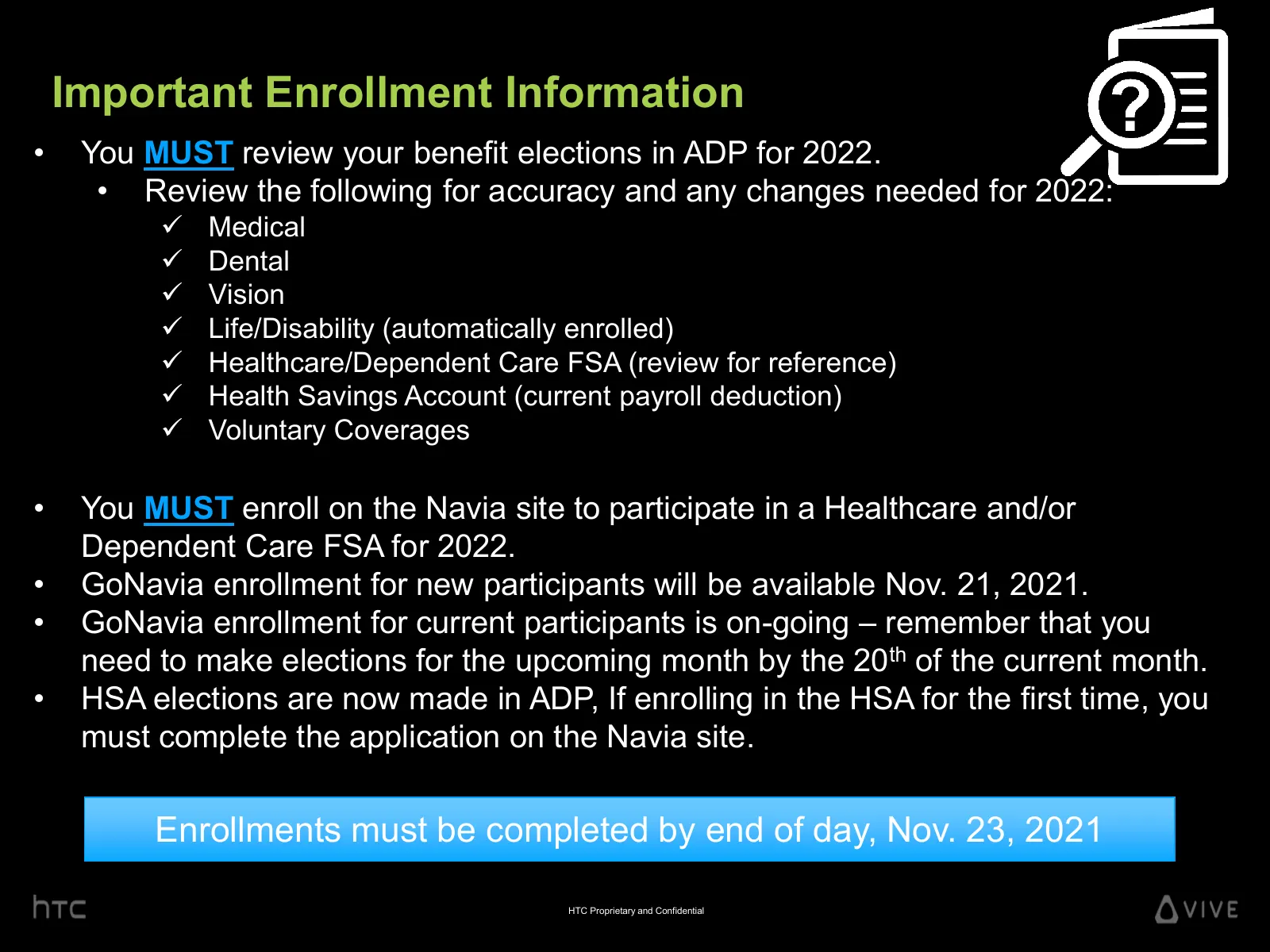
Important Enrollment Information • You MUST review your benefit elections in ADP for 2022. • Review the following for accuracy and any changes needed for 2022: Medical Dental Vision Life/Disability (automatically enrolled) Healthcare/Dependent Care FSA (review for reference) Health Savin
Slide 38: Next Steps: Questions
Next Steps QUESTIONS ABOUT YOUR FSA, HSA, & GONAVIA BENEFITS? [email protected] [email protected] 800.669.3539 QUESTIONS ABOUT YOUR BENEFITS? visit https://htc.benefithub.com/ GALLAGHER BENEFIT ADVOCATES [email protected] 833-580-5861 HTC Proprietary and Confidential
Source: Internet Archive copy of c2mb.ajg.com
More decks from Arthur J. Gallagher & Co.
 Q3 2026 Earnings Presentation52 slides · Oct 29, 2026
 Investor Day (September 2026)10 slides · Sep 23, 2026
 Q2 2026 Earnings Presentation52 slides · Jul 30, 2026
 Q1 2026 Earnings Presentation52 slides · Apr 30, 2026
 Q4 2025 Earnings Presentation11 slides · Jan 29, 2026
 Investor Presentation (2025)11 slides · Oct 9, 2025